Channel Rack vs Playlist vs Mixer in FL Studio
The fastest way to stop getting lost in FL Studio is to learn what the Channel Rack, Playlist, and Mixer do differently.
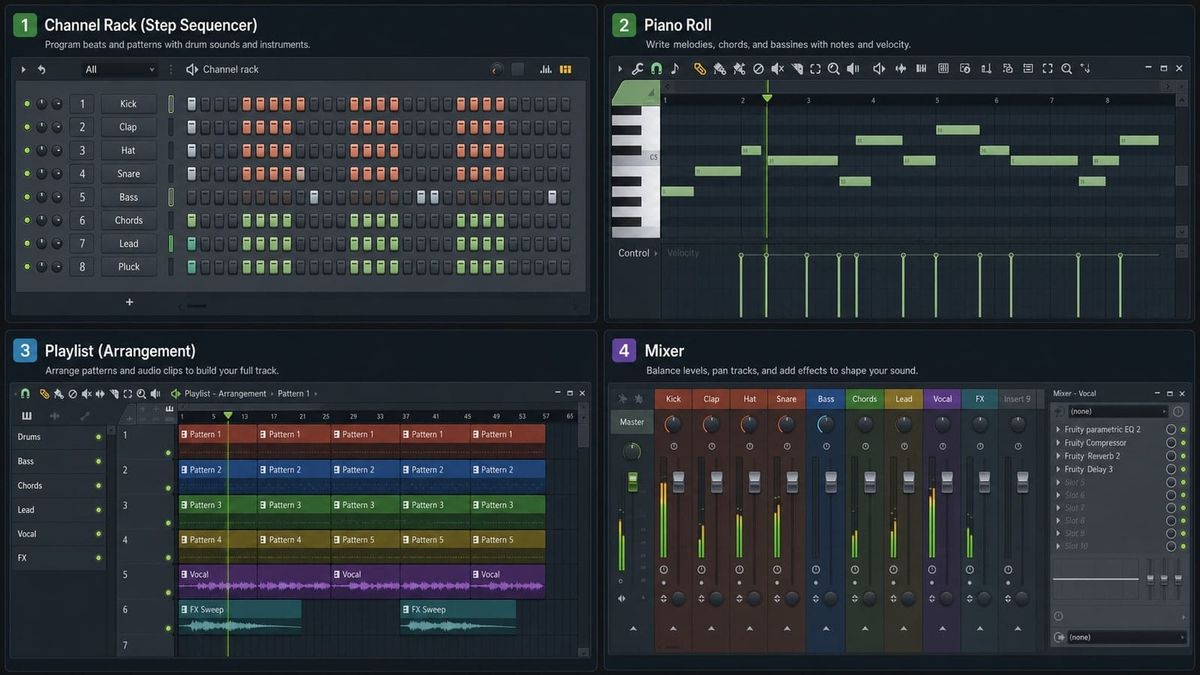
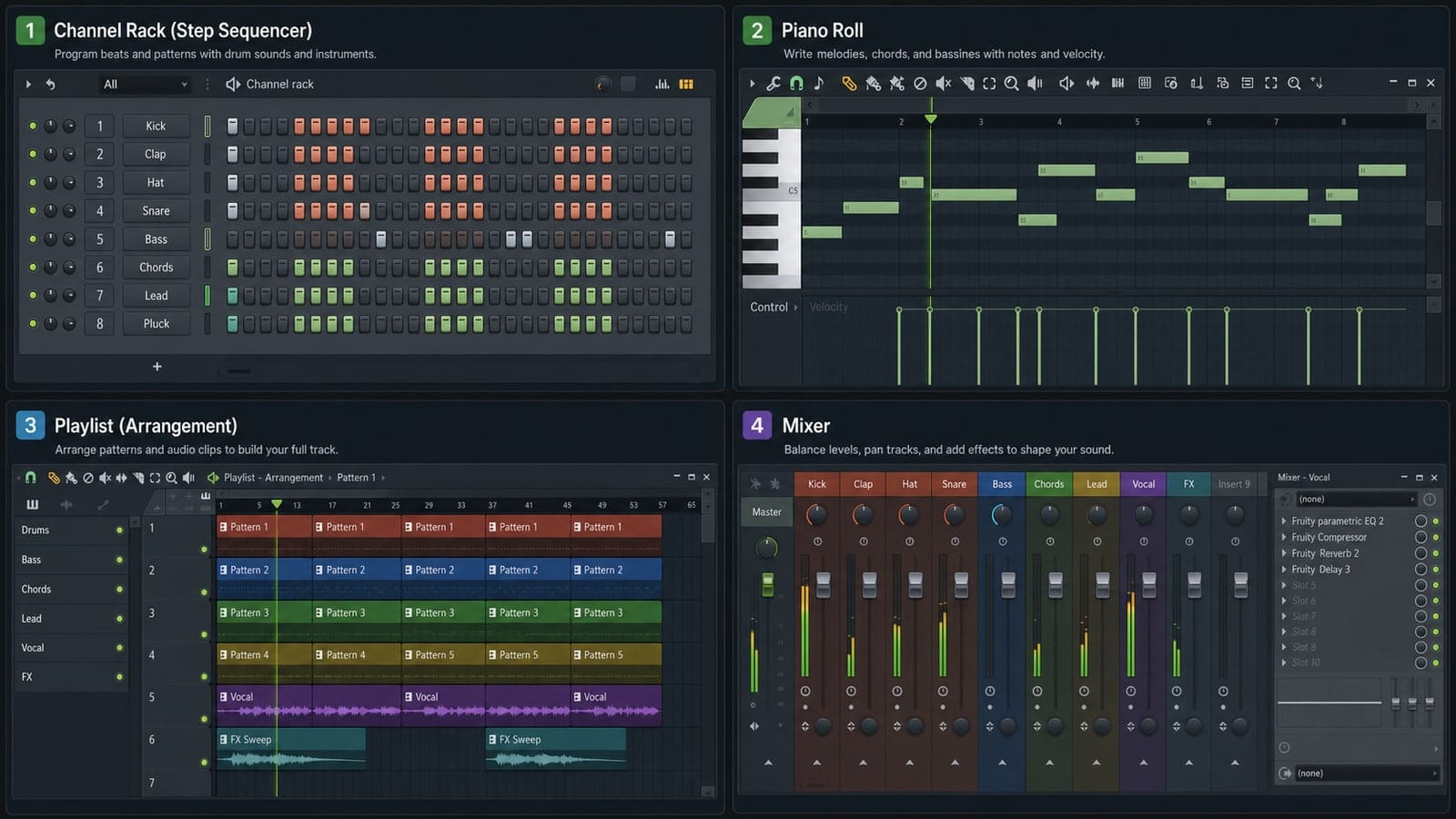
Short answer: use the Channel Rack to make patterns, the Piano Roll to edit notes, the Playlist to arrange the song, and the Mixer to process audio. Most beginner confusion comes from expecting one of these windows to do all four jobs.
What the Channel Rack is for
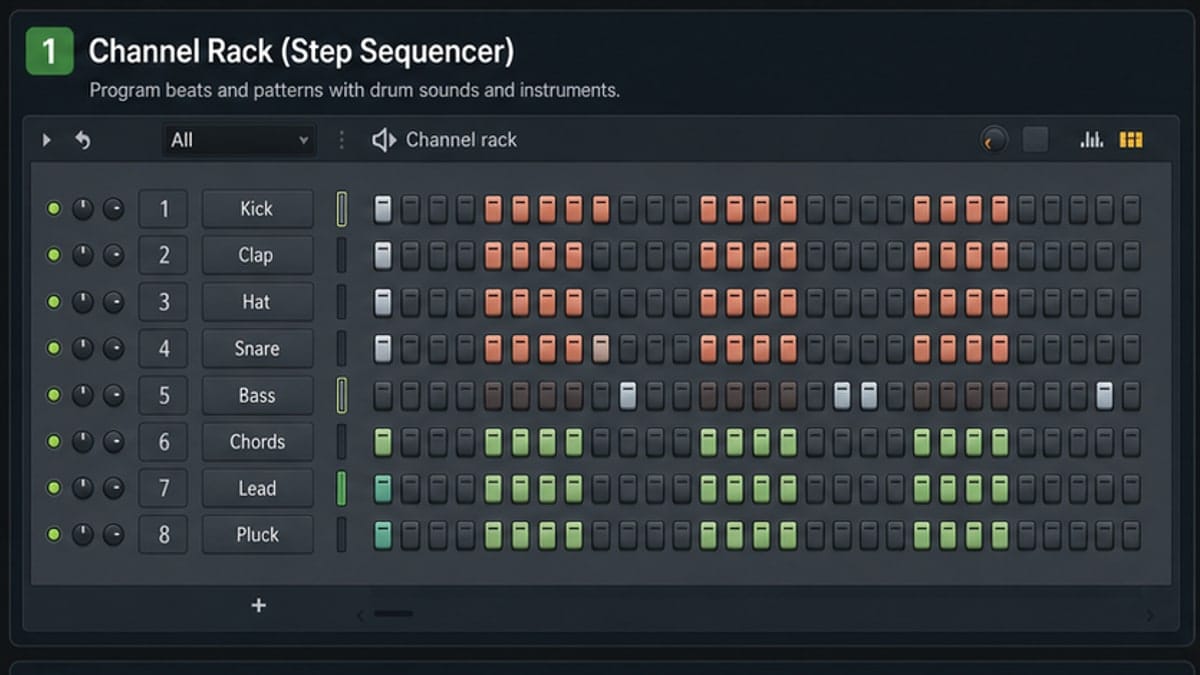
The Channel Rack holds instruments, samples, and step sequencer patterns. When you load a kick, snare, hat, sampler, FLEX preset, or synth, it starts here. The step buttons are perfect for drum patterns and quick ideas.
The Channel Rack is not where a full song lives. It is where short musical building blocks start.
Where the Piano Roll fits
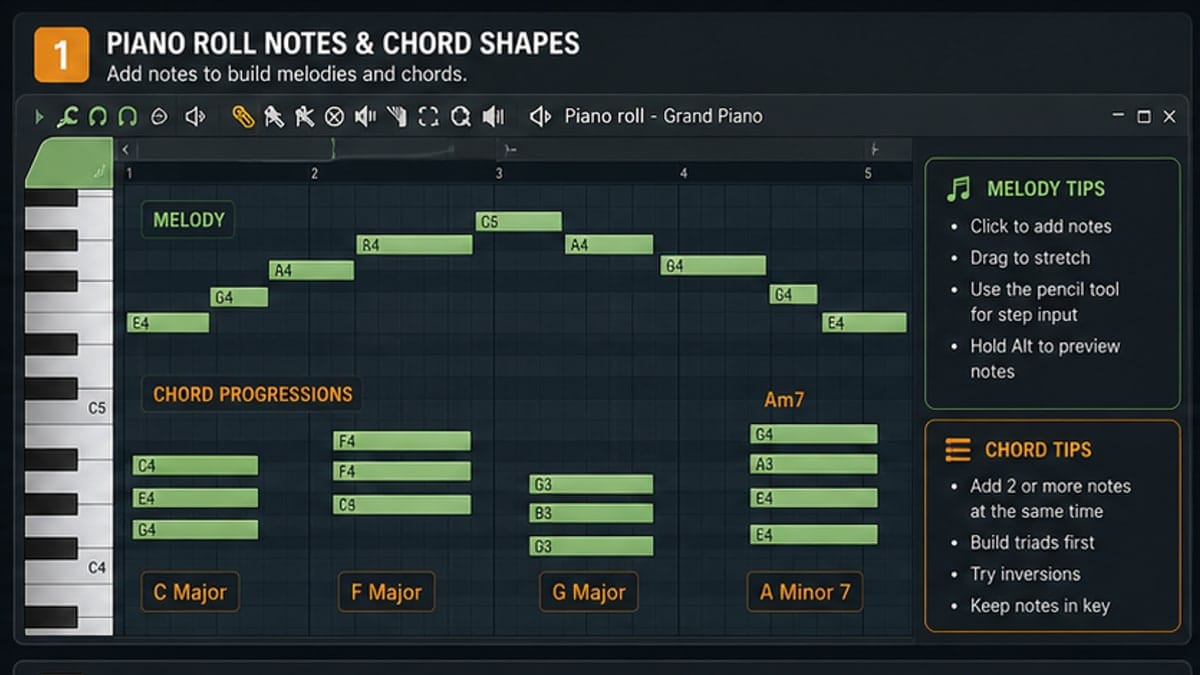
The Piano Roll opens from a channel. It edits the notes for that sound: pitch, timing, length, velocity, slides, and other note properties. If a drum pattern is a sketch, the Piano Roll is detailed handwriting.
What the Playlist is for
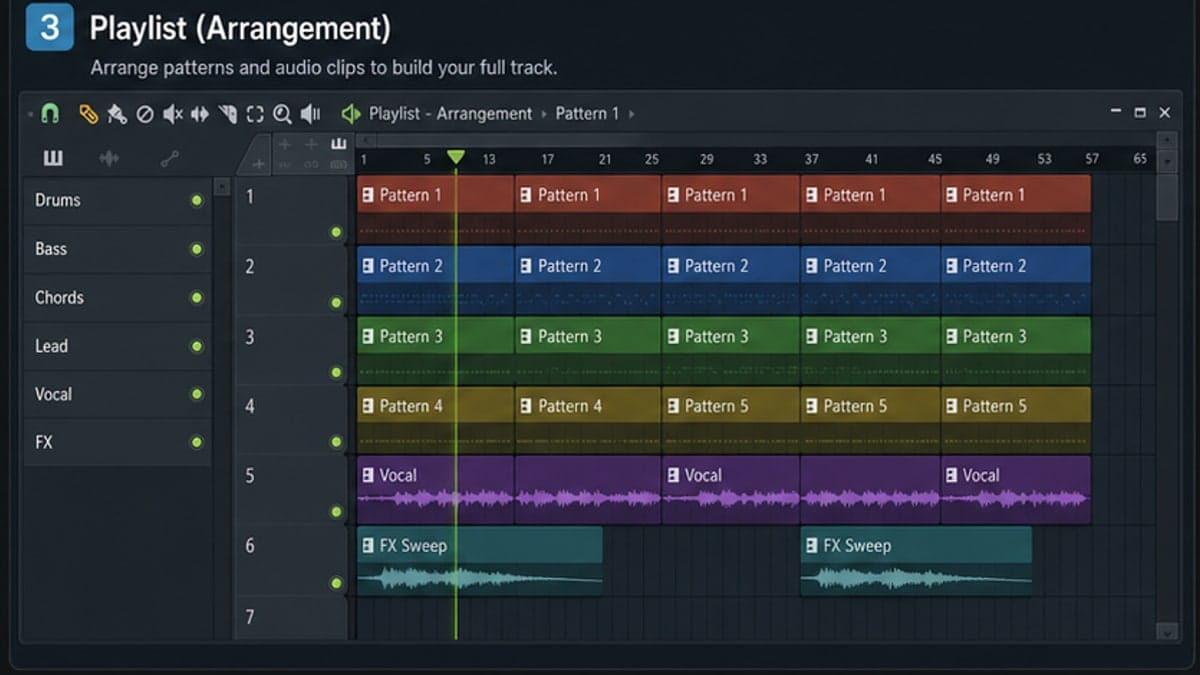
The Playlist is the arrangement view. Pattern clips, audio clips, and automation clips sit on lanes and play left to right. This is where you make intro, verse, drop, hook, bridge, and outro sections.
Playlist tracks are lanes, not automatically Mixer tracks. That distinction matters when recording, routing, and troubleshooting.
What the Mixer is for
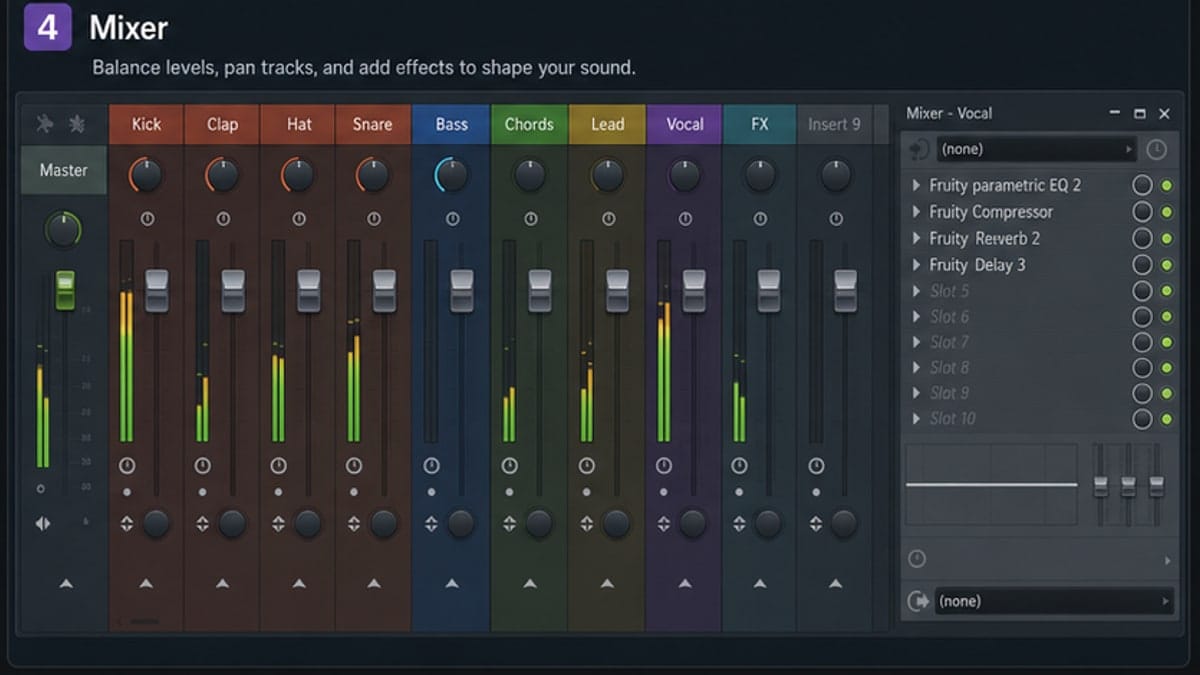
The Mixer receives audio from channels and handles balance, routing, and effects. Put EQ, compression, reverb, delay, sidechain tools, and volume balancing here.
Common window mistakes
- Trying to mix in the Playlist instead of the Mixer.
- Adding more Channel Rack sounds when the arrangement needs work.
- Assuming Playlist lane 1 equals Mixer insert 1.
- Editing note timing in the Playlist when the Piano Roll is the cleaner place.
Sources and reference pages
Image-Line Channel Rack manual, Image-Line Playlist manual, Image-Line Mixer manual, Image-Line Mixer routing manual.
Fast diagnosis: what broke?
When a beginner says "FL Studio is broken", the fix is usually in the wrong window. If the sound never triggers, check the Channel Rack or Piano Roll. If the sound triggers but appears in the wrong place, check the Playlist. If the sound plays but is too loud, silent, distorted, or missing effects, check the Mixer.
This diagnosis saves time because it prevents random clicking. You are not hunting through every menu. You are asking which layer of the project failed: pattern, note data, arrangement, routing, or render.
Clean project habit
Name patterns once the project has more than one idea. Put drums, bass, melody, vocals, and automation in visible Playlist zones. Route important sounds to named Mixer inserts. These small habits make a beginner project easier to reopen three days later.
A messy FL Studio project is not a personality trait. It is usually a sign that the producer never decided which window owns which job.
FAQ
Is the Channel Rack the same as the Playlist?
No. The Channel Rack is mainly for building patterns and holding channels. The Playlist is where those patterns, audio clips, and automation clips become a song arrangement.
Does a Playlist track equal a Mixer track?
Not by default. Playlist tracks are arrangement lanes. Mixer tracks are audio processing paths. FL Studio can link them, but beginners should treat them as different jobs.
Where should I put effects in FL Studio?
Put effects on Mixer inserts, not inside the Playlist. Route the sound to a Mixer track, then add EQ, compression, reverb, or other effects there.
Why can I hear a sound but not find it in the Mixer?
The channel may still be routed to the Master or to a different Mixer insert. Check the channel FX routing number and the selected Mixer track.
Example: where a kick drum travels
Load a kick sample in the Channel Rack. If the channel's FX number is set to insert 1, that kick appears on Mixer insert 1. When you place the pattern in the Playlist, the Playlist clip triggers the pattern, but the sound still travels through the Mixer insert assigned to the kick channel.
This is why moving a clip to another Playlist lane does not automatically change the sound's Mixer track. The clip position controls arrangement. The channel routing controls audio path.
Which window should you open?
| Problem | Open this | Why |
|---|---|---|
| Need a new drum hit | Channel Rack | Load or trigger a sound |
| Melody is late | Piano Roll | Edit MIDI timing |
| Song feels repetitive | Playlist | Add/remove sections |
| Bass is too loud | Mixer | Adjust level or processing |
| Need a file | Export | Render audio |
Recording adds one twist
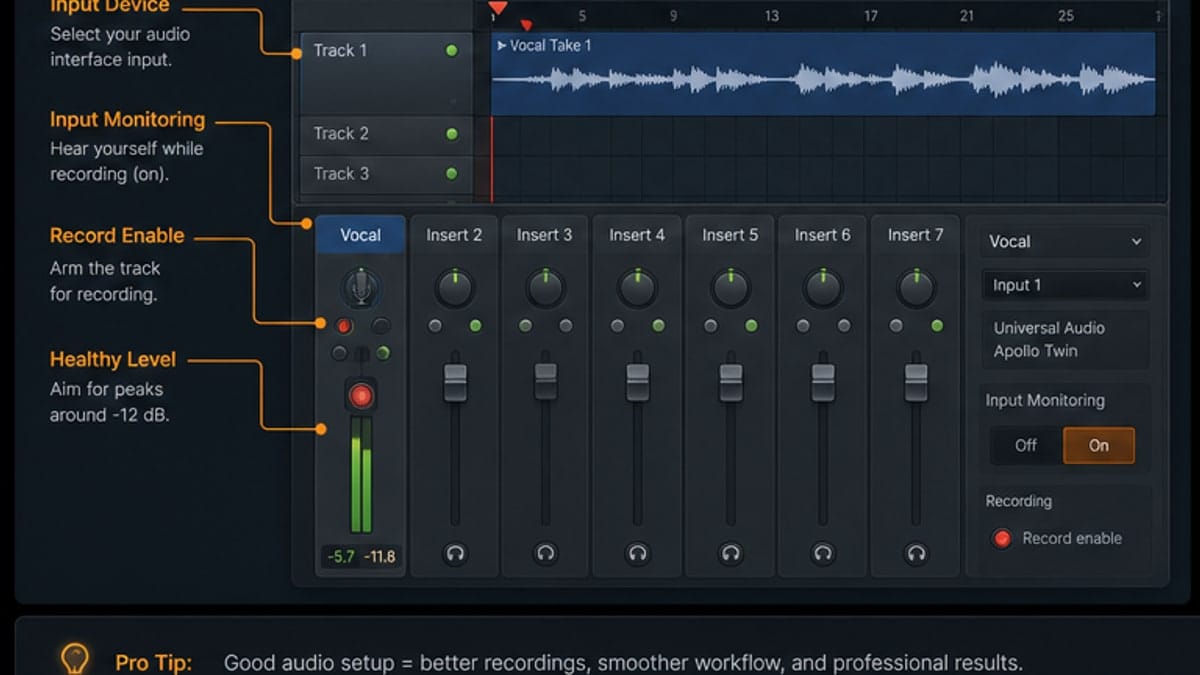
Audio recording can link Playlist tracks and Mixer tracks more directly, but the normal beginner model still holds: Playlist is arrangement, Mixer is audio. When recording vocals, the microphone input is selected on a Mixer insert, while the recorded take appears in the Playlist as an audio clip.