FL Studio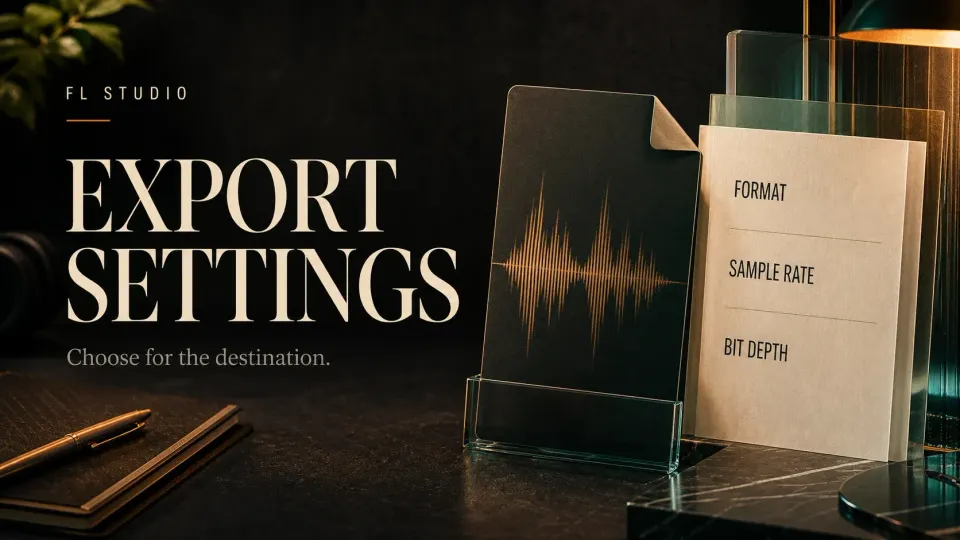
You have a mix ready to send, but the export window offers three WAV depths, several interpolation methods and a checkbox promising HQ for all plugins. The best FL Studio export settings depend on what happens to the file next. For a broad production handoff, 24-bit WAV at the established project sample rate is a practical starting point; use 32-bit float when the receiving application accepts it for further processing.
Check the recipient’s specification before choosing a preset. For a required final 16-bit file, decide where the final dither will be applied. Increasing every number does not fix a clipped recording, an unwanted effect or the wrong mix balance.
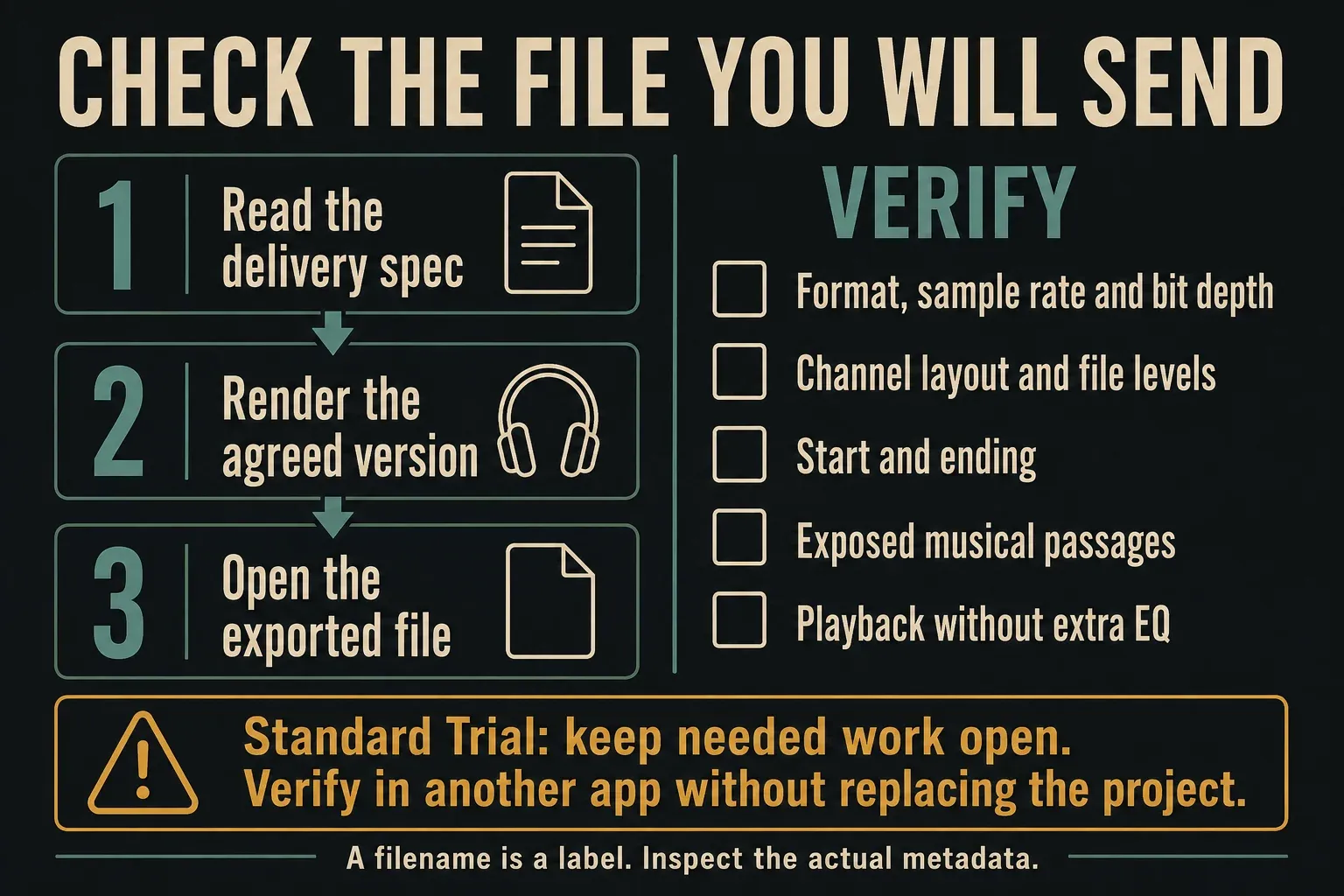
Using the standard Trial? You can save projects and export audio, but cannot reopen saved projects until you purchase and unlock FL Studio. The edition and plugins you own must cover the project. Keep needed work open until its exports are finished, and verify files in another application without replacing that session. Image-Line explains the Trial limitation.
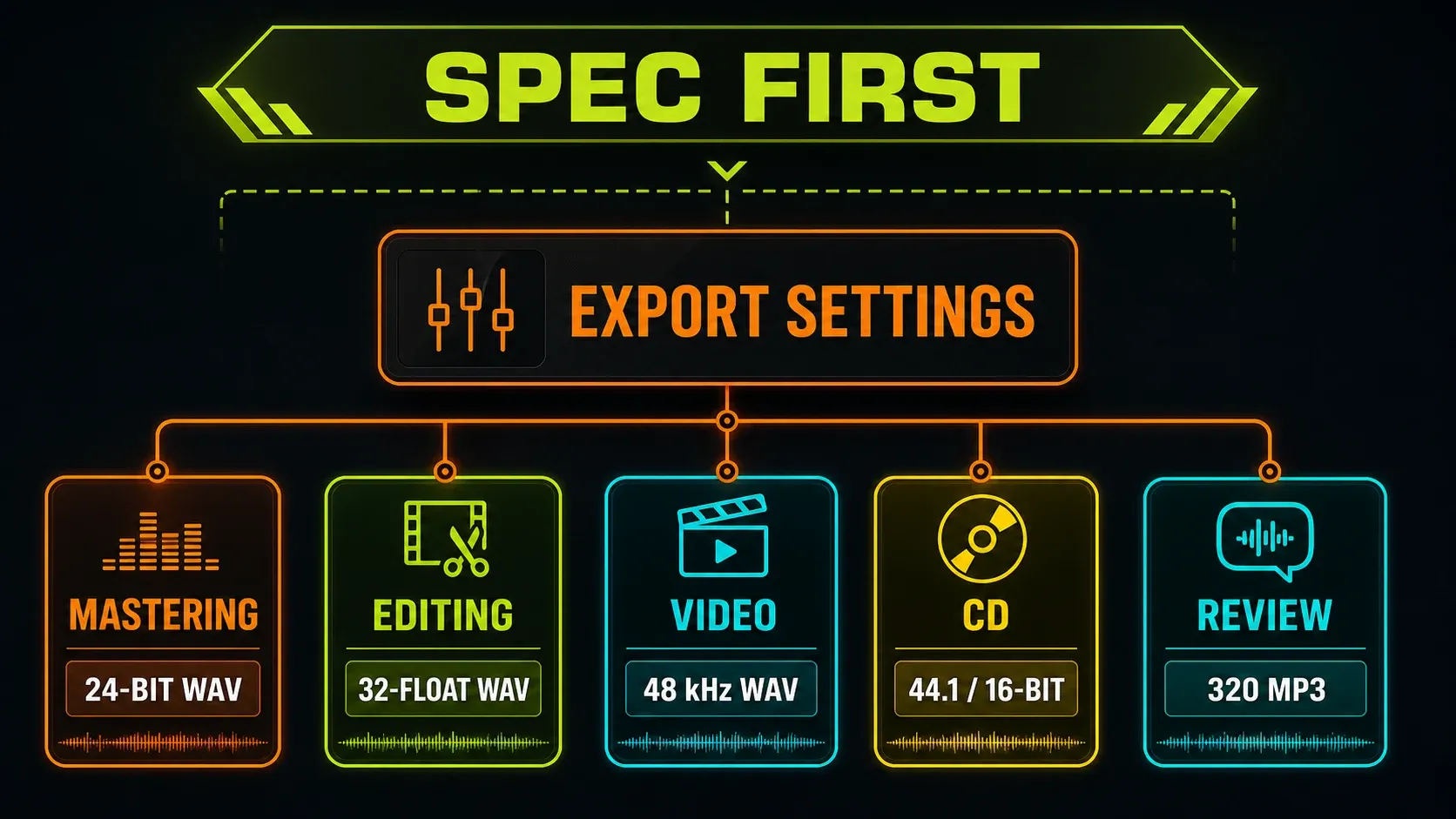
Choose FL Studio export settings by destination
| Destination | Starting point | Confirm before delivery |
|---|---|---|
| Further mixing or editing | 32-bit float WAV at the project rate | The receiving application supports float |
| Mastering or broad production exchange | 24-bit integer WAV at the project rate | The engineer’s format, level and processing requirements |
| Video editor | WAV at the requested depth; often 48 kHz | The picture project’s actual specification |
| Standard audio CD preparation | 44.1 kHz, 16-bit WAV | Final bit-depth reduction and one intended dither stage |
| Listening or review copy | 320 kbps MP3, with a lossless master retained | The recipient needs convenient listening, not sample-accurate alignment |
| Smaller lossless delivery | 16- or 24-bit FLAC | The recipient accepts FLAC and that depth |
These are examples, not universal platform requirements. A mastering engineer may want float; a distributor may specify a different accepted format. Follow that brief rather than silently converting an established 44.1 kHz project to 48, 96 or 192 kHz.
If you need the actual render procedure, use the full-song export guide. For separate instruments, buses and returns, the stem-export workflow explains which files belong together. Here, the emphasis is on format and processing choices.
Where do you set sample rate and WAV bit depth?
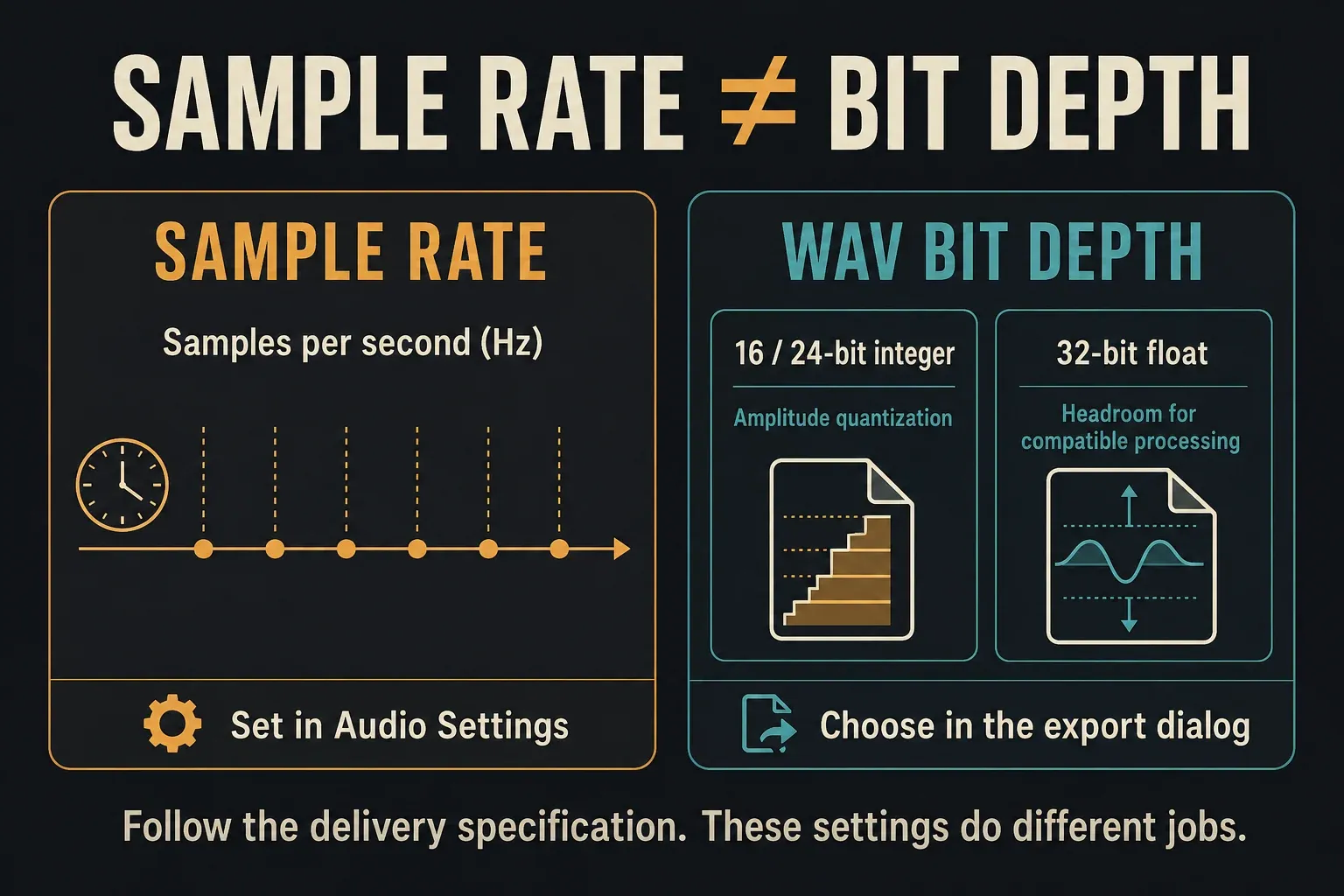
Set the project’s output sample rate in Options > Audio Settings. Choose the file’s WAV bit depth after opening File > Export > Wave file. They are separate controls: the export dialog’s bit-depth menu does not set the project sample rate. The current export reference describes both locations.
Sample rate: 44.1 kHz, 48 kHz or a required alternative
Sample rate counts samples per second and limits the frequency range that can be represented. Image-Line recommends the default 44.1 kHz where possible and notes that video often uses 48 kHz. A file recorded at a lower rate does not gain missing recorded detail simply because you export it at a higher one.
Keep the rate at which you approved the mix unless the delivery needs a change. After changing it, audition the relevant passages again: some older plugins can behave differently at other rates. The Audio Settings documentation separates project rate, live processing and hardware options; the Audio Settings guide helps if the device or driver is the problem.
File depth is not the audio device’s bit depth
The 16- or 24-bit setting in an operating-system or interface control panel concerns device input and output. It is not the WAV export selector. FL Studio’s main render choices include 16-bit integer, 24-bit integer and 32-bit float WAV. A sample-loading reference listing other supported WAV types does not mean those types are additional choices in this export menu.
For integer audio, more bits allow finer level representation and a lower quantization noise floor. Float uses a different numeric representation, useful for a compatible processing workflow. Do not read “32-bit float” as simply a uniformly finer 32-bit integer grid, or confuse it with the 32/64-bit architecture of a plugin.
Should you use 16-bit, 24-bit or 32-bit float WAV?
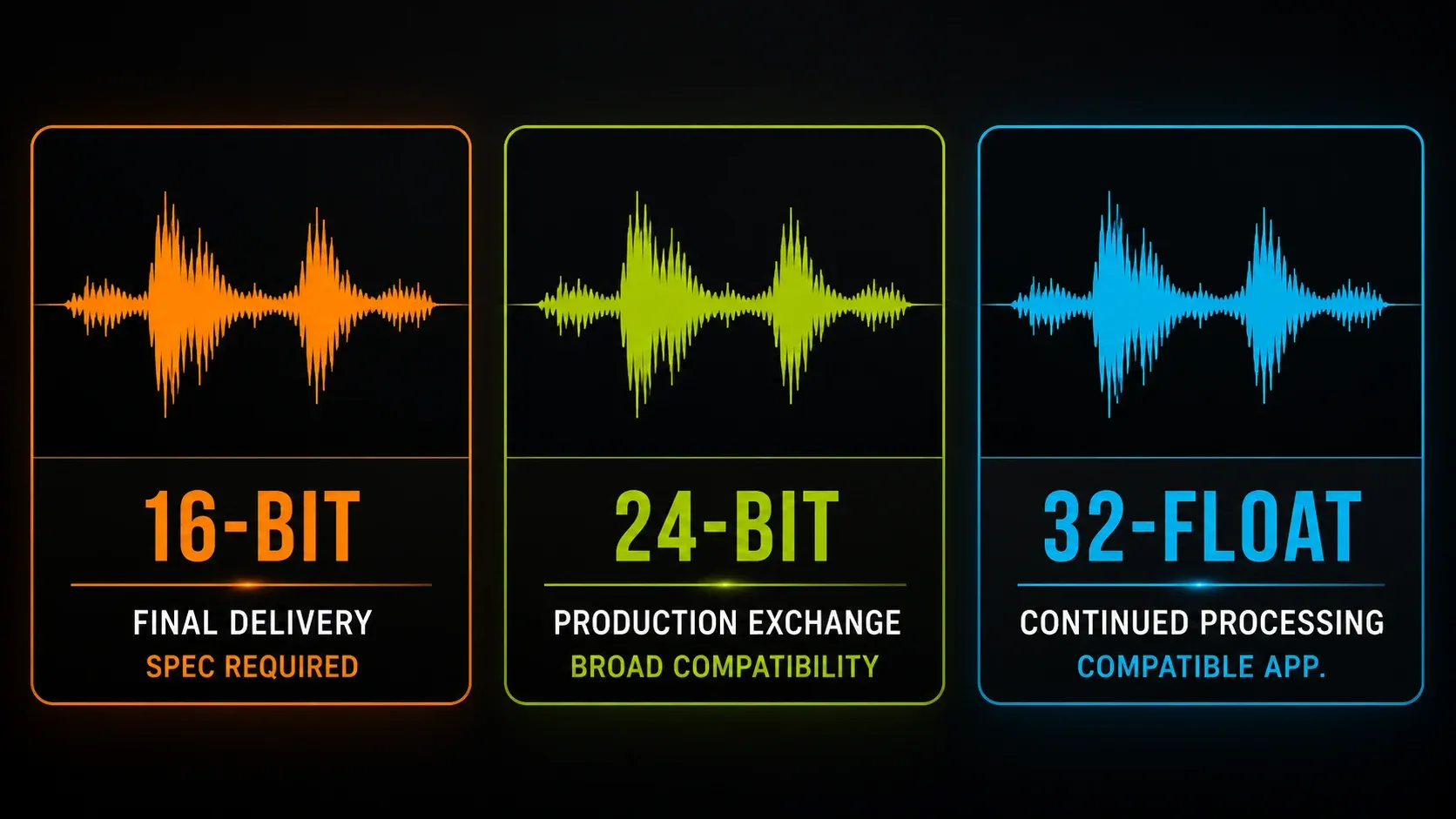
16-bit integer for a required final format
A standard audio-CD preparation file uses 44.1 kHz, 16-bit WAV. FL Studio creates that audio file; it does not burn the CD. Use 16-bit when the final brief requires it, and apply your chosen dither at the final reduction rather than repeatedly along the production chain.
24-bit integer for broad production compatibility
24-bit WAV is a practical handoff when the engineer or receiving system has not requested float. Check the file’s peaks: unlike the floating-point processing inside FL Studio, fixed-depth output can clip. Lowering playback volume later does not recover samples already clipped in that file.
32-bit float for compatible continued processing
FL Studio’s mix engine uses 32-bit floating point. Exporting a float WAV preserves a suitable intermediate for further mixing or editing in an application that supports it. Floating-point headroom is useful, but it does not undo distortion already printed by a recording, clipping plugin or other earlier process.
A float file is not automatically the right upload for every phone, distributor or collaborator. Ask whether it is accepted. If the next tool cannot use float, choose the requested integer depth and verify the levels before delivery.
Choose WAV, FLAC or a lossy review copy
FL Studio’s WAV export produces uncompressed, lossless audio. It is a useful production default when the receiver accepts the chosen depth and channel layout. A stereo WAV has left and right channels; Mono (merged) combines them, while the left-only and right-only options save just the selected side. Do not collapse a stereo mix because a larger file seems inconvenient.
FLAC compresses the data without changing the decoded audio. FL Studio offers 16- and 24-bit FLAC. Its compression level changes encoding effort and file size, not the decoded sound; level 8 is not a better-sounding master than level 5. A receiver asking for WAV may still reject an otherwise lossless FLAC.
FL Studio’s MP3, Ogg Vorbis and AAC-in-M4A exports are lossy. That qualifier matters: a container name alone does not describe every codec another application might put inside it. For a convenient MP3 review, 320 kbps is the highest MP3 bitrate offered here. Retain the lossless master and listen to the compressed copy itself.
For MP3, 44.1 or 48 kHz is a practical choice consistent with Image-Line’s MP3 encoding troubleshooting advice. The export manual also lists 32 kHz. Do not assume a high-rate project can generate MP3 at that same rate; if the encoder refuses, check the rate before changing unrelated quality switches.
The documented FL Studio MP3 conversion adds a short leading silence. Use WAV, not that MP3, for loops or files that must line up sample-accurately. Bitrate and depth are different concepts: “512-point sinc” is an interpolation method, not a 512 kbps WAV setting.
What does render resampling actually affect?
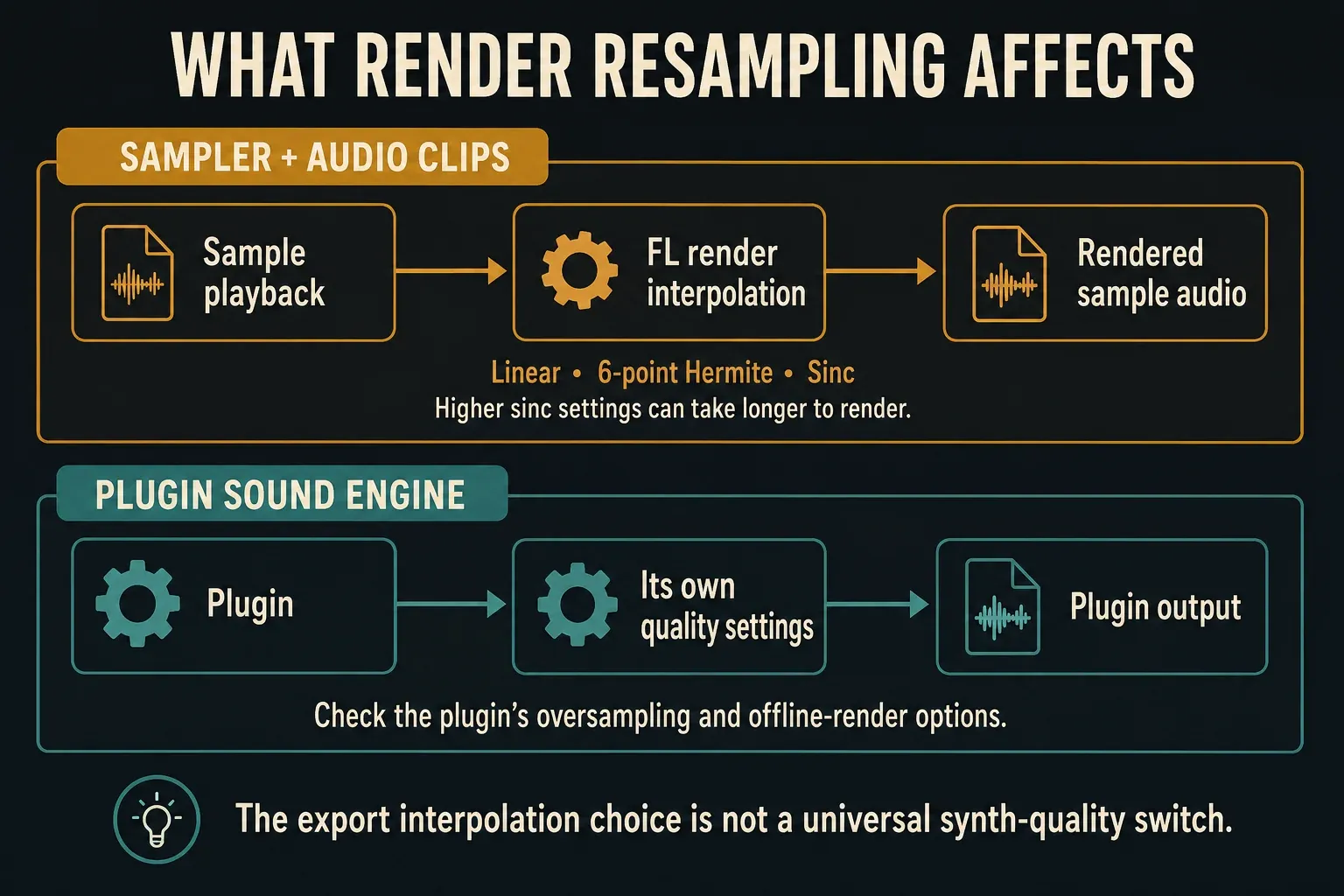
Resampling in the export dialog selects interpolation for Sampler and Audio Clip channels. FL Studio needs intermediate sample values when pitch or rate conversion puts playback between source sample points. This setting is not a global oversampling control for every synthesizer and effect.
- Linear: the fastest basic method. Large pitch changes can expose aliasing.
- 6-point Hermite: a quick curved interpolation method that Image-Line describes as suitable for good-quality exports. Listen for problems before assuming it ruined a mix.
- Sinc methods: higher point counts increase interpolation accuracy and render cost. Image-Line suggests going above 64-point sinc if lower methods audibly alias; 512-point is an available cautious offline choice, not a guarantee of an audible improvement.
Live interpolation is separate under Options > Audio Settings, in the Mixer section. The documented live default is 24-point sinc. Different live and export settings can change the high-frequency character of pitched samples. Matching the two is useful for comparison, but a high live setting may cost too much CPU.
To investigate, export the same exposed passage with two interpolation choices while holding format, gain, effects and range constant. Compare at matched playback levels in a suitable separate application, keeping any needed Trial session open. If the problem is a third-party synth, investigate that plugin’s own processing rather than expecting the Sampler setting to fix it.
Should HQ for all plugins be enabled?
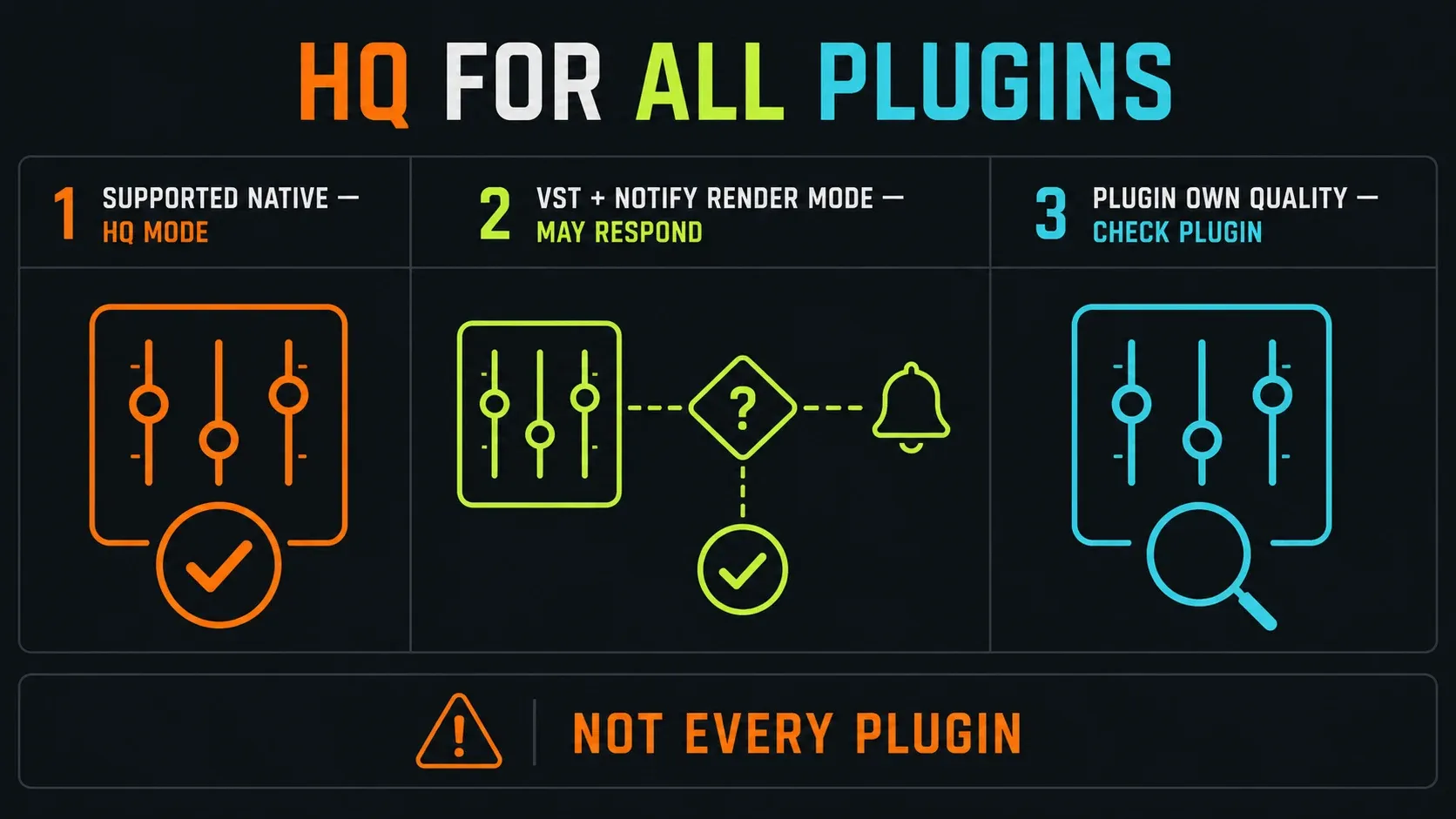
HQ for all plugins requests a high-quality mode from supported native FL Studio plugins. It does not override every generator and effect. Some native implementations affect only a particular part of a plugin, such as a waveshaper.
A hosted VST can also respond to Notify about rendering mode in its Wrapper’s Processing settings, if it supports a different offline mode. The Wrapper reference explains that notification and suggests testing it off when a plugin renders incorrectly. Many plugins have independent quality or oversampling controls; check the important plugin’s manual.
For a final render, enabling the supported HQ paths is reasonable, but listen to the result rather than treating the checkbox as certification. Also review Disable maximum polyphony: it ignores a Channel’s Max poly limit, but not Mono. Removing an intentional voice limit can change how notes overlap.
When should FL Studio’s Dithering switch be on?
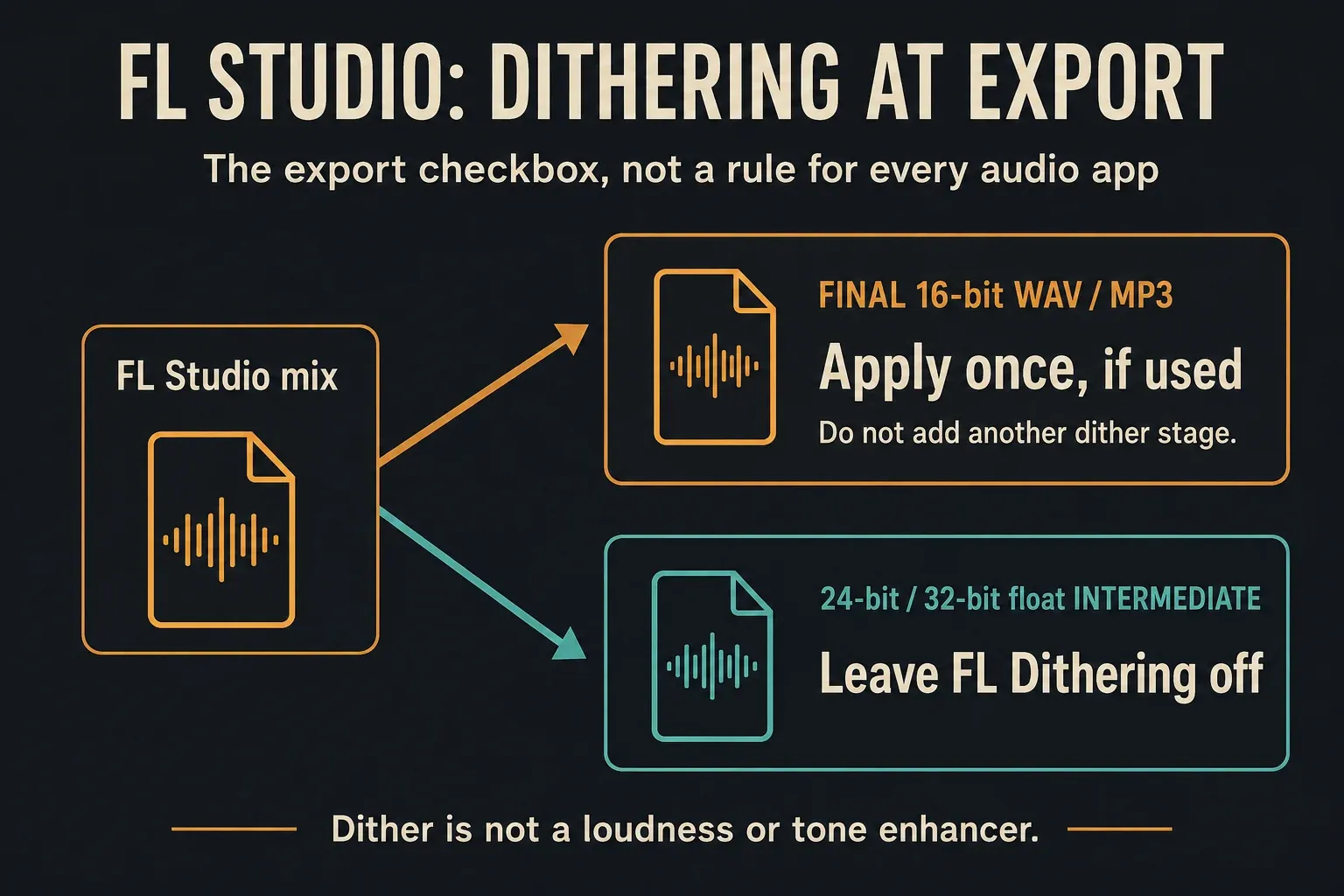
The FL Studio export switch has a specific documented scope: 32-to-16-bit dithering for 16-bit WAV and MP3 output. If you use it, apply it once at the final 16-bit reduction. Leave this switch off for 24-bit and 32-bit float intermediates; it is not a generic selectable-depth dithering processor.
That is not a rule that dithering can only exist at 16-bit. Other tools offer other target depths. For example, iZotope’s dithering guidance discusses 24-bit reductions as well. Follow the chosen tool’s target-depth and final-processing instructions instead of combining unrelated recommendations.
If a mastering plugin already performs the intended final dither, do not add FL Studio’s dither on top. Make any required sample-rate, level or effect changes before that final stage. For a file going to an engineer for further processing, agree who will perform the final reduction.
Dither exchanges correlated quantization error for very quiet noise; FL Studio uses noise shaping. It does not raise loudness, improve bass or restore missing detail. Obvious noise during normal listening calls for a different diagnosis, such as source noise, a plugin, interpolation or lossy encoding.
Why does the export sound different?
A numerical-quality setting is only one possible cause. Check the following before replacing a working format with a larger one:
| What changed? | Check first |
|---|---|
| Clipping or unexpectedly sharp distortion | Actual file levels and earlier clipping; 24-bit fixed output cannot preserve floating-point overs as clean playback |
| Missing processing | Enable insert effects and Enable master effects; split Mixer files bypass Master |
| Narrow or missing stereo information | Export channel layout and the player’s processing |
| Different pitched-sample brightness | Live versus render interpolation |
| Different note overlap or plugin tone | Maximum-polyphony override, HQ mode and the plugin’s own offline settings |
| Wrong beginning or ending | Song/Pattern, Playlist selection, Tail and WAV-only Trim PDC silence |
Trim PDC silence removes compensation-added leading silence from WAV exports when enabled; it does not switch delay compensation off or repair an offset already recorded into a clip. The Playlist guide helps with arrangement selections, while the song-export walkthrough covers the full endpoint and tail procedure.
On Windows, the FL Studio ASIO Hard-clip output at 0dB option affects live audio, not rendered files. With it deselected, a Windows limiter can hide live clipping. Windows audio enhancements can also change what you hear. Check the actual file and playback path rather than deciding that a different driver increased the export’s bit depth.
The monitor volume knob does not change rendered levels. The levels documentation distinguishes floating-point processing from fixed-depth output. Neither a 0 dBFS peak nor an invented −6 dBFS target is mandatory for every delivery. Use the mastering guide for loudness and tone, and the Mixer guide for routing and gain.
Apply and verify FL Studio export settings
- Confirm the destination. Get the required format, rate, depth, channel layout and processing state.
- Preserve the project. Use
File > Save new version. In standard Trial, keep needed work open until its exports are complete. - Set the rate deliberately. Keep the established rate unless the brief requires a change; after a change, audition the affected material.
- Choose the export format and depth. Open
File > Export > Wave filefor WAV, choose a destination filename, then select the agreed integer or float depth and channel layout. - Review processing choices. Set interpolation for the relevant sample paths; check HQ, plugin offline modes and intentional voice limits.
- Decide on the final dither. Use FL Studio’s switch only for its documented final 16-bit output path, if needed, and not on top of another final dither.
- Check musical content before rendering. Confirm Song or Pattern, range, tail, required effects and any split-output choice, then start the render.
- Inspect the actual file safely. Check format metadata and listen to the start, ending and exposed passages in another suitable application. Do not replace a needed Trial project to do this.
Use a name that identifies the version and purpose, such as Track_v3_mix_24bit.wav and Track_v3_review.mp3. Inspect the actual metadata; a filename is only a label. Match listening levels and avoid extra player EQ or enhancements when comparing.
You can select multiple output formats in one render. A WAV production file and MP3 review copy still have different uses and restrictions. Audio does not replace editable notes or the project: use the MIDI export guide for note data, or the zipped loop project workflow for editable FL Studio work. A ZIP does not supply plugin installations, licenses or every third-party sample library; the project-format reference describes its sample limits.
Frequently asked questions
What are the best FL Studio export settings for mastering?
Follow the engineer’s specification. A practical broad-exchange starting point is 24-bit WAV at the established project rate. Use 32-bit float when the engineer accepts it for continued processing. Agree on level, effects and final-dither responsibility rather than treating one preset as universal.
Should I use 24-bit or 32-bit float?
Use 24-bit integer for a compatible production handoff, or 32-bit float for further processing in a supporting application. Float does not repair earlier clipping or override the receiving platform’s format requirements.
Where do I change the export sample rate?
Set the project output sample rate in Options > Audio Settings. Choose WAV bit depth separately in the export dialog. The audio device’s input/output bit-depth setting is another control, not the exported WAV depth.
Should I always use 512-point sinc?
No. Render interpolation affects Sampler and Audio Clip paths when intermediate sample values are needed. Higher sinc settings can help when lower methods produce audible aliasing, but cost render time and do not upgrade every synth or effect.
Does HQ for all plugins override every plugin?
No. It requests HQ from supported native plugins. A hosted VST may respond to Wrapper render notification, while other quality choices remain inside the plugin. Check its documentation and listen to the actual export.
Should FL Studio dithering be on or off?
The export switch is documented for final 32-to-16-bit dithering to 16-bit WAV or MP3. Use it once if it is your chosen final dither; leave it off for 24-bit or float intermediates and when another plugin already performs that final stage. Other dithering tools can support other target depths.
Can I verify an export while using the standard Trial?
Yes. Keep the needed FL Studio project open and inspect the rendered file in another suitable application. Trial can save and export, but saved projects cannot be reopened until purchase and unlock; the owned edition and plugins must cover the project.
Choose settings for the next person or application, then verify that file. The Export & Collaboration hub connects the different delivery workflows, and the Workflow hub helps organize the source project before the next handoff.