How to Make a Simple Beat in FL Studio
Make your first simple beat in FL Studio: drums, bass or melody, arrangement, rough mix, and export.
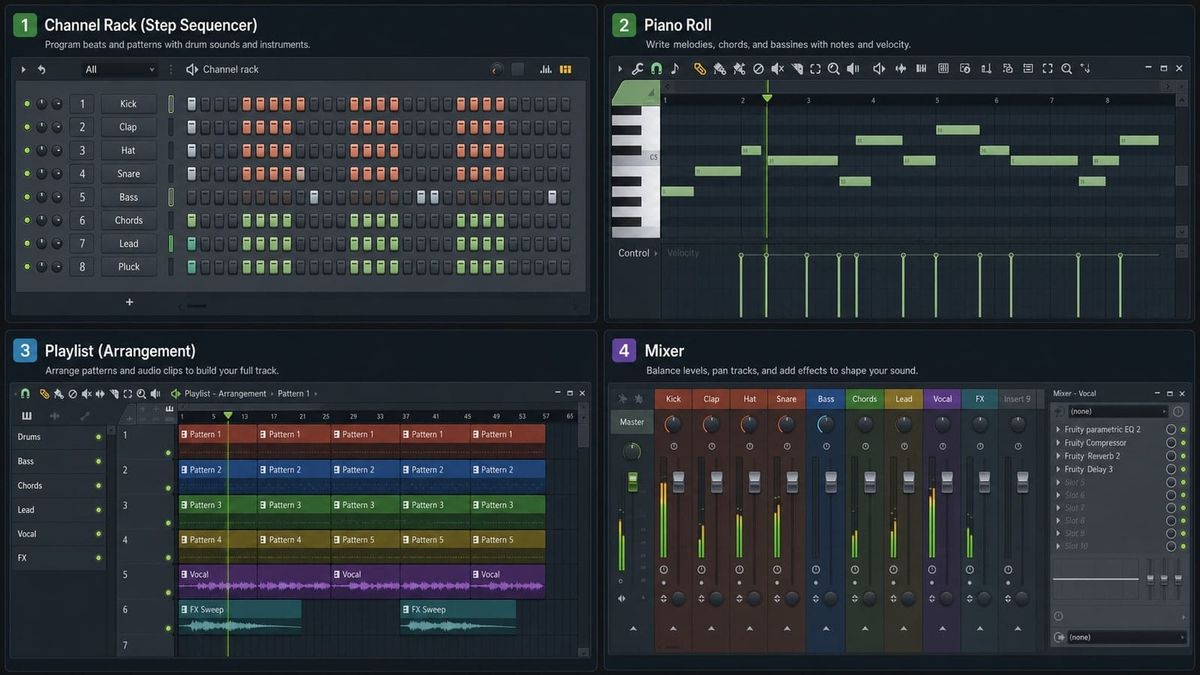
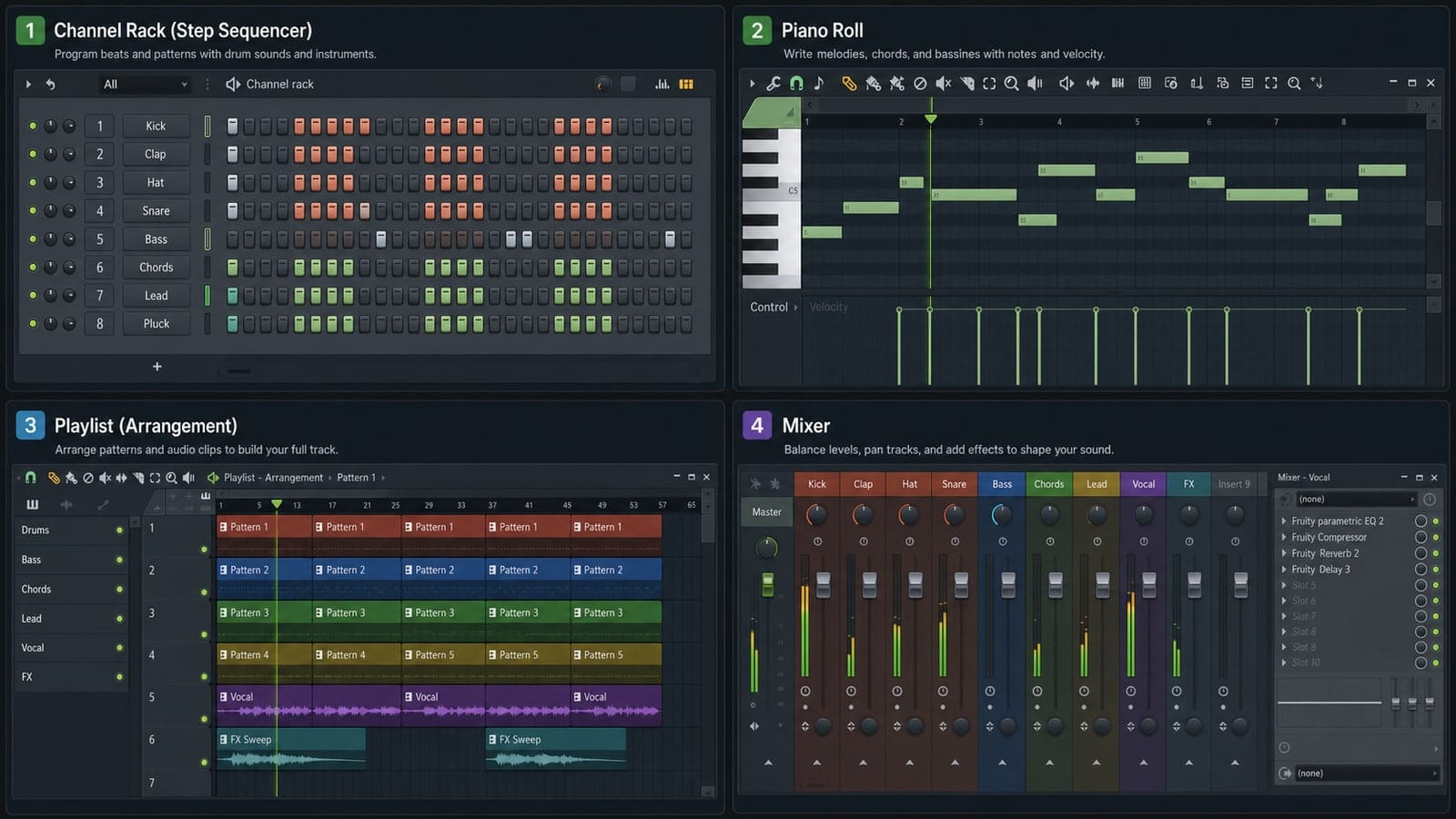
Short answer: make a four-sound drum pattern, add one bass or melody part, arrange a few sections in the Playlist, balance levels in the Mixer, and export the result. Do not turn the first beat into a plugin shopping trip.
Step 1: Pick tempo and keep moving
Pick a BPM and commit for the lesson. 90 BPM is comfortable for a first hip-hop loop, while 124 BPM works for a basic dance pattern. You can change it later.
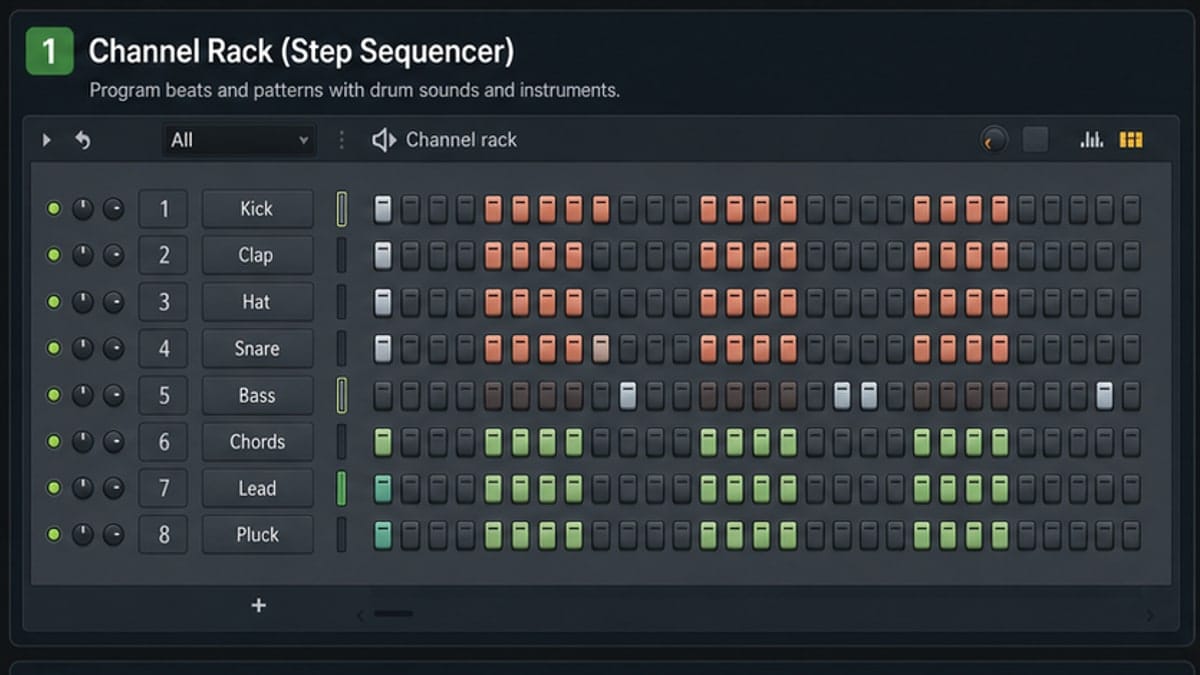
Step 2: Build drums in the Channel Rack
Use kick, snare, closed hat, and one extra sound. Click steps on and off until the groove loops cleanly. If it feels boring, change rhythm before adding more sounds.
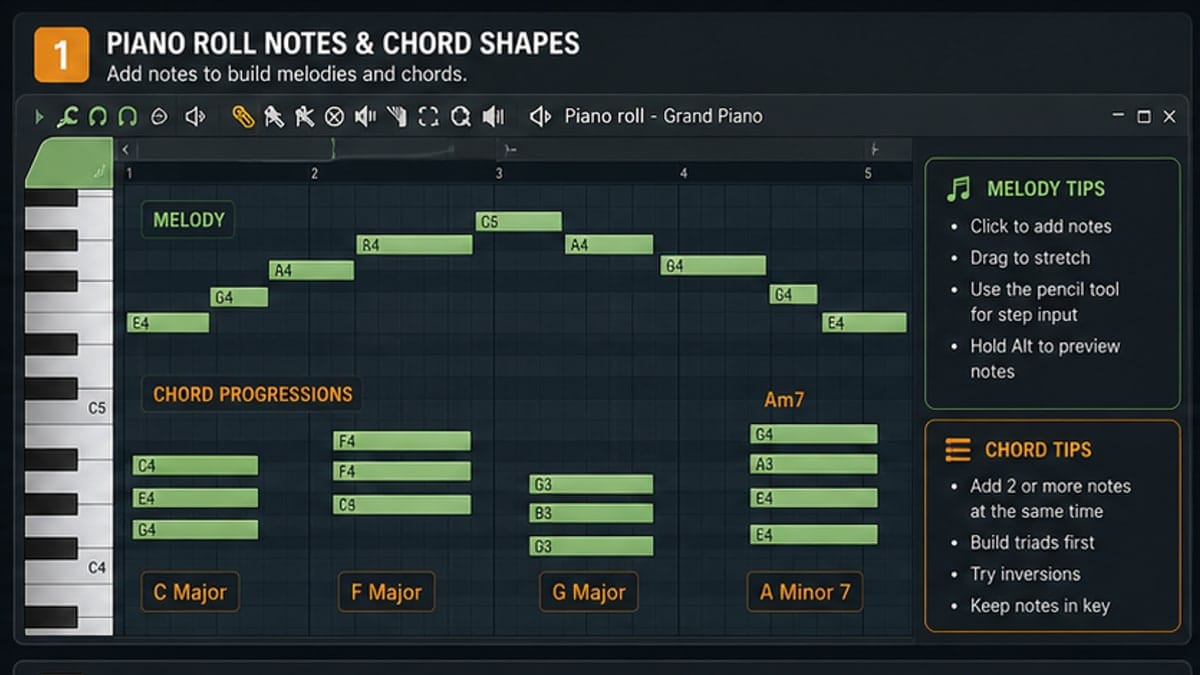
Step 3: Add bass or melody in the Piano Roll
Open Piano Roll on a bass or instrument channel. Use a few notes and repeat the phrase. Beginners often overfill the beat; space is part of the groove.
Step 4: Arrange the loop
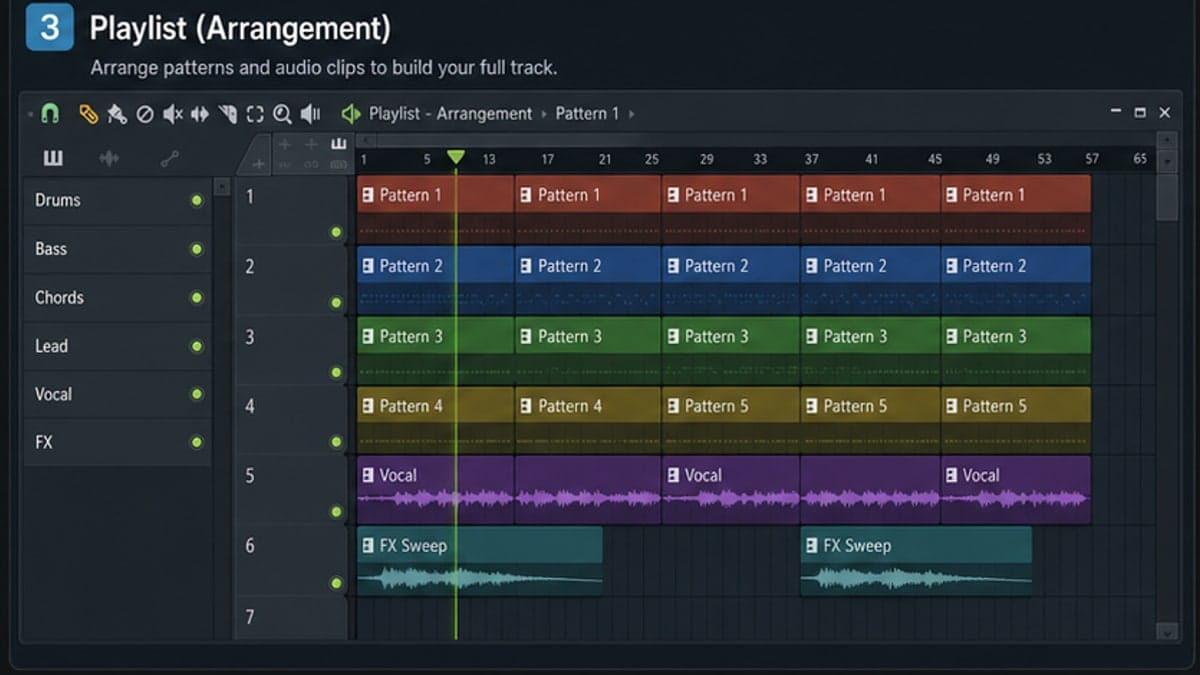
Drag patterns into the Playlist. Make a short intro, a main section, and a small outro. This teaches arrangement faster than listening to one loop for an hour.
Step 5: Rough mix it
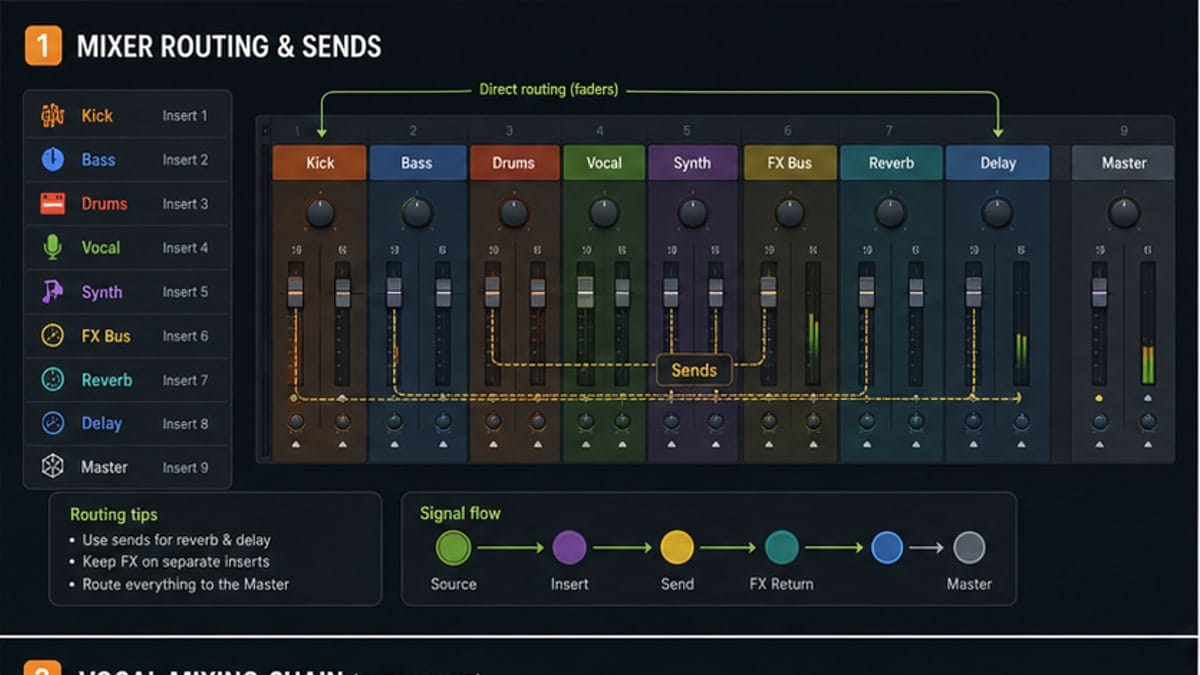
Route key sounds to the Mixer and set levels. Keep the Master out of the red. Use one EQ if something is muddy and one reverb if a part feels too dry.
Step 6: Export and listen outside FL Studio
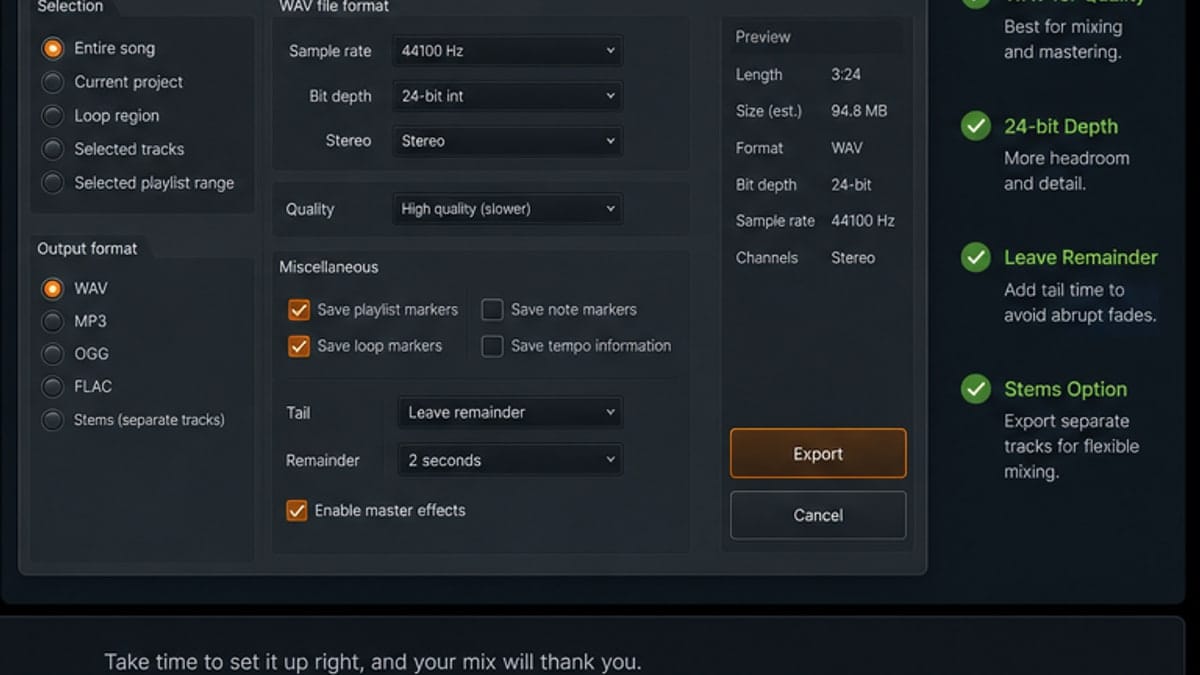
Export a WAV, then listen outside FL Studio. Check headphones, laptop speakers, and your phone if possible. The first beat is not a final release; it is proof that you can finish the loop.
Sources and reference pages
Image-Line Channel Rack manual, Image-Line Piano Roll manual, Image-Line Playlist manual, Image-Line Mixer manual.
The finish rule
For the first beat, set a timer. Give yourself 20 minutes for drums, 20 minutes for bass or melody, 20 minutes for arrangement, 15 minutes for rough mix, and 5 minutes to export. The limit is not punishment. It stops you from looping the same four bars all night.
Finishing teaches the full workflow. Perfecting teaches taste later. You need both, but beginners usually need finishing first.
What to do after export
Make one note after listening outside FL Studio: too much bass, drums too quiet, melody too loud, boring intro, harsh hats, or good enough. Then open the project and fix one thing. Do not fix ten things at once. One focused revision teaches more than a chaotic second session.
When the beat improves after one revision, export version two. That is how production skill compounds.
FAQ
How do I make a simple beat in FL Studio?
Start with a drum pattern in the Channel Rack, add bass or melody in the Piano Roll, arrange sections in the Playlist, balance levels in the Mixer, then export a WAV file.
What BPM should a beginner beat use?
Use 80-100 BPM for slower hip-hop or R&B ideas, 120-130 BPM for house/pop, and any tempo that fits your reference. The exact BPM matters less than finishing the loop.
Should I start with drums or melody?
Either works. Beginners often learn fastest by starting with drums because the Channel Rack gives immediate feedback.
How long should my first FL Studio beat be?
Aim for 30-60 seconds. That is enough to practice intro, main loop, variation, rough mix, and export without getting stuck forever.
Add one variation, not twenty
Once the main loop works, create one variation: remove the kick for two bars, change the hat rhythm, or mute the melody before the drop. Variation makes the beat feel arranged without turning the project into clutter.
Use one reference track carefully
A reference track helps with tempo, energy, and arrangement length. Do not copy melodies or drums. Listen for structure: when drums enter, when the bass drops, how often the hook repeats, and how sparse the intro is.
Rough mix checklist
- Kick and bass do not bury each other.
- Snare or clap is easy to hear.
- Main melody is not louder than everything.
- Master meter is not constantly red.
- Exported WAV plays correctly outside FL Studio.