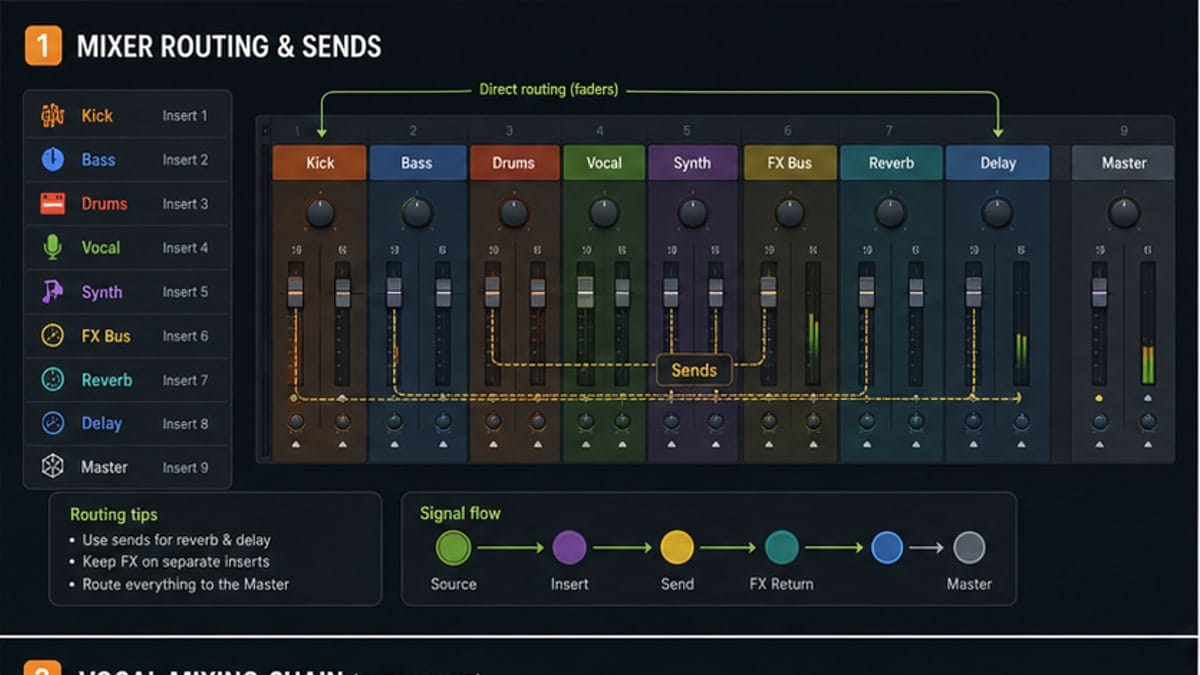
Best FL Studio Stock Plugins for Beginners
The FL Studio stock plugins worth learning first, with practical use cases and a simple starter chain.
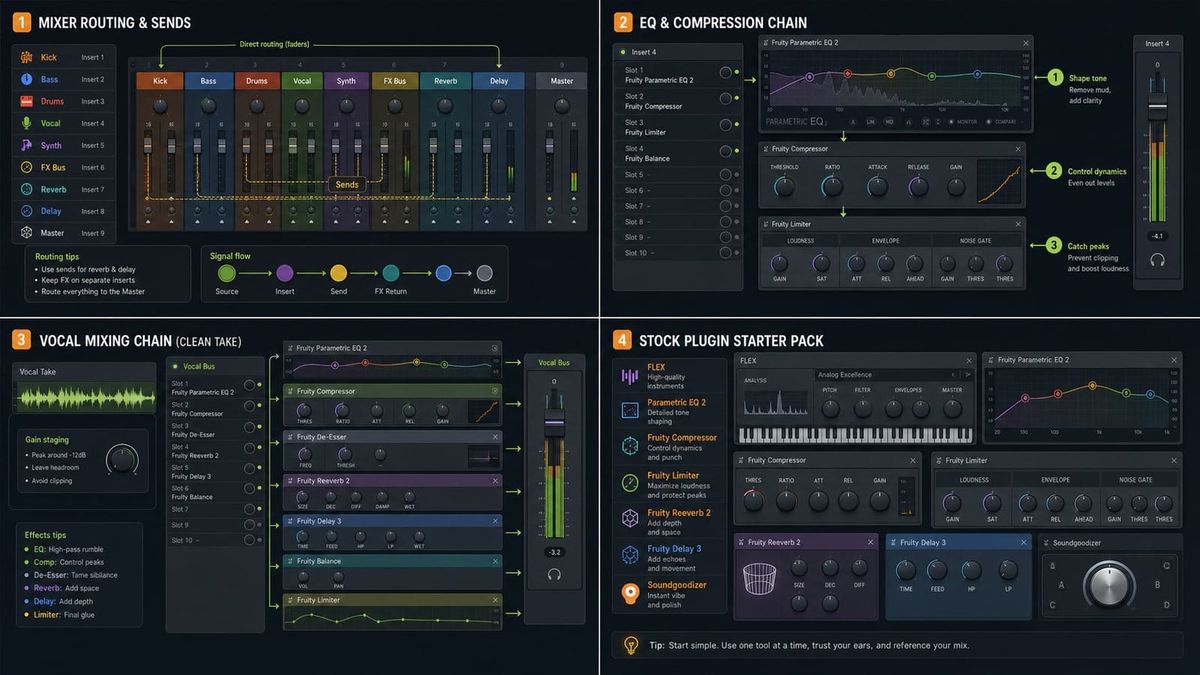
Short answer: beginners should learn Fruity Parametric EQ 2, Fruity Limiter, Fruity Reeverb 2, FLEX, and Maximus before buying anything. Those tools cover the jobs that appear in almost every FL Studio project.
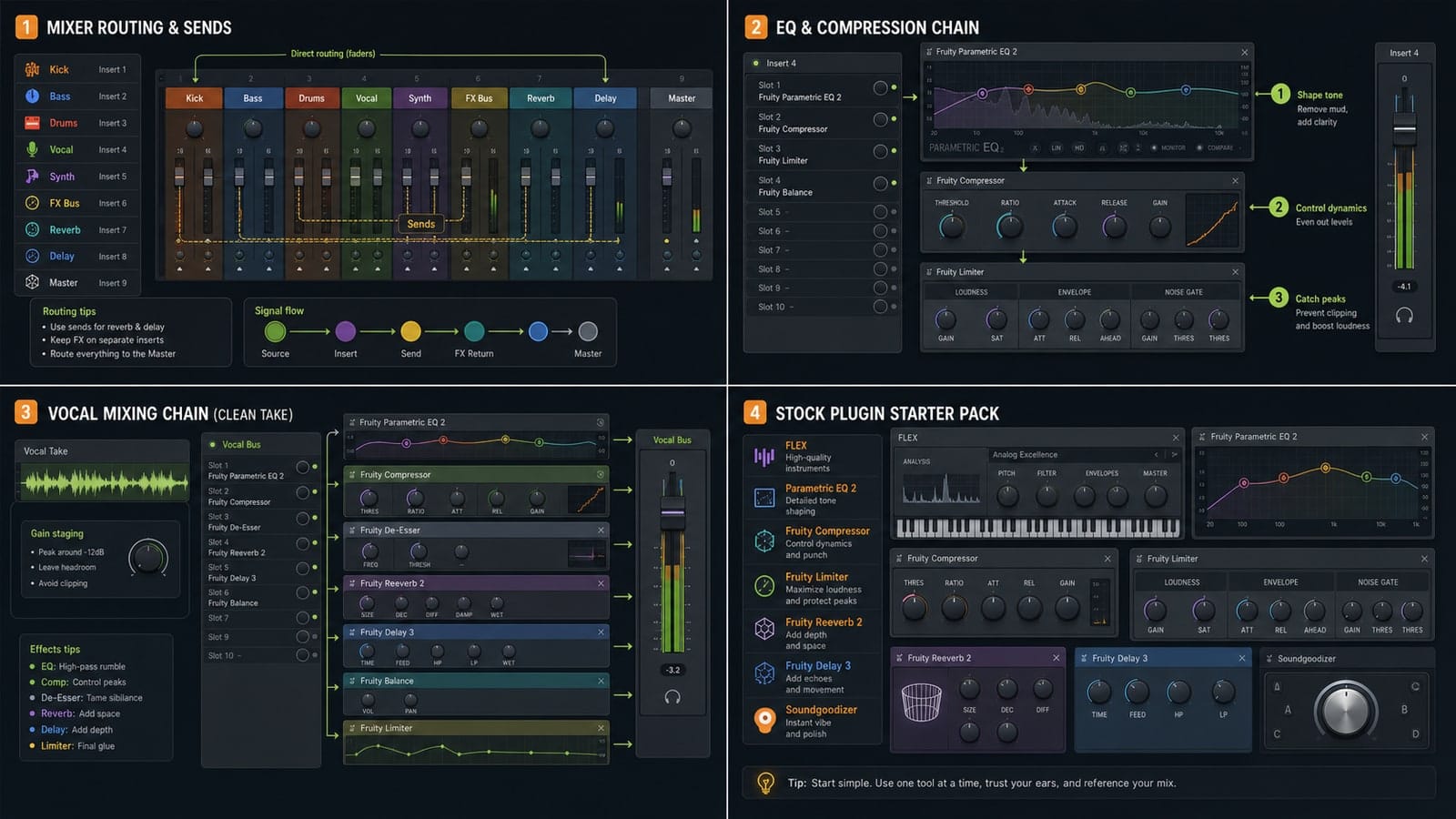
1. Fruity Parametric EQ 2
EQ 2 is for removing mud, taming harshness, and shaping tone. Use it before searching for magic presets. A simple high-pass filter on vocals or a small cut in a muddy bass can fix more than a paid plugin.
2. Fruity Limiter
Fruity Limiter handles limiting, compression, gating, and sidechain compression. It is easy to overdo, so start with small changes. Use it to learn what gain reduction actually sounds like.
3. Fruity Reeverb 2
Reeverb 2 gives parts space. Put it on a send when you want several sounds to share the same room, or insert it gently on a sound that feels too dry.
4. FLEX
FLEX is useful because it gets musical sounds quickly without forcing beginners to design every patch from zero. It is great for starting tracks, learning arrangements, and making quick sketches.
5. Maximus
Maximus is a multiband processor. It can control a master, tame a vocal, or make a sound more forward. Use it carefully. If the track gets louder but worse, turn it down or remove it.
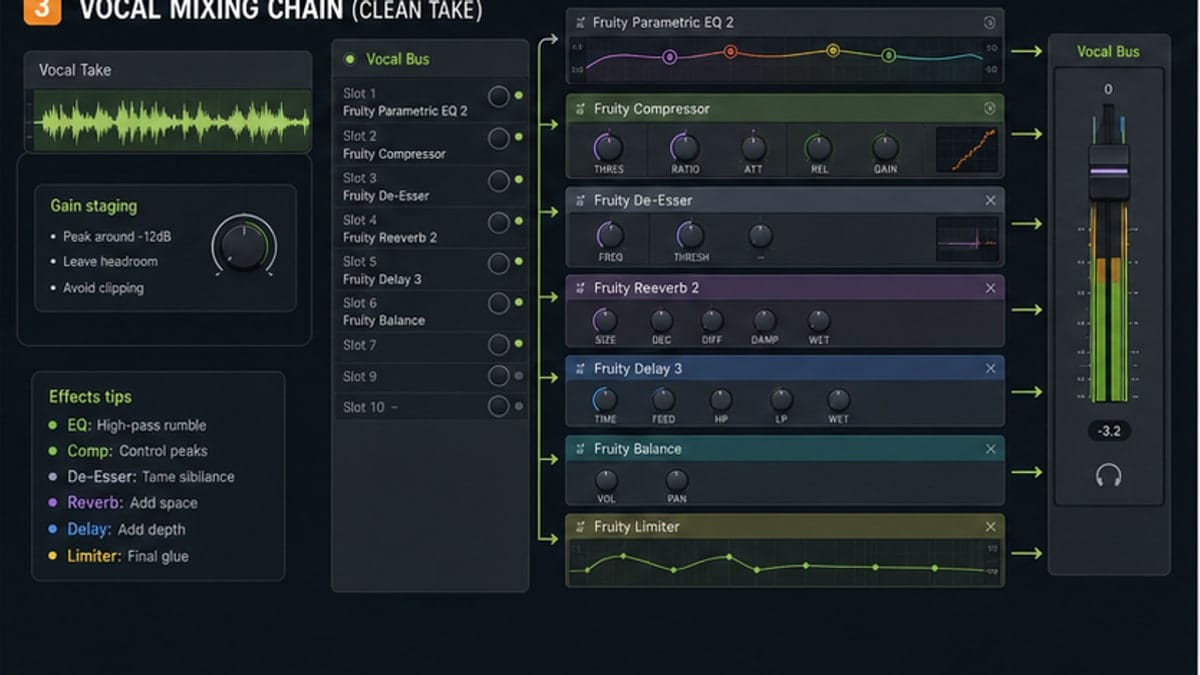
What to skip at first
Skip giant plugin bundles until you know what problem you are solving. The stock plugins teach the jobs: EQ, compression, reverb, synthesis, routing, and gain staging.
Sources and reference pages
Image-Line Fruity Parametric EQ 2 manual, Image-Line Fruity Limiter manual, Image-Line FLEX manual, Image-Line Maximus manual.
Best learning order
Learn stock plugins in this order: level balance, EQ, compression/limiting, reverb, then multiband tools. That order matches the way mix problems usually appear. If the volume is wrong, EQ will not save it. If the tone is muddy, reverb will make the mud wider. If compression is too heavy, Maximus will exaggerate the problem.
FLEX is the exception because it is a sound source, not a mix fix. Use it to start musical ideas, then use the Mixer tools to make those ideas sit together.
The bypass test
After adding a plugin, bypass it. If the track only got louder, match the output level and compare again. Louder often feels better for a few seconds, but it can trick you into keeping a bad move. The bypass test teaches your ear faster than any preset list.
Good plugin use should make the job clearer: less mud, smoother peaks, better space, or a sound that fits the arrangement. If you cannot hear the job, remove the plugin and keep writing.
FAQ
Are FL Studio stock plugins good enough?
Yes. FL Studio stock plugins are good enough to learn production, mixing, routing, and export. Paid plugins are optional, not required.
Which FL Studio stock plugin should beginners learn first?
Start with Fruity Parametric EQ 2, Fruity Limiter, Fruity Reeverb 2, FLEX, and the basic sampler. They cover tone, control, space, and sound choice.
Is Maximus beginner-friendly?
Maximus is powerful but easy to overuse. Beginners should use it gently and learn basic EQ and compression first.
Should I use Soundgoodizer on everything?
No. Soundgoodizer can be fun, but it is not a replacement for level balance, EQ, compression, and arrangement choices.
How to learn these plugins without presets doing the thinking
Use one plugin at a time and bypass it often. If bypassing the plugin makes the sound worse, keep learning what changed. If bypassing it makes the sound better, you probably used too much.
A beginner-friendly rule: every plugin should have a job you can say out loud. "Cut low rumble", "control vocal peaks", "add a small room", "choose a playable keyboard", or "catch final peaks" are real jobs. "Make it professional" is not a setting.
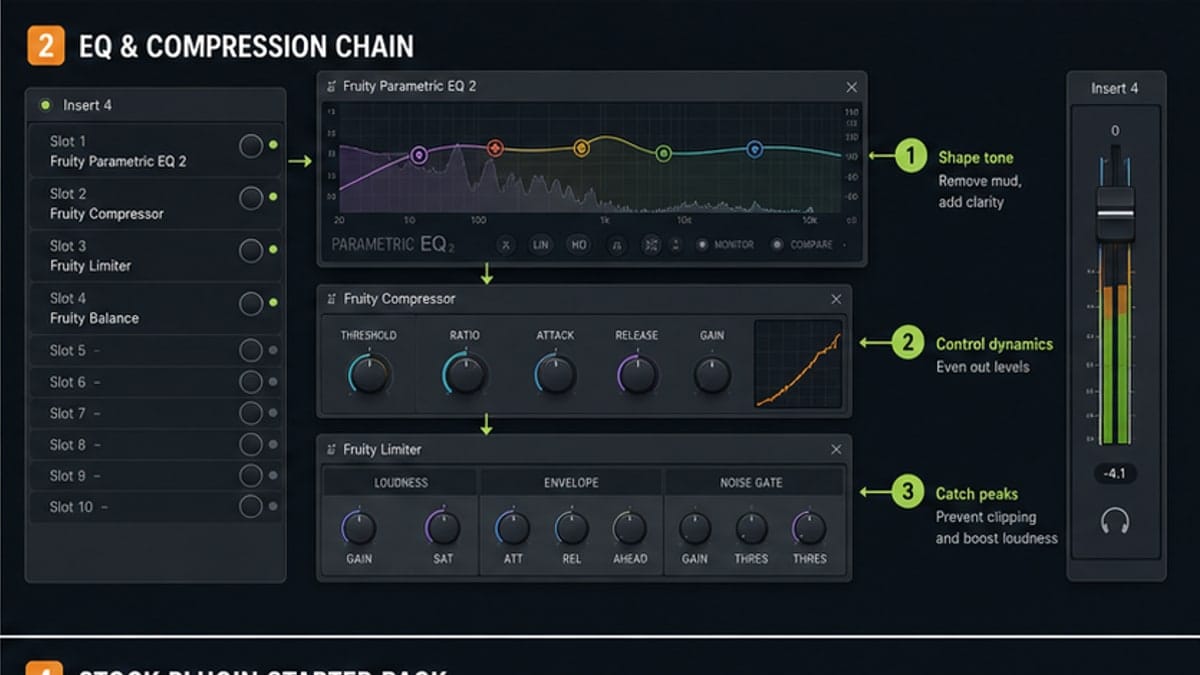
Starter chain examples
| Sound | Stock plugin | Beginner job |
|---|---|---|
| Vocal | Parametric EQ 2 | Remove rumble and mud |
| Vocal | Fruity Limiter | Control loud peaks |
| Lead | Reeverb 2 | Add space on a send |
| Keys | FLEX | Find a musical starting sound |
| Master | Maximus | Gentle final control |
When paid plugins are worth it
Paid plugins become worth it when they solve a specific workflow problem: faster vocal cleanup, a sound library you actually need, a better limiter for delivery, or a synth that gives you a sound FL Studio does not. They are not worth it when the basic mix is still unbalanced.