FL Studio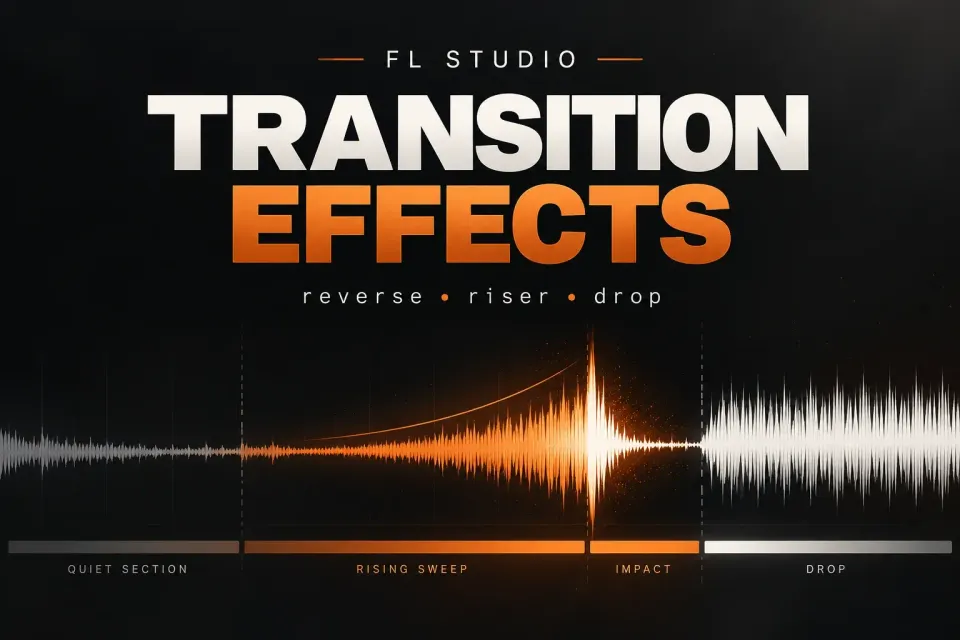
Good FL Studio transition effects give the next section a reason to arrive. They can raise tension with a riser, pull the energy down with a short silence, or make a new downbeat feel larger with a reverse hit and a clean impact. The effect itself is only half the job. Its timing, frequency balance and final landing decide whether the change feels intentional.
I build a transition by choosing the job first, then selecting one source and one kind of movement. That keeps the arrangement readable. A crash, noise sweep, snare fill, delay tail and filter automation can all work; stacking every idea into the same bar usually makes the drop smaller.
Start with the job, not the plugin
Before adding a riser, decide what should change for the listener. The table below gives a practical starting map. The sound choices are examples, so adjust the length and intensity to the section that follows.
| Job | Source | Movement | Landing |
|---|---|---|---|
| Build anticipation | Noise, vocal tail or tonal note | Volume, filter or pitch rises | Impact or full-range entrance |
| Make a new phrase arrive | Crash, clap or reverb tail | Reverse playback | Short forward hit on the downbeat |
| Speed up the last bar | Snare, clap or percussion | Denser rhythm, optional pitch lift | One clear hit or a brief gap |
| Remove energy | Drums, bass or a full mix stem | Volume fade or mute | Silence, then a restrained entry |
| Add movement without another layer | Existing drum or vocal | Delay, stutter or time movement | Return to the dry groove |
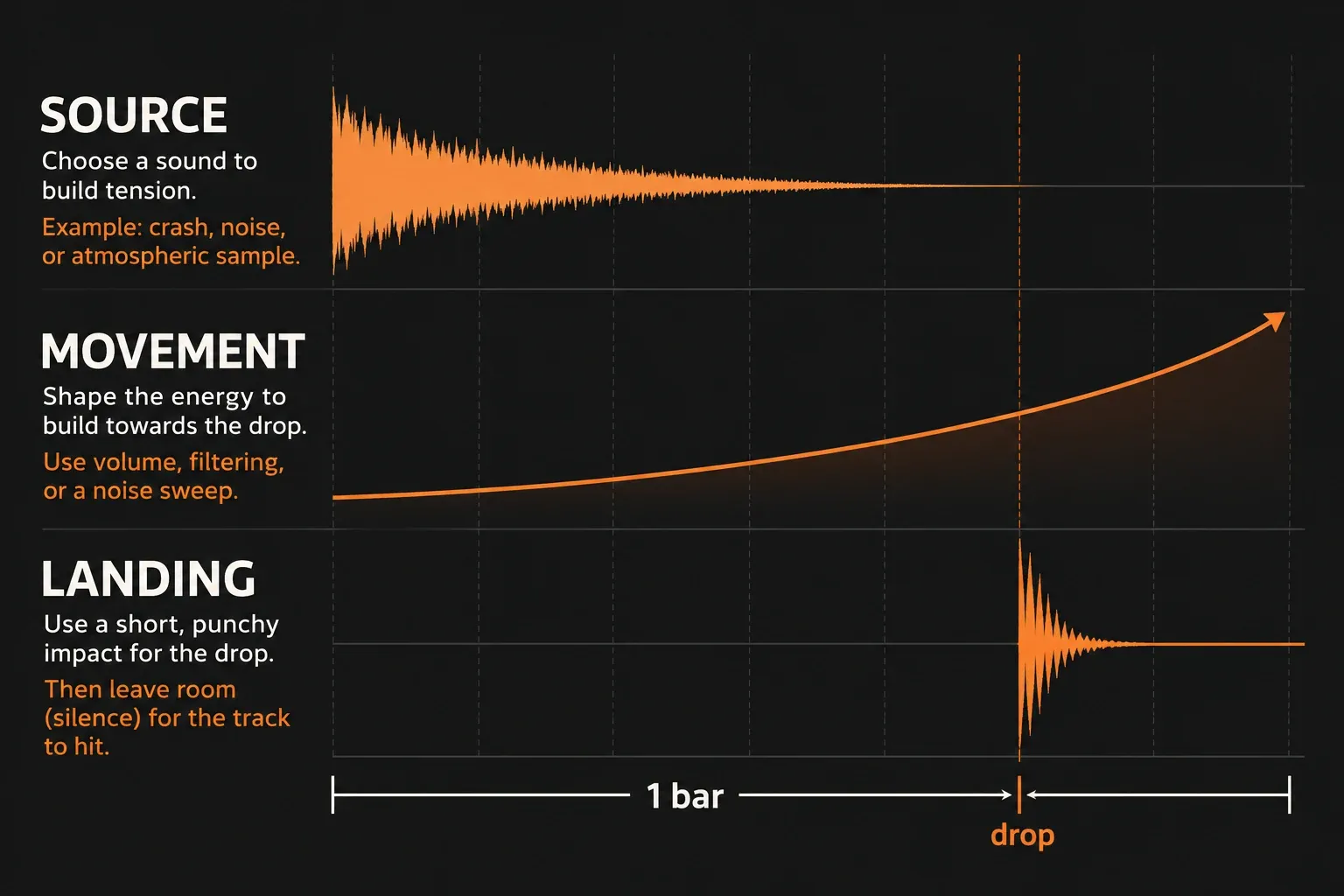
Use a reliable one-bar layout
A one-bar transition is enough to learn the relationship between movement and landing. You can stretch the same idea across four or eight bars later, but a compact test makes timing errors easier to see.
- Place the destination first. Mark the downbeat where the new chord, drum pattern or full section begins. The impact belongs to that musical event, not simply to the end of the previous clip.
- Choose one main source. Start with a crash, noise, vocal slice, tonal note or percussion hit. If the source already has a long tail, shorten it before adding more reverb.
- Shape one main parameter. Volume, pitch, filter cutoff, delay input or playback time can provide the motion. A second layer may support the idea, but it should not compete with it.
- Check the route. The Mixer is where FL Studio audio passes through effect slots and reaches the Master. Use a dedicated insert or send when the transition needs separate processing. The FL Studio Mixer guide explains the relationship between Channel routing, inserts, effects and sends.
- Leave a landing. A small gap before the new section can make the downbeat clearer. If the tail fills the entire space, the listener loses the contrast that made the build useful.
For arrangement context, the FL Studio Playlist guide is the better place to review clip placement, lanes and the timing grid. A transition is an arrangement decision first; the effect chain comes after that decision.
1. Make a reverse crash or reverse reverb hit
A reverse effect is a dependable way to pull the ear toward a downbeat. Use a crash, clap, vocal stab or a reverb tail as the source. Put the sound in the Playlist, open its Audio Clip properties and enable Reverse for that instance. Image-Line documents Reverse as an instance-level playback-direction control, so you can change the copy used for the transition without changing every occurrence of the source clip. The Audio Clips reference describes that per-instance behavior and the related start, duration, gain and pitch controls.
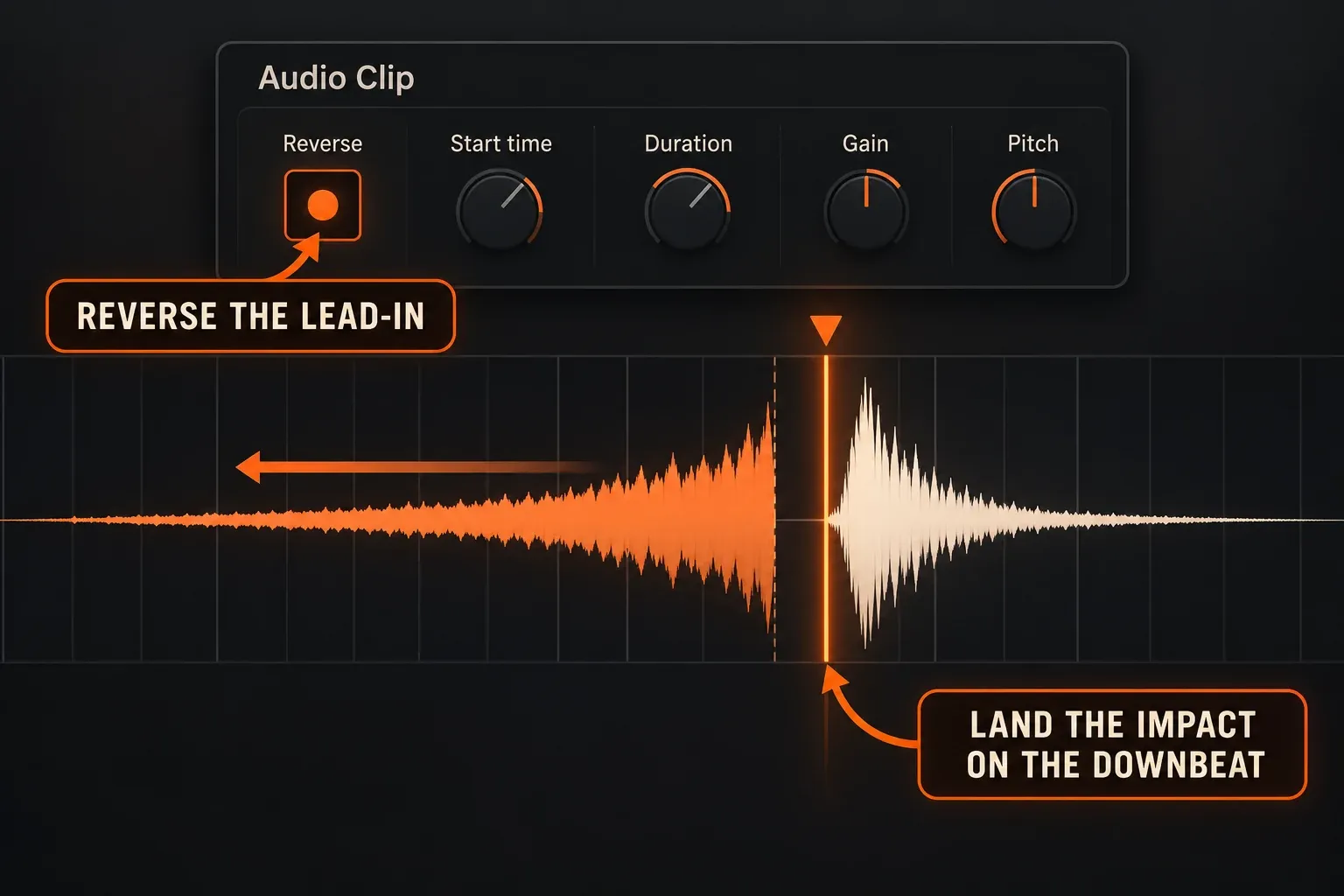
- Duplicate the source or use a separate Audio Clip instance for the lead-in.
- Open the instance properties and switch on Reverse.
- Trim the beginning and duration so the swell reaches the downbeat without hanging over the next phrase.
- Place a forward crash, stab or kick-sized impact at the landing point. The reverse tail should point toward it, not replace it.
- Use a short fade or the clip's declicking option if the edit starts or ends in the middle of a waveform. A sudden cut can create a click even when the musical timing is right.
A reversed reverb tail can sound smoother than a reversed dry hit. Create the tail from a sound with a clear attack, then keep the tail shorter than the space available. The transition should tell the listener where the new section begins; a long wash that continues through the next phrase makes that boundary less useful.
2. Build a riser with volume, filter or pitch movement
Risers work when the motion has a destination. A noise sweep can rise in volume, a tonal sound can climb in pitch, and a drum loop can open through a filter. You do not need all three. Pick the parameter that describes the change you want.
For a native FL Studio control or an Image-Line plugin parameter, right-click the control and choose Create automation clip. The Automation Clips manual documents the Playlist clip, point editing and the option to limit a new clip to a selected time range. The envelope point value is normalized from 0 to 1; it is not a frequency field. The control being automated converts that curve into its own parameter range.
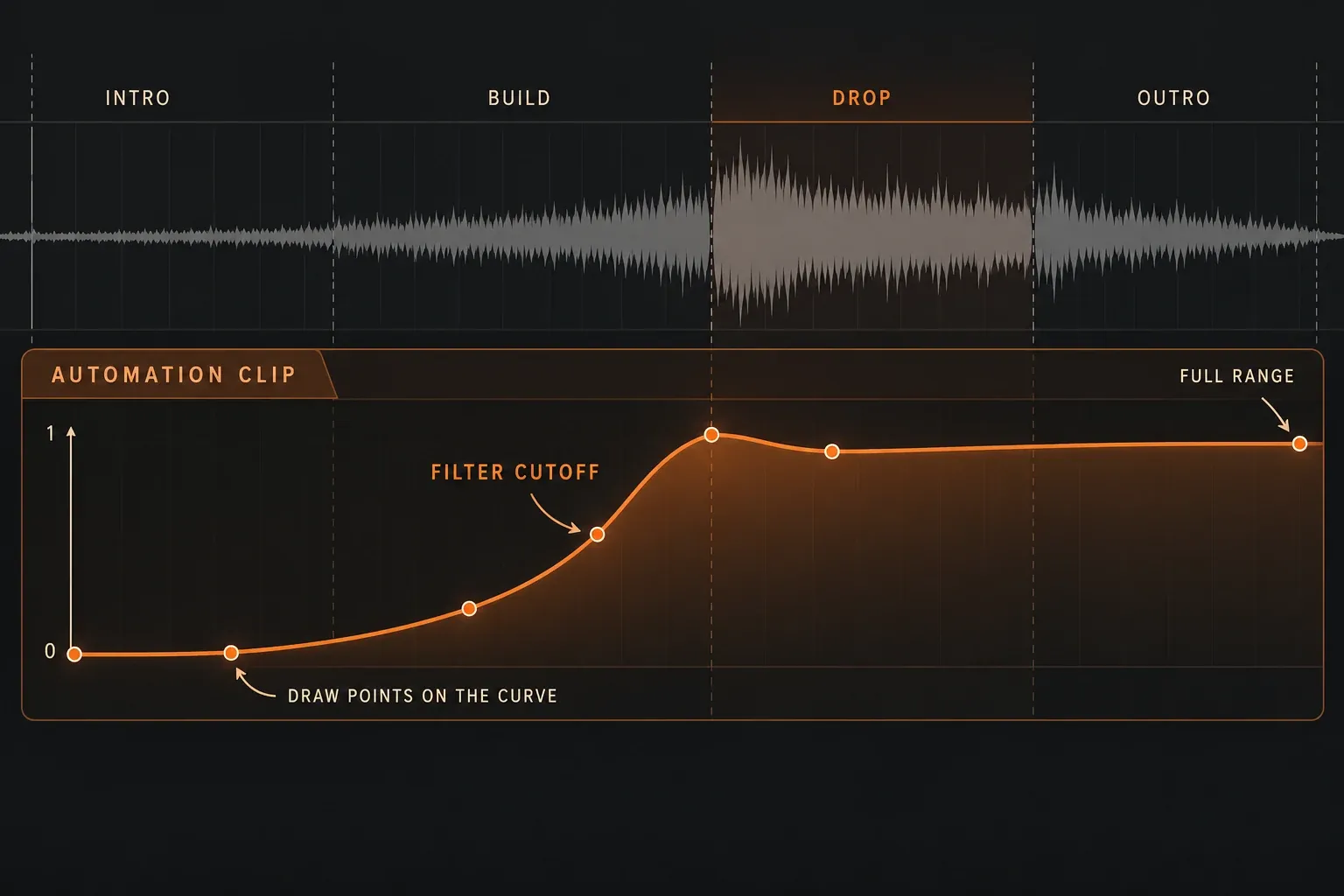
Volume riser
Start with a quiet source and let the level rise toward the last beat. Keep the final level below the impact if the riser should sit behind the drop. A noise layer that reaches the same intensity as the main drum hit can flatten the contrast.
Filter riser
Use a low-pass or high-pass movement when the source already has the rhythm you need. A low-pass opening can reveal more brightness as the section approaches; a high-pass movement can remove weight and make the arrival feel lighter. Automate the filter cutoff rather than drawing a volume curve that changes the whole balance. If the next section should be clean, remember that opening a filter does not turn off another effect in the chain.
Pitch riser
A tonal riser needs a destination that belongs to the song. Use a short note or sustained sound, then move its pitch upward over the chosen range. Keep the landing below the lead or impact if the riser should support the arrangement. If the source is not clearly tonal, a filter or volume move may be easier to control than a large pitch change.
When you create an Automation Clip, play from before the transition and check the starting state as well as the endpoint. A correct curve that begins at the wrong value can expose the effect too early or leave it active after the drop.
3. Use a snare roll or fill without making the drop smaller
A roll raises rhythmic density, so it is useful when the track needs forward motion. Start with a simple pattern and make the last part denser only if the section calls for more pressure. A four-bar build can stay sparse for the first three bars and change in the final bar. A one-bar fill may need only the last two beats.
- Keep the first hits lower or farther back in the mix than the final hits.
- Change one dimension at a time: density, velocity, pitch or reverb tail.
- Leave the final half-beat or beat open when the new section needs a sharp entrance.
- Place the fill on its own route when you need a different reverb, filter or level envelope.
The mistake is treating the roll as the climax. The drop, vocal entry or chord change is the event the roll is pointing toward. If the fill is already the loudest and widest element, the landing has nowhere to go.
4. Add a delay tail or stereo movement
A short delay tail can connect two phrases without adding a sustained riser. Put the source on an insert or send, keep the input closed until the words or hit you want to throw, then open it for that short moment. Fruity Delay 3's official control reference describes Input Wet, tempo-synced Time, Keep Pitch, feedback, filtering and the processed Wet/Dry output.
For a vocal word or snare, a tempo-synced repeat can sit behind the next bar. With Keep Pitch off, changing Time can create a tape-like pitch movement while the value changes; with it on, the delay time can change without that particular time-change pitch behavior. Use the choice for the musical job, then keep the feedback short enough that the next phrase remains readable.
A mono source may need a pan decision before a ping-pong delay feels wide. Fruity Delay 3 documents the relationship between its delay model, Offset/Pan and stereo behavior. Check the return in the whole mix and keep low-frequency repeats under control; a delay tail that fills the low end can hide the bass entrance you meant to emphasize.
5. Use Gross Beat for a short stutter or tape-stop style move
Gross Beat is useful when the transition needs time or volume movement rather than another sound layer. Its official reference describes a two-bar rolling audio buffer with time and volume mapping envelopes. Use a short slot or automation pass for the transition, then return to the normal groove when the new section arrives.
For a stutter, a volume mapping shape can gate a short piece of audio. For a tape-stop style move, a time envelope can slow the playback position. The Gross Beat manual also documents the safety area around time-envelope relocations and the need to watch for clicks around abrupt volume changes. That makes it a better choice for a deliberate one- or two-bar effect than for a setting left active across the entire arrangement.
If the transition starts with audio already in the buffer, the first repeat may not contain the phrase you expected. Place the effect where the buffer has the material it needs, and audition the beginning of the slot as part of the arrangement decision.
6. Let silence do some of the work
Silence is a transition effect when it removes information just before a meaningful return. Mute the kick for the last beat, drop the bass for half a bar, or fade the full mix into a short gap before the new section. The exact length depends on the tempo and the density of the arrangement; the principle is to remove enough material for the return to read.
Do not silence every layer at once unless the break is meant to be dramatic. Removing the kick while leaving a filtered vocal tail can create a smaller pull. Removing the vocal while keeping a steady hat pattern can keep the pulse intact. Compare the gap against the incoming section, then bring back only what the landing needs.
Fix common transition problems
- The transition feels late: move the landing first. Shorten the source or start the movement earlier instead of dragging the impact farther into the next section.
- The riser is louder than the drop: lower its final level and compare the last beat with the first beat of the new section. Loudness alone should not decide which event leads.
- The low end becomes muddy: shorten the tail, filter the transition layer or route it separately. Do not keep adding treble to solve a low-frequency overlap.
- The reverse sound clicks: check the clip edge and declicking choice. A cut through a non-zero waveform can create a jump at the boundary.
- The effect keeps playing after the drop: check the clip duration, automation endpoint and send return. Widening a filter or closing an input does not necessarily mute a separate delay tail.
- The stutter sounds random: check the buffer timing and start point, then reduce the effect to one short slot. A smaller repeat is easier to align with the grid.
A fast transition checklist
- Can I name the job: build, impact, fill, pull, space or movement?
- Is there one clear source and one main changing parameter?
- Does the movement end at the musical downbeat?
- Is the landing louder or clearer than the build?
- Can the next phrase breathe after the effect?
- Does the effect stop when the arrangement says it should?
Once the answer is yes, stop adding layers. A transition earns its place by making the next moment easier to feel. The best FL Studio transition effects are often one reversed clip, one automation curve, one short fill or one deliberate gap placed with enough room around it.