 FL Studio
Free FL Studio tools for tempo, pitch and song length
Three browser calculators for the small numbers that stall a session: a delay time that lands on the beat, the note a microphone hears, and the bar count that fills the length you planned.
Get the number, then make the call by ear
Each calculator sits near the top of its own guide and runs in the browser tab, so there is nothing to install and nothing is added to your FL Studio project. The rest of the guide explains the math and shows where the result goes in FL Studio. The pitch detector asks for microphone access only after you press Start listening, and it analyzes the signal inside the page without recording or uploading it.
Treat every result as a reference, not a verdict. A delay that is mathematically on the beat can still crowd a fast phrase, a pitch reading wanders on breathy or layered sounds, and a bar count assumes the tempo never changes. The checklist further down covers those limits before the number goes into a project.
Open the calculator for the number you need
Each card opens the full guide: the calculator first, then the FL Studio steps and the cases where the number needs a second look.
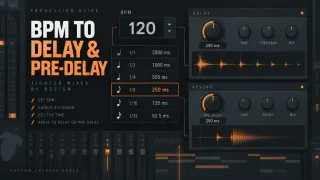 Tempo to milliseconds
FL Studio Delay and Reverb Calculator: BPM to Milliseconds
Eleven straight, dotted and triplet note values for any tempo from 20 to 300 BPM.
Calculate delay times
Tempo to milliseconds
FL Studio Delay and Reverb Calculator: BPM to Milliseconds
Eleven straight, dotted and triplet note values for any tempo from 20 to 300 BPM.
Calculate delay times
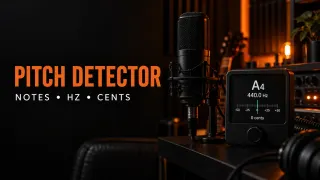 Microphone to note
Pitch Detector: Find Notes, Hz and Cents Online
Nearest note, octave, frequency and cents offset for one sustained sound between about 55 and 1200 Hz.
Detect a pitch
Microphone to note
Pitch Detector: Find Notes, Hz and Cents Online
Nearest note, octave, frequency and cents offset for one sustained sound between about 55 and 1200 Hz.
Detect a pitch
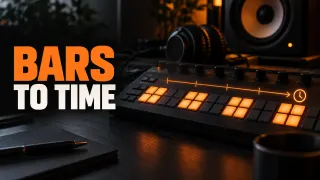 Bars to minutes
FL Studio Song Length Calculator: Bars, BPM and Time
Arrangement length from tempo, bars and time signature, or the bars needed to reach a target time.
Plan the song length
Bars to minutes
FL Studio Song Length Calculator: Bars, BPM and Time
Arrangement length from tempo, bars and time signature, or the bars needed to reach a target time.
Plan the song length
What each tool calculates, and where it stops
Delay calculator: note values in milliseconds
The delay and reverb calculator divides a minute by the tempo to get one quarter note, then scales it into eleven straight, dotted and triplet values. At 120 BPM, a quarter note is 500 ms and a dotted eighth is 375 ms. The guide shows where those values fit in Fruity Delay 3 and Fruity Reeverb 2, and when the effect belongs on a Mixer send rather than on the source channel.
For reverb pre-delay, a short value is only a starting reference. Set the final gap by listening to how clearly the attack comes through before the room arrives.
Pitch detector: one sustained note at a time
The online pitch detector listens through your microphone and reports the nearest note, its octave, the frequency in hertz and how many cents it sits sharp or flat. You can move the A4 reference between 432 and 446 Hz when a track is not tuned to 440. It reads roughly 55 to 1200 Hz, about A1 to D6, and expects a single note: chords, full mixes and heavy reverb make the reading jump between tones or octaves.
A deep 808 or sub-bass can sit below that floor. For those, the guide to tuning an 808 in FL Studio finds the sample’s original pitch, with or without Edison, and separates a wrong note from a small cents error.
Song length calculator: bars, tempo and time signature
The song length calculator turns tempo, bar count and time signature into minutes and seconds. At 120 BPM in 4/4, 80 bars run 2:40, and a three-minute target needs 90 bars. Add a target time and it also returns the whole bars needed to reach it.
The time signature changes the answer because FL Studio’s tempo still counts quarter notes when the denominator is 8. At the same 120 BPM, 80 bars of 6/8 last 2:00, since each bar holds three quarter notes of time instead of four.
The estimate assumes one constant tempo. Tempo automation changes the real length, and effect tails rendered with Leave remainder can push the exported file past the last bar.
Looking for FL Studio’s own tools instead?
These features ship with FL Studio itself. The guides show where to find them and when they help more than a calculator.
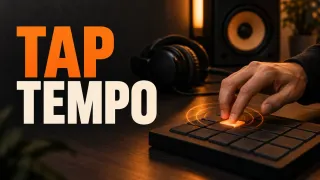 Find the tempo
How to Use Tap Tempo in FL Studio
Tap along with Tempo Tapper, correct half- or double-time readings and know when Detect tempo is the better choice.
Tap the tempo
Find the tempo
How to Use Tap Tempo in FL Studio
Tap along with Tempo Tapper, correct half- or double-time readings and know when Detect tempo is the better choice.
Tap the tempo
 Write the harmony
FL Studio Chord Progression Tool: Chords That Fit Your Track
Generate or analyze chords, lock the ones that work, and adjust voicing and bass before committing the notes.
Build a progression
Write the harmony
FL Studio Chord Progression Tool: Chords That Fit Your Track
Generate or analyze chords, lock the ones that work, and adjust voicing and bass before committing the notes.
Build a progression
 Loosen stacked chords
FL Studio Strumizer: Hotkey, Controls and Natural Chords
Open Strumizer with Alt/Option+S, then shape strum direction, tension and velocity on chords that start together.
Strum the chords
Loosen stacked chords
FL Studio Strumizer: Hotkey, Controls and Natural Chords
Open Strumizer with Alt/Option+S, then shape strum direction, tension and velocity on chords that start together.
Strum the chords
Before the number goes into the project
- The BPM in the calculator matches the project tempo in FL Studio.
- The delay value was judged against the actual phrase, not only against the grid.
- The pitch reading came from one sustained note, with reverb, chorus and other effects bypassed.
- The song keeps one tempo; tempo automation changes the real length.
- Effect tails are accounted for: with Leave remainder, the export can run past the last bar.
If a delay lands on time but still crowds the mix, look at routing, filtering and send level next; the Mixing hub covers that order. If a vocal reads as the right note but still sounds off, the Recording hub starts with the take itself.
Questions about the free tools
Do these tools open inside FL Studio?
No. They run on the guide pages in your web browser. You read the result there and set the value in FL Studio yourself, which keeps the final decision in your project.
Why does the pitch detector struggle with a deep 808 or bass?
Its detection window starts at about 55 Hz, roughly A1. A fundamental below that floor is either missed or read from one of its harmonics. For low 808s, follow the 808 tuning guide, which starts by finding the sample’s original pitch.
Does the song length calculator include the reverb tail?
No. It converts bars at one constant tempo into time. Effect tails and the remainder option in FL Studio’s render settings can make the exported file longer than the arrangement.