 FL Studio
Choose your DAW, then your FL Studio edition
Decide whether FL Studio fits the way you make music, then choose the edition that supports your projects. Compare the work you actually do, check the license and look at the final price before paying.
There are two different buying decisions
The first decision is the DAW: does FL Studio’s Channel Rack, Piano Roll and Playlist workflow fit how you turn an idea into a track, or do you prefer another program for writing, recording and arranging? The second question is which FL Studio edition includes the recording, audio-clip and native-plugin capabilities your projects need.
A larger bundle cannot make an awkward workflow feel natural, and a cheaper tier is not a bargain if a missing capability blocks your next project. Try the same short musical idea in each DAW on your shortlist. Read the trial restrictions first: saving a project and being allowed to reopen it are not always the same thing.
Compare the DAWs on your shortlist
Start with the pair you are actually considering. Look for the steps you repeat—editing notes, recording takes, arranging audio or preparing a live set—rather than choosing a winner from the longest feature list.
 FL Studio or Ableton Live
Ableton vs FL Studio: Which DAW Fits You in 2026?
Compare beat making, recording, arrangement, audio editing and live use, then try the same short idea in each DAW.
Compare FL Studio and Ableton
FL Studio or Ableton Live
Ableton vs FL Studio: Which DAW Fits You in 2026?
Compare beat making, recording, arrangement, audio editing and live use, then try the same short idea in each DAW.
Compare FL Studio and Ableton
 FL Studio or Logic Pro
FL Studio vs Logic Pro: Beats, Recording and Real Cost
Compare MIDI editing, recording, included tools and project compatibility against the way you work.
Compare FL Studio and Logic Pro
FL Studio or Logic Pro
FL Studio vs Logic Pro: Beats, Recording and Real Cost
Compare MIDI editing, recording, included tools and project compatibility against the way you work.
Compare FL Studio and Logic Pro
 FL Studio or REAPER
FL Studio vs REAPER: Beats, Recording and Real Cost
Weigh recording and editing workflows, plugin needs and license terms before switching or buying.
Compare FL Studio and REAPER
FL Studio or REAPER
FL Studio vs REAPER: Beats, Recording and Real Cost
Weigh recording and editing workflows, plugin needs and license terms before switching or buying.
Compare FL Studio and REAPER
Choose the edition and check the purchase terms
Match the edition to the work first; a discount is useful only on a license you need. If you already own FL Studio, separate a free software update from a paid move to another edition.
 Choose the FL Studio tier
How Much Is FL Studio? 2026 Prices and Best Edition
Compare Fruity, Producer, Signature and All Plugins by the work they unlock, not by the length of the plugin list.
Compare FL Studio editions
Choose the FL Studio tier
How Much Is FL Studio? 2026 Prices and Best Edition
Compare Fruity, Producer, Signature and All Plugins by the work they unlock, not by the length of the plugin list.
Compare FL Studio editions
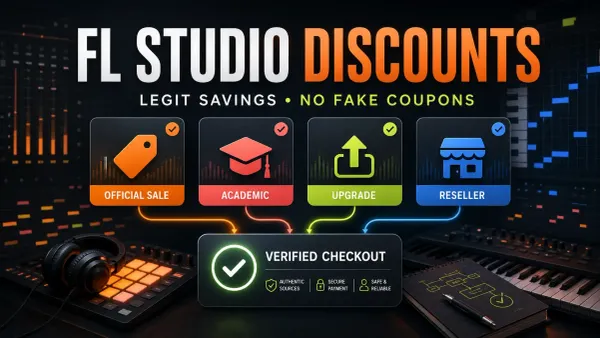 Check a deal before paying
FL Studio Discounts: Sales, Student Deals and Upgrades
Check offer eligibility and license terms, and distinguish a real saving from an unsupported coupon claim.
Check FL Studio discounts
Check a deal before paying
FL Studio Discounts: Sales, Student Deals and Upgrades
Check offer eligibility and license terms, and distinguish a real saving from an unsupported coupon claim.
Check FL Studio discounts
 Understand the current release
FL Studio 2026: New Features, Limits and Update Guide
See what changed and which features depend on your edition before updating a working installation.
Read the FL Studio release guide
Understand the current release
FL Studio 2026: New Features, Limits and Update Guide
See what changed and which features depend on your edition before updating a working installation.
Read the FL Studio release guide
Build the same short sketch in each DAW
Use the same drum sounds, a short MIDI part, one recorded or imported audio clip, a basic arrangement and an export where the trial permits it. Note where you stop to search and which edits feel direct. This is a personal workflow comparison, not proof that one DAW is universally faster.
FL Studio’s standard trial can save and export, but cannot reopen saved projects until purchase. Export your sketch before closing it and keep notes about the steps you tried. After buying, full project recall also depends on having valid licenses for the plugins used. If FL Studio suits you, continue with the edition comparison instead of assuming the largest bundle is necessary.
Open the guide for the task in front of you
This list includes every live guide assigned to this route. Scheduled and draft pages stay out until readers can open them.
How Much Is FL Studio? 2026 Prices and Best Edition
FL Studio’s regular US list prices run from $99 to $449 for a one-time purchase. This guide compares every edition, explains the unlimited trial, and shows which license makes sense for your workflow.
Open the guide
Ableton vs FL Studio: Which DAW Fits You in 2026?
Choose the DAW whose normal way of building, recording and finishing a song matches the work you actually do—not the genre label beside your playlist.
Open the guide
 FL Studio System Requirements 2026: Minimum vs Real Use
Meeting the minimum is only a starting point. Choose CPU, RAM and storage for the projects you need to run, then test the computer with your own workflow.
Open the guide
FL Studio System Requirements 2026: Minimum vs Real Use
Meeting the minimum is only a starting point. Choose CPU, RAM and storage for the projects you need to run, then test the computer with your own workflow.
Open the guide
 FL Studio on Chromebook: Mobile, Desktop and Your Options
Choose the right Chromebook route before buying: local FL Studio Mobile, remote access to a separate host, or an experimental Wine setup. Includes project transfer and backup checks.
Open the guide
FL Studio on Chromebook: Mobile, Desktop and Your Options
Choose the right Chromebook route before buying: local FL Studio Mobile, remote access to a separate host, or an experimental Wine setup. Includes project transfer and backup checks.
Open the guide
 FL Studio on Linux: Wine, Bottles and What to Check
Check an unofficial Wine or Bottles setup using project copies and separate backups. Work through trial limits, Linux audio, Windows plugins and folder permissions.
Open the guide
FL Studio on Linux: Wine, Bottles and What to Check
Check an unofficial Wine or Bottles setup using project copies and separate backups. Work through trial limits, Linux audio, Windows plugins and folder permissions.
Open the guide
 FL Studio Mobile vs Desktop: Which Fits You in 2026?
Choose Mobile or Desktop by the next job: touch-first writing, computer plugins, recording and project exchange. Check app licenses and preserve a separate source copy.
Open the guide
FL Studio Discounts: Sales, Student Deals and Upgrades
Check legitimate sales, academic restrictions, existing-owner upgrades and verified partner offers. Compare the payable total, not just a discount percentage.
Open the guide
FL Studio vs Logic Pro: Beats, Recording and Real Cost
Choose between FL Studio’s pattern-led workflow and Logic Pro’s track-based recording tools, with current platform, license and project-transfer limits made explicit.
Open the guide
FL Studio vs REAPER: Beats, Recording and Real Cost
Compare pattern-led writing with track-based recording, then check the tools, license terms and project-transfer work each DAW would require.
Open the guide
FL Studio 2026: New Features, Limits and Update Guide
Check the current FL Studio 2026 patch, choose the features you need, and preserve a recoverable original before testing an update.
Open the guide
FL Studio Mobile vs Desktop: Which Fits You in 2026?
Choose Mobile or Desktop by the next job: touch-first writing, computer plugins, recording and project exchange. Check app licenses and preserve a separate source copy.
Open the guide
FL Studio Discounts: Sales, Student Deals and Upgrades
Check legitimate sales, academic restrictions, existing-owner upgrades and verified partner offers. Compare the payable total, not just a discount percentage.
Open the guide
FL Studio vs Logic Pro: Beats, Recording and Real Cost
Choose between FL Studio’s pattern-led workflow and Logic Pro’s track-based recording tools, with current platform, license and project-transfer limits made explicit.
Open the guide
FL Studio vs REAPER: Beats, Recording and Real Cost
Compare pattern-led writing with track-based recording, then check the tools, license terms and project-transfer work each DAW would require.
Open the guide
FL Studio 2026: New Features, Limits and Update Guide
Check the current FL Studio 2026 patch, choose the features you need, and preserve a recoverable original before testing an update.
Open the guide
 FL Studio vs Pro Tools: Which DAW Fits Your Workflow?
FL Studio is faster for patterns, Piano Roll work and beatmaking; Pro Tools is stronger for multitrack recording, comping, detailed editing and studio exchange. Here is how to choose—and how to use both safely.
Open the guide
FL Studio vs Pro Tools: Which DAW Fits Your Workflow?
FL Studio is faster for patterns, Piano Roll work and beatmaking; Pro Tools is stronger for multitrack recording, comping, detailed editing and studio exchange. Here is how to choose—and how to use both safely.
Open the guide
 Best DAW for Mac: 7 Options Compared by Workflow
Logic Pro is the best all-round choice for most current Macs, while FL Studio, Ableton, REAPER, Pro Tools, Cubase and GarageBand fit different workflows.
Open the guide
Best DAW for Mac: 7 Options Compared by Workflow
Logic Pro is the best all-round choice for most current Macs, while FL Studio, Ableton, REAPER, Pro Tools, Cubase and GarageBand fit different workflows.
Open the guide
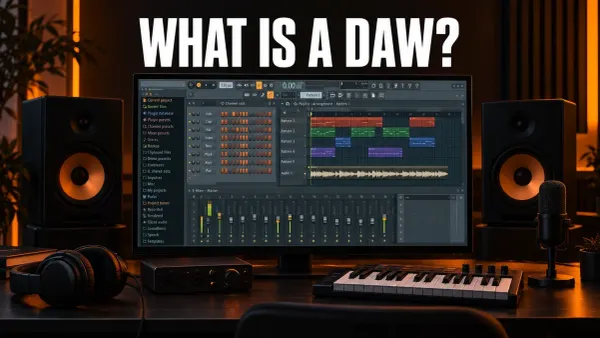 What Is a DAW? Digital Audio Workstations Explained
DAW stands for digital audio workstation: the software you record, arrange and mix music in. Here are its parts shown in FL Studio, what you need to run one and what it costs.
Open the guide
What Is a DAW? Digital Audio Workstations Explained
DAW stands for digital audio workstation: the software you record, arrange and mix music in. Here are its parts shown in FL Studio, what you need to run one and what it costs.
Open the guide
 Free FL Studio Alternatives: Which Free DAW Should You Use?
FL Studio's trial never expires but won't reopen saved projects. Here is what free FL Studio can do, and which free DAW fits pattern beats, vocals, a Mac or a browser, with each app's documented limits.
Open the guide
Free FL Studio Alternatives: Which Free DAW Should You Use?
FL Studio's trial never expires but won't reopen saved projects. Here is what free FL Studio can do, and which free DAW fits pattern beats, vocals, a Mac or a browser, with each app's documented limits.
Open the guide
Before paying for FL Studio
- Confirm that the operating system and hardware you will actually use can run the current installer.
- Name whether you need audio recording and unrestricted audio-clip work, not just MIDI and patterns.
- Separate Lifetime Free Updates for the owned edition from paid edition upgrades, optional plugins and FL Cloud.
- Compare the included native tools with the work you do instead of valuing a bundle by plugin count alone.
- Export a trial sketch before closing it; check project-reopening restrictions and the licenses needed for its plugins.
Use Image-Line’s current official edition comparison for the final feature matrix and purchase terms. After choosing, move to Start Here for installation, audio setup and the first complete project.
FL Studio buying questions
Should I choose FL Studio or Ableton from a feature table?
No. A feature table can reveal missing capabilities, but the deciding evidence is how each workflow handles the same small project. Test beat making, MIDI, audio, arrangement and export in the work you expect to repeat.
Which FL Studio edition is the safest starting point?
The safest edition is the lowest tier that supports the work you know you need. Check audio recording, audio clips and required native plugins against the current official matrix rather than assuming every beginner needs the same bundle.
Do Lifetime Free Updates include every FL Studio product?
No. They cover future FL Studio updates for the edition you own. Moving to a higher edition, buying optional plugins and using paid FL Cloud services are separate decisions that can cost money.
Can I reopen a project saved in the FL Studio trial?
Not in the standard trial. You can save and export, but reopening saved projects requires buying FL Studio. Full recall also depends on licenses for the native and third-party plugins used in the project.