FL Studio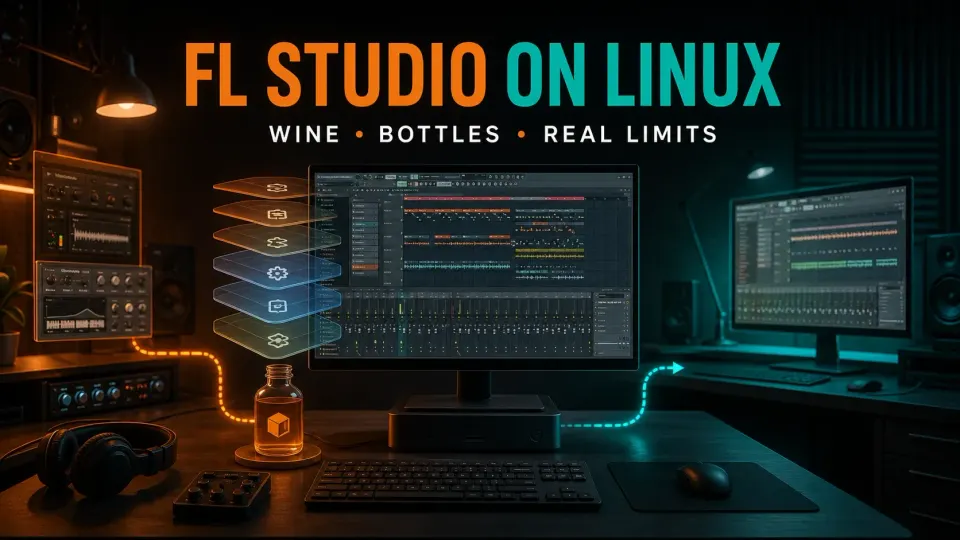
FL Studio has no native Linux installer. You can try the Windows version through Wine, usually managed with Bottles, but it's an unofficial setup. Getting it to launch tells you nothing about whether your interface, plugins, license or saved projects will work. If any of those matter for a deadline, keep a supported Windows or Mac machine within reach.
“Does FL Studio run on Linux?” is the wrong question. I'd ask whether your setup can handle the work you need, then find out using copies of your projects, with separate backups of the originals. The checks below also cover the trial's project-reopening restriction, which matters before you save anything you care about.
Choose between four different routes
The official FL Studio download page offers Windows and macOS builds only. A Linux distribution with plenty of RAM doesn't change that, so check the supported system requirements before you buy a computer around the application.
| Route | Where FL Studio runs | What you are accepting |
|---|---|---|
| Wine or Bottles | The Windows application through Wine on Linux | An unofficial compatibility experiment |
| Dual boot | Windows on the same computer | Restarting into another OS and maintaining it |
| Separate host | A supported Windows or Mac computer | Another machine, with remote access only if useful |
| Native Linux DAW | A different application on Linux | A different workflow and project-transfer process |
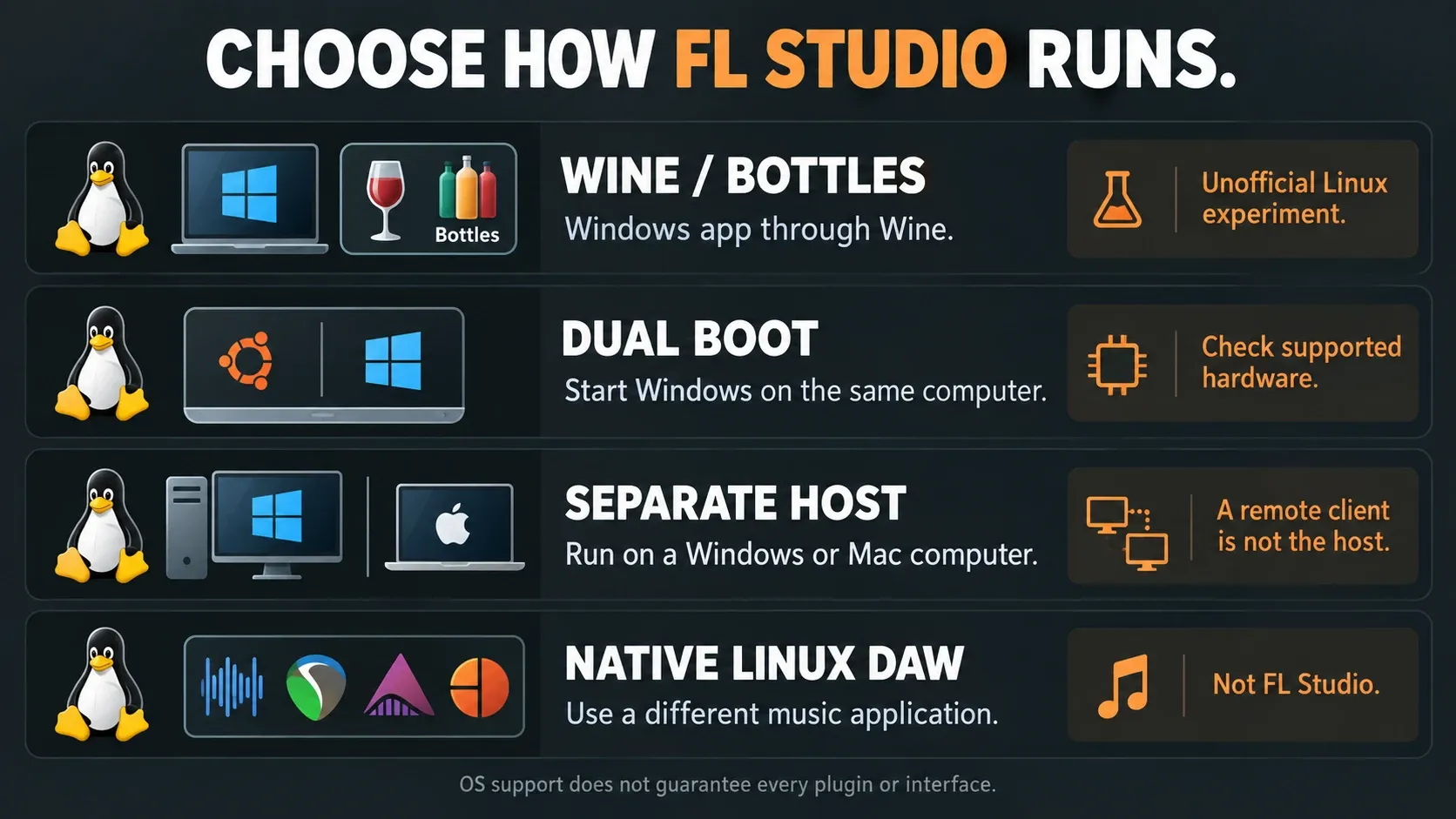
Supported Windows or macOS removes the Wine layer, though old plugins and interfaces still need their own checks. If you keep Linux for other work, running a separate supported host is just a platform choice. It doesn't mean you failed to set Linux up properly.
Wine, Bottles, prefixes and runners
Wine is the compatibility layer, and Bottles manages the environments that use it. A prefix holds a Windows-like directory and configuration. A runner is the Wine-based implementation picked for that environment. System76's Bottles introduction spells out the key limitation: the application still has to work with Wine, and the manager certifies nothing.
I'd give the FL Studio experiment its own bottle, away from games and unrelated programs. Write down the Linux distribution, CPU architecture, graphics session, audio setup, runner and FL Studio build. That record will help you troubleshoot far more than “latest Wine,” which can mean something else on the next machine.
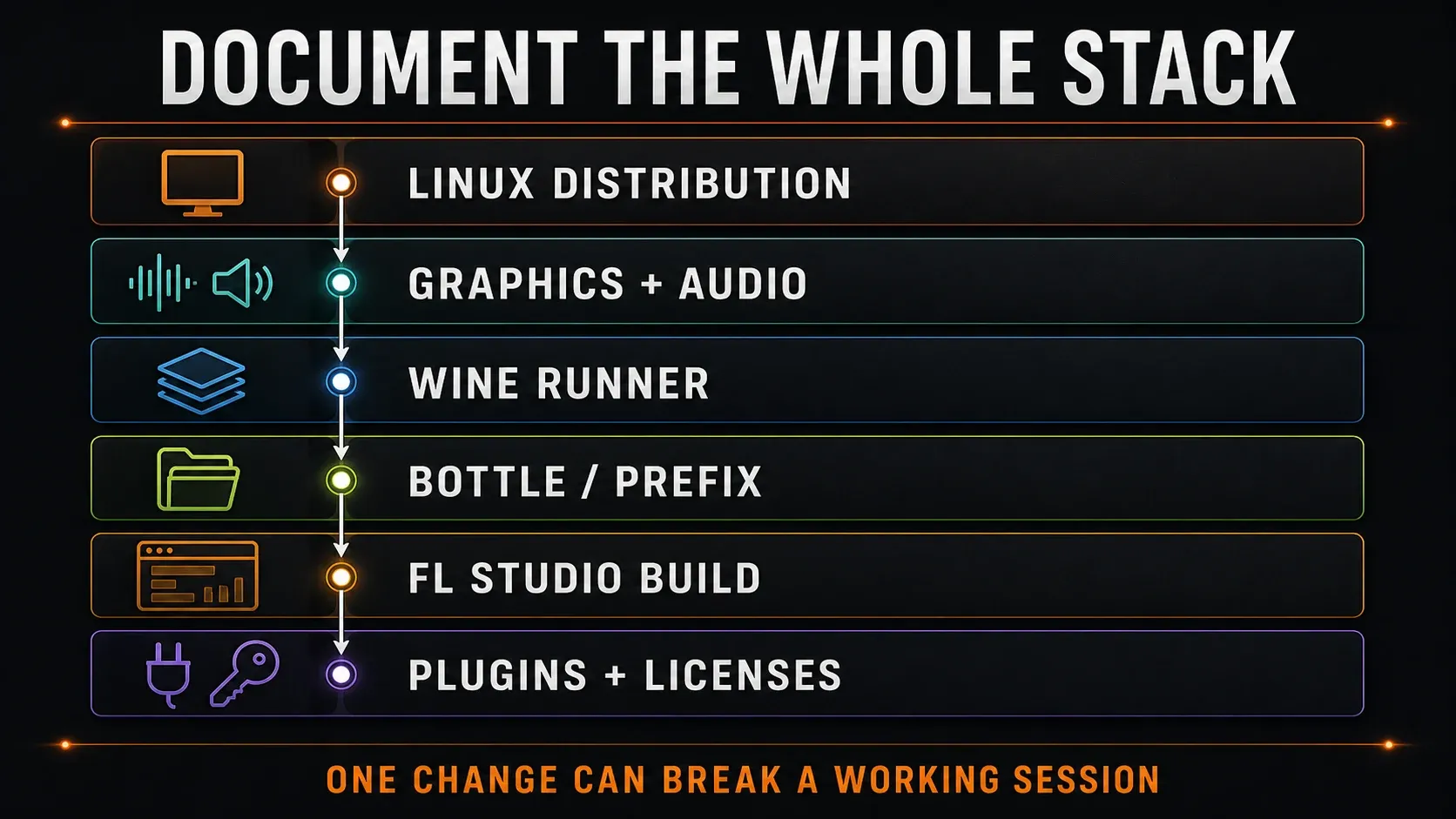
The Bottles environment presets bundle settings and dependencies. They don't rank FL Studio compatibility. An old recommendation for Gaming, Application, DXVK or a particular runner isn't automatically right for you. Keep the starting configuration identifiable, and change one thing at a time, only when you've got a specific problem.
Decide what must work before installing
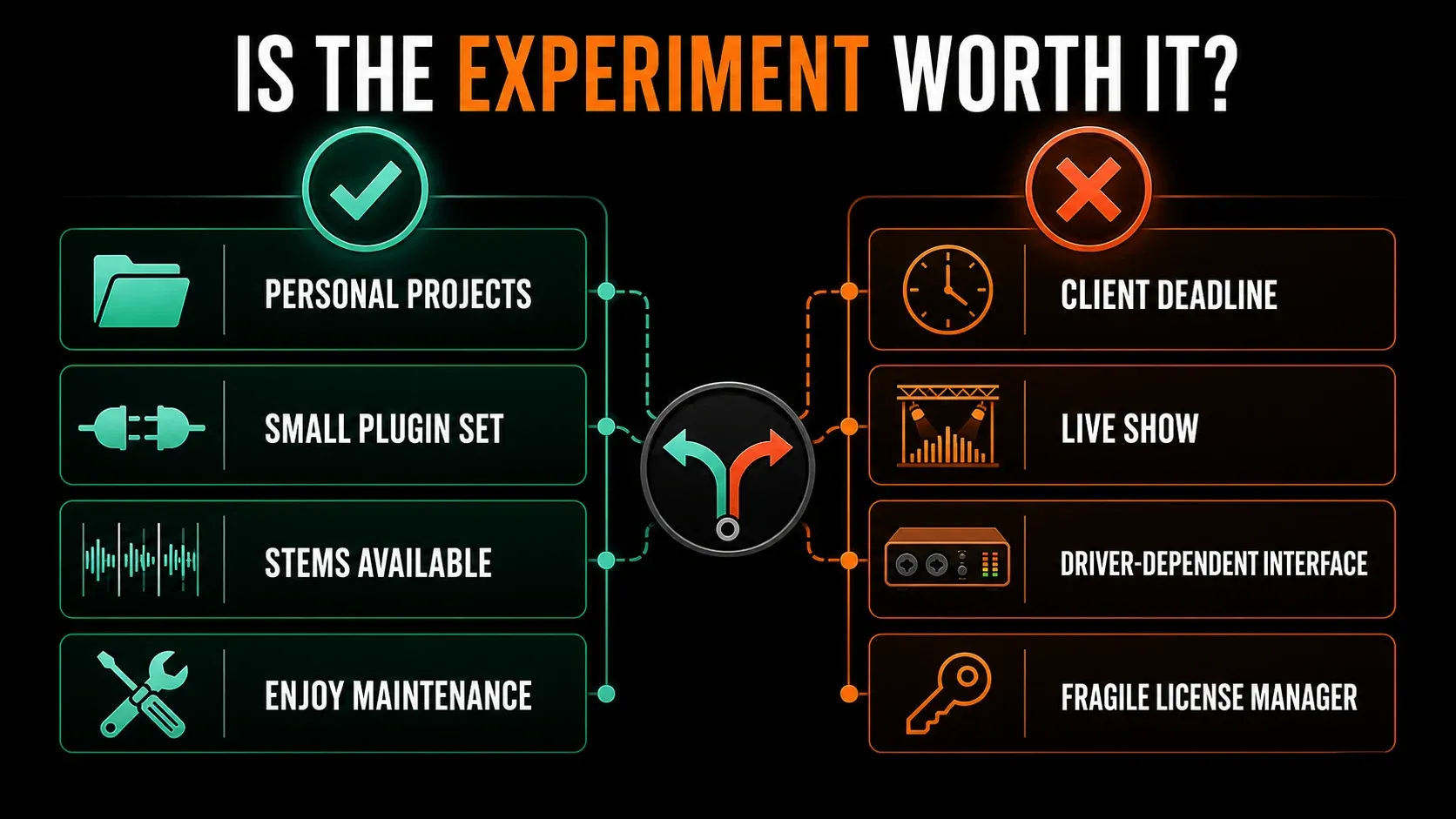
Write down the jobs you can't give up: a microphone input, a particular MIDI controller, an instrument library, a license manager or reliable recall of a collaborator's project. Give each one its own small check. If a required item fails, a smooth-looking Playlist won't make up for it.
I'd start with a personal sketch and a few replaceable sounds. A client delivery or a live show isn't the moment to find out that an untested update broke authorization. Keep a supported alternative and your original files at hand before relying on the experiment.
Test FL Studio in eight steps
These steps describe a limited trial run. They aren't a tested installer recipe for every Ubuntu, Mint, Fedora or Arch machine. The Bottles installation documentation points you to its Flatpak distribution. Set it up through the official project or your distribution's instructions, and skip any abandoned “fix everything” script.
- Back up your projects. Keep the originals and their samples outside the proposed bottle, with another independent copy. Do not use irreplaceable work for the first experiment.
- Install official Bottles. Follow its current installation instructions and your distribution's Flatpak setup. Finish that setup before adding FL Studio.
- Create a dedicated bottle. Give it a recognizable name and record the environment and runner. Keep unrelated programs out of this test.
- Run the official Windows installer. Download it from Image-Line, select the intended bottle and use Run executable to select the installer. Stop if installation or signature verification fails; do not modify signed files.
- Check playback and required inputs. Start a short stock-instrument project. Test your intended output and any required MIDI input. If you need microphone recording, choose a trial edition that includes recording, then check that input separately.
- Export a WAV before closing. Render the short sketch, locate the file outside FL Studio and play it. Do this before saving or closing the trial session.
- Save a copy and respect the trial limit. You can save the project, but the standard trial cannot reopen it. If you already have the required license unlocked, close and reopen the copy and check its sounds. Otherwise record recall as not tested.
- Back up and record the setup. Preserve the bottle and independent project files, along with the versions and checks completed. Do not mark untested hardware, plugins or recall as working.
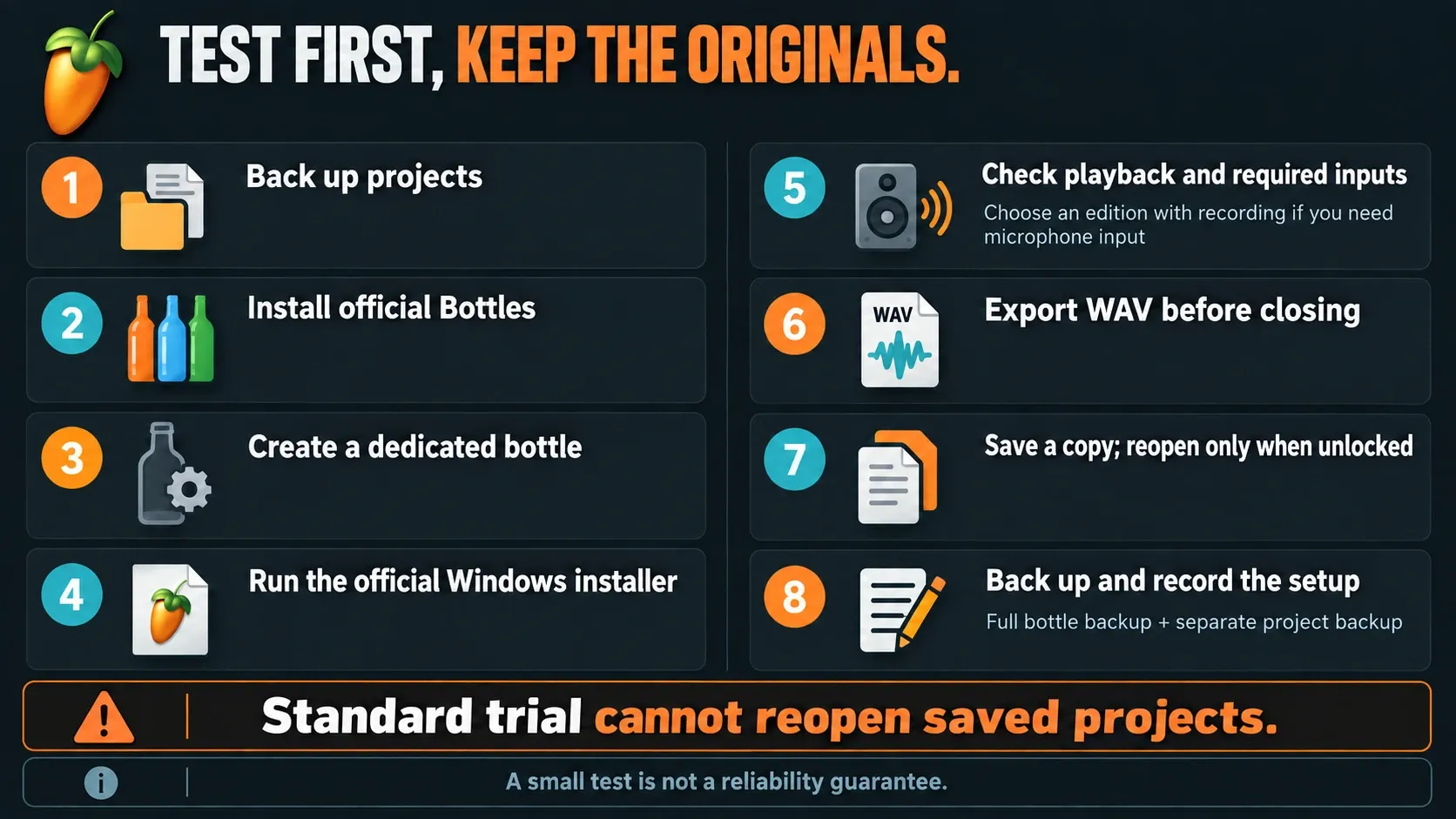
The Run executable documentation explains that the selected program runs inside the chosen bottle. Saving, exporting and reopening are a separate matter, covered by the FL Studio trial rules. A project that can't reopen in the trial isn't, by itself, a Wine regression. And if the earlier checks already failed, there's little point buying a license just to finish the checklist.
No sound, missing inputs or uncomfortable monitoring?
Start by confirming the interface works in Linux itself, then check the audio path FL Studio sees under Wine. A stock instrument making sound only covers part of the job. A microphone input, channel routing and responsive monitoring each need their own check. Keep the volume low at first, especially before you change input or monitoring routes.
WineASIO is an ASIO-to-JACK driver for Wine. Its installation paths vary, and its documentation requires you to register it in each relevant prefix. Installing it into one prefix proves nothing about a separate Bottles environment. It's also not the same thing as your interface vendor's Windows driver.
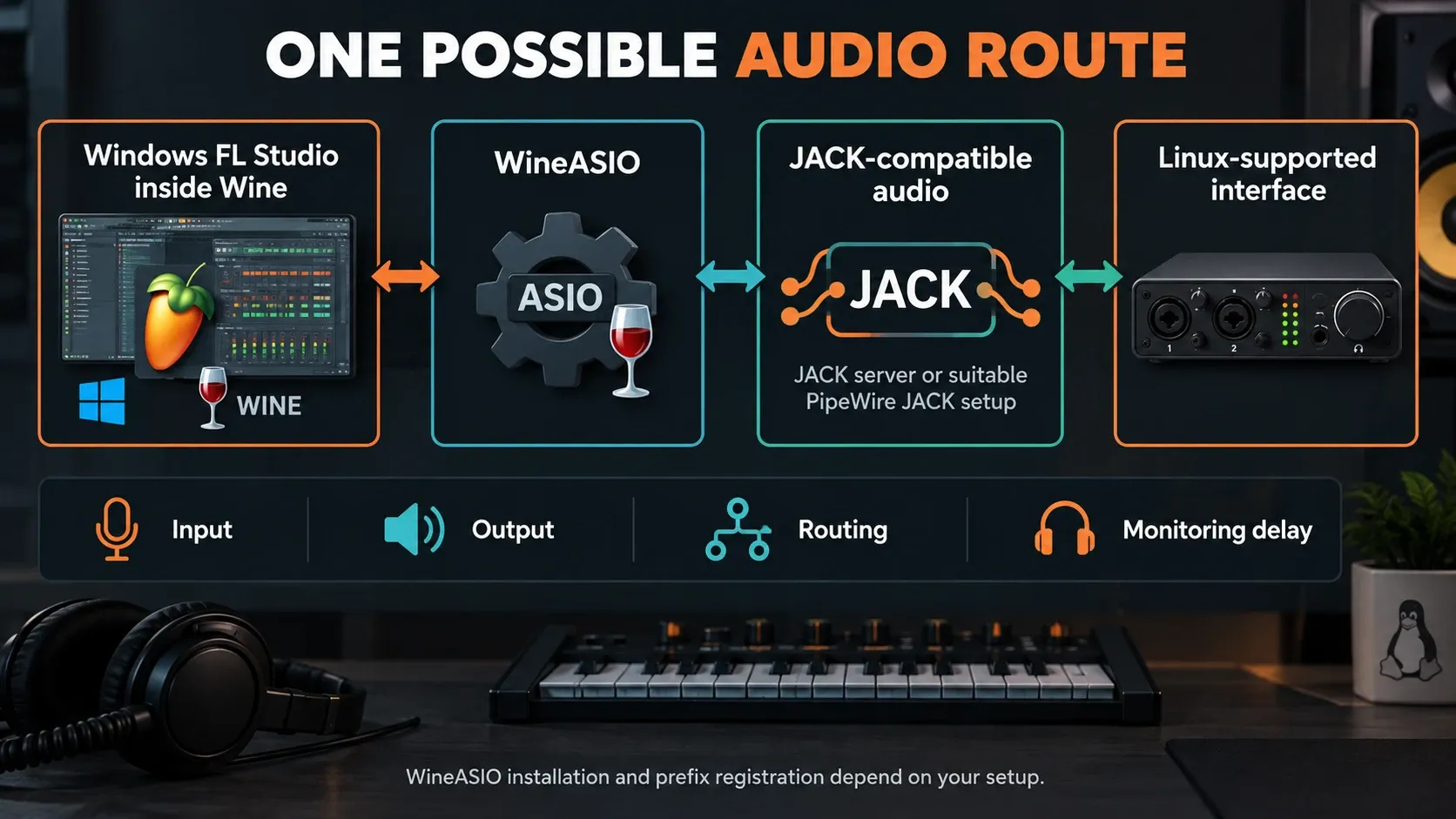
PipeWire can supply JACK-compatible client libraries, as its JACK compatibility documentation explains. That still doesn't make every combination of WineASIO, Flatpak, device and distribution work out of the box. I'd follow the documentation for the audio setup on your machine rather than stack commands pulled from several guides.
If playback works but monitoring feels late, check the whole route and the controls your setup gives you. There's no universal buffer number that proves you're ready to record. Our Desktop audio-settings guide explains the supported-host side, and its Windows driver menus aren't a Linux installation recipe. When a small stock project runs fine and a larger one struggles, the high-CPU checks can help you tell project load apart from an audio path that was already broken.
Install one essential Windows plugin at a time
Run a plugin's official Windows installer in the same environment as Windows FL Studio. Install it into your default Wine prefix while FL Studio lives in a different bottle, and the host may end up without the files, registration or supporting components it needs. Follow the vendor's installer instructions, since copying a single plugin file isn't always a complete installation.
Image-Line's Plugin Manager instructions cover installation and scanning. Add one required plugin, scan it, check its interface, play a short part and export audio. Leave project recall until FL Studio and the required plugins are properly unlocked. A stock project that passes tells you nothing about another vendor's graphics, content service or authorization system.
Native Linux plugins are a separate story, because a Linux build of a VST won't necessarily load into Windows FL Studio. Yabridge bridges Windows plugins into Linux plugin hosts. That's the opposite direction from putting Linux plugins into Windows FL Studio. Our plugin installation guide and missing-plugin checks cover the normal host workflow and make no promise about Wine compatibility.
When Bottles cannot see samples or the export folder
A missing folder doesn't always mean a corrupt project. The Bottles Flatpak is sandboxed, and its directory-access instructions explain portals and explicit access for folders outside the sandbox. Grant access to the specific project or sample directories you need. The documentation advises against exposing your whole home directory or system.
Before you import a library, test one sample and one export in the locations you plan to use. Then make sure you can find and play the exported file from Linux too. Note how Windows-style paths map to your real storage, especially on removable drives, because a path that exists in one bottle may be invisible in another.
Authorization and version-specific failures
Image-Line's official unlock instructions cover account and offline methods. The current offline process can require a validation file from the target computer. That means a key from another setup may not work, and a cloned bottle may still need legitimate activation. Keep account details, license files and validation files private.
One concrete historical example: Torbuntu's unofficial Linux setup guide reports an August 2026 WinTrust certificate-verification problem with FL Studio 26.1.4. That's the maintainer's report, and Image-Line didn't publish it as a notice. It tells you nothing definite about your current build and runner.
If the installer or application throws a certificate error, write down the exact message and the versions involved. Never disable verification, replace signed files or download a modified installer. Search current project reports for a legitimate fix. Trying an older build is a separate decision with its own compatibility risks, so don’t treat it as the default next step.
A settings backup is not a complete bottle backup
The Bottles backup options separate a configuration copy from a full archive of the bottle directory. A configuration copy is handy for documenting settings, but it leaves the installed files out. Even a full archive doesn't cover projects and samples stored outside that directory. Those need their own backup.
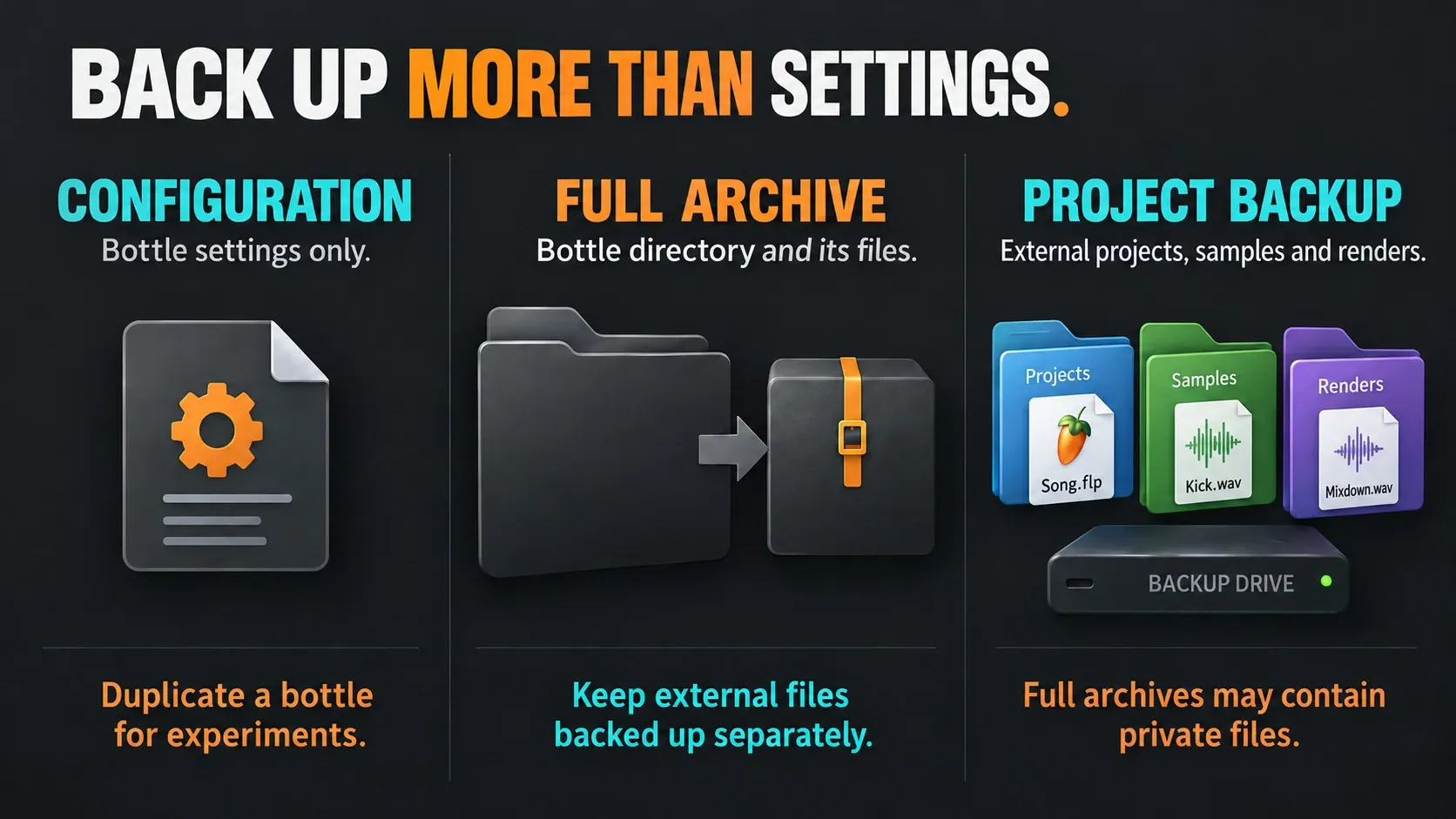
Run any update experiment in a duplicate bottle with copies of representative projects. Leave the original working environment alone until the new one passes the tasks you need. A duplicate that points to the same external project folder can still change those projects, so duplicate the test files as well. And since a full archive can contain private files, never post it publicly as a troubleshooting attachment.
After you change the application, runner or plugins, repeat the checks for playback, required inputs, export and licensed recall. Note what changed and what you tested. Our autosave and project-backup guide covers project versions, but the compatibility environment still needs its own backup.
Find the first failure instead of changing everything
| Symptom | First distinction to check |
|---|---|
| Installer does not start | Official file, exact runner and error message; do not bypass verification |
| No sound or missing input | Linux device operation, selected audio path and routing |
| Sample or export folder is missing | Actual location and Flatpak access to that specific folder |
| Saved project will not reopen | Trial/license restriction before assuming a Wine failure |
| Stock project works, plugin project fails | That plugin's installer, environment, authorization and dependencies |
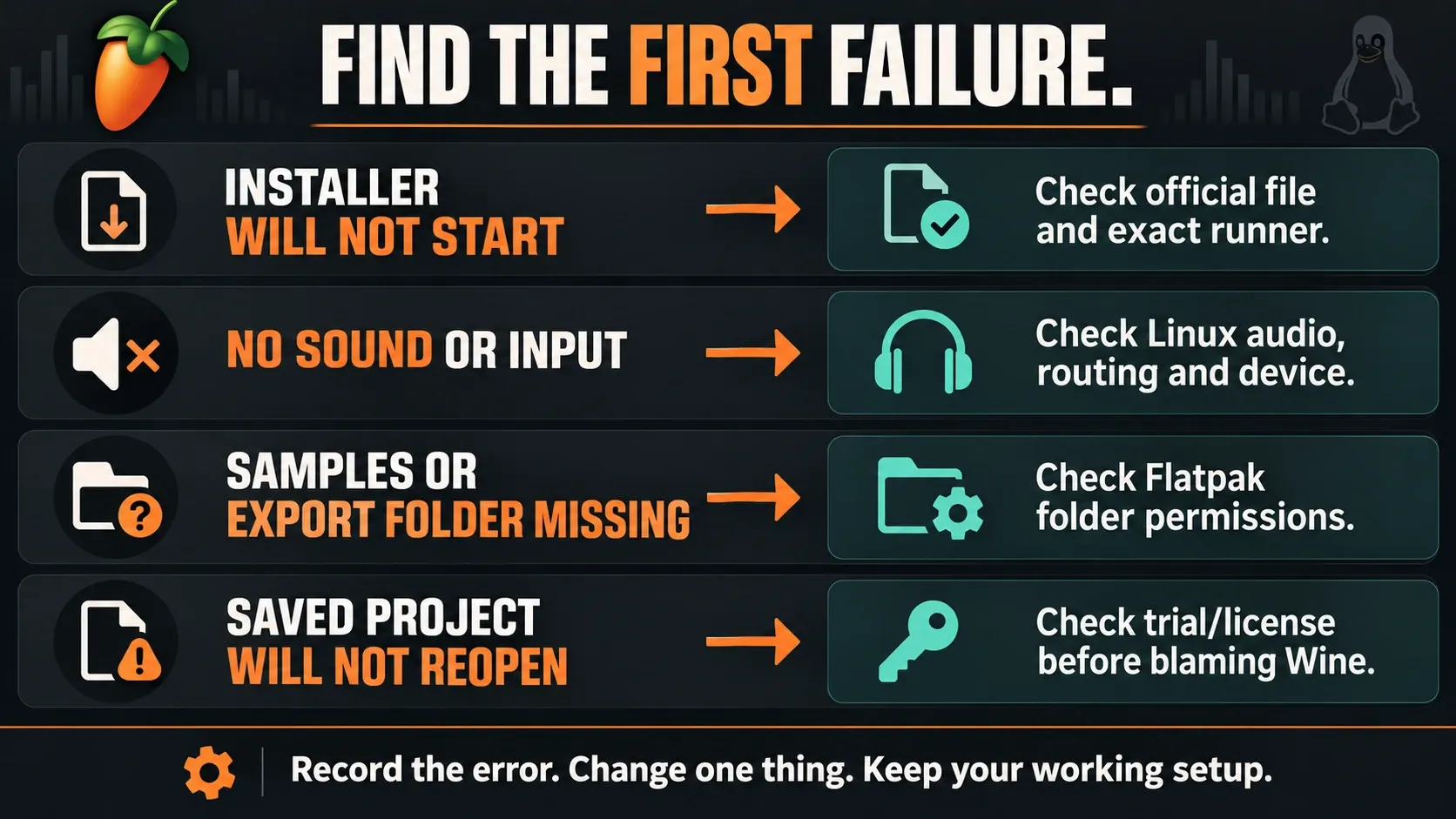
A useful problem report lists the distribution, CPU architecture, graphics session, audio setup, runner, FL Studio build and the affected plugin version. It also says which small test passed and which one failed. Strip account information and private project content from logs before you share them. One reproducible failure is far easier to act on than a list of unrelated tweaks.
When to choose a supported host or a native Linux DAW
My default is supported Windows or macOS whenever keeping FL Studio's workflow and your required plugins matters more than running everything locally on Linux. Dual boot is an option, but partition and bootloader work deserves its own backup plan, and it's no quick troubleshooting step. Remote access to another computer may help with some tasks, though network response and audio routing need separate checks.
If native Linux comes first, REAPER provides Linux builds. It's a different DAW, and there's no native edition of FL Studio. Our FL Studio versus REAPER comparison covers the wider writing and recording decision. Keep your source projects, and bring over rendered audio, MIDI and tempo notes where they help. Another application won't recreate every instrument and automation choice.
The Chromebook guide covers ChromeOS and its extra constraints, and the Mobile versus Desktop comparison handles the separate app decision. Head back to Platforms & Mobile for the supported-machine route, or check Compare & Buy before you pay for a setup that doesn't fit your work.
Frequently asked questions
Is there an official FL Studio Linux download?
Image-Line's Desktop download page offers no native Linux installer. Running the Windows application through Wine or Bottles is an unofficial compatibility route.
Can FL Studio work on Ubuntu, Mint, Fedora or Arch?
Some Wine setups can run it, but the distribution name alone proves nothing. Check the exact runner, FL Studio build, audio hardware, plugins and license workflow you plan to use.
Does Bottles make FL Studio officially supported?
No. Bottles manages environments and runners; the Windows application must still work with Wine. Use a dedicated environment and record its configuration.
Why will my trial project not reopen?
The standard FL Studio trial can save projects but cannot reopen them until you unlock it with a purchased license. Export a reference before saving or closing the trial session, and don’t mistake that restriction for a Linux-specific bug.
Is WineASIO the same as my interface's Windows driver?
No. WineASIO connects an ASIO application under Wine to JACK-compatible audio. Its installation and registration depend on the actual setup; the interface must also work through the Linux audio path.
Can Windows FL Studio load my native Linux plugins?
Don’t count on it. The plugin has to match the host environment, and Yabridge's Windows-plugin-to-Linux-host route will not load Linux plugins into Windows FL Studio.
Why can Bottles not see my sample folder?
Flatpak sandbox permissions can restrict access outside the app's directories. Check the real folder location and grant only the specific access needed, following Bottles' directory-access documentation.
Does a Bottles configuration backup preserve everything?
No. It copies the configuration. A full archive includes the bottle directory and its files, while projects and samples stored outside that directory need independent backups.
Should I disable certificate checks when FL Studio will not start?
No. Keep the official installer intact, write down the error and versions, and look for a legitimate compatibility fix. A historical report about another build never justifies bypassing verification.
What should I test after updating Wine or FL Studio?
Use a duplicate environment and copied projects. Recheck playback, required audio and MIDI inputs, essential plugins, export and project recall where licensed. Keep the known-good environment and separate backups until those checks pass.