 FL Studio
Choose the machine that supports the work you actually do
Check supported operating systems, CPU architecture, plugin needs and project-transfer limits before buying hardware or forcing FL Studio onto the wrong platform.
Start with support, then check performance
A fast processor does not solve an unsupported operating system, and a compatible computer does not guarantee that every old plugin will load. Separate four questions: can FL Studio run, can the required plugin format run, can the audio hardware provide a suitable driver, and can the project move to the next device without missing tools.
Use Image-Line’s current download and system information as the final source for supported desktop platforms. Community workarounds can be useful experiments, but they are not equal to supported production setups.
Make the platform decision in the right order
Begin with requirements and the official installer. Evaluate unsupported platforms only when you understand the maintenance cost. Compare Mobile with Desktop by workflow and project exchange rather than screen size. Try FL Studio Web when you want to start in a browser; its projects move to the desktop program, not back.
 Size the computer for the session
FL Studio System Requirements 2026: Minimum vs Real Use
Match CPU, memory, storage and operating-system support to recording, synth and mixing workloads.
Check system requirements
Size the computer for the session
FL Studio System Requirements 2026: Minimum vs Real Use
Match CPU, memory, storage and operating-system support to recording, synth and mixing workloads.
Check system requirements
 Install the supported desktop build
How to Download and Install FL Studio on Windows or Mac
Use the current installer, keep the user-data location clear and verify audio before adding plugins.
Install FL Studio
Install the supported desktop build
How to Download and Install FL Studio on Windows or Mac
Use the current installer, keep the user-data location clear and verify audio before adding plugins.
Install FL Studio
 Run it on a Mac
FL Studio on Mac: How Well It Runs and What’s Different
See how the native Intel and Apple silicon build performs, what changes from Windows and which Mac settings to check first.
Set up FL Studio on Mac
Run it on a Mac
FL Studio on Mac: How Well It Runs and What’s Different
See how the native Intel and Apple silicon build performs, what changes from Windows and which Mac settings to check first.
Set up FL Studio on Mac
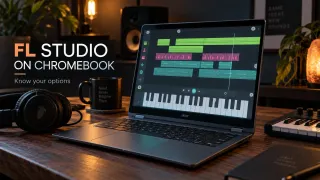 Judge the Chromebook options
FL Studio on Chromebook: Mobile, Desktop and Your Options
Separate Android app access, web options and unsupported desktop workarounds before buying hardware.
Check Chromebook support
Judge the Chromebook options
FL Studio on Chromebook: Mobile, Desktop and Your Options
Separate Android app access, web options and unsupported desktop workarounds before buying hardware.
Check Chromebook support
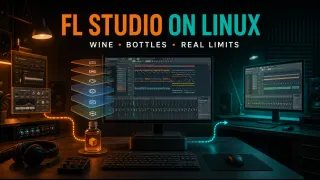 Understand the Linux tradeoffs
FL Studio on Linux: Wine, Bottles and What to Check
Measure the cost of compatibility layers, plugins, drivers and future updates against a supported OS.
Assess Linux
Understand the Linux tradeoffs
FL Studio on Linux: Wine, Bottles and What to Check
Measure the cost of compatibility layers, plugins, drivers and future updates against a supported OS.
Assess Linux
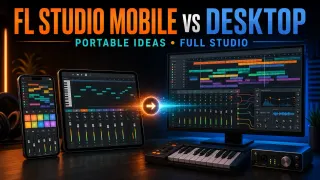 Choose Mobile or Desktop
FL Studio Mobile vs Desktop: Which Fits You in 2026?
Compare editing depth, plugins, recording and project movement by the job you need to finish.
Compare Mobile and Desktop
Choose Mobile or Desktop
FL Studio Mobile vs Desktop: Which Fits You in 2026?
Compare editing depth, plugins, recording and project movement by the job you need to finish.
Compare Mobile and Desktop
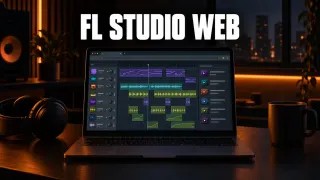 Try the browser version
FL Studio Web: What It Is, Cost, Browsers and Desktop Transfer
See what FL Studio Web includes, which browser to use and how its projects open in FL Studio on a computer.
Check FL Studio Web
Try the browser version
FL Studio Web: What It Is, Cost, Browsers and Desktop Transfer
See what FL Studio Web includes, which browser to use and how its projects open in FL Studio on a computer.
Check FL Studio Web
Before committing to the machine
- The operating system is officially supported for the intended FL Studio edition.
- Required VST3, AU or other plugin formats match the platform and CPU architecture.
- The audio interface has a current driver or supported system-audio path.
- Storage includes room for projects, recordings, sample libraries and backups.
- A representative project has been opened and played on the target setup.
Continue to Compare & Buy for editions, Plugins for compatibility, or Troubleshooting when supported hardware is not detected.
Open the guide for the task in front of you
This list includes every live guide assigned to this route. Scheduled and draft pages stay out until readers can open them.
How to Download and Install FL Studio on Windows or Mac
Download the Windows or macOS installer from Image-Line, install FL Studio, then unlock your license with your Image-Line account. The same installer serves the trial and paid editions.
Open the guide
FL Studio System Requirements 2026: Minimum vs Real Use
Meeting the minimum is only a starting point. Choose CPU, RAM and storage for the projects you need to run, then test the computer with your own workflow.
Open the guide
FL Studio on Chromebook: Mobile, Desktop and Your Options
Choose the right Chromebook route before buying: local FL Studio Mobile, remote access to a separate host, or an experimental Wine setup. Includes project transfer and backup checks.
Open the guide
FL Studio on Linux: Wine, Bottles and What to Check
Check an unofficial Wine or Bottles setup using project copies and separate backups. Work through trial limits, Linux audio, Windows plugins and folder permissions.
Open the guide
FL Studio Mobile vs Desktop: Which Fits You in 2026?
Choose Mobile or Desktop by the next job: touch-first writing, computer plugins, recording and project exchange. Check app licenses and preserve a separate source copy.
Open the guide
 Best DAW for Mac: 7 Options Compared by Workflow
Logic Pro is the best all-round choice for most current Macs, while FL Studio, Ableton, REAPER, Pro Tools, Cubase and GarageBand fit different workflows.
Open the guide
FL Studio Web: What It Is, Cost, Browsers and Desktop Transfer
FL Studio Web runs in your browser with no download. Here is what it is, the current beta terms, which browsers work, what is inside and how a Web project moves to FL Studio on desktop.
Open the guide
FL Studio on Mac: How Well It Runs and What’s Different
FL Studio runs natively on Intel and Apple Silicon Macs, and one license covers Windows and macOS. Here’s how it performs, what changes from Windows and how to set it up.
Open the guide
Best DAW for Mac: 7 Options Compared by Workflow
Logic Pro is the best all-round choice for most current Macs, while FL Studio, Ableton, REAPER, Pro Tools, Cubase and GarageBand fit different workflows.
Open the guide
FL Studio Web: What It Is, Cost, Browsers and Desktop Transfer
FL Studio Web runs in your browser with no download. Here is what it is, the current beta terms, which browsers work, what is inside and how a Web project moves to FL Studio on desktop.
Open the guide
FL Studio on Mac: How Well It Runs and What’s Different
FL Studio runs natively on Intel and Apple Silicon Macs, and one license covers Windows and macOS. Here’s how it performs, what changes from Windows and how to set it up.
Open the guide
FL Studio platform questions
Does FL Studio run on Apple silicon Macs?
Yes, natively. Image-Line builds FL Studio for both Intel and Apple silicon Macs, so M-series machines don’t need Rosetta. If you’re choosing a Mac for FL Studio, I’d pick Apple silicon; Image-Line’s own recommended setup is an Apple silicon Mac on macOS 13 or newer.
Does one FL Studio license cover Windows and macOS?
Yes. Image-Line’s own support answer says one license works on both Windows and macOS, on any computers you own, as long as you’re the only user. The part that doesn’t move with you is plugins: I’d install the same VST, VST3 or CLAP format on both machines, because AU plugins won’t load on Windows and FL Studio won’t swap in their VST versions automatically.
Can FL Studio run on Linux?
FL Studio desktop is not presented as a native supported Linux application. Compatibility layers may work for some setups, but plugins, audio drivers and updates add maintenance risk.
Is FL Studio Mobile the same as desktop FL Studio?
No. Mobile is a separate touch-focused production environment with its own instruments, effects and workflow. Project exchange is possible in defined ways, but desktop plugins do not simply appear on the phone.