FL Studio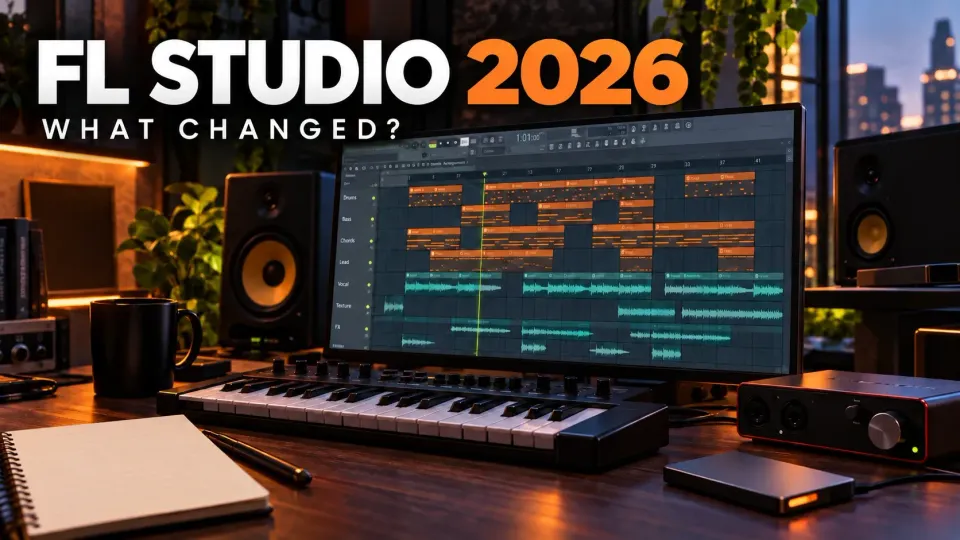
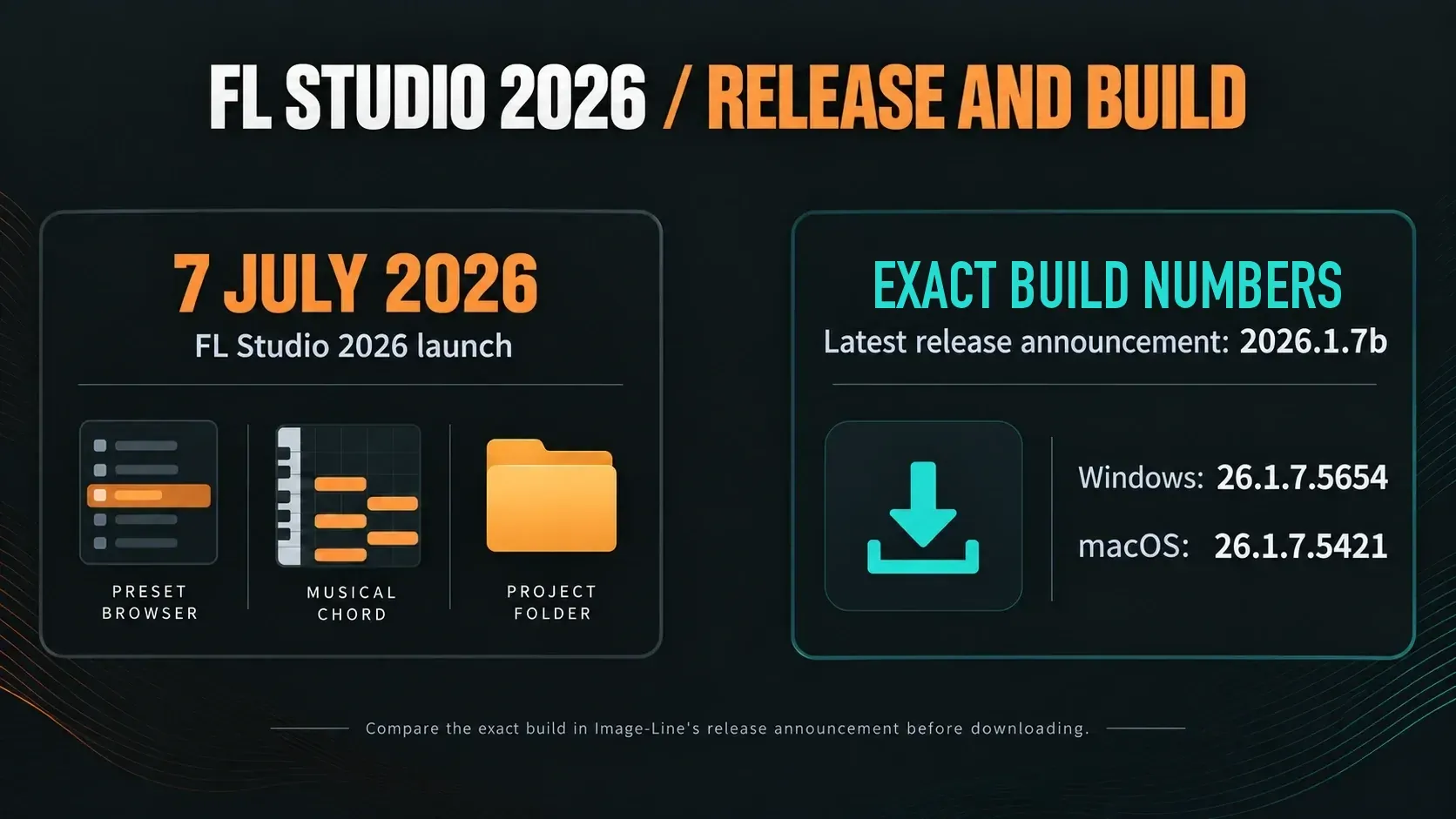
FL Studio 2026 brings new ways to find sounds, build chords and rescue an idea you forgot to record. The current patch is 2026.1.7b, which Image-Line's latest-release announcement lists as build 26.1.7.5654 for Windows and 26.1.7.5421 for macOS. An update still has to work with the songs you already have, so I'd start with the change you actually need and try it on a duplicate project before a deadline session moves to the new build.
Lifetime Free Updates covers the edition you bought. A higher edition, optional plugins and paid FL Cloud services are separate purchases. Below, you'll see what to try first and what to protect before you update.
What is the latest FL Studio 2026 version?
FL Studio 2026 is the release family launched on July 7. Image-Line's latest-release announcement was updated on October 12 to 2026.1.7b; the detailed changelog labels that maintenance hotfix 26.1.7.5. The download page now offers the same builds, 26.1.7.5654 for Windows and 26.1.7.5421 for macOS, so either route gets you the current patch.
The 26.1.6 patch adds Master and Current checkboxes when you split Mixer tracks, fractional values in the Plugin Performance Monitor, and a notification when a new MIDI controller is connected. Its fixes target specific project-loading and consolidated-sample deletion problems. Read the notes for your build; don’t assume every problem is gone. The Mixer’s 24-bit disk-recording option arrived earlier, in the 26.1.5 patch, so it isn’t one of the July launch features.
What changed in FL Studio 2026: the useful map
| Change | Who benefits | Boundary to remember |
|---|---|---|
| Rebuilt FLEX | Producers who browse and recall many presets | CPU claims depend on the generation of the pack in use. |
| FL Cloud Project Backup | Anyone who wants another recovery copy | Storage varies by Cloud tier; keep local and external copies. |
| Gopher controls | Users testing bounded organization and routing tasks | The manual calls it experimental and says it controls some features. |
| Chord and MIDI tools | Writers exploring harmony or labeled key maps | Detection and stamps assist decisions; they do not finish the arrangement. |
| Remix a Song | Producers starting from permitted source audio | Stem separation does not grant copyright permission. |
| Audio Logger | Anyone who just missed capturing a good output moment | Temporary audio through the Master; not saved project state. |
| Transmitter | Sound designers splitting transient and sustain paths | Included in All Plugins Edition; check your licence. |
| Plugin Manager and macOS work | Large plugin libraries and Apple Silicon systems | No update can guarantee every third-party plugin or driver. |
| Loop Starter | Producers who want an editable sample-based starting stack | Use the first result as raw material, then replace, rewrite and arrange the parts. |
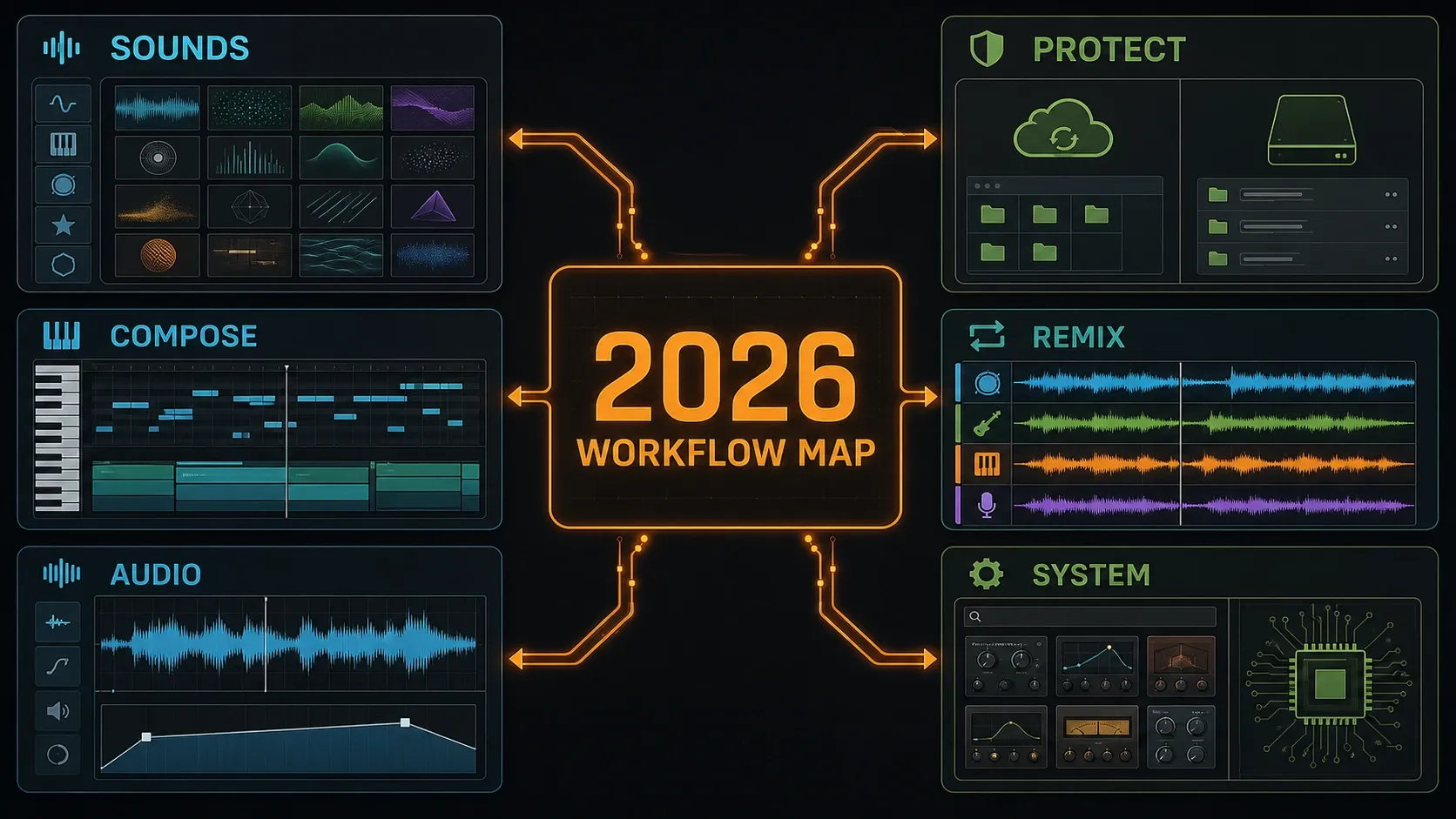
I'd pick one job you repeat often: finding a usable preset, saving a separate project copy, naming a chord or catching something you just heard. The 2026 release overview runs through the headline additions. You can try one of them without rebuilding a setup that already works.
FLEX is rebuilt around browsing, packs and recall
FLEX gets a rebuilt engine and interface, plus reworked pack and preset browsing. According to Image-Line’s release announcement, more than 200 presets across eight new Core Series packs are available to all users. Start with a sound you already rely on. Find its pack, audition a replacement and compare the two at a similar level before you touch the arrangement.
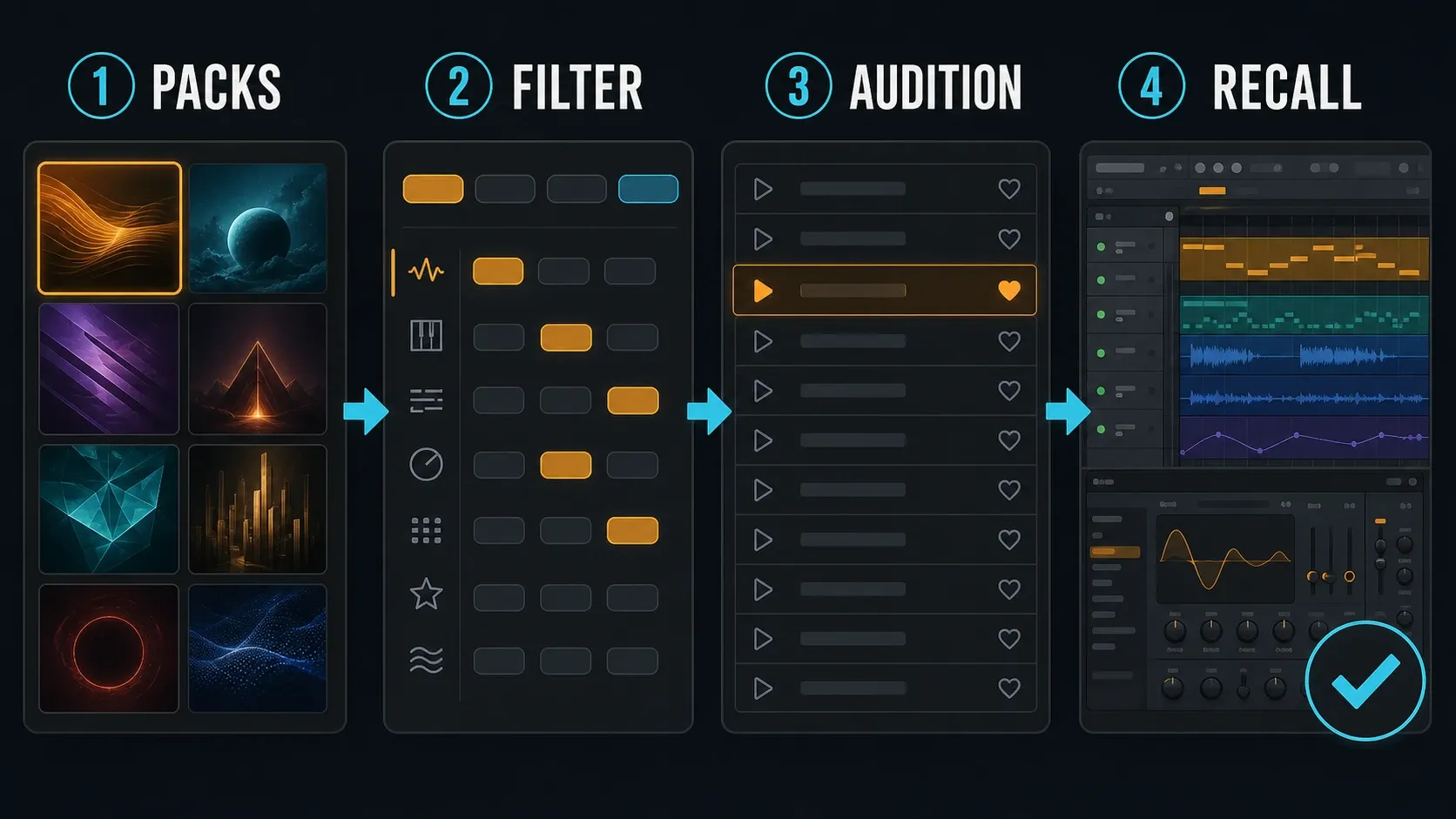
Image-Line’s claim of up to 50% lower FLEX CPU use comes with a condition: it applies to second-generation packs. Not every old project or older computer will see its load cut in half. Test on a duplicate project. Keep the audio settings and the played passage the same, note the pack and preset, and check whether your session benefits.
The FLEX workflow guide covers browsing, pack management and missing sounds. In an unlocked installation, save and reopen the test copy, then check that the chosen preset comes back. Finding a sound quickly is nice, but a song that recalls correctly matters more.
Project Backup adds a cloud layer, not a replacement for local copies
If you hold an FL Studio licence, project backup is available through File → Save and back up to FL Cloud. Turn on Settings → Project → Back up to FL Cloud Storage and it also uploads whenever you save. The Browser documentation makes two limits clear: this isn’t continuous background synchronization, and saving under the same project name overwrites its existing cloud copy. Save under another name when you need another version.
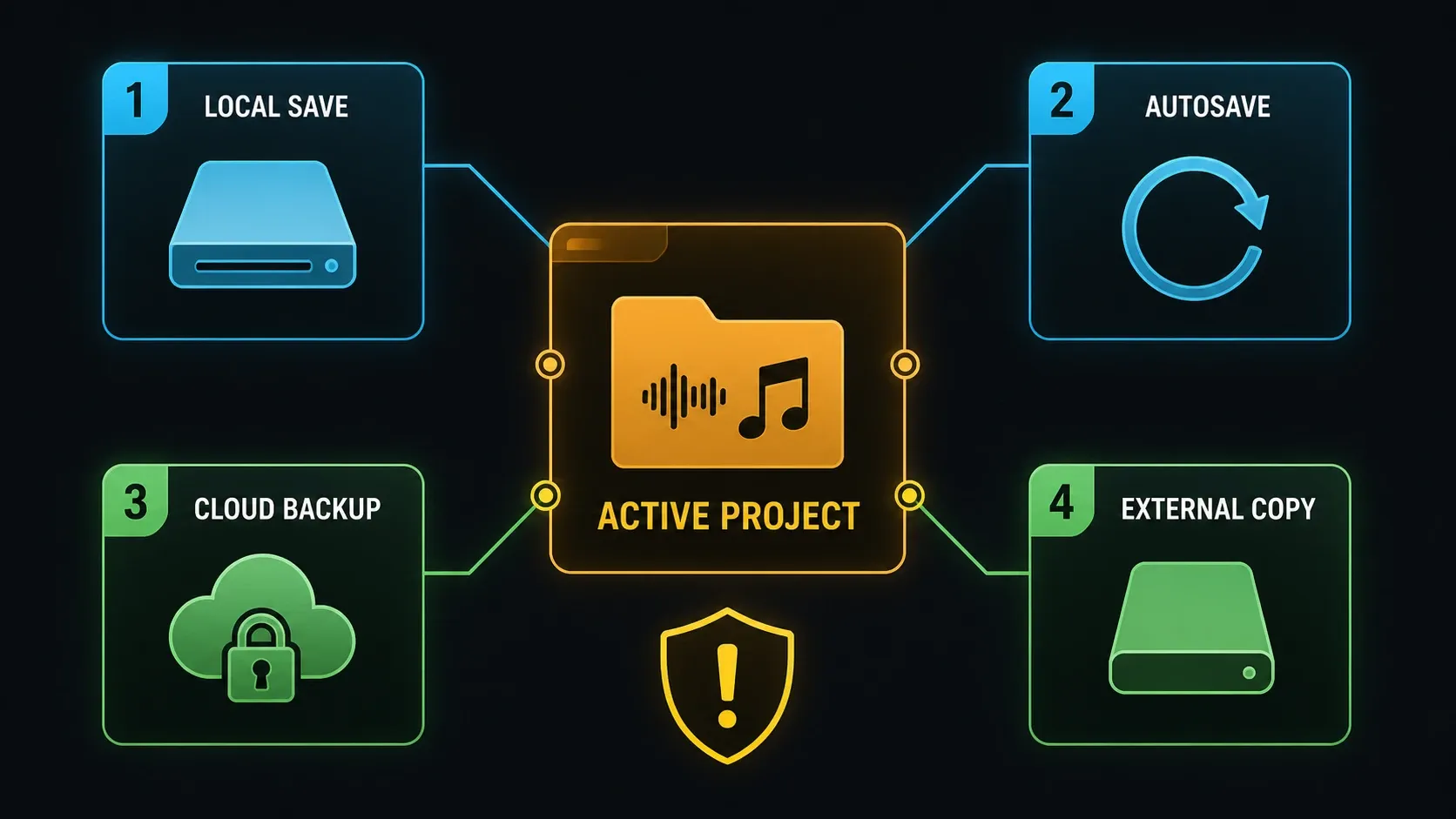
Image-Line’s storage FAQ lists 500 MB for Free, 5 GB for Plus and 1 TB for Pro, and says stored creative data isn’t used for AI training. Those are the provider’s own terms; no independent security audit stands behind them. Quotas and retention rules apply, so keep an external or separately versioned backup instead of counting on the cloud to hold everything forever.
A cloud download hands you a ZIP project. It doesn’t rebuild your computer, so separately installed plugins and their libraries still need attention. The FL Cloud Project Backup guide covers setup and restore checks. Recovering recent project revisions is a separate job: for that, use local autosave and backup.
What does Audio Logger actually save?
The current Audio Logger documentation describes a rolling memory buffer with a maximum length of 1, 2, 5 or 10 minutes. It captures whatever passes through the Master, and you pick the tap point: before the Master effects, or after them but before the Master fader. The launch page’s sixty-second summary undersells these current settings.
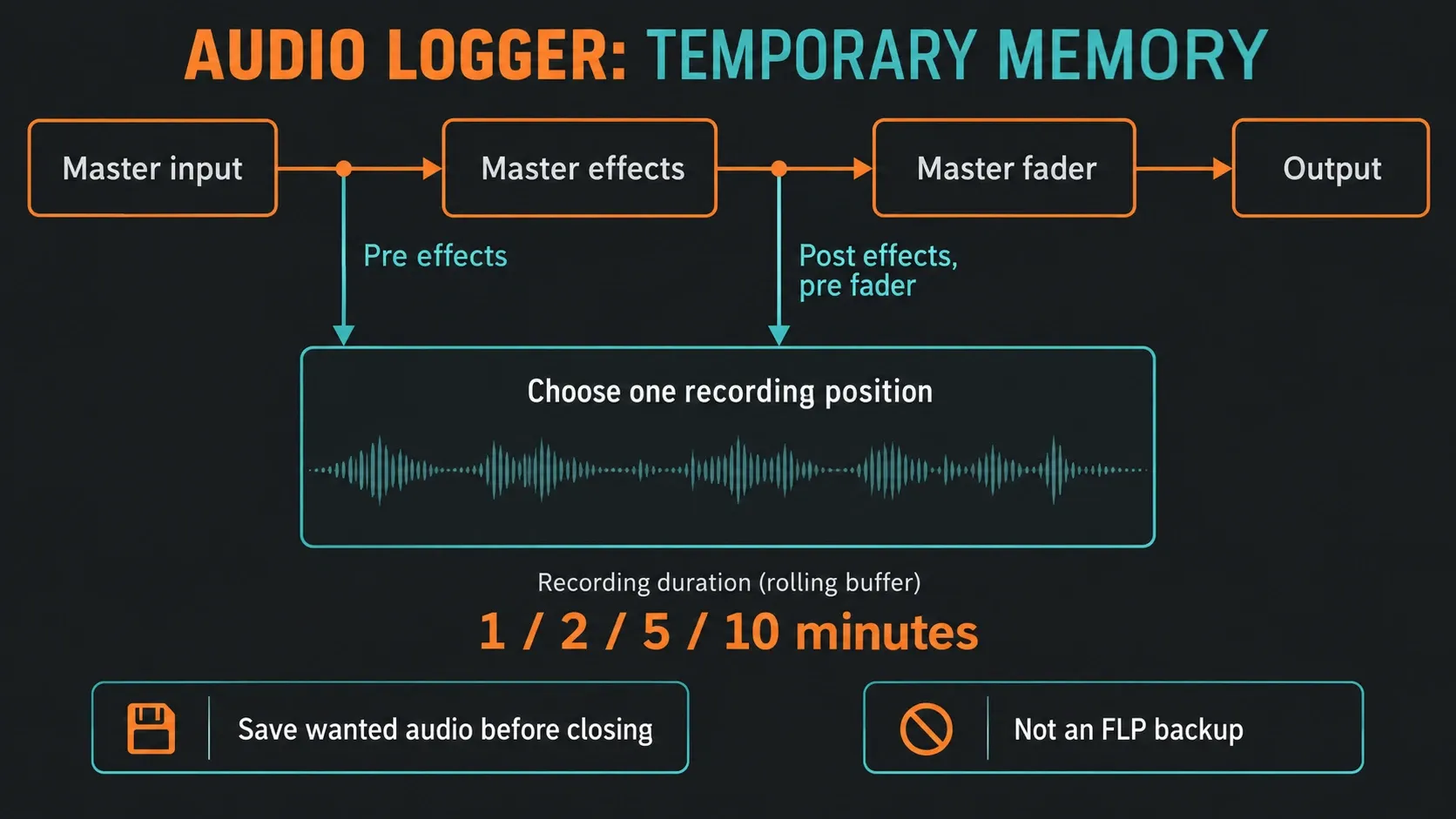
The log disappears when FL Studio closes and never goes into the FLP, so save the audio you want before you quit. A monitored microphone can end up in the log if it’s routed through the Master, but the logger is no substitute for a raw-input recorder. Keep normal recording and project backups in place. It can rescue a synth gesture you just heard, for example, but it can’t bring back the editable notes and routing that produced it.
Gopher is experimental, so give it bounded work
The Gopher control manual calls project control experimental. Gopher can handle supported tasks such as renaming channels or changing routing, and plugin control depends on which parameters each plugin exposes. It asks for your approval before running any request that needs project access. Even so, a confident answer doesn’t prove the resulting edit is correct.
For the full action map, plugin boundary, prompt pattern and logging rules, see our FL Studio Gopher guide.
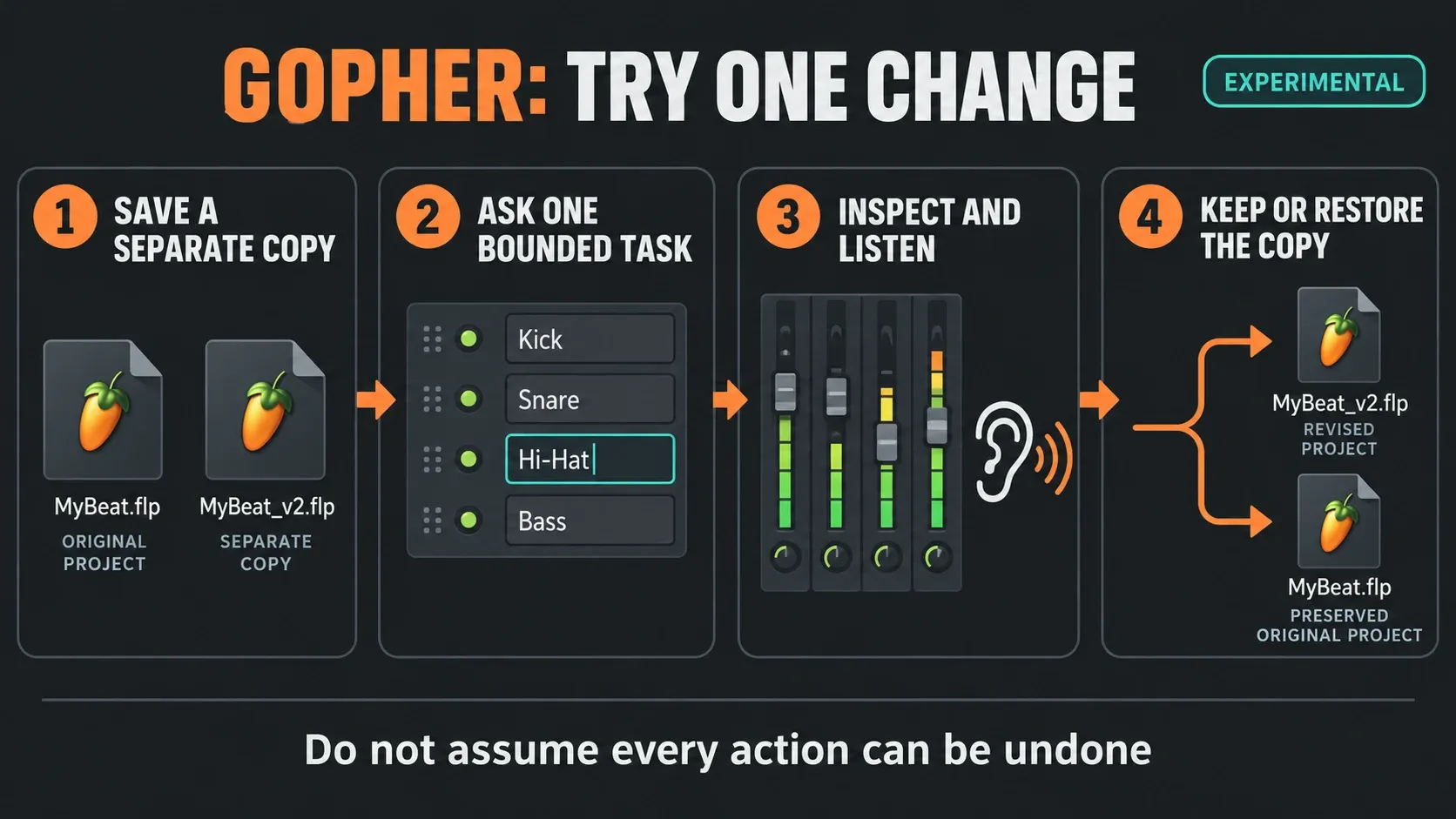
Save a separate copy first. Then ask for one small change, such as renaming a single identified channel. Inspect the affected channel or Mixer route and listen before you keep it. If the result is wrong, go back to the saved copy, because not every action has a complete Undo path. And keep generated scripts away from the only copy of an important project until you understand what they do.
Chord tools shorten navigation without making the musical decision
Chord Detection names the notes you play through MIDI, the typing keyboard or a Piano Roll selection, up to a documented maximum of ten notes. Chord Stamp and Chord Progression are separate tools, and detection never triggers them on its own. The 2026 update also brings top-down and bottom-up stamp modes with voice leading, plus editable key labels in the Piano Roll.
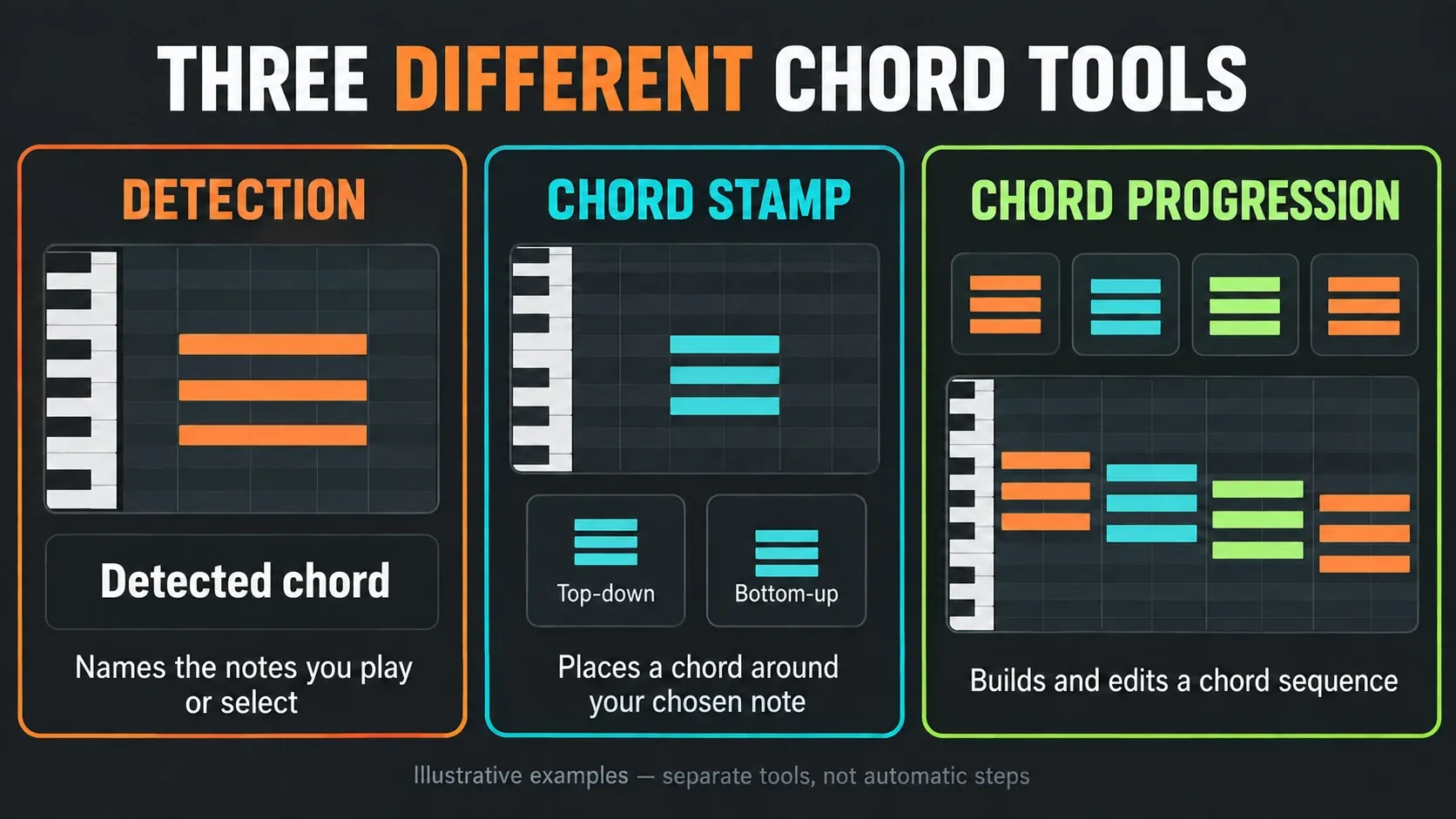
I'd reach for detection when you want a name for notes that are already there. Use a stamp to build a chord around a chosen note, or the progression tool to explore a sequence. Then edit the notes yourself. A chord label won’t tell you whether the bass clashes with it or whether the voicing leaves room for the vocal.
The Chord Stamp instructions spell out the difference: top-down uses the clicked note as the top of the chord, while bottom-up picks a chord for the pitch area and may leave the clicked note out. For editing, see the Piano Roll guide; for capture, the MIDI recording guide. You’ll still need to check your controller and listen to the recorded phrase.
Remix a Song accelerates separation, not permission
Tools → Remix a song opens a workflow that loads a track and separates it into the Playlist. Use your own recording or material you have permission to work with. What you get is editable starting material, but it never turns into clean, original multitrack recordings.
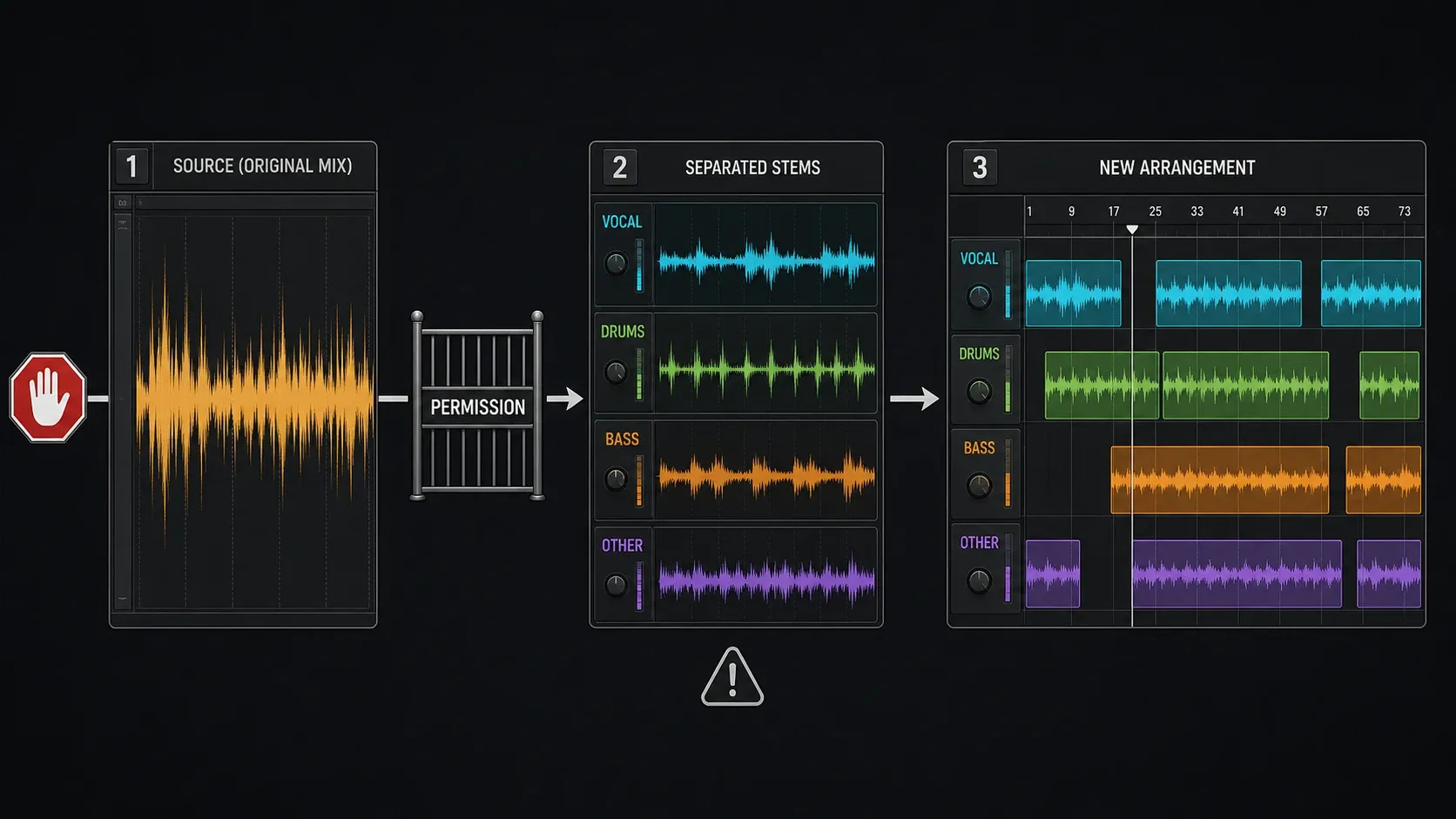
Separation quality depends on the source and on how much the sounds overlap. A vocal drenched in reverb may leave traces in other stems, and distorted guitars may share energy with drums or bass. The bigger issue is legal, though: technical access isn’t a license. Separating a commercial recording doesn’t give you any right to distribute the original performance, samples or a derivative remix.
The stem separation guide covers extraction and cleanup. If you’re handing your own production to another mixer, follow the stem export workflow instead. Pulling parts out of a finished mix and exporting tracks you already have aren’t the same job.
Clip gain, normalization and Luxeverb are practical quality-of-life changes
The Audio Clip Gain controls offer individual and group normalization. Individual mode treats each clip by its own peak. Group mode applies a change relative to the loudest peak and keeps the group’s level balance intact. The Clip Properties window also has pan and selection-dependent controls, so check which clips are selected before you change anything.
Neither normalization mode will balance a mix or master it to a streaming loudness target. Raising a clip can also make a quiet breath or room noise easier to hear, so listen in context and check the peak level afterward. For the next checks, see the Playlist guide, Mixer guide and audio settings guide.
LuxeVerb gains Pitch Feedforward and 100 presets in the 2026 release, and its Pitch section documentation explains how feedforward differs from a feedback loop. Try a preset at a sensible listening level, then check pre-delay, decay, bass buildup and the dry/wet balance. A preset name gets you started, but the mix decision is still yours.
Which edition includes Transmitter?
The Transmitter manual describes independent transient and sustain processing. Try it on a drum sound when the attack and the body need different treatment. If you use its separate output routing, check the direct path too: an accidental duplicate path changes the level and spoils the comparison.
Transmitter is included in All Plugins Edition. Check your account and the current product offer before paying for access, because installing the update alone does not unlock every plugin. The FL Studio editions guide compares bundles, and the stock plugins guide shows what you already have.
Free update, edition feature and FL Cloud service are separate access layers
A software update, an edition upgrade and a Cloud subscription are three different things. One FL Studio installer serves every edition, and your licence decides what unlocks. Updating Fruity won’t turn it into Producer, Signature or All Plugins. Check access in the edition and trial documentation instead of counting installed plugin names.
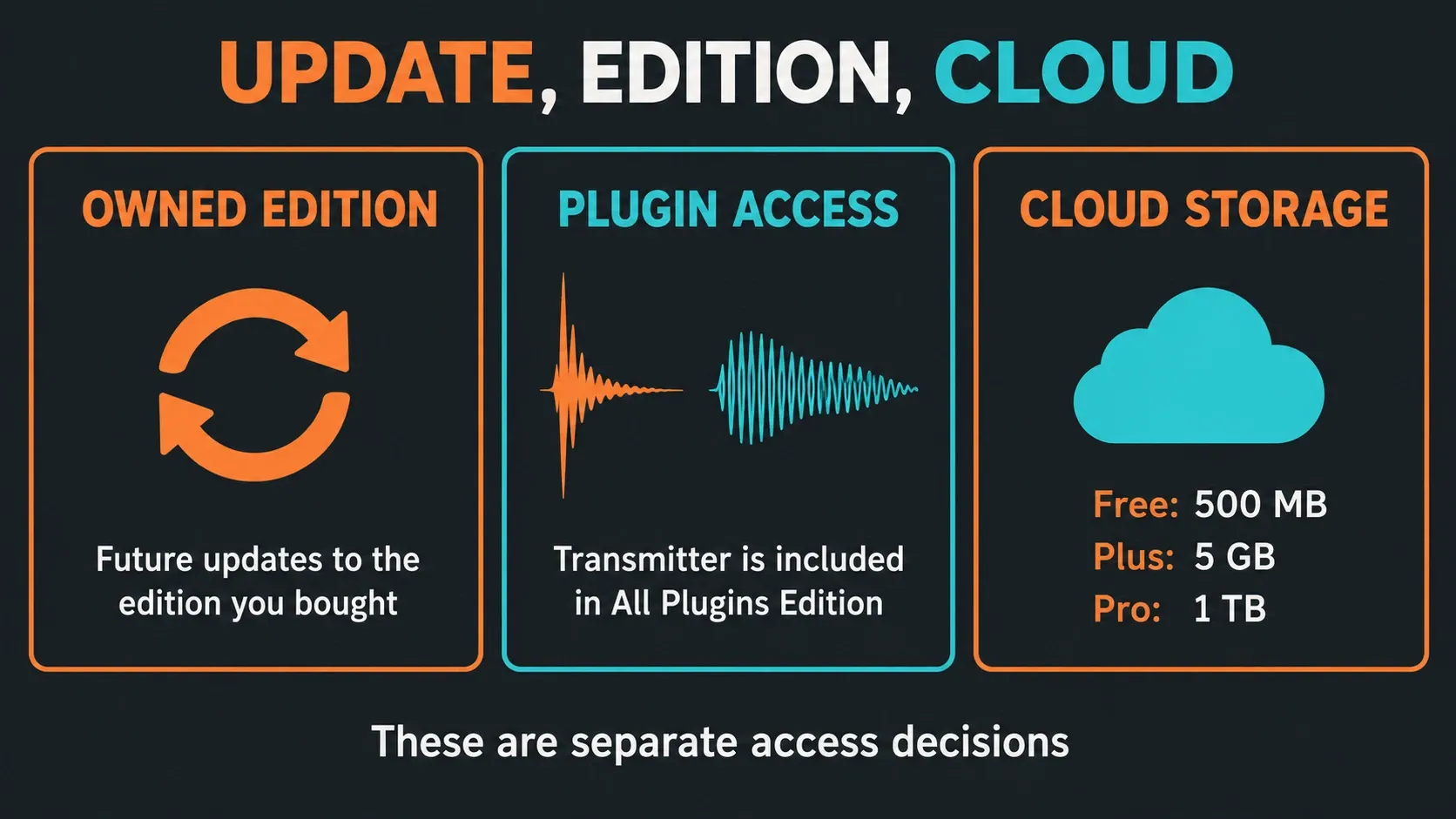
Audio recording starts with Producer Edition. FL Cloud Plus and Pro are optional services that don’t license the FL Studio application, so subscribing won’t unlock the FL Studio trial. Match the licence to the task before you start a project that depends on a paid tool.
If you’re a new buyer, start by listing the recording and editing work you need. Existing owners should open the discount guide only after they’ve found a missing feature. A lower price is a poor reason to buy a bundle you won’t use.
What changed for plugins and Apple Silicon?
FL Studio 2026 speeds up Plugin Manager for large lists, warns you before “Rescan all,” and offers a Waves re-verification option. Maintenance gets clearer. What it can’t guarantee is that every VST3, Audio Unit, authorization manager or old preset survives an operating-system or architecture change.
On macOS, FL Studio adds separate input and output selectors in Audio Settings. On Apple Silicon it also uses Apple’s Audio Workgroups API to reduce underrun risk during sudden CPU increases. “Reduce risk” is the honest wording, because crackles, driver issues and heavy plugin chains can still cause trouble.
Before updating, write down your essential plugins and their versions. The plugin installation guide covers scan locations, and the missing-plugin checklist handles failed scans. If native versus Rosetta mode is part of the problem, head to the Apple Silicon compatibility guide.
Should existing owners update now?
My rule for existing owners: update when one feature solves a problem you have right now and you’ve got time to check a copied session. A FLEX pack you use, a specific fixed bug or the Audio Logger is a better reason than the year on the splash screen. Before updating, confirm that your essential plugins and interface support the setup you’re moving to.
I’d wait until after a deadline if you have no recoverable backup or depend on a plugin you can’t easily reinstall. Leave the pre-update project and your working setup intact. A test copy that opens only tells you about that copy, and older sessions may still behave differently.
For a new installation, check the system requirements, follow the installation guide, then work through the first-project tutorial. The trial can save and export, but it can’t reopen saved projects until you buy. So pick a trial edition that supports the tasks you want to try.
Update FL Studio 2026 in eight controlled steps
Follow Image-Line’s installation and update instructions and don’t uninstall first. There’s one important Mac exception: personal files inside the FL Studio app bundle can be deleted when the bundle is replaced, so move them outside it before updating. For a parallel installation, use the platform-specific method in that manual; don’t assume every installer keeps the older app.
- Record your setup. Note the installed build, audio device, sample rate, buffer, plugin versions and custom media paths.
- Back up originals. Copy the original FLPs, user data, recordings and required external libraries to a separate location. Keep the pre-update project untouched.
- Get the official installer. Download the current supported installer from Image-Line, check its build and close FL Studio before installing.
- Install and unlock. Follow the platform-specific update instructions and unlock with your account. Do not store personal data inside the Mac app bundle.
- Open a duplicate. Use a copied project to check audio, MIDI, automation and routing. Stop if essential media or plugins are missing.
- Check plugins and media. Verify the required licences and sounds before resaving. Do not overwrite the original when trial plugins are missing; their settings can be lost after resaving.
- Render and reopen. Export and listen to a reference. In an unlocked installation with the required plugins, close and reopen the test copy. The standard trial cannot perform this reopening check.
- Keep the original. Retain the pre-update project and backup after adopting the new build. A newly saved FLP may not open in an older version; use the preserved original if returning to the older setup.
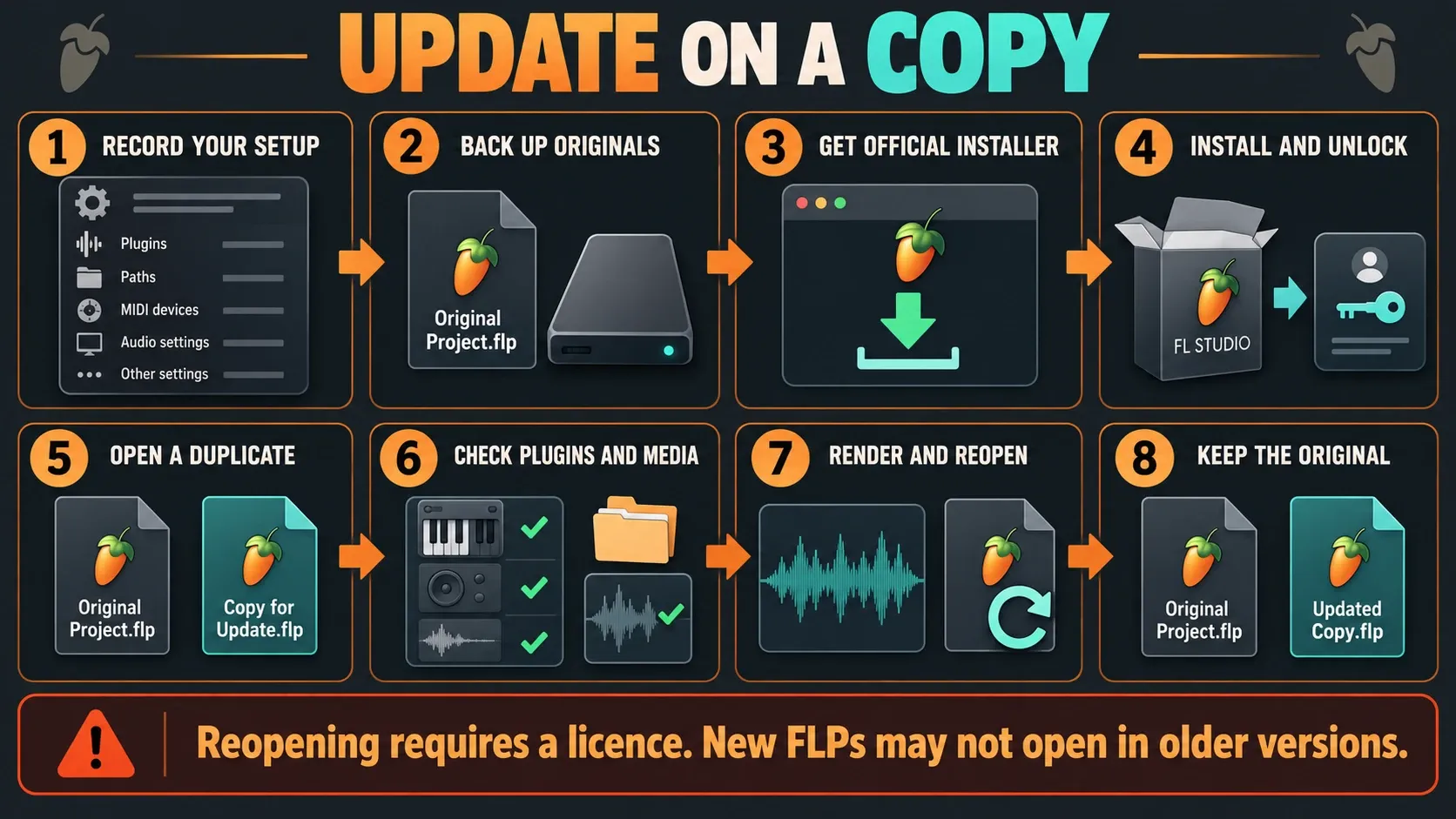
Image-Line warns that resaving while trial plugins are missing can lose their settings. Its project compatibility notes add a second warning: projects saved in newer versions may not work in older ones. Hold on to both the original and the updated copy until you’re happy with the result.
FL Studio 2026 FAQ
What is the latest version of FL Studio 2026?
The latest patch is 2026.1.7b. Image-Line's latest-release announcement lists build 26.1.7.5654 for Windows and 26.1.7.5421 for macOS, the changelog calls the hotfix 26.1.7.5, and the official download page now offers the same builds. Check the exact build before installing.
Is FL Studio 2026 a free update?
Licensed owners get updates to the edition they bought under Lifetime Free Updates. Higher editions, optional paid plugins and paid FL Cloud services are separate, and a Cloud subscription does not unlock the FL Studio trial.
Do I need to uninstall FL Studio before updating?
No. Follow the current official installer instructions without uninstalling first. Back up user files, move any personal data out of the Mac app bundle, and unlock after updating. Test a copied project rather than overwriting the original.
What is new in FLEX for FL Studio 2026?
FLEX has a rebuilt engine and interface with revised browsing. Image-Line announced more than 200 presets in eight new Core Series packs. Its claim of up to 50% lower CPU use applies to second-generation packs, not every preset or project.
Is Gopher safe to use on a real project?
Gopher project control is experimental. Save a separate copy, ask for one bounded change, inspect it and listen, then keep the result or restore the copy. Some actions may not undo cleanly, and some plugins do not expose the controls Gopher needs.
Does FL Cloud Project Backup replace local backups?
No. Uploads happen only when you save, quotas apply, and saving under the same name overwrites the previous cloud copy. Keep local and separately versioned backups along with the required plugins and libraries, and check a downloaded copy before you rely on it.
What does Audio Logger record?
Audio through the Master, at either a pre-effects or post-effects/pre-fader position, into a rolling memory buffer with a maximum of 1, 2, 5 or 10 minutes. Save wanted audio before closing FL Studio. It does not preserve FLP project state.
Which FL Studio edition includes Transmitter?
Transmitter is included in All Plugins Edition. It separates transient and sustain processing. Check your account and the current offer before paying for access; downloading FL Studio 2026 does not automatically unlock every installed plugin.
Should you update to FL Studio 2026?
Update for a feature you’ll use or a fix that matters to your work, and leave time to test a duplicate. Keep the limits in mind: temporary audio isn’t a project backup, Cloud storage isn’t unlimited version history, and an experimental assistant still needs you to check its work.
If you’re still choosing a DAW, compare FL Studio and Ableton Live, Logic Pro or REAPER against the kind of work you do. Go back to Compare & Buy for the edition decision, or to Start Here when you’re ready to set up the first project.