FL Studio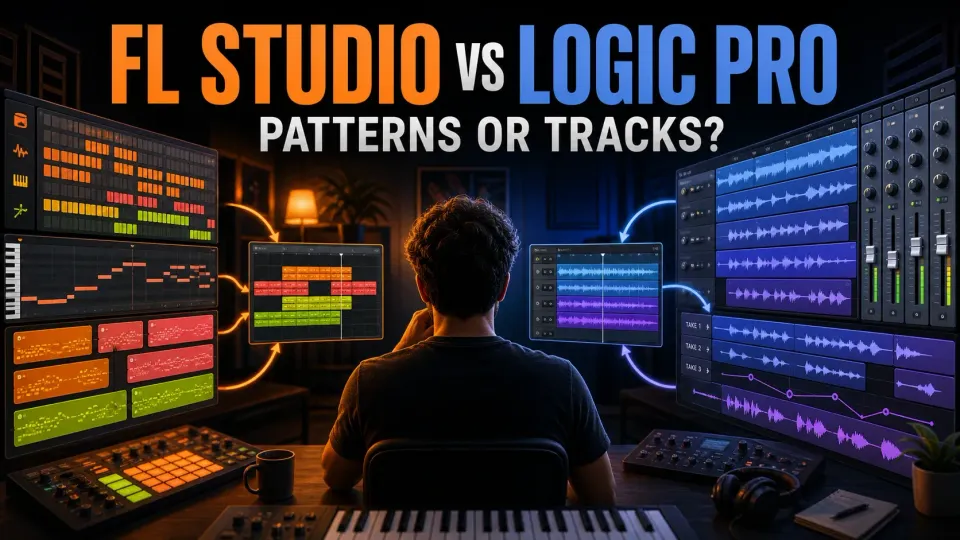
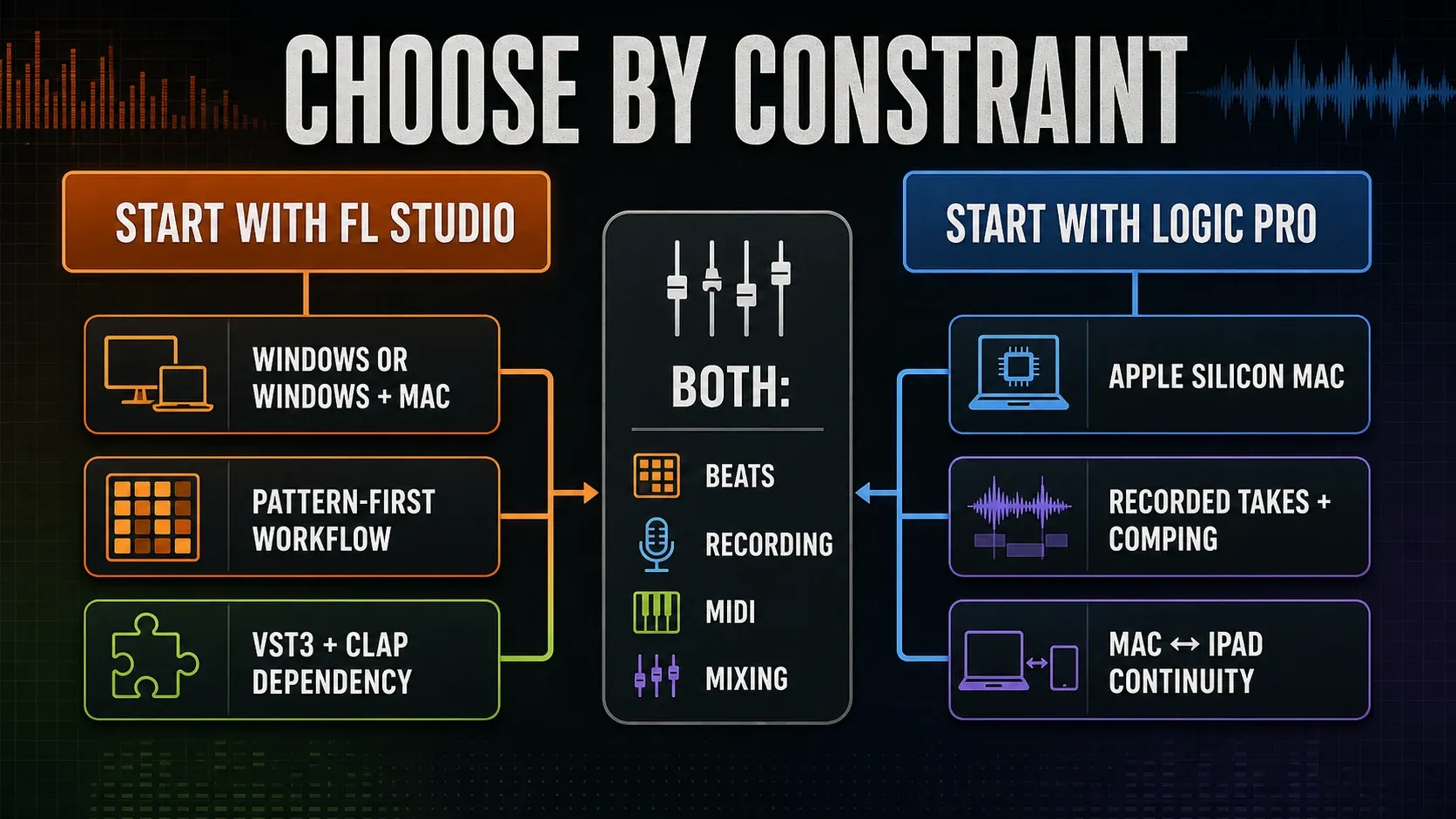
Choose FL Studio if your normal session starts with drum patterns, short musical ideas and mouse-led Piano Roll work, or if Windows has to stay an option. Choose Logic Pro if you already have a compatible Mac and your sessions revolve around recorded takes, track-based arranging, comping and a consistent channel-strip workflow. Both can make beats, record audio, edit MIDI, mix and master, and neither has a built-in sound-quality edge. The better question is which one makes you reorganize your thinking less often.
Image-Line's latest-release announcement lists FL Studio 2026.1.7b, while Apple's US standalone Logic Pro listing lists 12.4. For a useful trial comparison, I'd repeat the same MIDI edits, record-and-comp task and project handoff in each app.
FL Studio vs Logic Pro: the quick verdict
| Your real constraint | Better first trial | Reason |
|---|---|---|
| You produce on Windows, or move between Windows and Mac | FL Studio | FL Studio supports both desktop platforms; Logic Pro does not run on Windows. |
| You build drums and melodies as reusable patterns | FL Studio | The Channel Rack, Step Sequencer, Piano Roll and Playlist form one pattern-first loop. |
| You record vocals, guitars or several takes on a Mac | Logic Pro | Tracks, take folders, Quick Swipe Comping, Flex tools and channel strips stay connected. |
| You sketch on iPad and finish on Mac | Logic Pro | Apple documents project round-tripping between Logic Pro for iPad and Mac. |
| You depend on VST3 or CLAP plug-ins | FL Studio | FL Studio hosts those formats; Logic Pro’s third-party plug-in path is Audio Units. |
| You want a complete standalone Mac package at one tier | Logic Pro | The standalone Mac app is sold as one product rather than four feature editions. |
| You want a low entry price and can choose features by edition | FL Studio | Fruity starts lower, but recording and some tools require Producer Edition or above. |
| You need Dolby Atmos delivery inside the DAW | Logic Pro | Logic includes an integrated spatial-audio workflow and ADM export. |
I treat the table as a starting point, not a scorecard. On Windows, Logic is out, while an existing compatible Mac keeps both options open. If you make beats and record vocals in the same project, compare how each app handles the handoff from programming to recording. Genre labels and feature counts won’t settle that for you.
The central difference is pattern-first versus track-first
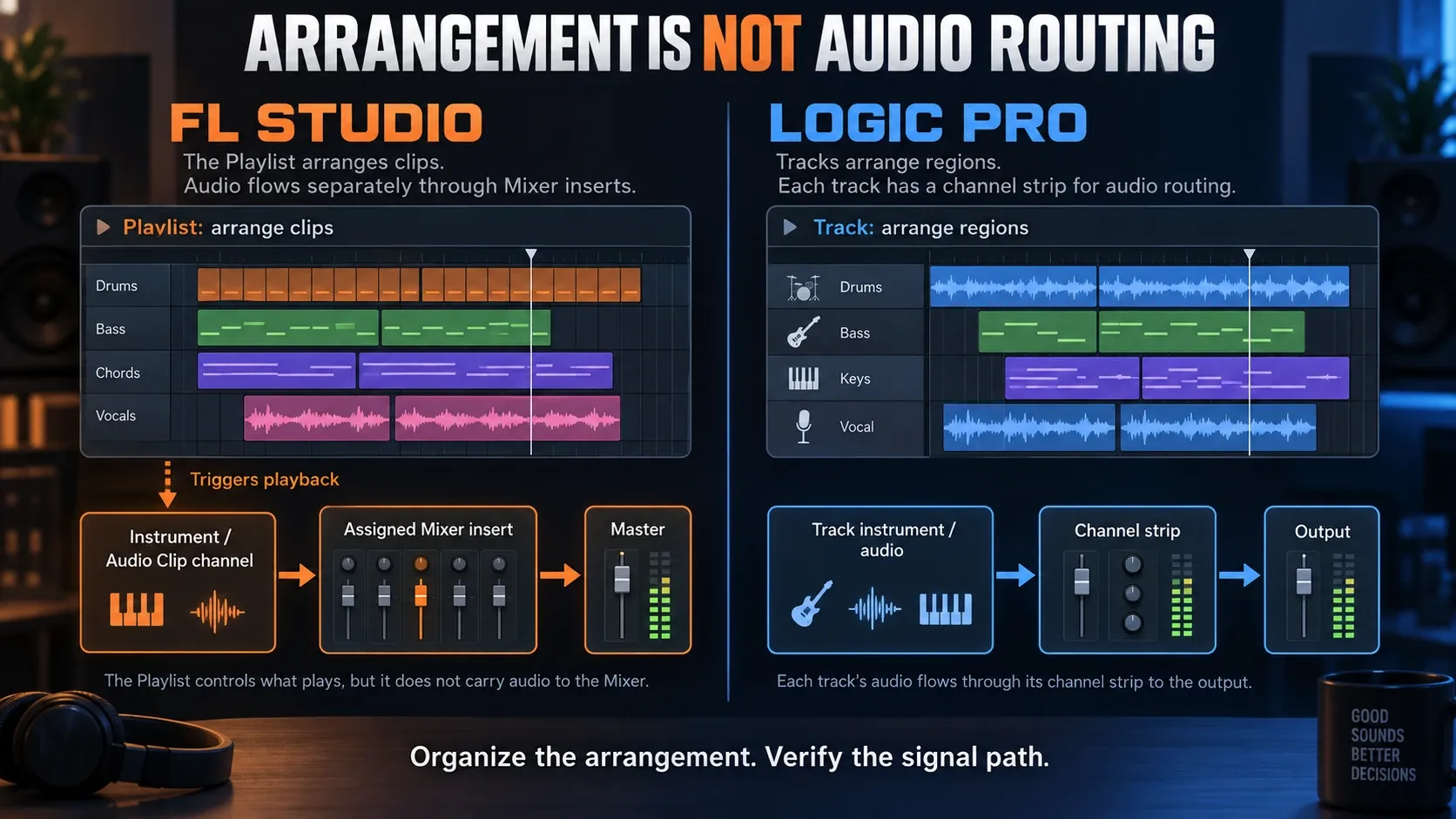
FL Studio naturally starts with a Channel Rack pattern. You program steps or notes, build variations, then place Pattern Clips next to Audio Clips and Automation Clips in the Playlist. Playlist lanes are flexible, so a lane can hold any clip type unless you deliberately switch to Track modes. That freedom is great when a song grows out of interchangeable eight-bar ideas. It also leaves naming, mixer assignment and arrangement discipline up to you.
Image-Line’s Playlist documentation explains the split: clips trigger playback, while the source channels decide Mixer routing. Instrument and Audio Track modes can link the Channel Rack, Playlist and Mixer into a more conventional layout. Our Playlist guide explains that setup, so all this flexibility doesn’t mean you have to organize every project by hand.
Logic Pro starts with a track tied to a channel strip. MIDI or audio regions live on that track, track alternatives and takes stay attached to it, and mixer organization follows the arrangement more directly. Logic also has Live Loops, pattern regions and a Step Sequencer, so “linear” doesn’t mean rigid. Its default structure just keeps the song’s identity attached to tracks for longer.
Beat making and MIDI: FL is faster only when its model fits you
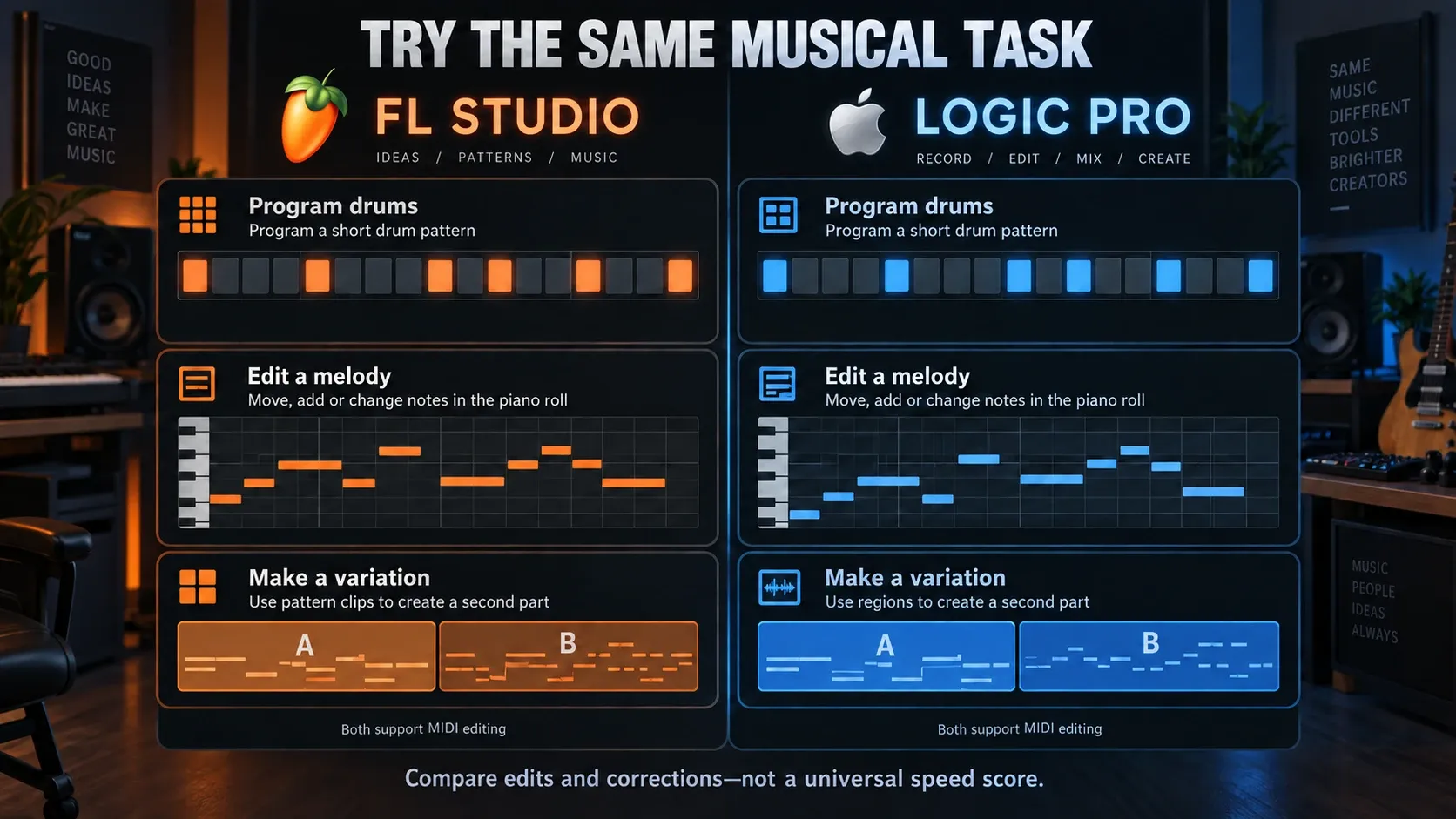
FL Studio’s strongest argument is the short path from sample to pattern. Load a kick, snare and hats, click in some steps, open the Piano Roll for the bass or chords, then duplicate the pattern and change the variation. Per-note properties, ghost notes, scale context, strum and arpeggiation tools make mouse-led composition unusually direct. A comparison table is the wrong place for the detailed techniques, so they live in the Step Sequencer guide and Piano Roll guide.
Logic has a perfectly good beat workflow. Apple’s current Logic Pro product page and App Store description list Step Sequencer, Drum Machine Designer, Quick Sampler, Sample Alchemy, Live Loops and Session Players, so you can build drums, resample audio and develop patterns without leaving Logic. The difference shows up after the first loop. Logic tends to pull the idea into tracks and regions, while FL keeps pattern variations as independent building blocks.
“Best Piano Roll” means nothing without a task. Draw a chord, shorten every second note, edit velocity, create a strum, copy only the rhythm to another sound and turn the result into a B section. My rule: whichever editor gets you through that sequence with fewer manual corrections is the better one, whatever its reputation.
Recording vocals and instruments: edition and comping change the answer
FL Studio records vocals and instruments, but the edition matters. The official audio-recording guide requires Producer Edition or higher, which makes Fruity the wrong edition for a singer, guitarist or band comparing FL with Logic. Check the exact tools you need, including any pitch-editing plugin, because audio recording doesn’t unlock every optional editor.
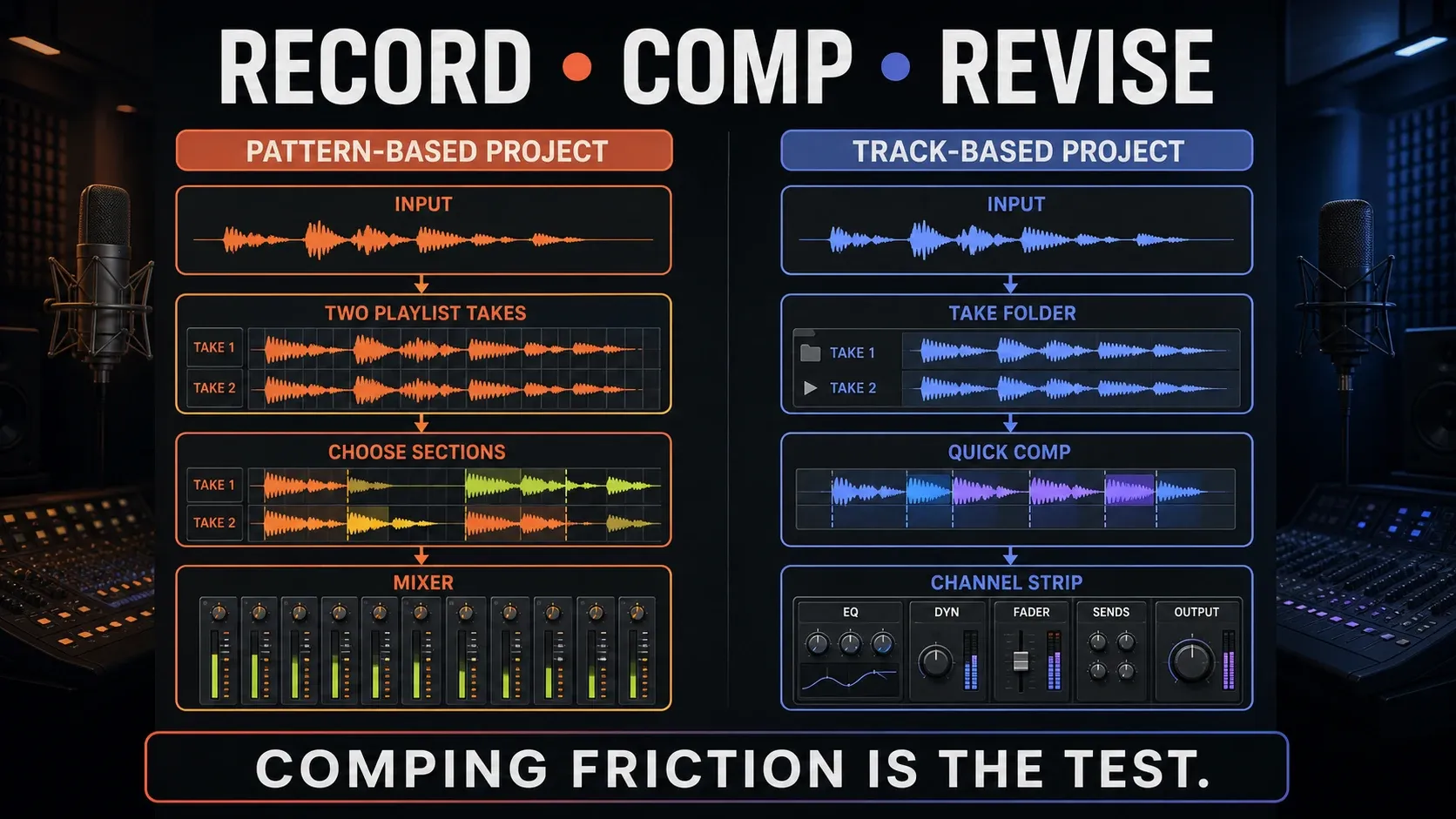
In FL, external audio comes in through a Mixer input and can be captured into the Playlist or Edison. You can record several inputs and loop takes. A template with named tracks and deliberate routing makes repeated sessions much easier. Once you’ve picked the performance, the vocal-mixing guide covers processing, since recording the take and mixing it are separate jobs.
Logic’s advantage has nothing to do with FL being unable to record. Its take folders, Quick Swipe Comping, track alternatives, Flex Time and Flex Pitch all sit inside the same track-first model. So when a session is built around repeated performances, you translate less between recording, choosing takes and editing. Apple lists those tools in the standalone app’s current feature description.
Arrangement and audio editing favor different kinds of revision
FL makes pattern-level revision cheap. Change one source pattern and every linked instance can follow, or make a unique copy when the chorus needs a variation. Audio Clips and Automation Clips move independently. That’s powerful for electronic arrangements, and it can get visually messy if you keep putting off naming and grouping.
Logic makes track-level revision easy to read. Regions, track alternatives, markers, arrangement sections and automation stay close to the instrument or recording they belong to. Smart Tempo can conform imported or recorded material, and the Flex tools handle timing or pitch changes. All of that helps when the project is a song with lots of recorded passes, tempo decisions and handoffs.
Neither approach wins every revision. FL often feels lighter when you’re assembling a chorus from pattern variants. Logic often feels calmer when a singer asks for “the second line from take four, but with the timing from take two.” I'd make your most common revision part of the trial.
Mixing, automation and mastering do not create a sound-quality winner
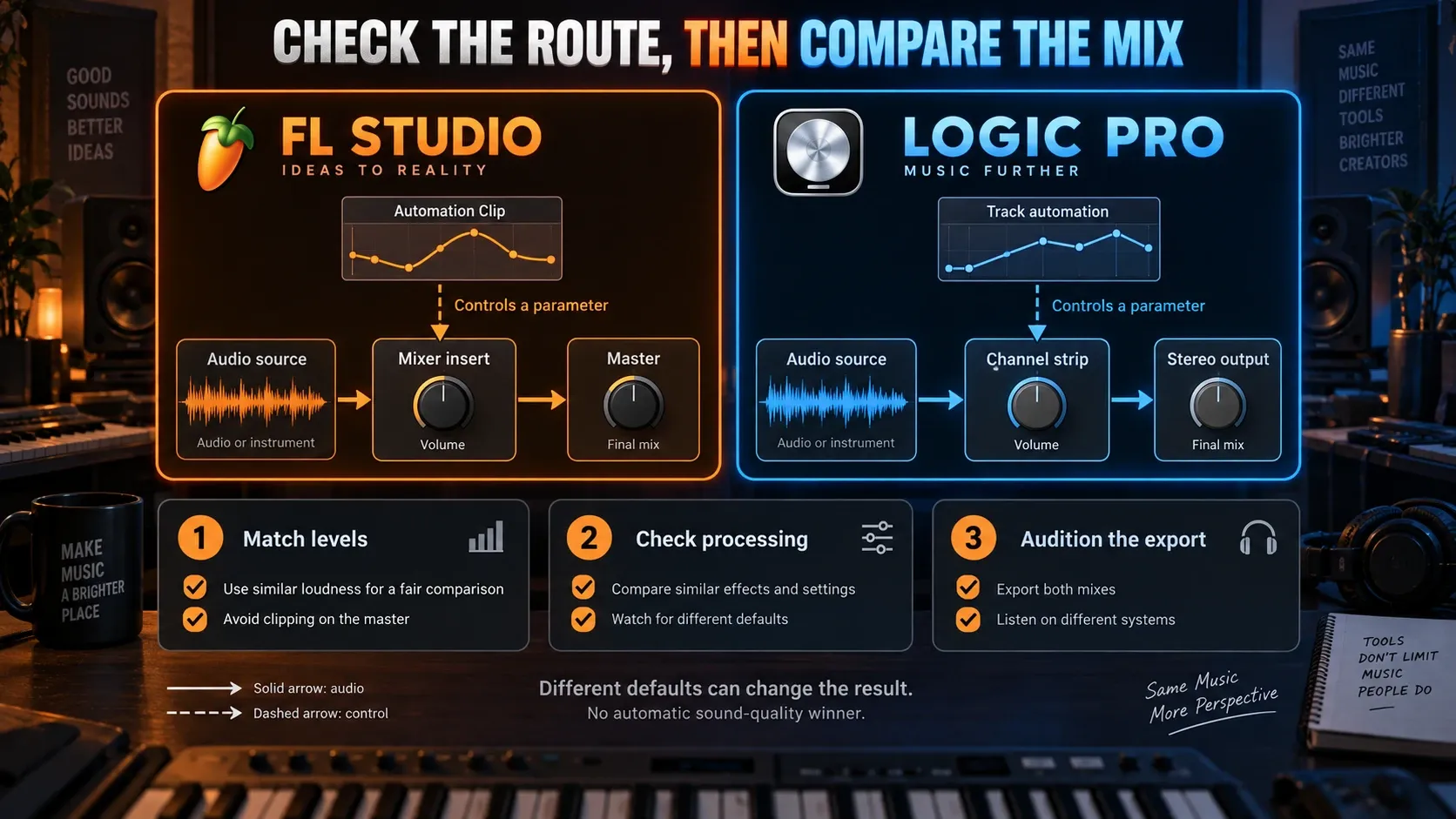
FL Studio’s Mixer handles insert routing, sends, sidechains, buses and complex chains. Automation Clips are visible, movable objects in the Playlist, so you can see reusable modulation at a glance. The trade-off is that Channel Rack, Playlist and Mixer relationships can stay independent until you connect and name them. A disciplined template matters more than an impressive routing graph, and the FL Studio Mixer guide explains that setup.
Logic’s channel strips follow tracks in a more conventional way, with inserts, sends, buses, groups and track or region automation. Apple’s current Logic Pro page also highlights Mastering Assistant and integrated spatial-audio tools. FL can master stereo releases with its own tools and plugins. When Dolby Atmos and ADM delivery are real requirements, though, I'd pick Logic for its clearer built-in path.
Don’t buy a DAW for some imagined professional tone. Both give you the tools for a finished stereo mix, but different pan laws, processing, resampling and export settings can produce different results. Image-Line documents why playback and rendered audio may differ. Compare level-matched exports and check the settings before blaming the audio engine, and don’t expect two separately built mixes to null. Our mastering guide handles the release workflow.
Stock instruments, sounds and plug-in formats
Logic Pro is sold as one complete standalone Mac app, and Apple describes a large collection of instruments, effects, loops and samples. Current tools include Alchemy, Quick Sampler, Sampler, Drum Machine Designer, Sample Alchemy, Session Players, Stem Splitter and Mastering Assistant. The exact content and hardware-dependent features can change, so a fresh App Store check beats an old plugin-count graphic.
FL Studio’s included tools depend on the edition. FLEX, FPC and the native generators and effects change from one edition tier to the next, and optional Image-Line plugins and FL Cloud are separate decisions again. Use the stock-plugin guide, free-plugin guide and edition comparison to put together the smallest bundle that works for you.
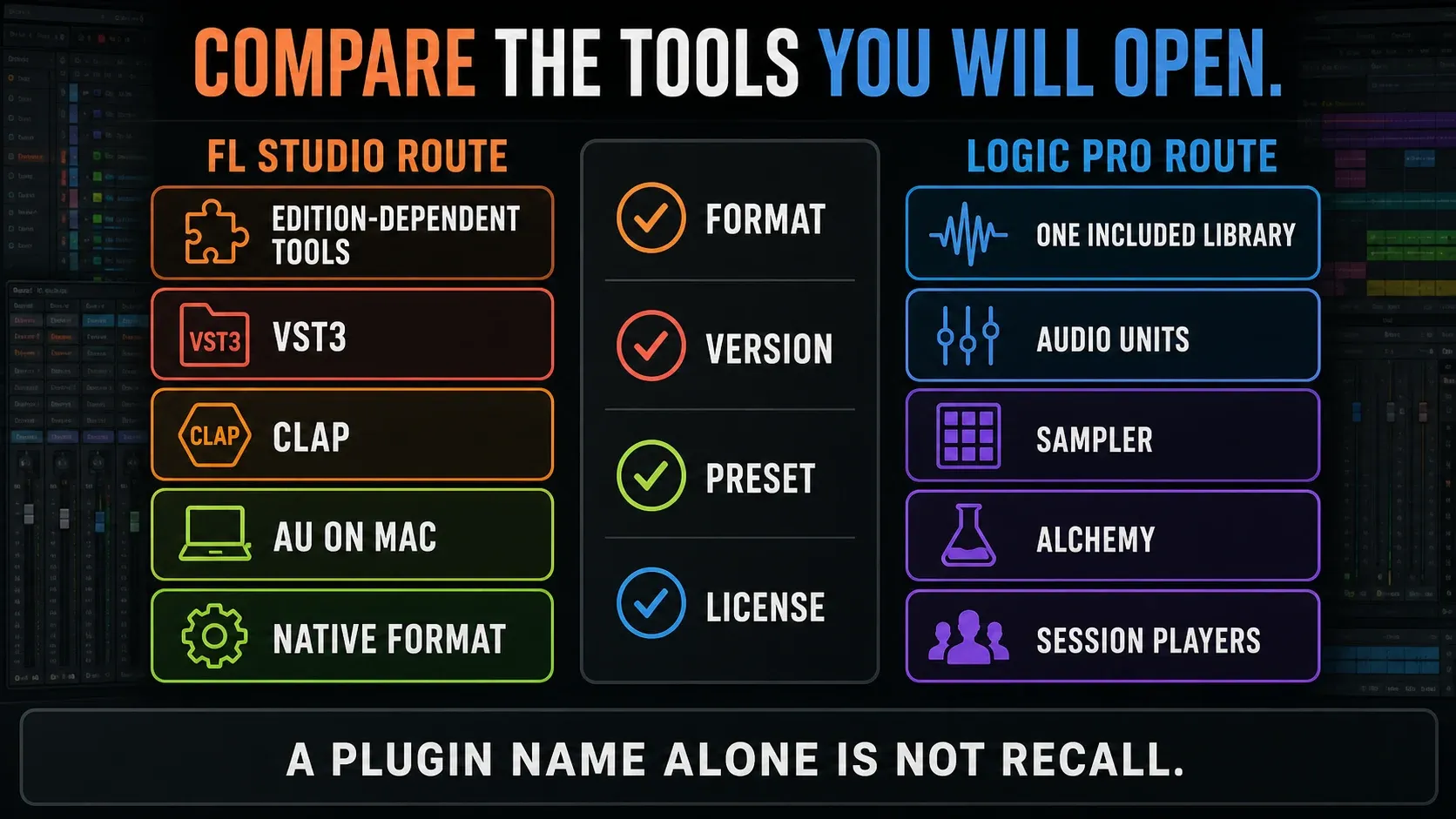
Format compatibility can matter more than the stock library. Image-Line’s supported plugin formats include VST2, VST3, CLAP and native plugins on Windows and macOS, plus Audio Units on Mac. Apple documents Audio Units and Audio Unit Extensions in Logic, and a VST-only plugin won’t load there directly. Even if an AU edition exists, check the license, preset transfer and version. A matching product name won’t carry a whole chain across.
Platforms and continuity: Windows–Mac versus Mac–iPad
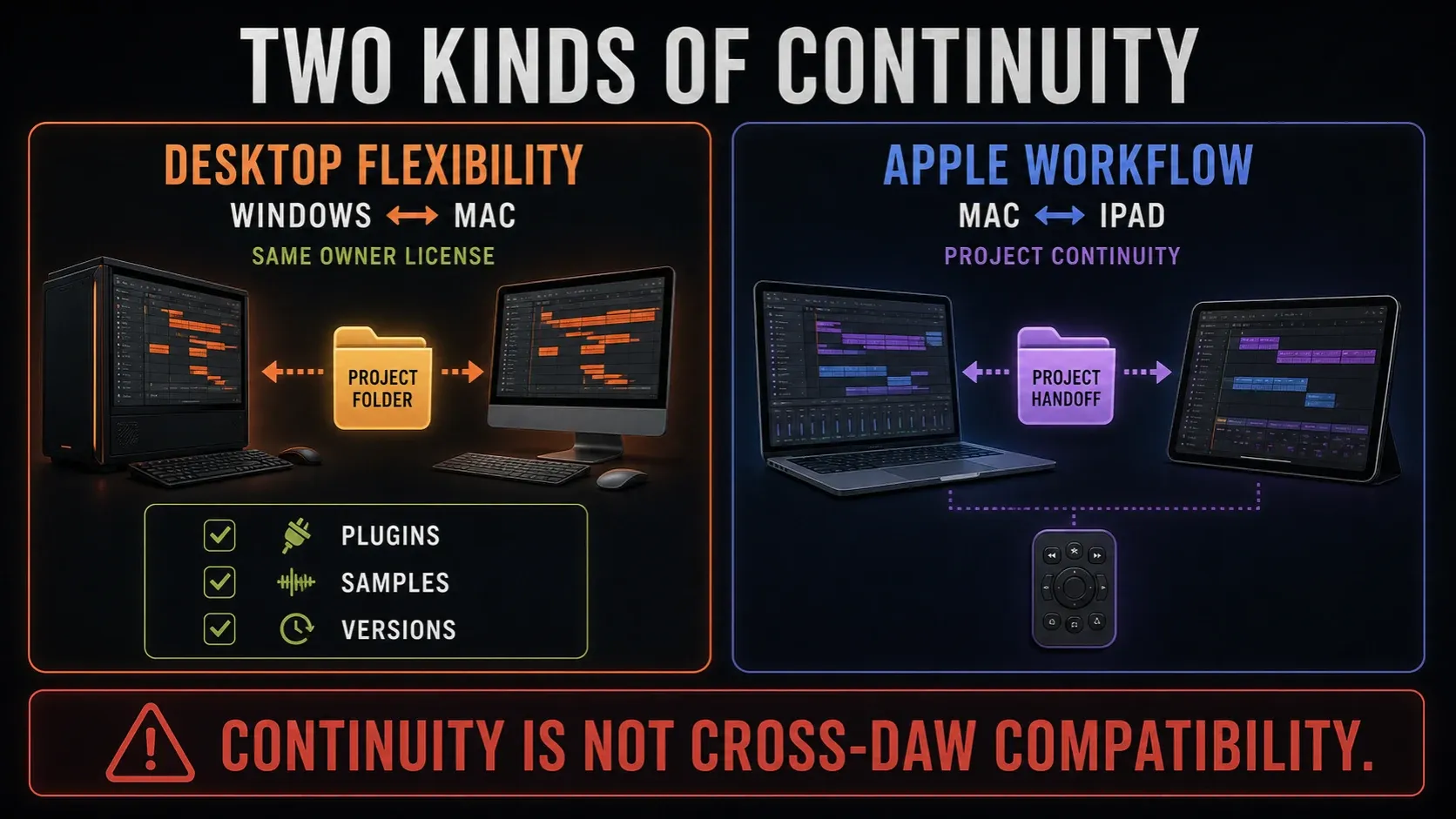
FL Studio supports Windows 10/11 or newer on Intel/AMD processors and macOS 10.15.7 or newer on Intel or Apple silicon, according to the current installer page. Windows ARM isn’t officially supported. One owner’s license covers both supported desktop platforms. The system-requirements guide helps you tell minimum compatibility apart from a computer that suits your sessions.
Apple’s Logic Pro product page specifies Apple silicon and macOS 15.6 or later, but its Creator Studio requirements and US standalone App Store listing currently list macOS 15.4 or later. Check the exact app and build offered to your Mac while those pages disagree. Apple’s support requirements still specify Apple silicon. Logic for iPad requires iPadOS 26 and A12 Bionic or later; some features need newer hardware. An older installation on an Intel Mac does not establish compatibility with a current purchase.
Logic offers Mac–iPad project round-tripping, but not every Mac project or plugin survives the trip unchanged. Apple’s project-sharing instructions require a project package and explain when to bounce incompatible plugins to audio. Surround projects and several other configurations can’t open on iPad, so work on a copy before you adapt a session. FL’s Windows–Mac sharing needs the right samples, plugin formats and versions too. Neither route makes an FLP open in Logic.
Price, updates and trials: compare usable routes
The US FL Studio pricing page advertises an entry price of $99. That entry tier is Fruity, which can’t record audio, so it makes a poor comparison with Logic. If you need recording, price Producer or above, then check which plugins are included. Lifetime Free Updates cover the edition you own; higher editions, optional plugins and paid FL Cloud services stay separate. The discount guide explains purchase and upgrade offers.
Apple’s US Logic Pro purchase options list the standalone Mac app at $199.99 and Apple Creator Studio at $12.99 monthly or $129 annually. Apple says Logic’s features are the same either way. Creator Studio also includes other apps and Logic on iPad, while buying the standalone Mac app doesn’t get you the iPad subscription. Check your local checkout and education eligibility, and don’t read Apple’s recent update history as an FL-style lifetime guarantee.
The FL trial has no time limit and can save and export, but it can’t reopen saved projects until you purchase and unlock. Its edition and trial-plugin rules still matter after you buy: unlock the trial plugins you need before reopening, and never re-save a project with missing trial plugins, or you may lose their settings. Keep the original backup, and render important parts before you close. Apple advertises a 30-day Creator Studio trial, so check renewal and cancellation terms before you start it.
On the Apple subscription route, canceling doesn’t delete your project files, but whether you can keep using the app is a separate question. Apple’s subscription guidance explains how access runs through the billing period and how you come back with a new subscription or a standalone purchase. Keep exports and backups you can use without any subscription.
Projects do not move between these DAWs as native sessions
Logic Pro doesn’t natively open FLP projects, and FL Studio doesn’t natively open Logic project packages. To move a song reliably, bring consolidated audio stems from a shared start point, MIDI for parts that still need note editing, tempo and time-signature notes, dry and processed references, and a plugin/preset inventory. Automation, mixer routing, take folders, Playlist organization and native instruments won’t survive as one editable session.
Before you switch, render any instrument whose destination format is uncertain, and keep the editable original. Export a full-song reference along with the separate files, import them into the destination and listen through entrances, edits and effect tails. A temporary freeze cache isn’t a portable stem. Agree on start position, length, naming, sample rate and revision labels with collaborators. And remember that MIDI carries notes and performance data, but the original instrument sound stays behind.
Who should choose FL Studio?
- You need Windows now or may move between Windows and macOS.
- Your ideas start as drum, bass, chord and melody patterns.
- You do a large share of composition with the mouse in the Piano Roll.
- You value visible, reusable Automation Clips and free-form Playlist placement.
- You prefer Lifetime Free Updates for the edition you buy and are willing to choose that edition carefully.
If FL looks like your pick, verify the edition and run the official trial. Then I’d build the beginner project instead of judging the empty default screen. When live performance is central to what you do, compare FL Studio with Ableton Live before you commit.
Who should choose Logic Pro?
- You already own a compatible Apple-silicon Mac and expect to stay on Mac.
- Your sessions begin with microphones, instruments, takes or a linear song form.
- You want comping, Flex editing, channel strips and arrangement structure to remain closely connected.
- You want one deep included Mac package instead of comparing FL editions and optional plugins.
- You need Logic’s Mac–iPad continuity or integrated Dolby Atmos workflow.
Logic isn’t automatically the “professional” choice, and FL isn’t automatically the “beat-only” choice. These profiles describe defaults; they don’t set limits. A skilled producer can finish the same release in either one. I'd let the friction you keep hitting decide it.
Test a small project before buying or switching
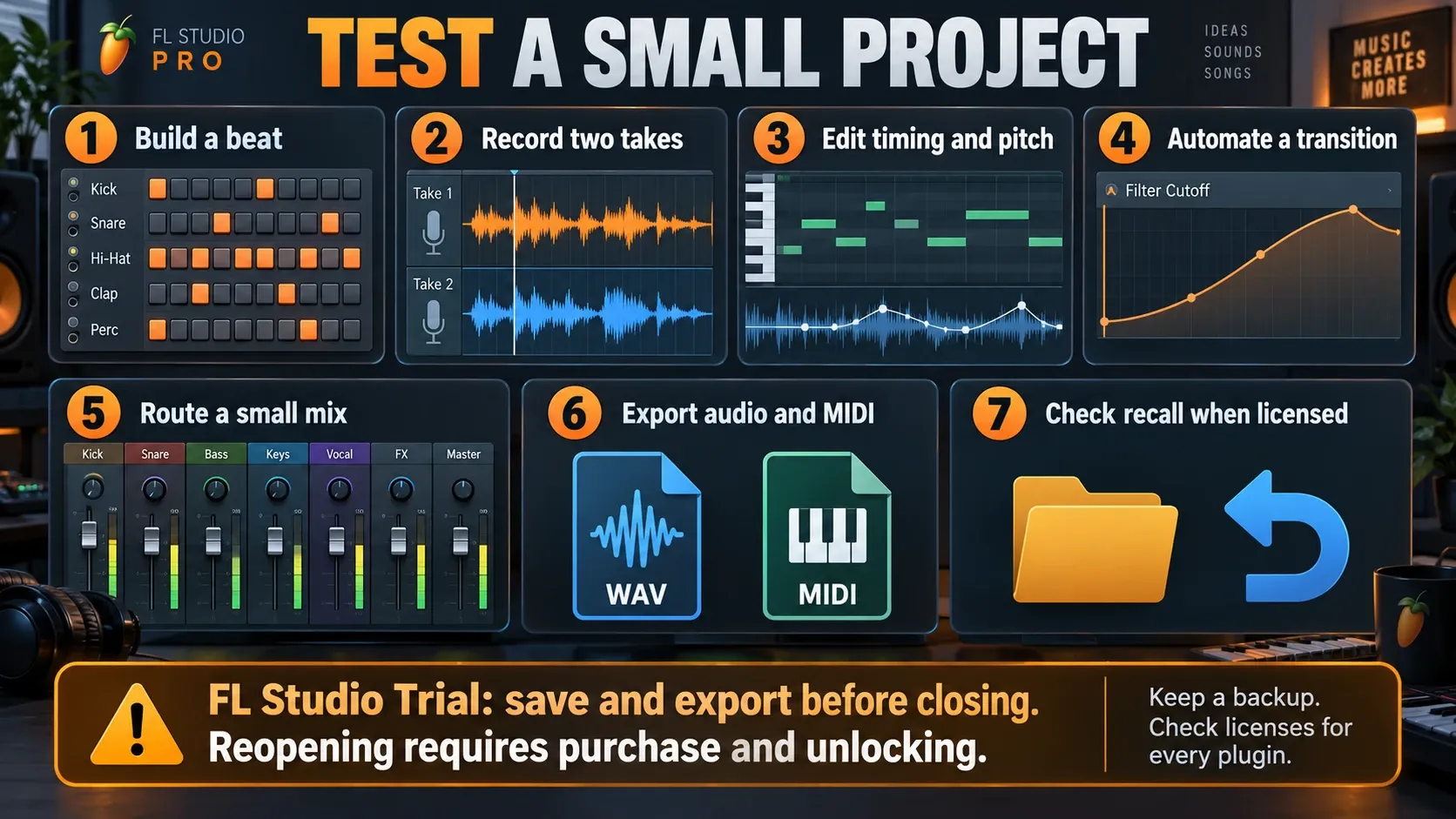
- Build the same eight-bar beat. Use the same samples and create one drum, bass and chord variation.
- Record two short takes. Capture a vocal, guitar or other real input and make one usable comp.
- Edit timing and pitch. Correct one obvious timing problem and, where appropriate, one pitch problem without changing the musical idea.
- Automate a transition. Create a filter, level or effect move, then revise its timing once.
- Route a small mix. Build one send, one group or bus, one sidechain and a clean master path.
- Export exchange files. Bounce a reference, consolidated stems and MIDI for one editable part.
- Check recall only where the license permits. In unlocked FL Studio with the required plugins, save a backup and verify reopening. In FL Trial, save and export before closing; mark reopening as unavailable until purchase, not as a failed test. In Logic, verify reopening while your trial or license is active.
Give yourself extra time for installation, downloads and unfamiliar controls. This is a short project exercise; nobody learns either app in an hour. Keep count of unclear routing, repeated cleanup, missing plugins and recall limitations, and use the computer and audio interface you plan to use for your next project.
FL Studio vs Logic Pro FAQ
Is Logic Pro better than FL Studio?
There is no universal winner. Logic Pro is often the cleaner fit for compatible-Mac users recording and comping performances in a track-based project. FL Studio is often the cleaner fit for pattern-based producers, Piano Roll work and anyone who needs Windows support.
Is FL Studio or Logic Pro better for beginners?
FL Studio can get a mouse-led beat moving quickly, while Logic can feel more familiar to a GarageBand user or a beginner recording vocals and instruments. The easier DAW is the one whose first complete project matches the music the beginner actually makes.
Which is better for beat making?
FL Studio has the more central pattern, Step Sequencer and Piano Roll workflow. Logic remains capable through Step Sequencer, Drum Machine Designer, Quick Sampler and Live Loops, and may be more direct when the beat immediately becomes a recorded, track-based song.
Which is better for recording vocals?
Logic Pro has the stronger default comping workflow through tracks, take folders, Quick Swipe Comping and Flex tools. FL Studio records vocals in Producer Edition and above and can be efficient inside a beat-driven template; Fruity Edition is not the correct recording comparison.
Can Logic Pro run on Windows?
No. Apple’s current Logic Pro is for Mac and iPad. FL Studio supports Windows and macOS, so Windows use or a Windows–Mac desktop workflow points to FL Studio between these two choices.
Does Logic Pro support VST plugins?
Logic Pro’s third-party plug-in format is Audio Units, not VST. FL Studio supports VST3 and CLAP, Audio Units on macOS and its native format. Confirm the exact format, version and license for every essential plugin before switching.
Can Logic Pro open an FL Studio project?
Not as a native editable FLP. Move the production with consolidated stems, MIDI, tempo notes, references and a plugin inventory. Routing, automation, native instruments and DAW-specific editing structures must be rebuilt or rendered.
Which DAW is cheaper in 2026?
FL Studio has the lower US entry price, but Fruity Edition leaves out audio recording and higher editions include different tools. Logic Pro’s standalone Mac app is $199.99 in the US and comes as one complete tier. Compare the FL edition you would really use, plus hardware, plugins and future services, and ignore the smallest sticker.
The useful verdict
Pick FL Studio if reusable patterns and Windows–Mac flexibility fit your work. Pick Logic Pro if recorded takes, track-based arranging and a compatible Apple setup fit better. When both sound right, run the same small project in each and compare the corrections you keep repeating. If Mac-only support rules Logic out but track-based recording still matters, continue with FL Studio vs REAPER.
Head to the Compare & Buy hub next to verify the purchase route. Then keep your first three projects small enough to learn the workflow instead of rebuilding your whole studio on day one.