FL Studio
The best free plugins for FL Studio are the ones that fix a problem your current tools can’t. Vital Basic makes a great first wavetable synth, TDR Nova adds dynamic EQ, and Graillon 3 Free takes care of vocal pitch correction. For analysis, pick SPAN if you like a spectrum-led view or Youlean Free for a dedicated loudness timeline. You don’t need all thirteen picks to finish a song.
The picks below cover synths, sample players, acoustic drums, vocal processing, effects and meters. Two of them are bundles, so thirteen picks doesn’t mean thirteen separate plugin files. Every one has a free tier you can actually use, with no expiring promotion or cracked download involved. Check the linked developer page before installing, because operating-system requirements, included libraries and free-tier limits can change.
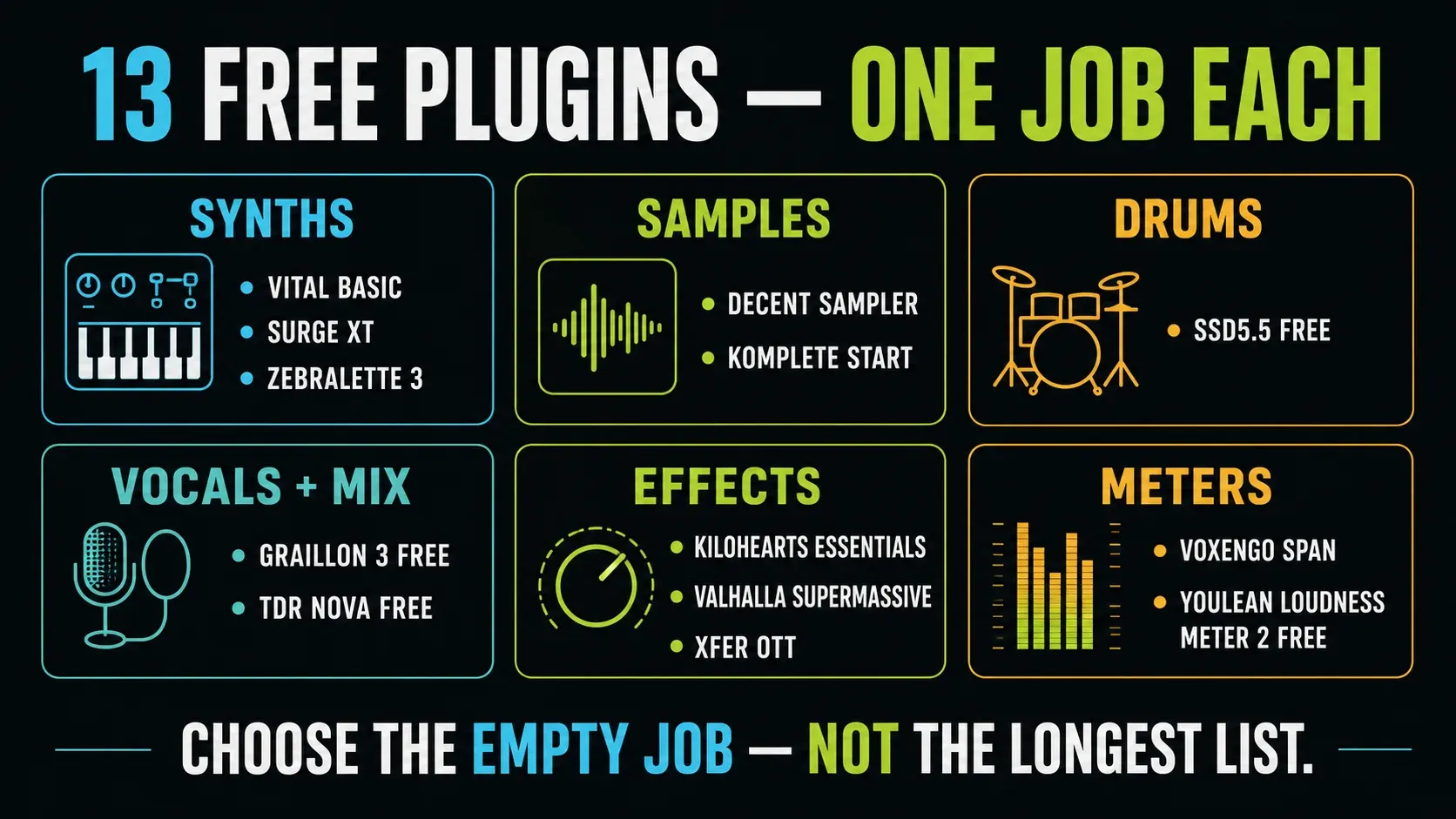
The 13 free FL Studio plugins at a glance
| Plugin | Best job | Main catch |
|---|---|---|
| Vital Basic | One visual wavetable synth for basses, leads and pads | Free tier has less factory content than paid packs |
| Surge XT | Deep synthesis without a paid tier | More interface and modulation than a new producer may need |
| Zebralette 3 | Focused spectral and wavetable sound design | One oscillator, not the full Zebra 3 |
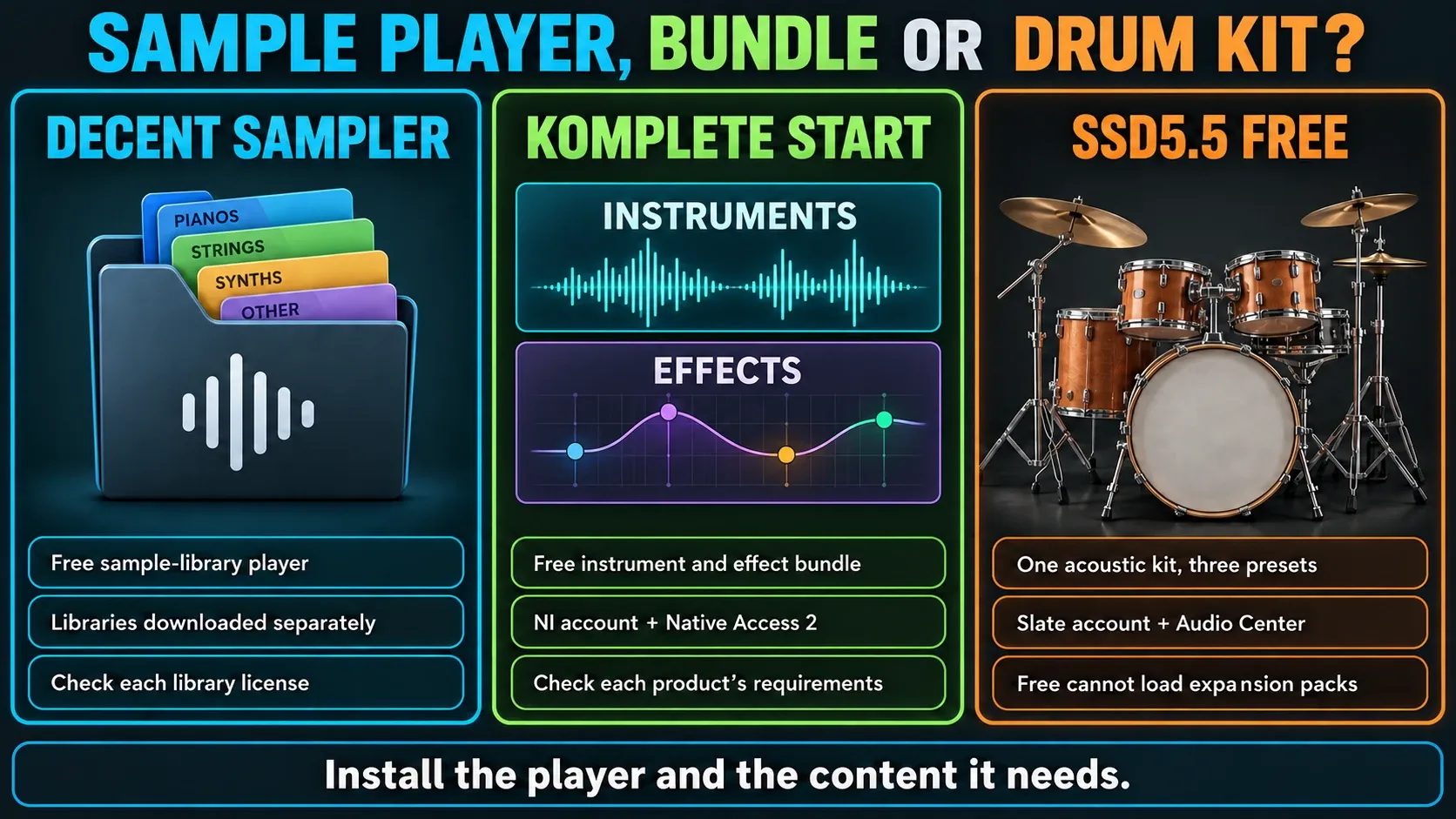
| Decent Sampler | Free pianos, textures and community sample libraries | The player and libraries are separate downloads |
| Komplete Start | Instrument/effect collection | NI account and Native Access 2; requirements vary by product |
| SSD5.5 Free | Acoustic drum kit | One kit and three presets; no expansion-pack support |
| Graillon 3 Free | Natural or obvious vocal pitch correction | Some advanced features require the Full edition |
| TDR Nova Free | Dynamic EQ, resonance control and de-essing | Four dynamic bands, not Nova GE |
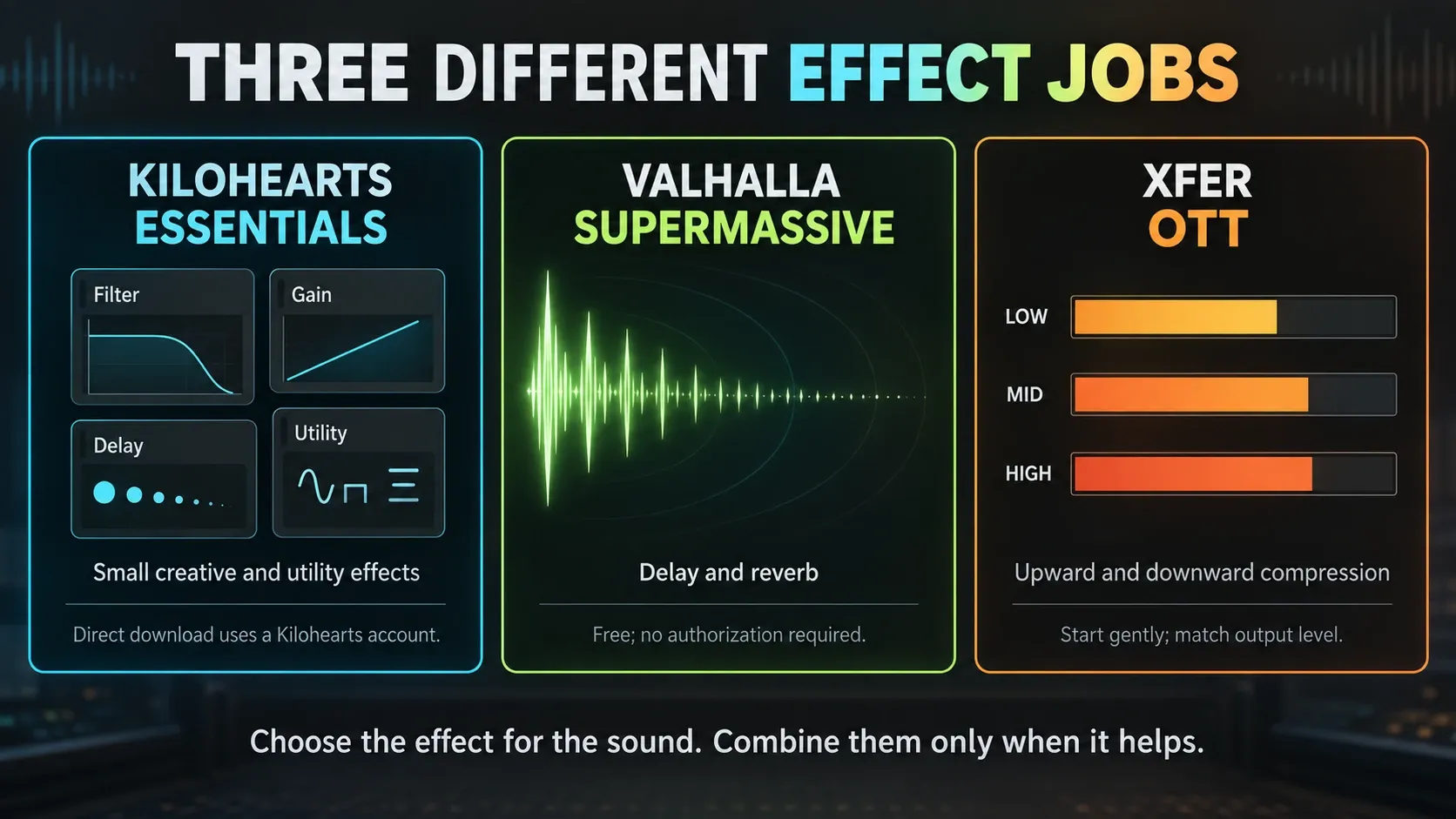
| Kilohearts Essentials | Consistent set of small creative effects | Account and installer; many jobs overlap FL Studio |
| Valhalla Supermassive | Creative delays and reverbs | Start with short settings if the source needs less space |
| Xfer OTT | Aggressive upward/downward multiband compression | Easy to overdo; old VST3 projects need update care |
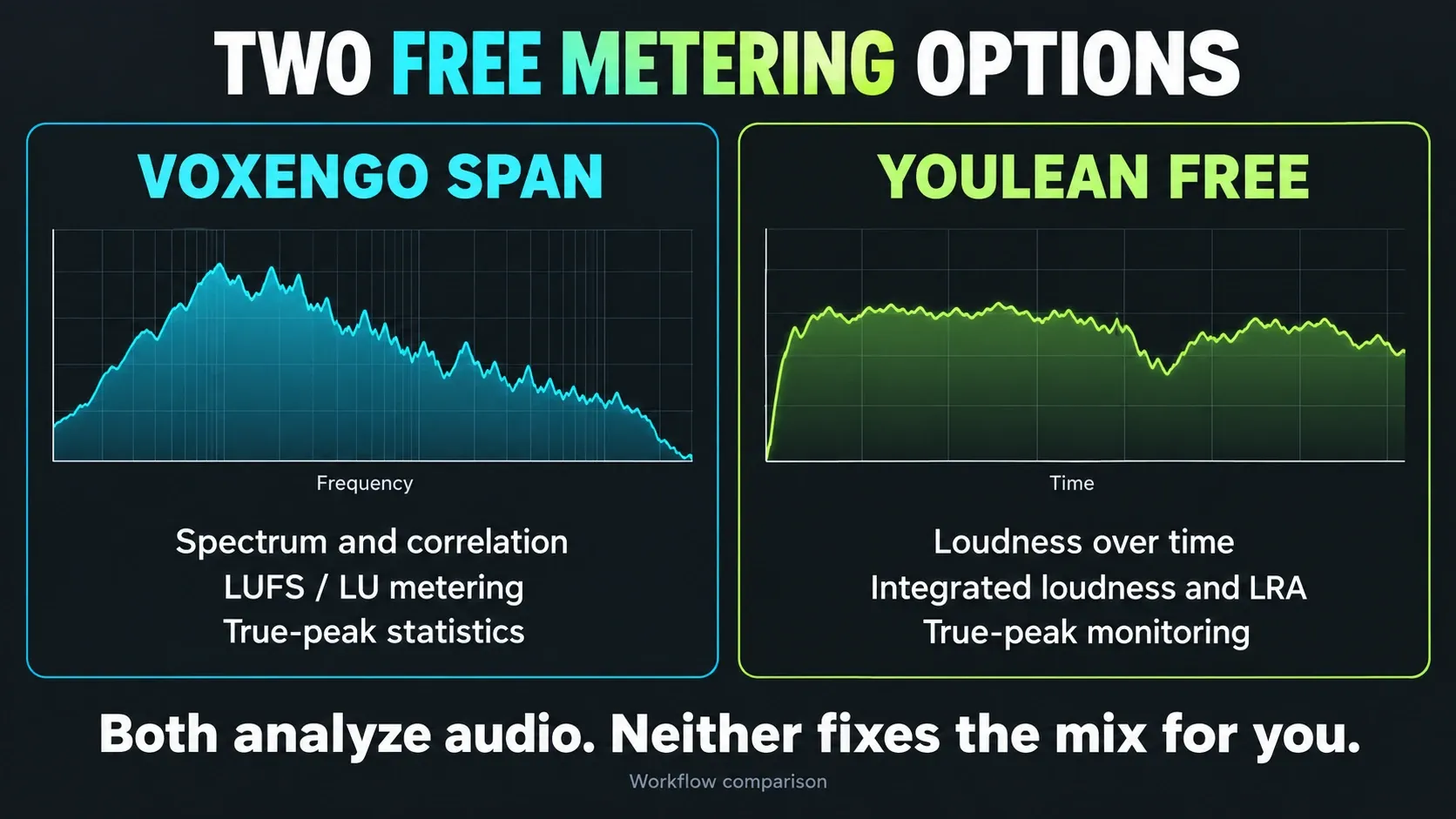
| Voxengo SPAN | Spectrum, correlation, LUFS and true peak (online LUFS meter for a browser-side check) | Analysis only; the display does not process the mix |
| Youlean Loudness Meter 2 Free | Time-based loudness and true-peak analysis | Pro adds file analysis, export and other workflow features |
These are third-party downloads for desktop FL Studio on Windows or macOS; they aren’t FL Studio Mobile add-ons. A developer may also offer Linux builds, but that doesn’t mean FL Studio officially supports Linux. For tools that come with your FL installation, see the stock-plugin guide and its edition limits. The Plugins learning route ties both lists to installation and library management.
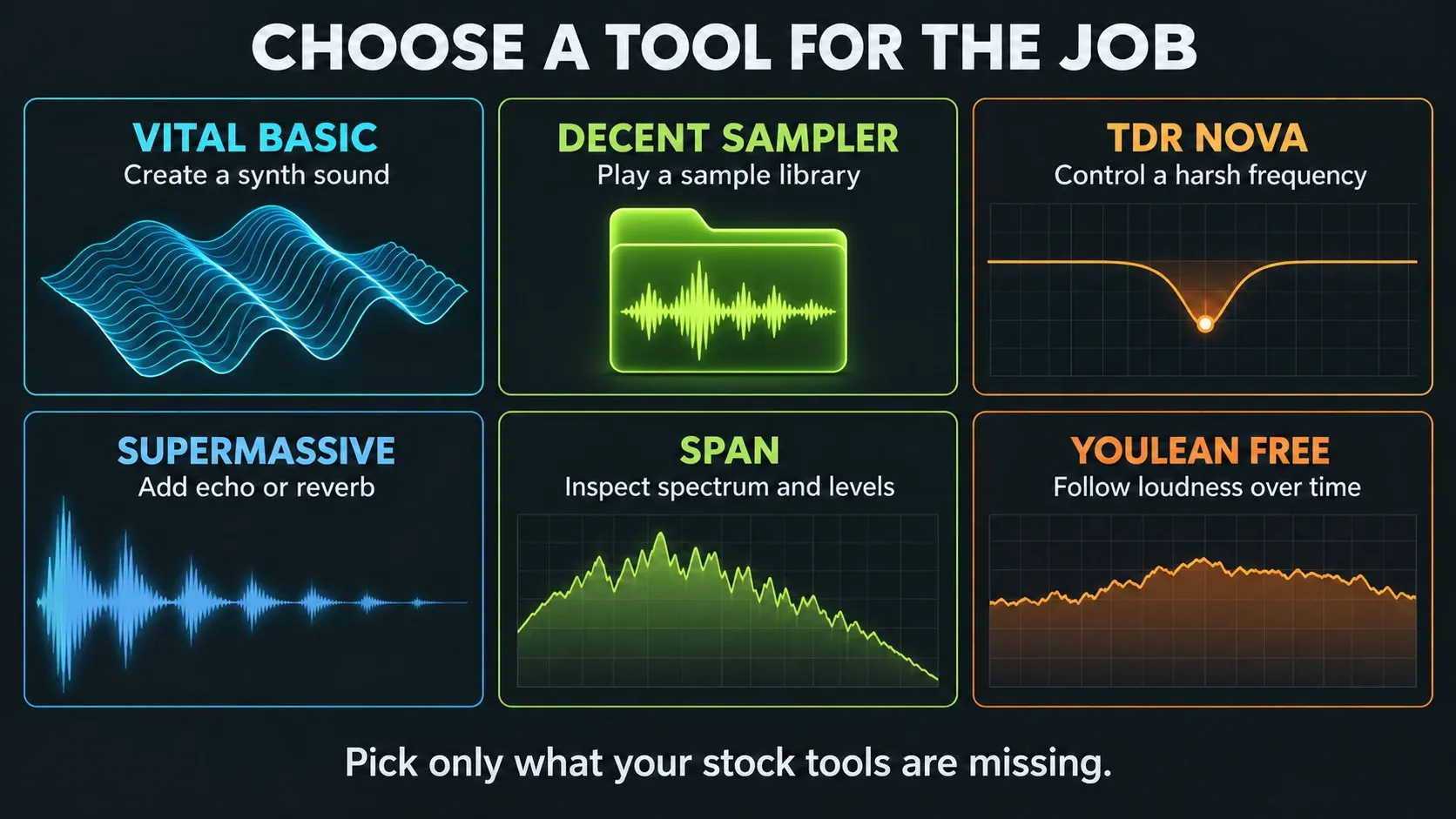
Choose from six starting points—not six required downloads
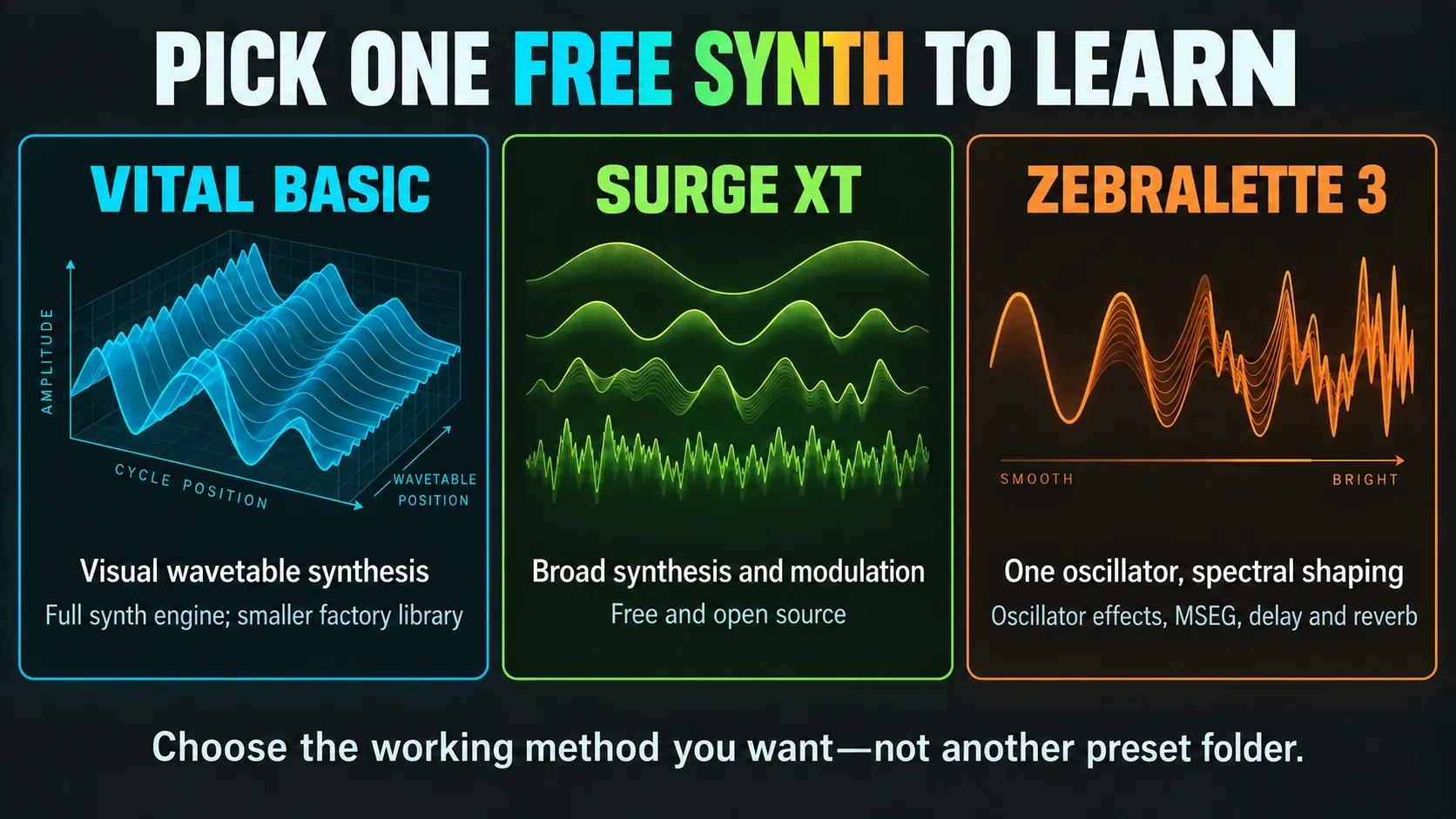
A new producer rarely needs Vital, Surge XT and Zebralette 3 in the same afternoon. Pick Vital if you want a clear visual path from oscillator to filter and modulation. Pick Surge XT if deep synthesis already appeals to you. Pick Zebralette 3 when drawing and warping a single oscillator sounds more fun than scrolling through thousands of presets.
The meters overlap as well. Current SPAN includes LUFS/LU and true-peak metering alongside spectrum analysis, while Youlean Free puts loudness over time front and center. Go with the interface that answers your question most clearly. A second meter is optional, so don’t treat it as a missing piece.
The six starting points are Vital, Decent Sampler, Nova, Supermassive, SPAN and Youlean. Pick only the jobs you need: a synth, a sample player, dynamic EQ, space or analysis. Add Graillon for pitch correction and SSD5.5 for an acoustic drum kit. If you haven’t finished a first track yet, work through the FL Studio beginner project before your plugin folder grows.
1. Vital Basic: the clearest first free synth
Vital Basic is my first pick here for visual wavetable synthesis. Its waveforms, envelopes and modulation feedback help you connect each control to what you hear. Basic includes the complete synth engine with a smaller factory library. Paid plans add content and other perks, including differences in the online text-to-wavetable service, but the sound engine itself is the same.
Use it for basses, leads, pads and animated effects when you want to change how a patch works under the hood. Vital’s official format list includes VST3 and AU, with separate Windows and macOS builds. Grab the build for your operating system, since a Windows plugin file won’t run as a Mac plugin.
First move: load an initialized patch, pick a wavetable and assign one LFO to filter cutoff. Change the modulation depth while you listen, then save a named preset. That gives you a repeatable sound-design exercise, and it teaches more than scrolling a long preset list.
2. Surge XT: the deep open-source alternative
Surge XT is free, open source and far deeper than most people need for a first bass. The current stable download page lists version 1.3.4, with 64-bit VST3 and CLAP on Windows, and universal VST3, AU and CLAP builds on macOS. No “Pro” sound engine is hiding behind a paywall.
Pick Surge over Vital when you want lots of synthesis methods, deep modulation and an active open-source project. Skip it for now if a dense interface keeps you from finishing music. Installing both won’t give you two new skills; learning one synth properly will.
3. Zebralette 3: one oscillator with real depth
Zebralette 3 is u-he’s freeware single-oscillator instrument, released as version 3.0.0 on December 10, 2025. “Single oscillator” is the limitation and the idea: it adds spectral shaping, waveform drawing, oscillator effects, MSEG modulation, two LFOs, a modulation matrix, delay and reverb around one sound source.
Pick it as an alternative when drawing and reshaping a single oscillator interests you more than a sprawling synth workstation. Its spectral filtering is part of the oscillator-effects system, so don’t look for a separate conventional filter stage. Official builds include VST3 on Windows and macOS, with AU also available on Mac.
4. Decent Sampler: free instruments without a giant platform
Decent Sampler is a free player for .dspreset and .dslibrary instruments. It suits sampled pianos, plucked instruments and recorded textures. The developer provides VST3 for Windows and macOS, covering Intel and Apple Silicon Macs, and AU is also available on Mac. The download page asks for an email address.
Here’s the catch people miss: Decent Sampler is the player, and the instruments come separately. Download them one by one and read each library’s license before using it in commercial work. Keep the library folder somewhere stable, because moving it later can leave an old project asking where its samples went.
5. Komplete Start: a managed instrument and effects collection
Komplete Start takes the opposite approach: a free Native Instruments and iZotope collection installed through Native Access 2. Its current lineup includes Kontakt Player content and Massive X Player, but bundles change, so trust the official product page for the inventory over a two-year-old screenshot.
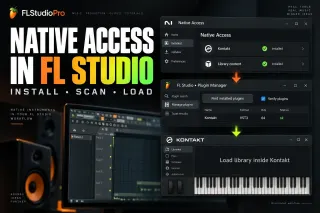
Pick it when several of the included instruments or effects appeal to you and you’re fine with a Native Instruments account and Native Access 2. Install only the products you need. Check the current requirements for each player and library, because an old minimum Kontakt version doesn’t guarantee every new item in the bundle will work. If the manager can’t find a library, use the Native Access troubleshooting guide.
6. SSD5.5 Free: one convincing acoustic drum kit
SSD5.5 Free gives you one Deluxe 2 acoustic kit, a processed snare and three kit presets in a free tier that doesn’t expire. It’s a focused drum instrument and a small slice of the full paid library. Slate states plainly that its expansion packs do not work in the Free version.
Use it to practice velocities, fills and acoustic-kit arrangements. You’ll need a Slate account and Slate Audio Center. Install both the sampler and its library; the Free installation instructions explain the two parts. Keep the samples in a stable folder that isn’t synced to the cloud. If the instrument opens empty, point its Settings > Select Base Dir at SSD5Library. Electronic one-shots can stay in FL’s Channel Rack instead.
7. Graillon 3 Free: pitch correction without a subscription
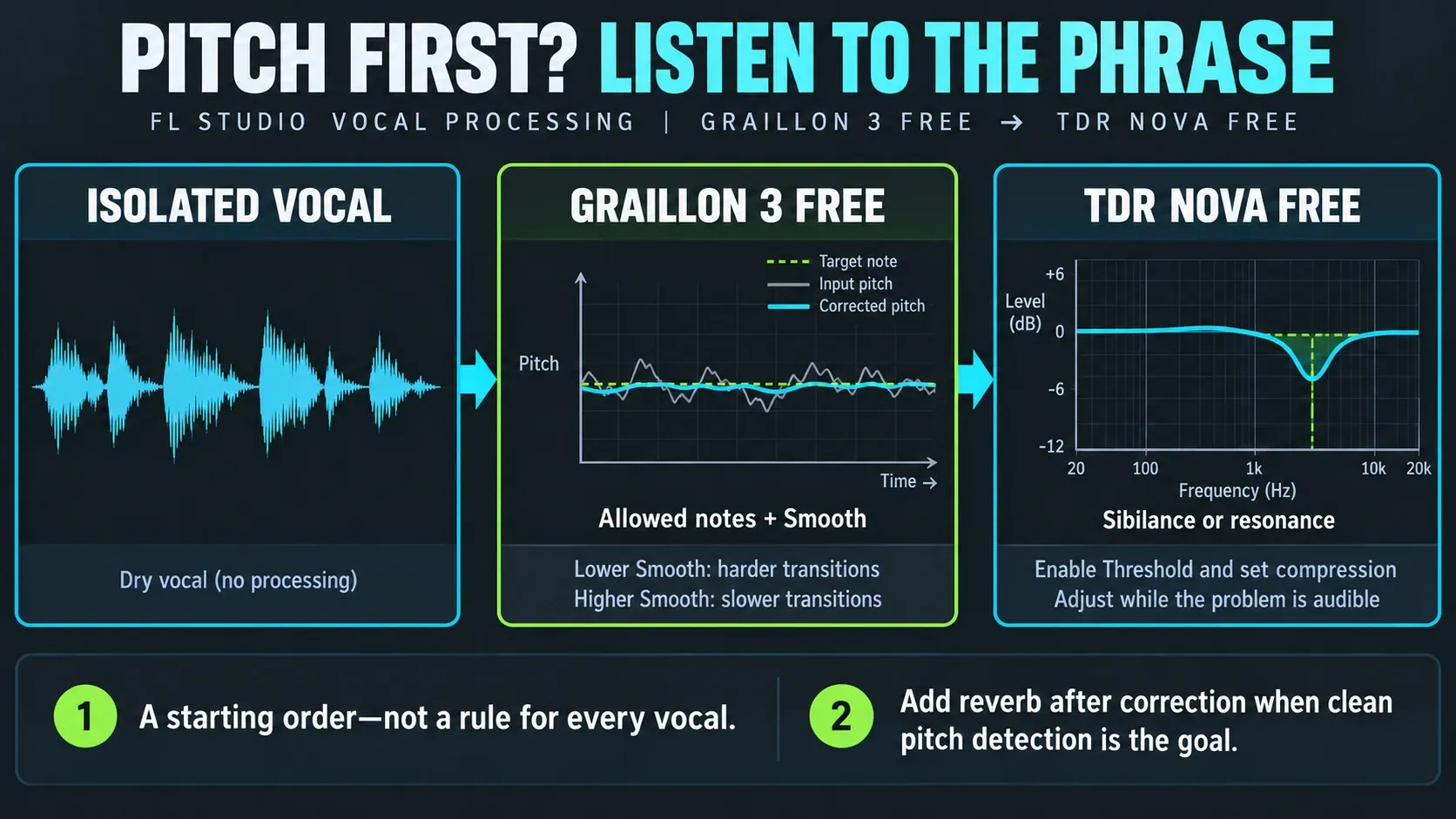
Graillon 3 Free Edition gives you automatic vocal pitch correction with no subscription. The 3.2 manual documents VST3 on Windows and macOS, and its version history lists native Apple Silicon support. Full adds per-note keyboard tuning, pitch-tracking modulation and a Doubler, so don’t expect the whole interface to be unlocked in Free.
Start with an isolated vocal and put pitch correction before any reverb or heavy distortion so detection is easier. In the Graillon 3.2 manual, Smooth sets how fast pitch transitions happen, and its minimum gives you hard tuning. Choose the allowed scale notes, then raise Smooth if transitions sound too abrupt. Snap Min can leave small deviations alone. Listen to the whole phrase, because wrong scale notes can change the melody. Carry on with the vocal mixing workflow for EQ, dynamics and space.
8. TDR Nova Free: dynamic EQ before another compressor
TDR Nova Free combines four dynamic EQ bands with high-pass and low-pass filters. It can reduce a frequency range when that range becomes too strong, which is useful for sibilance or intermittent resonance. A static cut remains sensible when the imbalance is present throughout the sound. For a vocal example, follow the de-essing guide.
For a targeted dynamic cut, select a band, choose its frequency and width, and leave static gain near neutral. Enable Threshold and use Split for independent band dynamics; choose a compressive ratio, then lower the threshold while listening for the unwanted peak. Adjust attack and release to avoid dulling the whole phrase. The Nova manual explains these controls. Kick-triggered bass reduction also needs an external sidechain route and EXT SC selection; it does not happen merely by inserting Nova.
9. Kilohearts Essentials: a coordinated effects bundle
Kilohearts Essentials collects free filters, dynamics, modulation, distortion, delay, reverb and utility effects. Their controls share a consistent design. They work as regular plugins, or as snapins inside compatible Kilohearts hosts; the free effects do not include a license for paid hosts such as Phase Plant, Multipass or Snap Heap.
The cost isn’t money. The installer uses a Kilohearts account/authentication flow, and several tools duplicate capable FL Studio effects. Install the collection when the shared interface or a missing specialist effect improves your work, and don’t drop every stock option just because a free bundle arrived. For modular FL routing and macros, the Patcher guide is still the workflow to follow.
10. Valhalla Supermassive: creative delay and huge reverb
Valhalla Supermassive version 5.0 is a free 64-bit delay/reverb for current Windows and macOS systems. Valhalla says the free plugins require no authorization: download the official installer, run it and scan. That low friction matters in a list full of account managers.
Use Supermassive for long tails, swelling delays and spaces that become part of the sound. Put it on a send, start fully wet, then control how much each channel feeds it. For a short natural room around a vocal or drum kit, an included reverb may reach the answer faster. “Massive” is a design brief, not a promise that every source needs ten seconds of decay.
11. Xfer OTT: a deliberate special effect, not a master preset
Xfer OTT is the familiar free upward/downward multiband compressor. It can pull quiet texture forward and pin loud bands down at the same time, which is why a synth can become bright, dense and aggressively present in seconds.
Lower Depth, match the output level and listen for lifted noise, brittle highs or lost transient detail. Xfer’s release notes warn that VST3 identifier changes can affect projects using OTT 1.33/1.34. Keep those projects, presets and the old installer safe before updating. Test recall in a separate project copy on a licensed FL setup, and don’t overwrite a session that has lost its plugin settings.
12–13. SPAN and Youlean: overlapping meters, different views
Voxengo SPAN is built around real-time spectrum analysis and also includes correlation, EBU R128 LUFS/LU metering, true-peak and clipping statistics. Its current compatibility list includes FL Studio, Windows VST3 and macOS VST3/AU with native Apple Silicon support. Use the spectrum to chase down a suspected frequency buildup, and don’t force every mix to follow the same curve.
Youlean Loudness Meter 2 Free gives you a dedicated loudness workflow with loudness and true-peak graphs, integrated loudness and loudness-range readouts. The Free tier already includes the time-based graphs. Pro adds extras such as a separate dynamics graph, streaming presets, drag-and-drop file analysis and report exports. Windows supports VST3; macOS supports VST3 and AU.
Reach for SPAN where spectral detail helps, and Youlean when its loudness timeline makes the call easier. For a whole-track measurement, reset the meter and play the complete song through the measured signal path. Neither one changes your audio, and neither hands you a universal mastering target. The FL Studio mastering workflow covers the processing decisions behind the readings.
Download free plugins without inheriting someone else’s problem
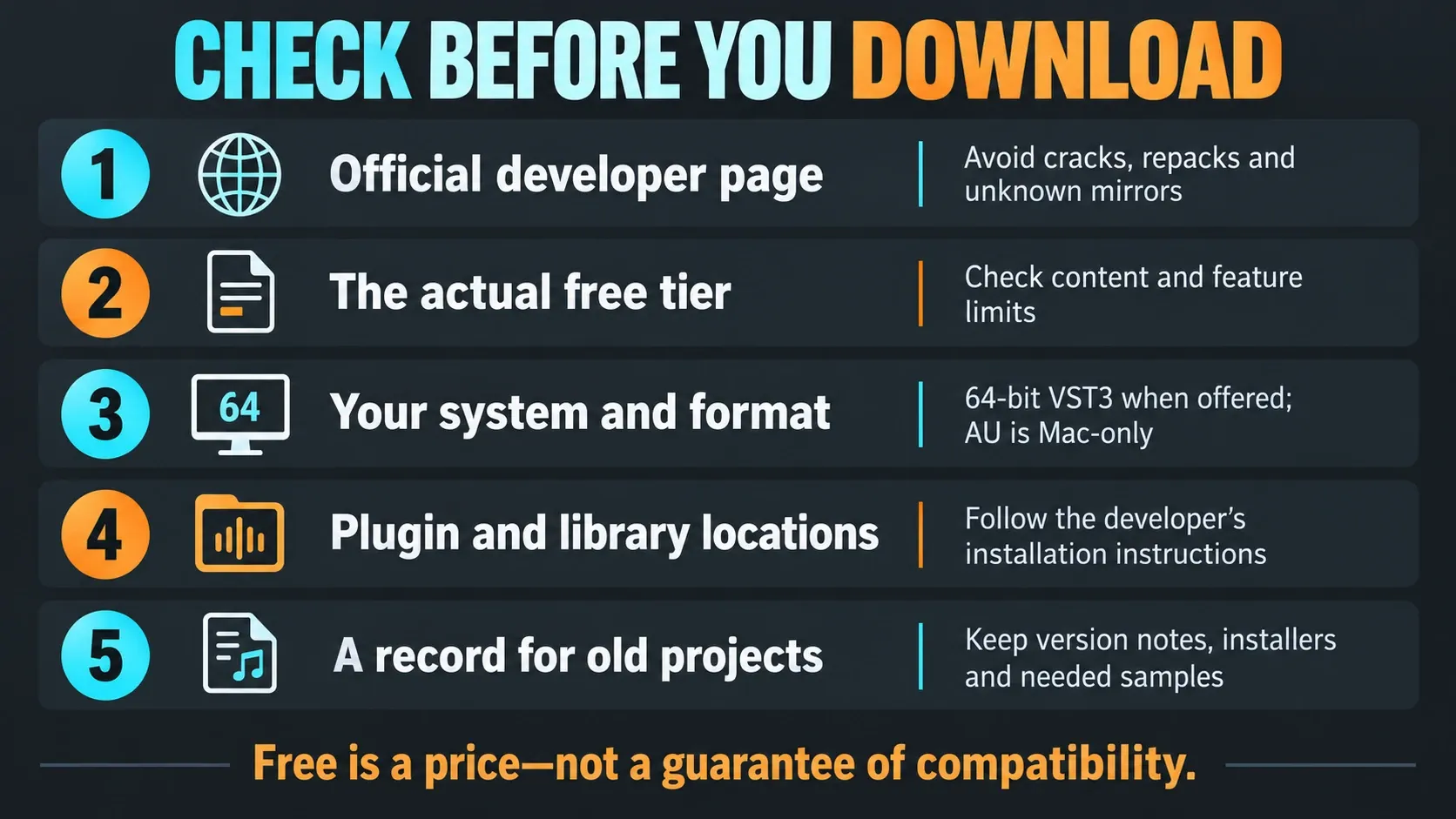
Use the official developer link in each section. Stay away from “all plugins free” ZIPs, repacked installers and loose DLL mirrors. An unofficial download may be outdated or tampered with, and it may come without release notes or update instructions. A plugin can be free and still not be safe to get from a stranger.
- Confirm the page still says Free, Free Edition, Basic or freeware today.
- Read the free-tier limits, because bundled content, expansions, export tools or advanced controls may cost extra.
- Choose a compatible 64-bit VST3 when offered. Use another supported format when the vendor or an existing project requires it; Windows and Mac still need separate builds.
- On macOS, prefer the vendor’s Apple Silicon-compatible installer when available; AU is Mac-only.
- Keep installers and version notes for projects you may need to reopen years from now.
Time-limited giveaways are left out of this list. Keep an installer and version record even for freeware, because a zero price doesn’t mean an old build, operating-system version or sample library will stay available forever.
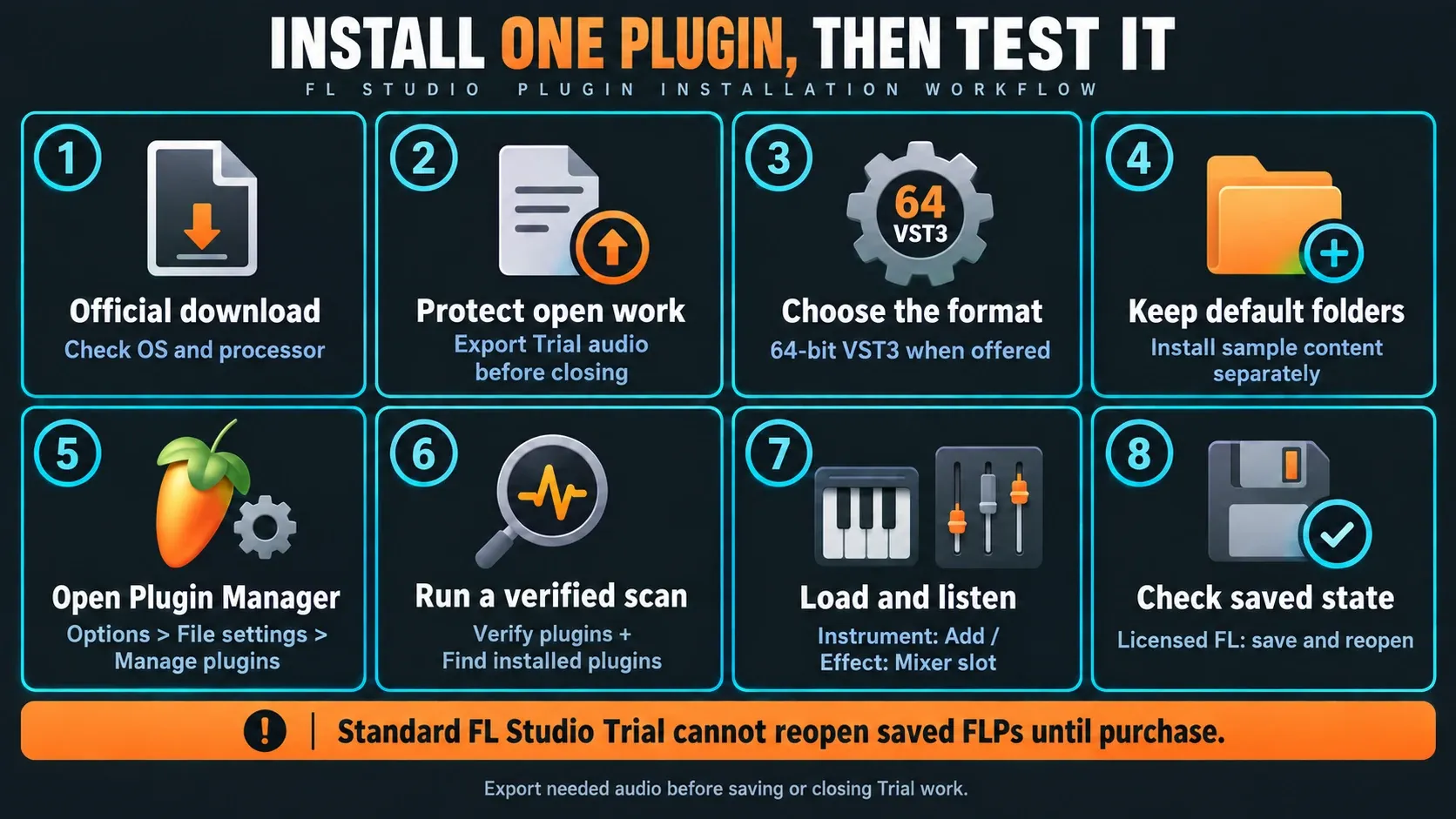
Using FL Studio Trial? The standard trial can save and export but cannot reopen saved projects until purchase. A free third-party plugin doesn’t lift that restriction. Export needed audio before saving or closing; the saved-state test below is meant for a properly licensed setup.
Install a free VST3 in FL Studio
- Get the current download from the developer and check your operating system and processor. Follow its manual-install instructions if there is no installer.
- Close FL Studio before an installer adds or replaces plugin files. In the standard FL Studio Trial, export any needed audio before leaving the session.
- Choose a compatible 64-bit VST3 where offered. AU is Mac-only; preserve other formats when existing projects need them.
- Keep the standard plugin folder. Put separate sample content where the vendor recommends, never inside the FL Studio application folder.
- Open FL Studio and choose
Options > File settings > Manage plugins. - Enable Verify plugins, click Find installed plugins and let scanning finish. Use the relevant rescan option after an update or a corrected error.
- Load an instrument through
Add > More pluginsor an effect through a Mixer slot, then test it with notes or audio. Plugin favorites and Browser starring are two different features. - In licensed FL Studio, save and reopen a small test project with plugins licensed for recall. In the standard Trial, export useful audio before saving or closing; saved FLPs cannot reopen until purchase.
This follows Image-Line’s external-plugin installation instructions. For folder paths and detailed scanning options, use the plugin installation guide. Reinstalling FL Studio shouldn’t be your first move when one plugin is missing.
If the plugin does not appear after scanning
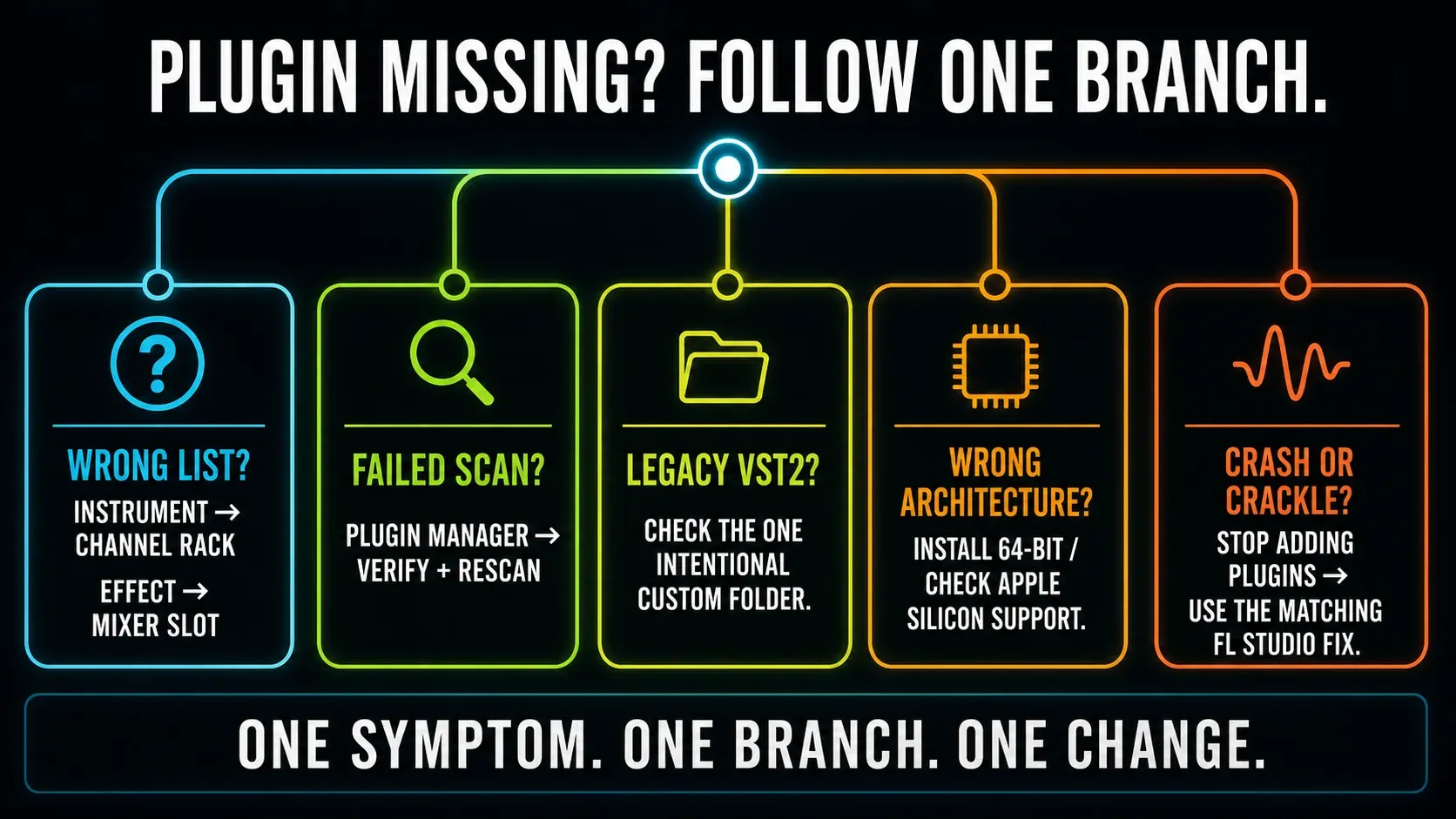
First make sure you’re not looking for an instrument in a Mixer effect list, or for an effect in the Channel Rack generator list. Then reopen Plugin Manager, check the format and architecture the vendor lists, and rescan with Verify plugins. Only add a custom VST2 search folder if you deliberately installed a legacy VST2 there, because random folders make cleanup harder later.
On an Apple Silicon Mac, go for a native build when one exists. Current FL Studio can bridge Intel VST plugins in native mode, and macOS handles Intel AU, so switching everything to Rosetta isn’t the answer. Follow the vendor’s compatibility notes and rescan after changing FL’s runtime mode. If an installed plugin still won’t show up, use the missing-plugin checklist. For audible breakup, use the crackling diagnosis; for an FLP that won’t load, use project recovery.
Build the rack around the next song
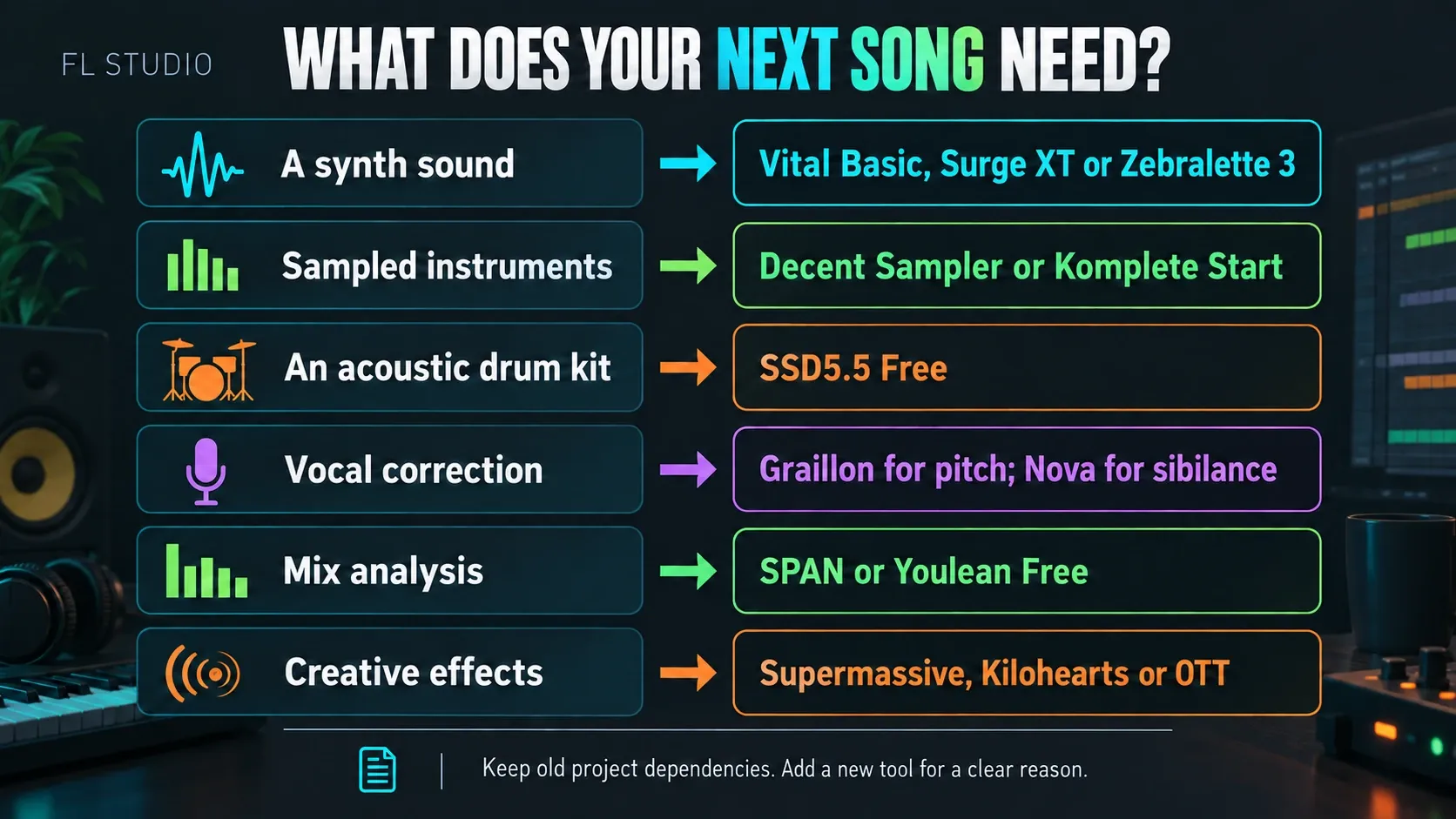
| What the next song needs | Install first | Add only if the gap remains |
|---|---|---|
| Electronic basses, leads and pads | Vital Basic | Surge XT for depth or Zebralette 3 for focused spectral work |
| Organic keys, textures and instruments | Decent Sampler | Komplete Start when you want the managed collection |
| Acoustic drums | SSD5.5 Free | Nothing until one kit genuinely limits the arrangement |
| Vocals | Graillon for pitch, Nova for sibilance—only as needed | Supermassive on a wet send when space helps |
| Mix analysis | SPAN for a spectrum-led view | Youlean Free if a dedicated loudness timeline helps |
| Creative effects | Supermassive | Kilohearts Essentials or OTT for a specific missing sound |
Keep a tool when you can name its job and hear why you picked it. Don’t uninstall a duplicate blindly, because old projects may still rely on it. Hold on to the relevant installers, presets and samples, and export important audio. A small rack with notes is easier to look after than an unexplained pile of plugins.
Frequently asked questions
What are the best free plugins for FL Studio beginners?
Pick by need: Vital Basic for synthesis, Decent Sampler for sample libraries, TDR Nova for dynamic EQ and Supermassive for delay/reverb. SPAN and Youlean Free are metering options whose loudness features overlap. You don’t need all six before you start making music.
Are free VST plugins safe to use in FL Studio?
They can be safe when you download them from the developer’s or vendor’s current page. Avoid repacked bundles, cracked installers and loose DLL mirrors. Check the format, operating system, free-tier limits and release notes before installing.
Should I download VST2, VST3 or AU for FL Studio?
Use a compatible 64-bit VST3 when one is offered, especially if you share projects between Windows and Mac. AU is Mac-only. FL Studio also supports CLAP and VST2, depending on your version and system. Keep the format an existing project uses, because installing VST3 doesn’t automatically replace every older instance.
How do I add a free plugin to FL Studio?
Follow the developer’s installer or manual-install instructions, then open Options > File settings > Manage plugins. Enable Verify plugins and click Find installed plugins. Load an instrument through Add > More plugins or an effect through a Mixer slot, then test with notes or audio.
Why is my free plugin not showing in FL Studio?
Check the instrument/effect category, operating-system build, plugin format and search path, then run a verified scan. On Apple Silicon, check native compatibility separately from 64-bit support; Intel VST bridging or a documented Rosetta workflow may be relevant. A missing sample library is a different issue from a missing plugin.
Do I need free plugins if FL Studio already has stock plugins?
Not for every job. Add a third-party plugin when it gives you a sound, function or way of working you don’t already have. Native FL plugins still depend on the recipient’s edition or a separate plugin license, and any external samples have to travel with the project. Installed doesn’t always mean licensed.
What is the best free autotune plugin for FL Studio?
In this list, Graillon 3 Free is the automatic pitch-correction pick for desktop FL Studio on Windows or macOS. Choose the allowed notes and adjust Smooth for the transition speed you want. It’s a separate product from Antares Auto-Tune, and the Full-only features still cost money.
Can I use free plugins in commercial music?
Usually, but check the license for the plugin and for every separate sample library. A free player doesn’t automatically give you commercial rights to third-party samples, presets or redistributable content you load into it.