FL Studio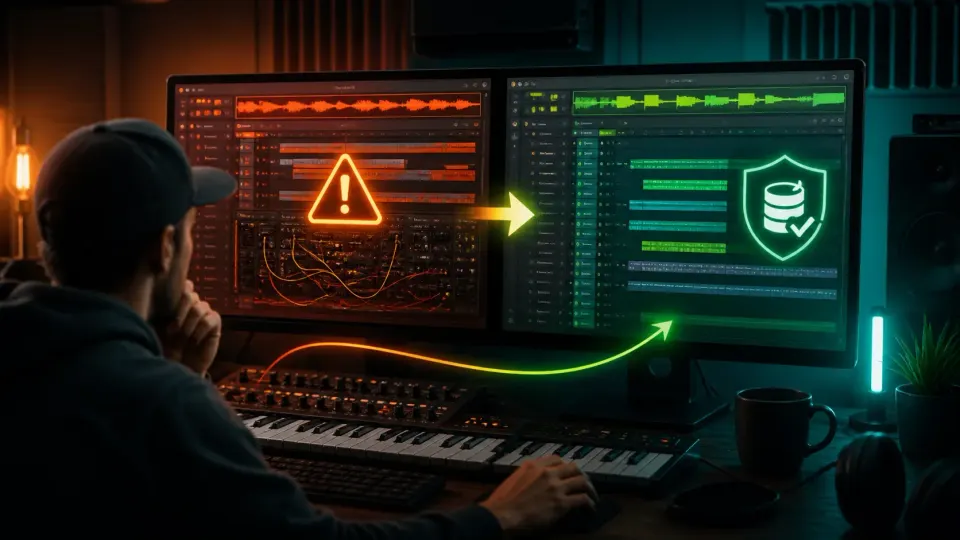
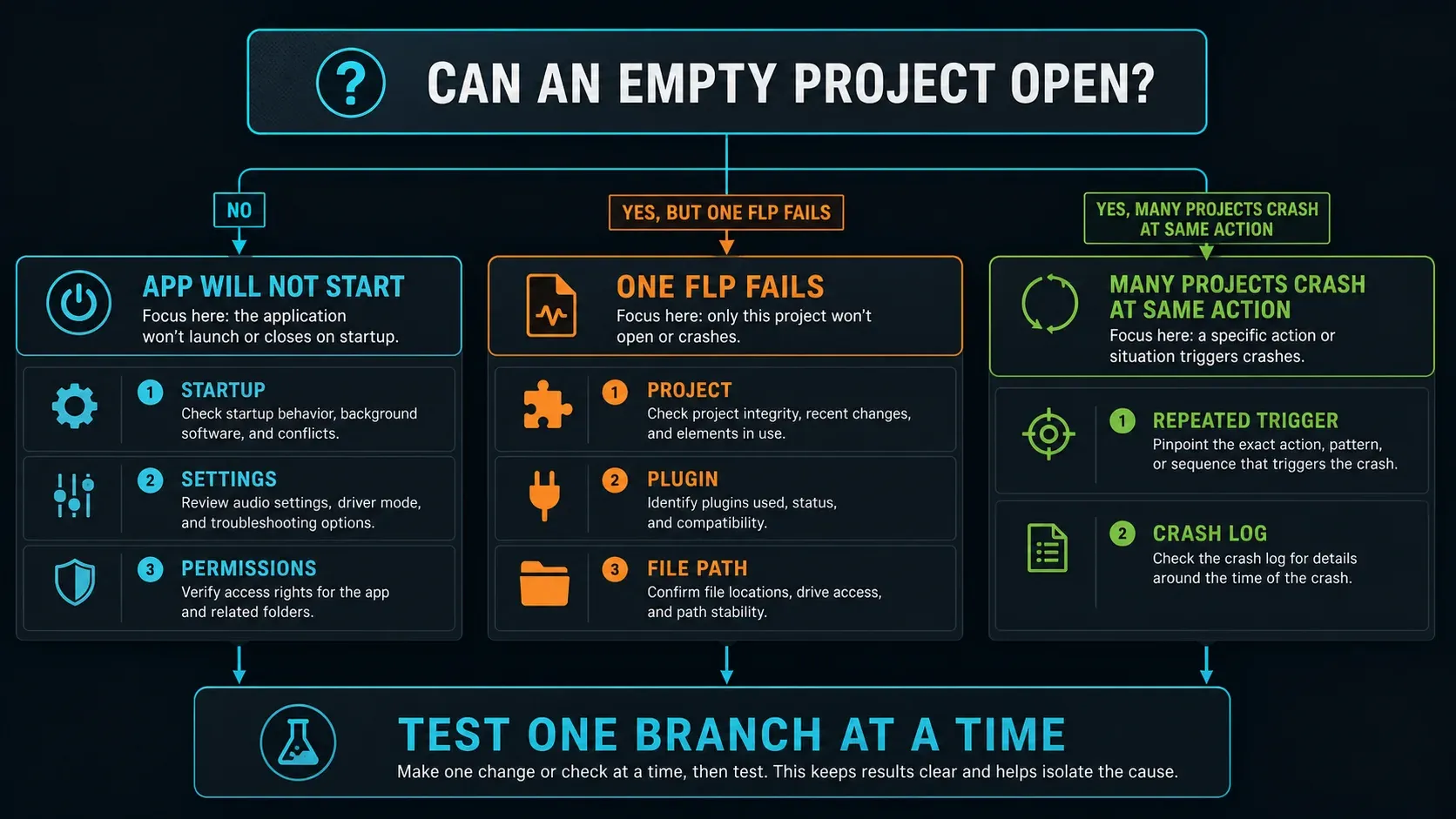
When FL Studio keeps crashing, the most useful first test is a simple one: can it open an empty project? If the app won’t even launch, troubleshoot the installation, settings and permissions. If an empty project works but one FLP freezes or closes FL Studio, protect that file and treat the project, its plugins and the content it points to as the problem.
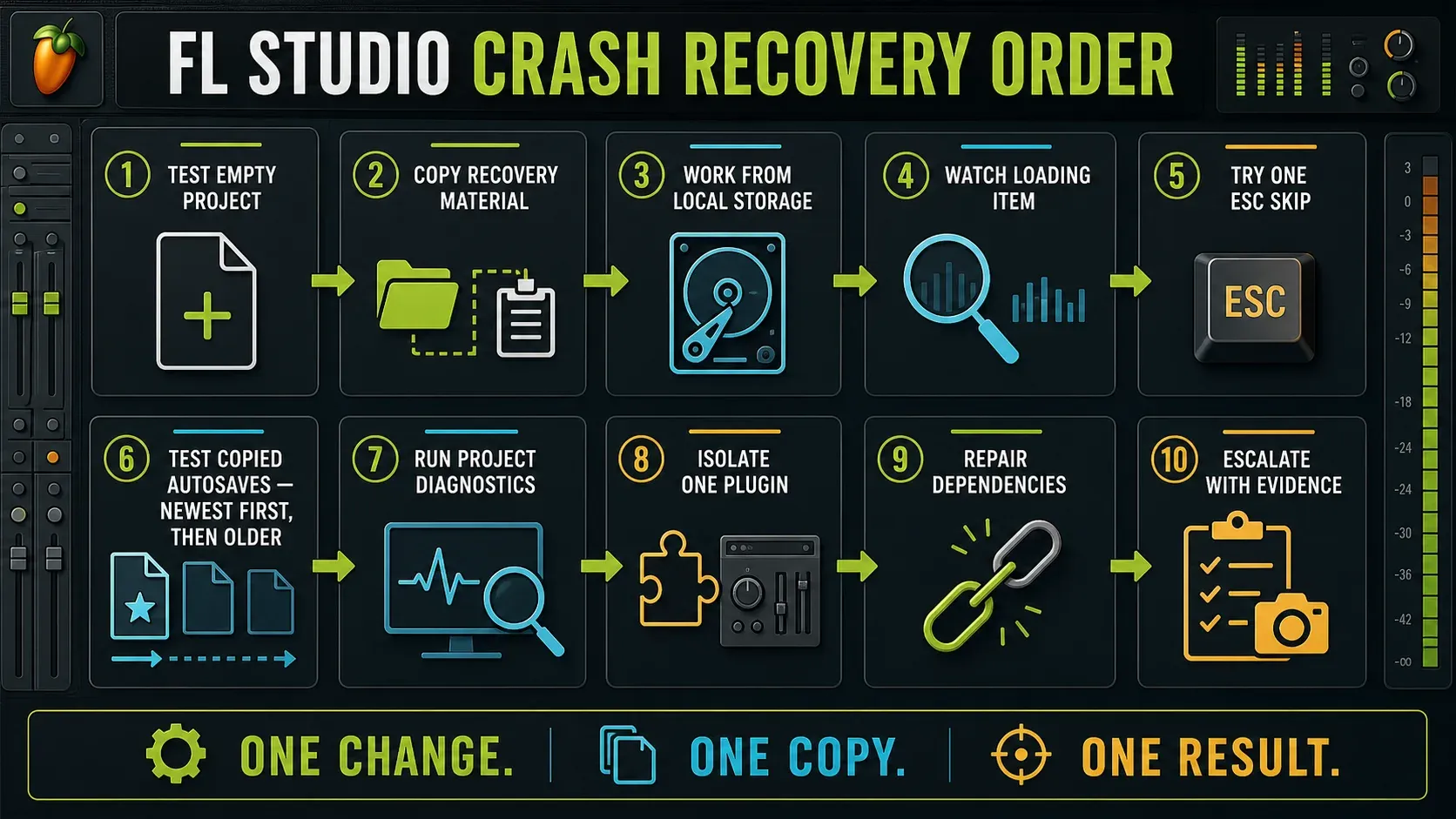
Don’t reinstall everything or delete your Image-Line folder before you’ve made a safe copy. The shortest safe recovery order goes like this: copy the FLP and any promising backups, check whether an empty project opens, note the last item shown while loading, press Esc once if that item keeps stopping the load, then run Diagnostics on a copy in a licensed installation. A project stuck on one plugin often just needs one loading item skipped, or a recovered copy with the bad plugin removed. The order matters, because a broad “fix” can wipe out the evidence, including the only working autosave you have left.
Still have unsaved work open in Trial? Save the FLP and export any audio you need while the session still responds, before opening another project or restarting. Trial can save your project but cannot reopen work it saved, and Diagnostics isn’t available. None of the recovery steps below get around that license limit.
First, separate the three kinds of FL Studio crash
Open FL Studio from its normal app icon without double-clicking the troubled project. Use File > New from template to pick a minimal empty template. A custom default template can load its own plugins, so it doesn’t always give you a clean test.
| What happens | Most likely scope | Best first move |
|---|---|---|
| FL Studio never opens or closes before an empty project appears | App startup, settings, permissions, driver or installation | Use the startup ladder below |
| Empty projects work, but one FLP hangs or crashes | Project state, plugin, sample, file path or corrupt header | Copy the FLP and backups, then watch the load |
| Several projects crash during the same action | Plugin format, device driver, cloud path, disk/RAM or current FL Studio build | Record the repeated trigger and check the crash log |
A slow project isn’t necessarily a crashed one. If the interface still responds and the FL CPU meter is high, use the FL Studio high CPU guide. If the project stays open but the audio clicks or drops out, use the crackling diagnostic. The troubleshooting hub separates these problems from missing devices and silent playback.
Protect the original before trying a fix
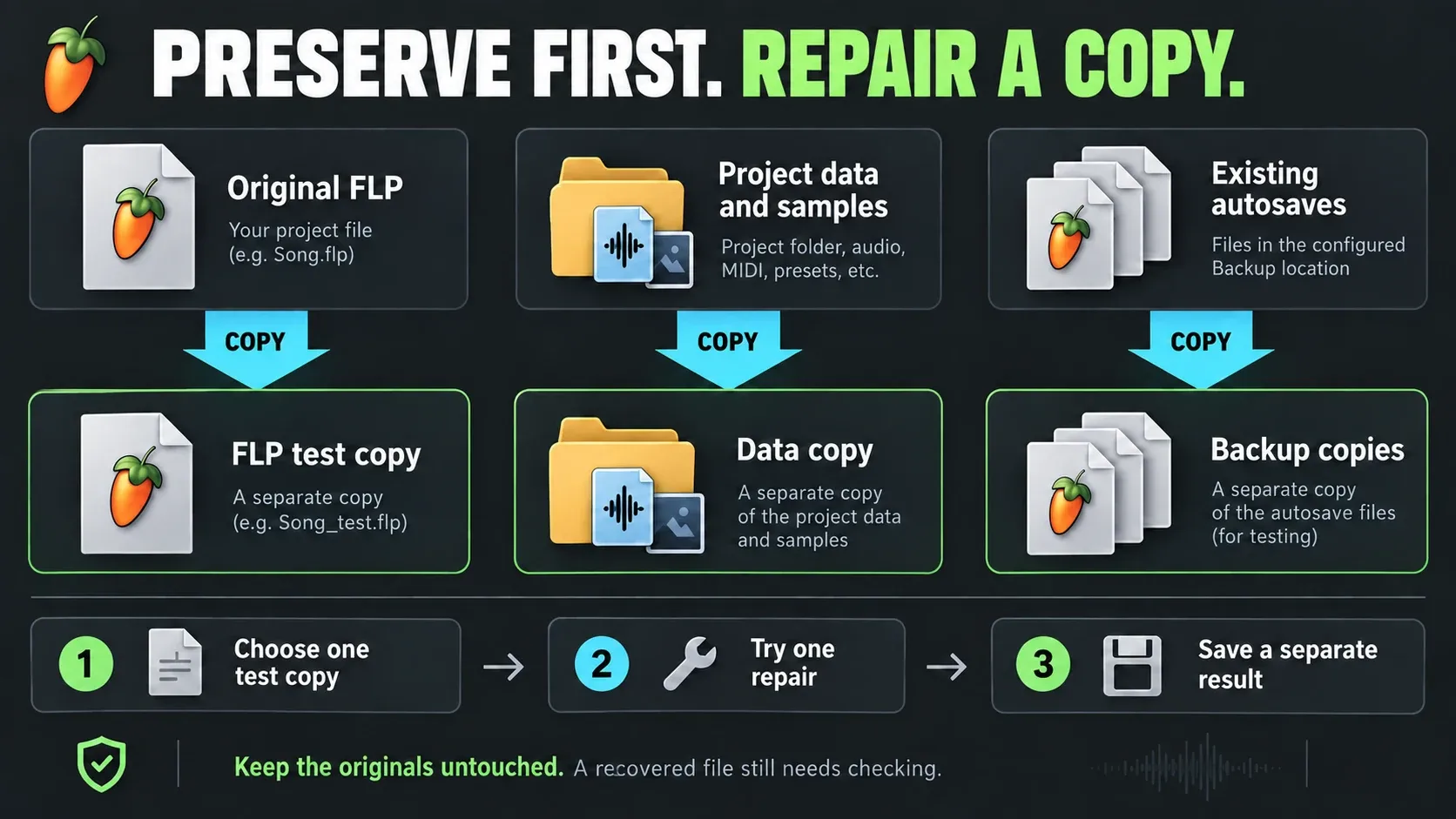
Close FL Studio and duplicate the affected FLP in Finder or File Explorer. Name the copy with the date and recovery test. If the project lives in OneDrive, iCloud, Dropbox, a network share or a removable drive, copy the FLP and its project data folder to an ordinary local folder before opening it.
Do the same with any promising autosaves. Image-Line’s backup recovery instructions say to copy backup files somewhere new first so they don’t get overwritten while you test them. Keep the original project, the copied backups and every - recovered result as separate files.
- Never repair the only copy.
- Never try ten unrelated fixes between load attempts.
- Write down which copy opened, which plugin you removed and what changed.
Keep a short recovery note next to the copies. Knowing that a file only opened after one plugin was removed is worth more than a folder full of unnamed “fixed” projects.
If FL Studio itself will not start
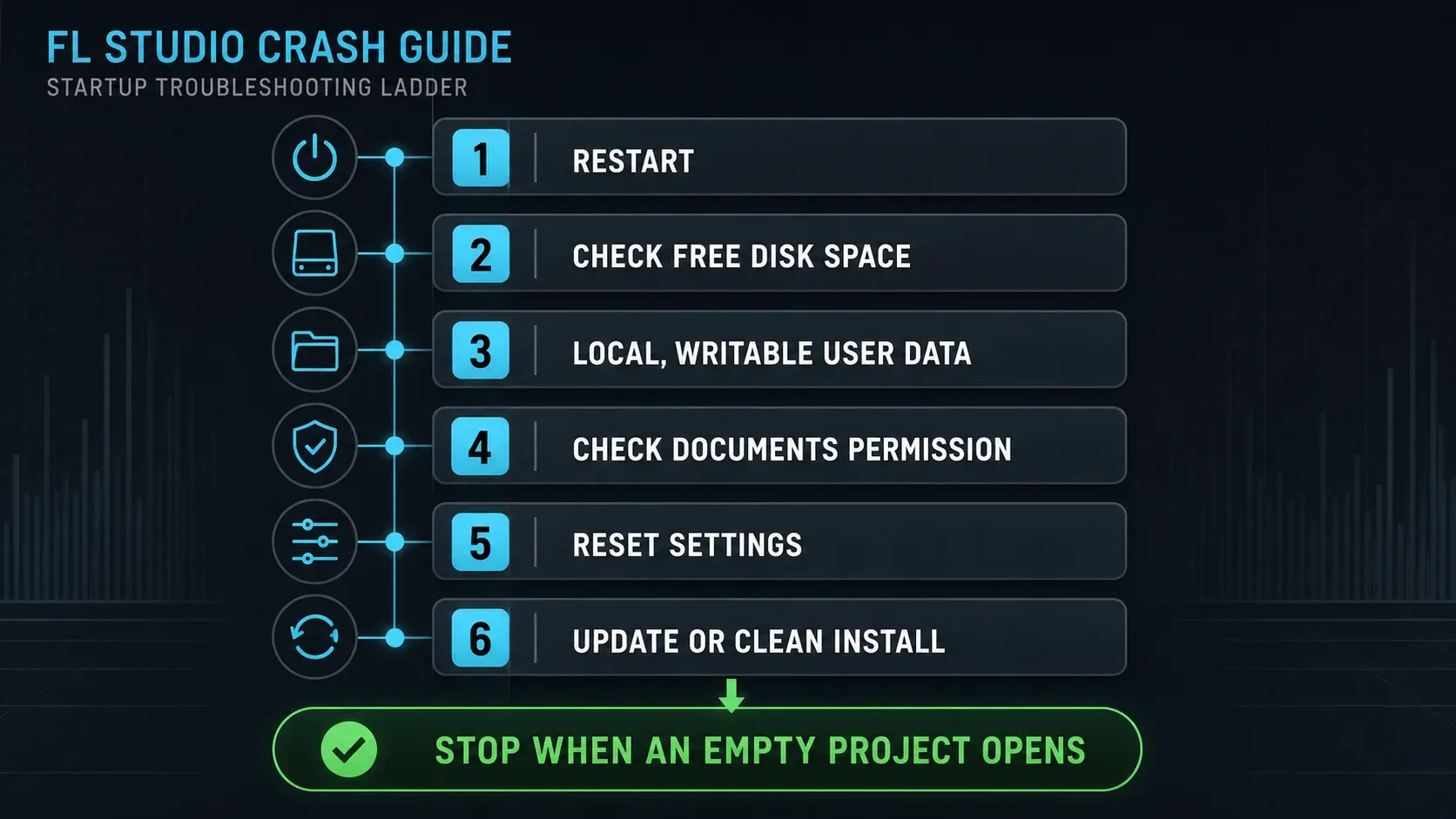
If the app can’t get as far as an empty project, leave the affected FLP alone for now. Start with the reversible checks in Image-Line’s startup troubleshooting instructions:
- Restart the computer and try the regular FL Studio icon again.
- Check that the system drive has free space; Image-Line uses 4 GB as its minimum for crash triage.
- Make sure the User data folder is local and writable, and not inside Program Files, OneDrive or iCloud.
- On macOS, check that FL Studio has access to the Documents folder.
- Before you reset settings, back up your files and note your custom Audio, MIDI, General and File settings so you can put them back.
- Only update or do a clean install once the earlier steps have failed.
An interface with both USB and Thunderbolt drivers installed can run into a driver conflict. Close FL Studio, disconnect the interface and try starting without it; don’t unplug storage while a project is using it. If the evidence points to a driver, follow that manufacturer’s removal or update instructions, then restore the audio setup. Use the installation guide for updates and clean installs instead of deleting application folders by hand.
Don’t paste late-stage macOS or Windows deletion commands from an old forum post into the start of your diagnosis. Image-Line’s startup page does include OS-specific cleanup steps, but they come after the basic checks and need exact folder identification.
Open Diagnostics when FL Studio cannot launch
In a licensed installation, Image-Line documents a standalone Diagnostics route. On Windows, find the FL Studio installation folder, then open System\Tools\Diagnostics\fldiagnostic.exe. On macOS, right-click FL Studio in Applications, choose Show Package Contents, then open Contents/Resources/FL/System/Tools/Diagnostics/fldiagnostic.app.
For a startup-settings problem, choose Reset FL Studio settings with FL Studio closed. It resets your custom configuration and doesn’t repair projects. If your problem started on macOS Tahoe and you use Waves SoundGrid, check the specific driver warning in Image-Line’s startup instructions before trying unrelated cleanup steps.
If one project hangs, watch the last loading item
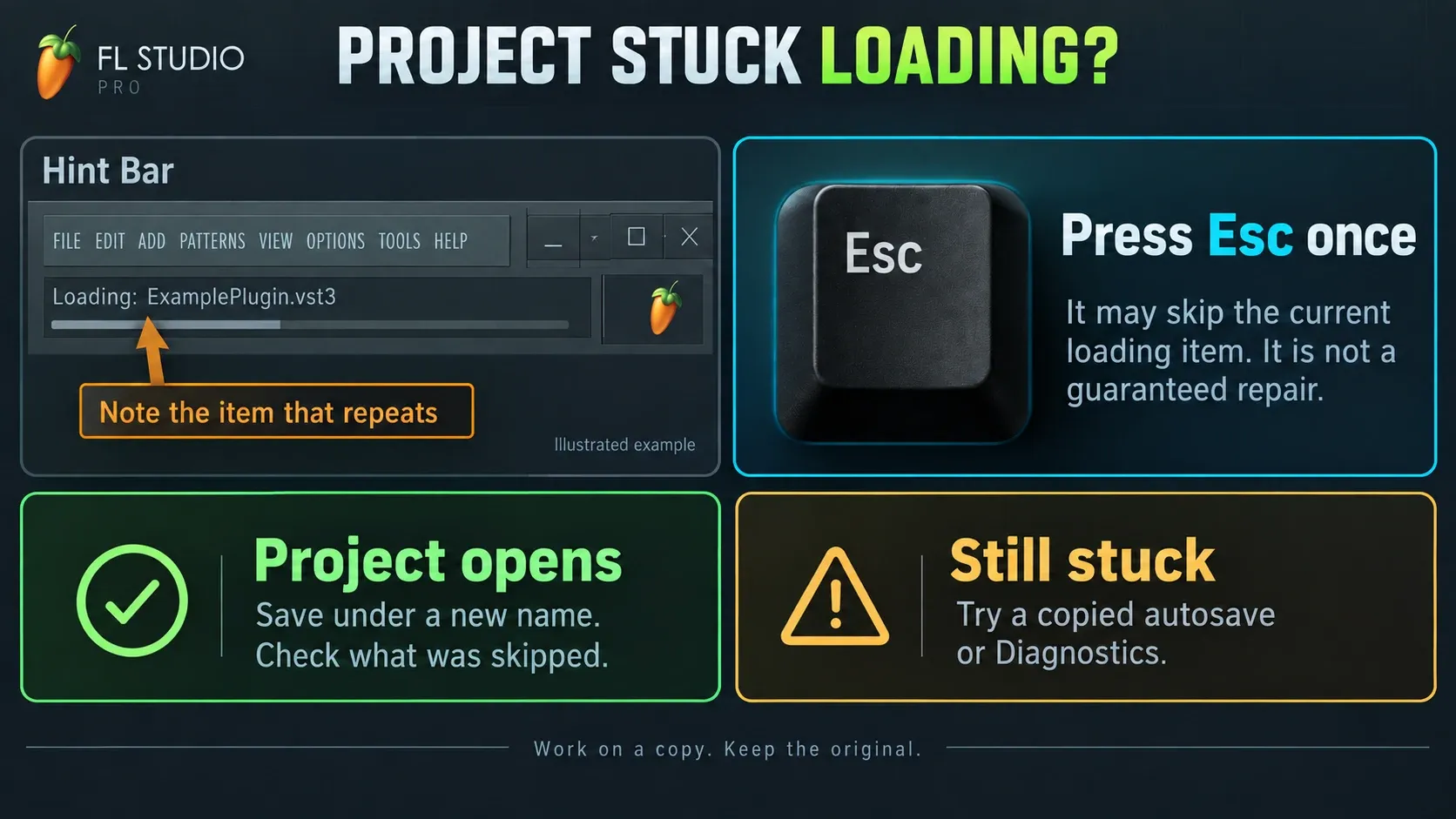
Open FL Studio first, then use File > Open for the copied FLP. Watch the Hint Bar while the project loads. If it always stops on the same plugin or sample, write down the exact name and format before you touch anything.
Image-Line’s corrupt FLP recovery procedure recommends pressing Esc once when loading freezes on an item. That may skip the plugin or sample and let the rest of the project open. Treat it as a clue and not a promise: save the opened result under a new name and check what got skipped.
If the Hint Bar is creeping through a large sample library, wait before you force-quit. If it stops at the same name every time, that repeatable stopping point is what matters. “FL Studio not responding” for a few seconds during a heavy load and a permanent freeze at one plugin are two different things.
Recover the newest working autosave safely
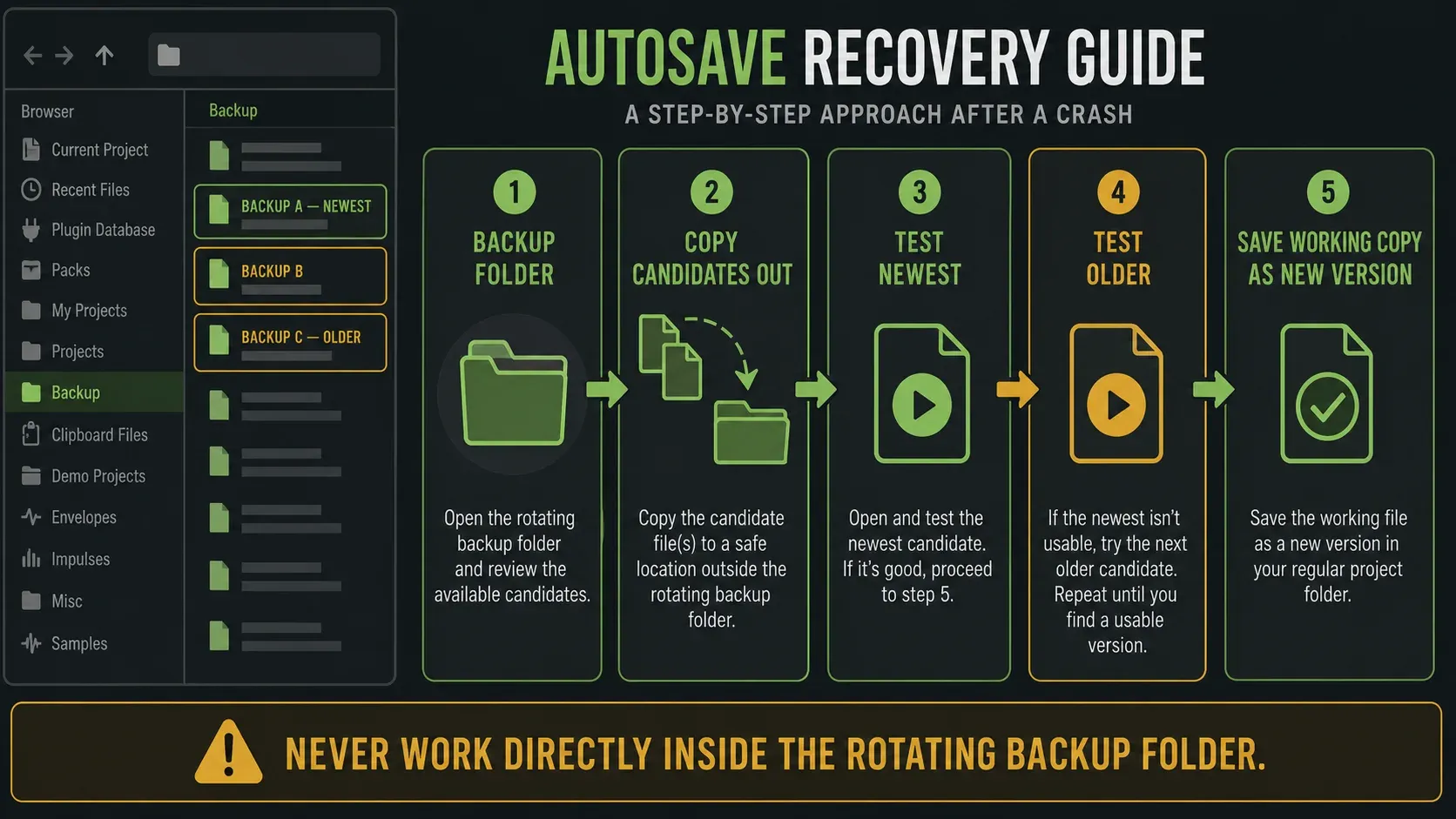
Before repairing the FLP, check Browser > Backup. The File Settings manual describes both global and project-folder backup locations and a maximum number of saves you can set. Don’t assume your installation keeps exactly 20 files. Follow the autosave recovery guide if you need to find the active folder or compare candidates.
Copy the newest candidates out of Backup before opening them. Test from newest to oldest until one loads normally, then save that working state as a new project version in the project folder. Don’t keep working directly inside the rotating Backup folder.
If the newest autosave freezes on the same plugin, try an older copied candidate. Check its date and musical content, because an autosave interval doesn’t tell you how much work survived. If no backup opens, move on to Diagnostics with the copied original.
Repair a corrupt FLP with Help Diagnostics
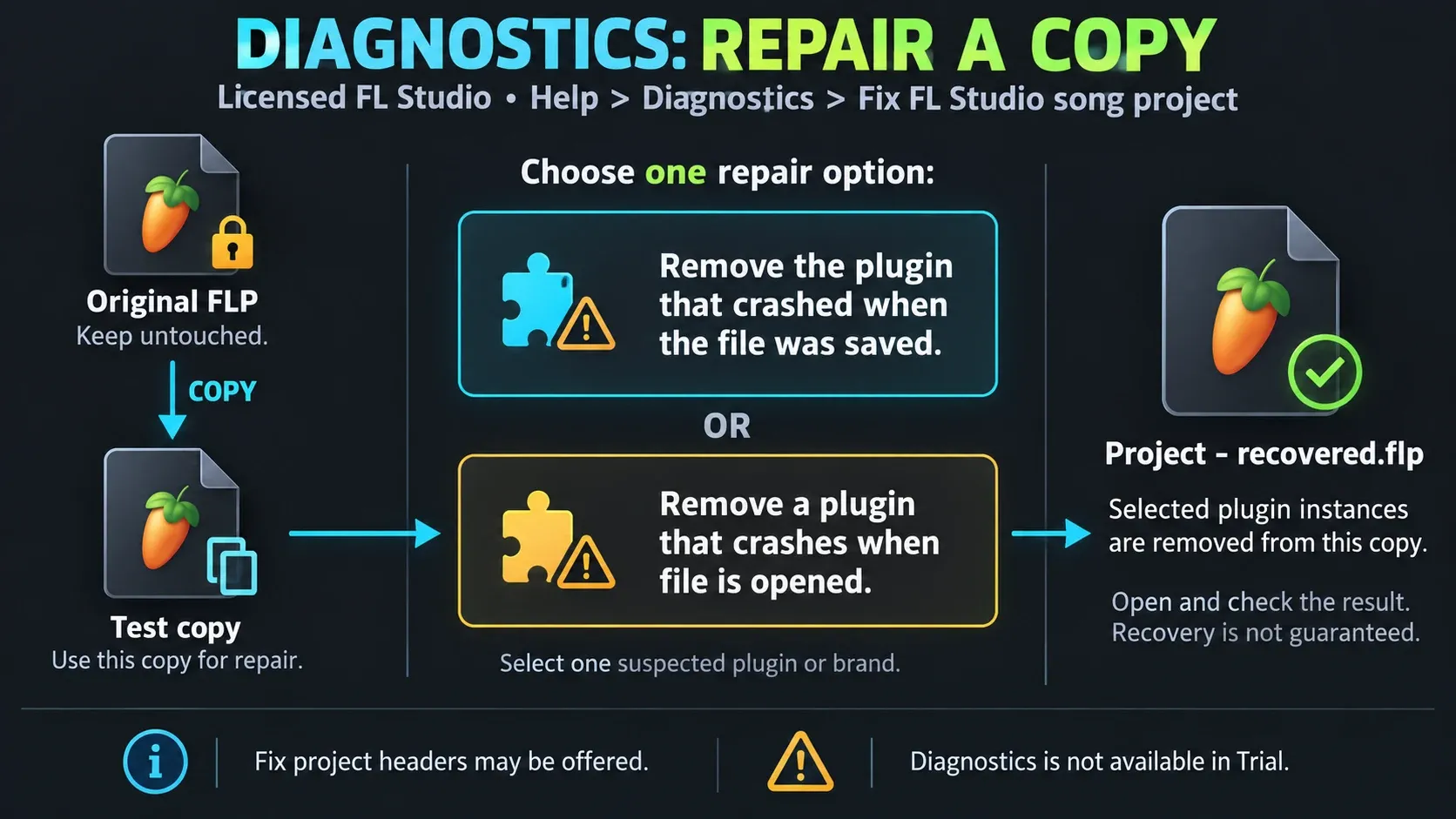
In a licensed FL Studio installation, open Help > Diagnostics and select Fix FL Studio song project. Browse to the copied FLP, never the original. Image-Line gives you two plugin-recovery paths:
- Try Remove the plugin that crashed when the file was saved.
- If nothing is found, select Remove a plugin that crashes when file is opened.
- Pick one suspected plugin or brand for that pass.
- Start the repair and wait for a new file with - recovered added to its name.
- Open the recovered file, and only repeat if the same load failure is still there.
If Diagnostics offers Fix project headers, run it on the copied file. It also creates a recovered result and leaves the source alone.
Diagnostics is not available in FL Studio Trial, and Trial cannot reopen projects saved in Trial. That does not mean the FLP is damaged. Image-Line documents a licensed-collaborator workflow, so “Trial cannot open any project” would be too broad. Keep the saved files; check the edition and plugin-license limits before expecting the recovered project to sound complete.
Isolate the plugin without wrecking the installation
When the project stops on a named third-party plugin, update that plugin and confirm it supports the current operating system, processor architecture and FL Studio version. If the same product exists as VST, VST3, AU or CLAP, the crash log or loading name may identify the format. Record it when available; do not guess from the product name alone.
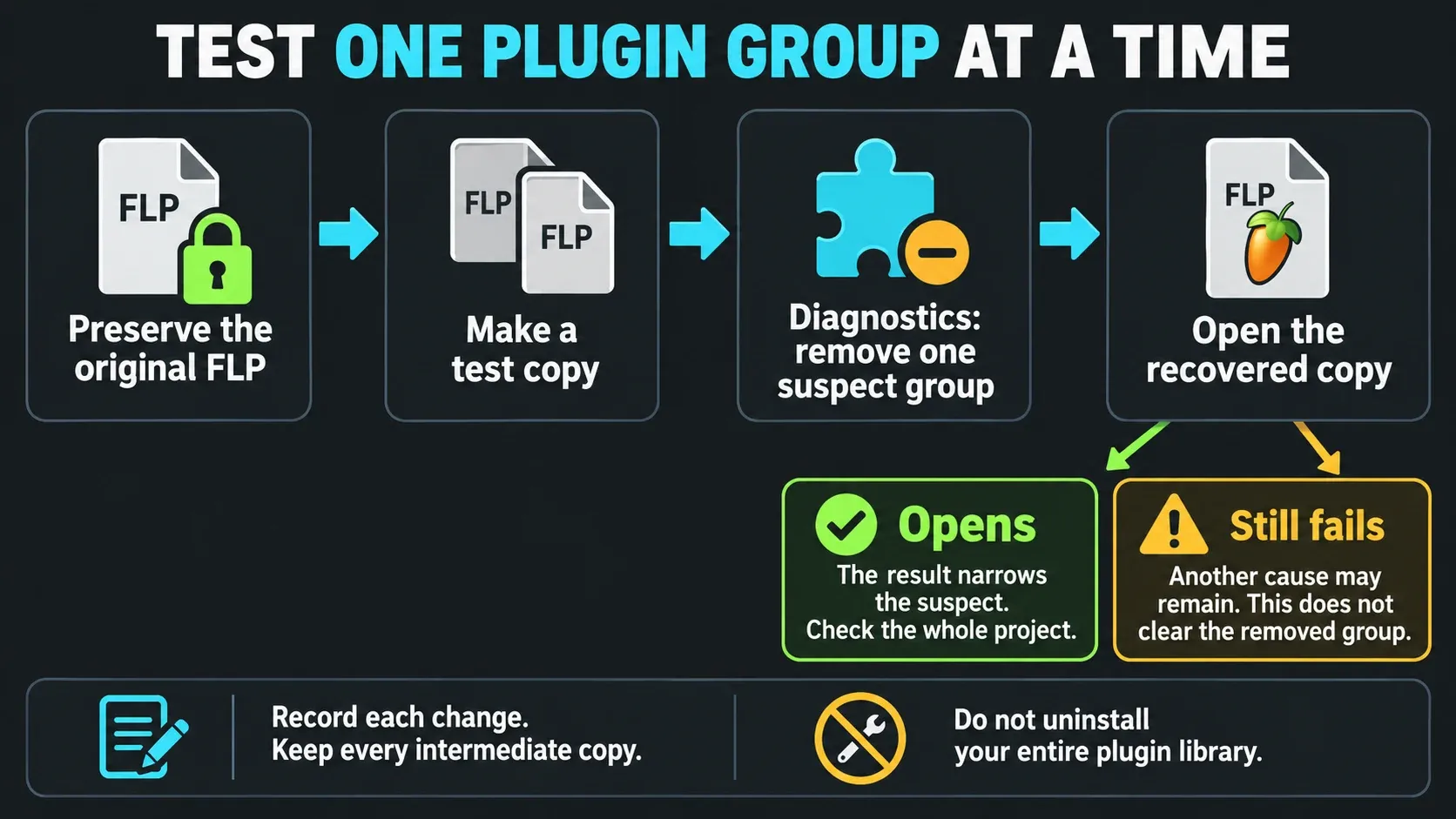
Use Diagnostics to remove one suspected plugin type or brand from a test copy, then open the resulting recovered file. If it opens, that narrows the suspect; it does not prove the plugin is defective in every project. If it still fails, another cause may remain, so that result does not clear the removed group. Keep each intermediate file and note exactly which instances were removed. Restore sounds only after saving another version.
Image-Line’s current crash guide warns that third-party plugins can close FL Studio without appearing in the crash log. A missing plugin name therefore does not clear every plugin. It means you need controlled removal instead of relying on one log for certainty.
Missing samples or plugins do not mean the FLP is corrupt
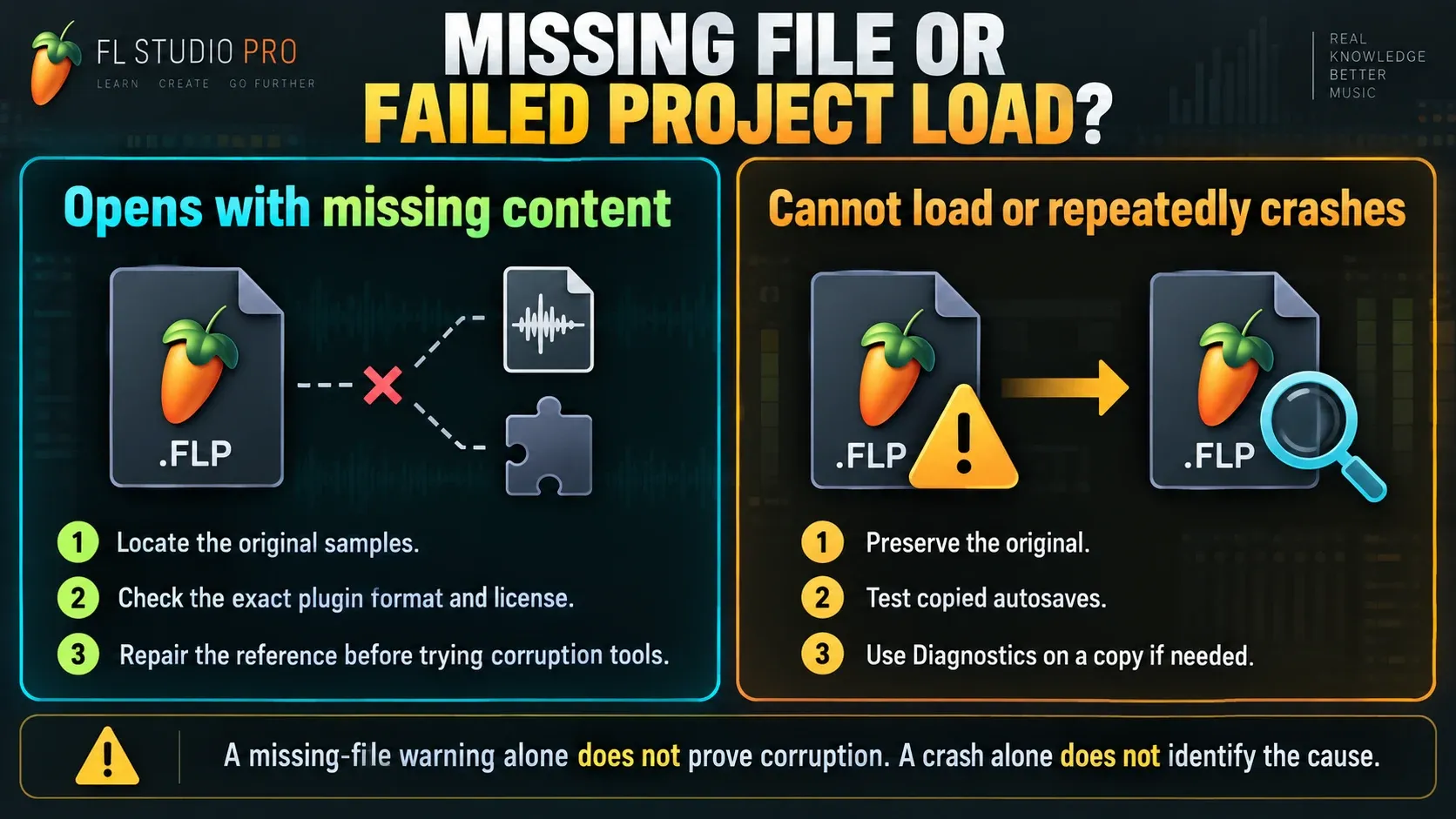
A project that opens with a missing-file message has a dependency problem to investigate before corruption repair. Red channels can mean missing samples; an empty instrument may also reflect a Trial plugin rather than a missing installation. The official missing-files instructions separate audio search folders from plugin discovery. Do not treat a missing-content warning as proof that every other part of the FLP is healthy.
An FLP stores project structure and plugin state, not a complete archive of external audio. Restore the original sample location or add that sample folder under File Settings. For an unavailable instrument or effect, check its exact format, installation and license with the plugin-not-showing guide. Changing a snare path is not a reason to repair the FLP header.
| Symptom | Meaning | Repair branch |
|---|---|---|
| Project opens with missing-file message | Referenced audio path is unavailable | Restore or add the sample folder |
| Plugin channel is missing or empty | Plugin, exact format or required license may be unavailable | Check installation, scan and license before replacing it |
| Project cannot be parsed or always crashes during load | Plugin state or FLP data may be damaged | Backup, Diagnostics and controlled removal |
Check version and plugin format on moved projects
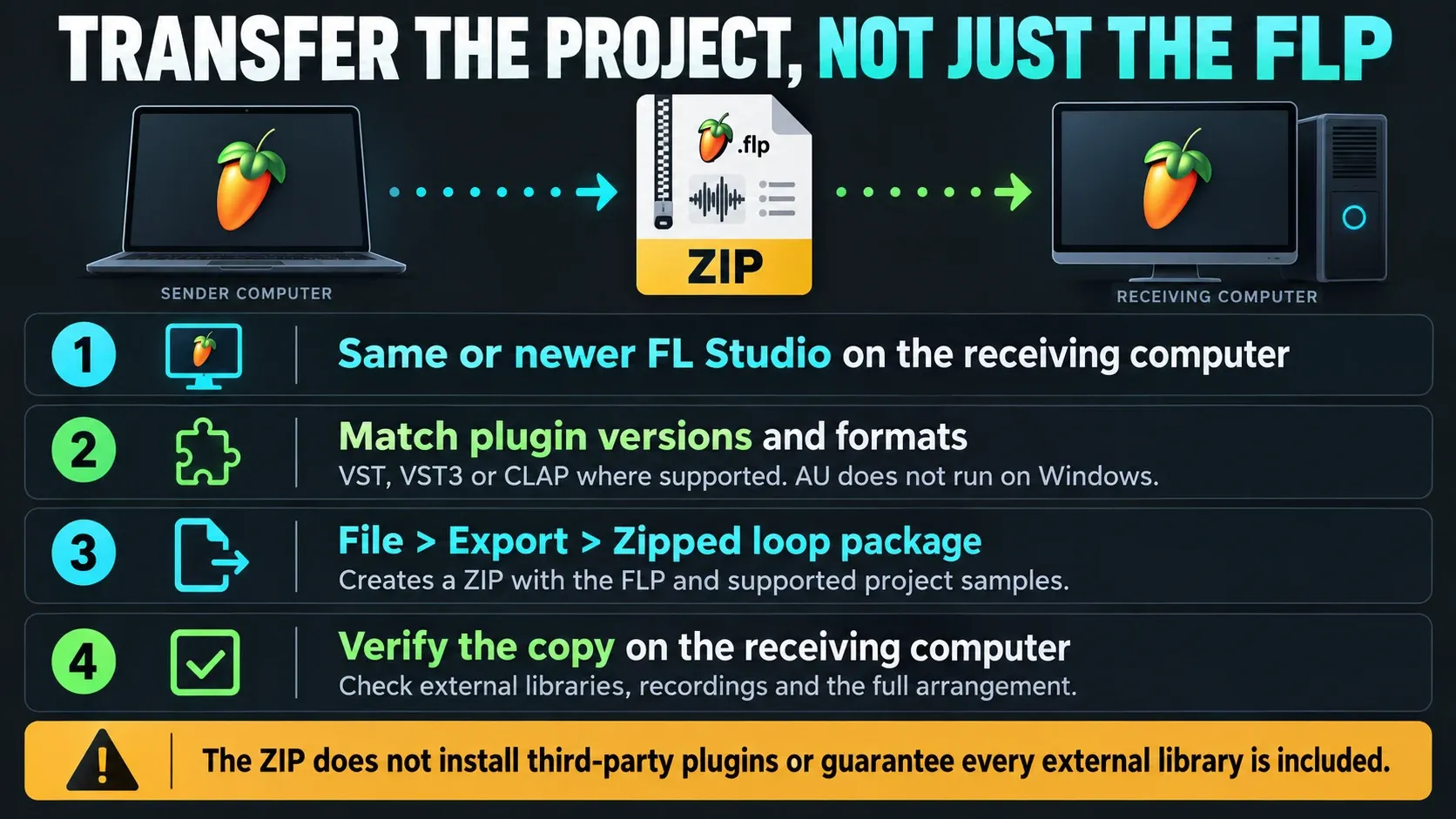
If the project came from another computer, ask which FL Studio version and plugin formats created it. The project-sharing instructions require the same or a newer FL Studio version on the receiving computer. Check Help > About; an old shortcut can launch the wrong installed version. If the sender used a newer beta, try a preserved pre-beta backup rather than expecting the current stable release to open that file.
Windows and macOS projects can transfer, but the plugin versions and formats still need to match. VST, VST3 and CLAP are cross-platform choices only when the vendor supports both systems. AU is macOS-only. For an Intel-only plugin on an Apple Silicon Mac, follow the native-versus-Rosetta checks and test a copy; changing host mode is not a universal repair.
Ask the sender to export a Zipped loop package through File > Export. The project-format documentation limits normal sample collection to Sampler Channels and Audio Clips, so third-party sampler libraries may stay external. The ZIP doesn’t install plugins either: match them separately or ask for rendered audio, and check the arrangement you receive.
Move live projects out of cloud-synced folders
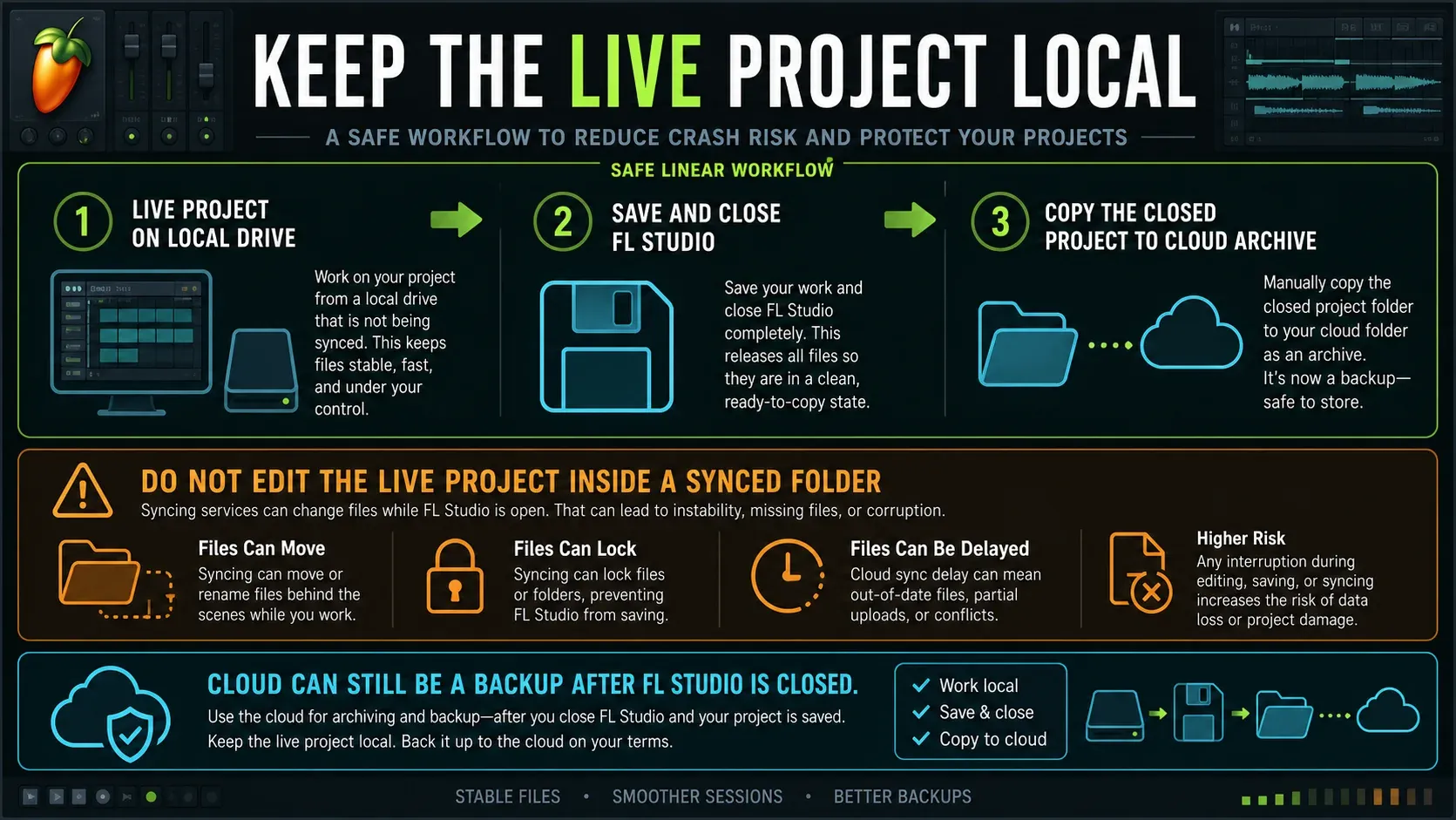
iCloud, OneDrive, Dropbox and Google Drive can lock, move or delay a file while FL Studio is reading or writing it. Image-Line’s cloud storage warning links that behavior to crashes, missing recordings and “unable to open file” errors.
Make sure the actual files have downloaded before you pause sync. Apple explains how to download iCloud-only items, and a visible filename doesn’t prove the data is already on your machine. Copy (don’t move or delete) the FLP, recordings and project data to a writable folder outside live sync, and open that copy. On macOS, check Documents access; on Windows, check redirected Documents and any Controlled Folder Access block.
You don’t have to give up off-site backup. Keep the live User data and project files local, then copy them to a cloud-backed archive when FL Studio isn’t using them. A backup system should make another copy, not fight FL Studio over the same working file during a save.
This warning is about third-party background sync, not FL Studio’s own save-triggered cloud backup. The FL Cloud project-backup workflow explains that separate option. If a move leaves a broken data-folder path, follow the project-folder recovery steps without deleting the old files.
If several projects crash, capture the repeated trigger
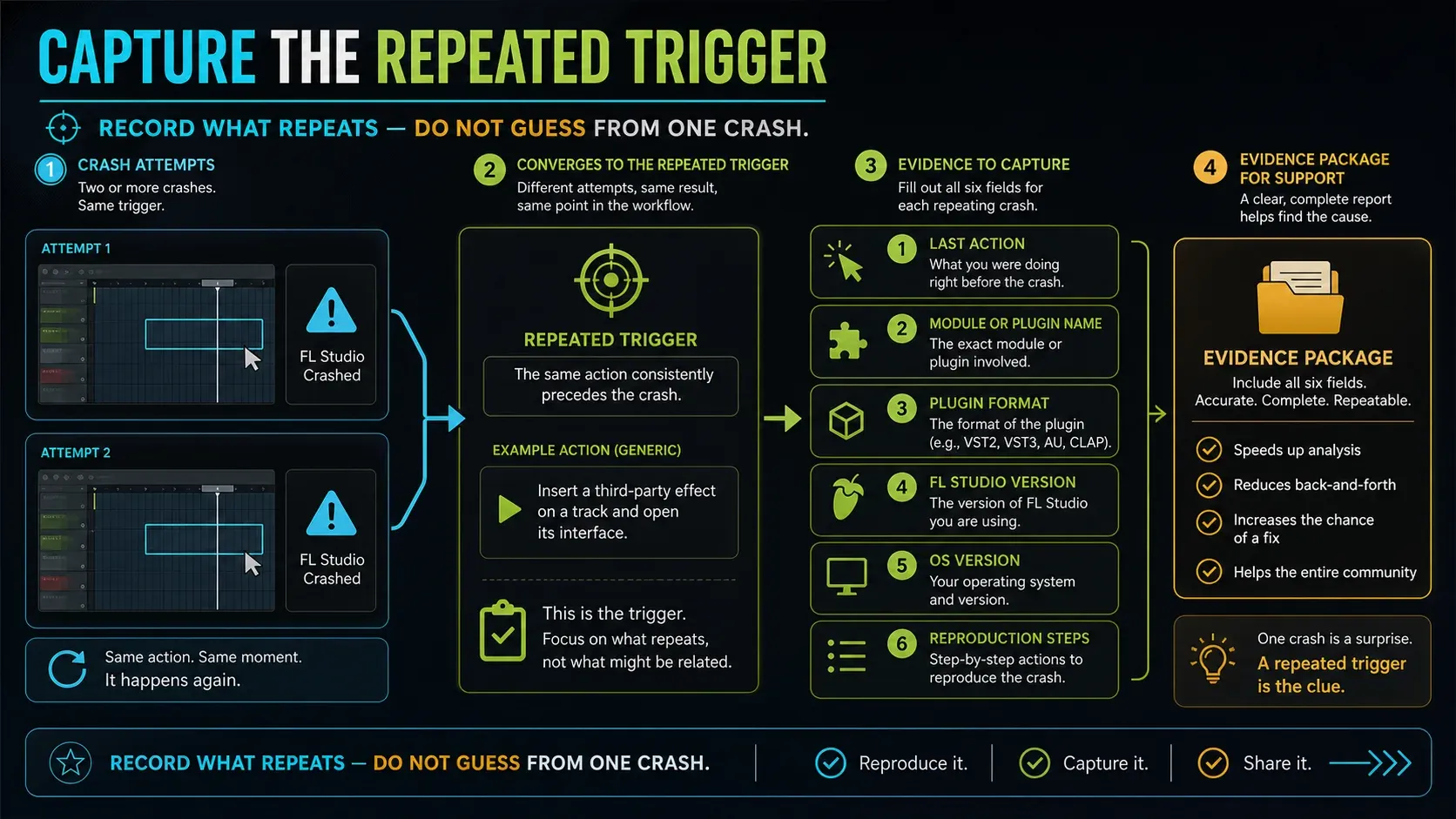
Crashes that seem random get easier to diagnose once you note what you did right before them: opening a plugin, starting playback, saving, exporting or connecting a device. Check the crash report for a plugin name and format such as VST3, AU or CLAP. Keep the exact FL Studio and operating system versions with the note.
For a repeatable crash tied to a plugin, try an updated supported build or another supported format in a separate test project. Don’t assume VST, VST3 and AU instances swap presets, automation or saved state automatically. For crashes during save or open, check storage and permissions. For a failure triggered by a device, close FL Studio before changing connections, check vendor drivers, then use the MIDI connection checks if the device is no longer detected.
If the repeatable problem is sound breaking up and the app stays open, go back to audio settings or CPU diagnosis. “Not responding,” a real crash and a buffer underrun each leave different evidence.
Only export crashes? In a duplicate project, remove one suspected plugin group, repeat the same export and note the result. A crash report without plugin names doesn’t rule plugins out. If removing a group helps, update or report that plugin and keep the original session. Don’t let the stripped-down diagnostic render turn into your final mix by accident.
If the crash doesn’t go away, send support the exact FL Studio and OS versions, plugin names and formats, your last action and the steps to reproduce it. In Diagnostics, use Save report and attach the report to a private support ticket. Only share a project when you need to and when you have permission to share its samples and recordings.
Do not delete these while you are diagnosing
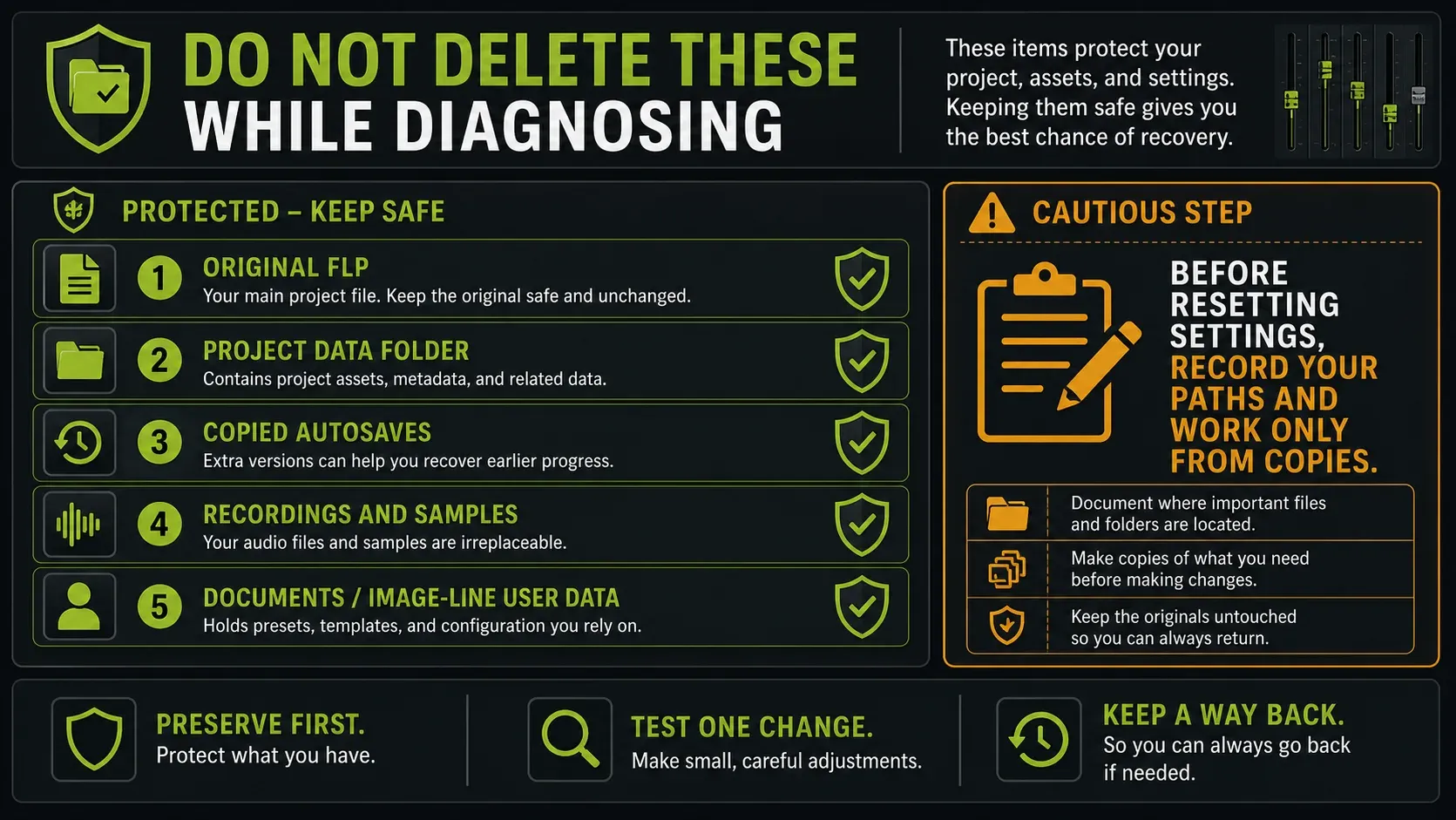
Keep the original FLP, the whole project data folder, copied autosaves, recorded audio and the Documents/Image-Line User data folder. Also note your plugin search paths before you reset settings or reinstall.
The macOS startup checklist separates the preferences folder in the user Library from the Image-Line folder in Documents, and the two aren’t interchangeable. Deleting the Documents folder can remove projects, recordings, presets and backups, which is exactly the material you’re trying to save.
A tidier desktop doesn’t mean the project is repaired. Broad cache cleaners, registry tools, pirated plugin “fixes” and mass plugin removal just add new variables. Use the official reset or clean-install route only after the project and backups are protected.
Use this FL Studio crash recovery order
- Save any Trial session that still responds first, then test a minimal empty project without loading the troubled FLP.
- Copy the original FLP, project data folder and promising autosaves.
- Copy the test material to a local, writable folder outside live cloud sync.
- Open the copied FLP through File > Open and note the last loading item.
- Press Esc once if the same plugin or sample halts every load.
- Test copied autosaves from newest to oldest.
- In licensed FL Studio, run Help > Diagnostics on a copy and create a recovered FLP if a repair is available.
- Remove one suspected plugin type or brand per diagnostic attempt and keep every intermediate copy.
- Fix missing content, version mismatches and plugin-format mismatches separately.
- If the crash persists, send support exact versions, steps to reproduce and a Diagnostics report when you have one.
Stop as soon as one copy opens reliably. Save it as a new version, play through the whole arrangement and check every dependency you removed or skipped before getting back to work.
If the application itself won’t start, use the startup section before trying to load copies. The numbered recovery order is a set of conditional checks; it doesn’t ask you to strip plugins from a project that already works.
Make the next crash less expensive
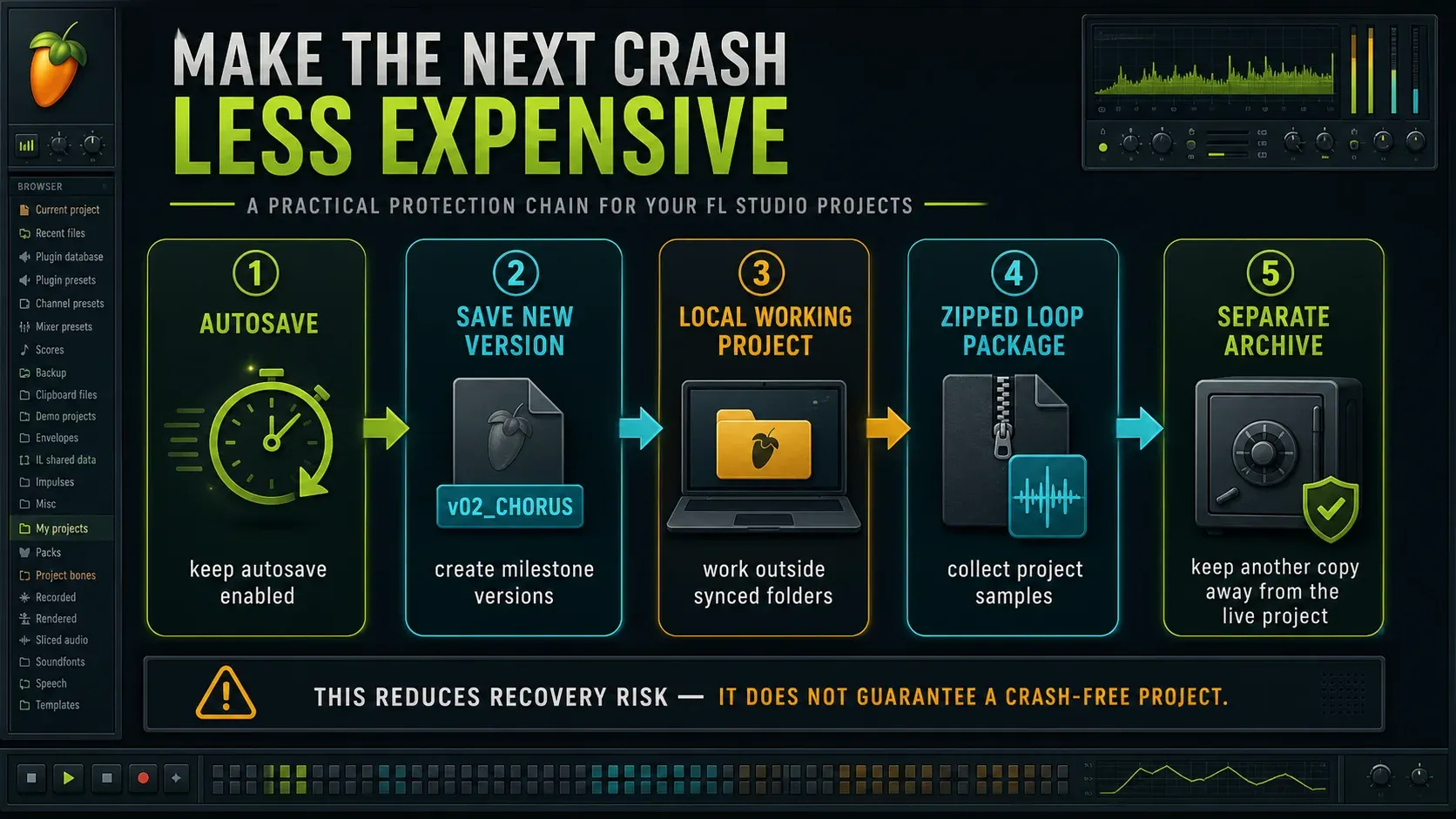
Under Options > File settings, choose an autosave frequency and retention limit that suit the session. Use File > Save new version at milestones: before a big plugin update, before replacing a sound and before final mix cleanup. Check the new filename so you know the previous version is still there.
Keep active projects and User data local. Back them up to another drive or a cloud archive on a schedule that never touches files while FL Studio is saving. For collaborations and moves to a new machine, create a Zipped loop package and bounce irreplaceable third-party instruments to audio.
When a plugin is part of a repeatable crash, note its version, format and the change that affected the result. After any replacement, play the arrangement and check presets, automation and routing. A project that opens is a recovery milestone, but it doesn’t prove every sound survived intact.
Frequently asked questions
Why does FL Studio keep crashing?
First check whether the crashes follow one project, one plugin, one action or every startup. A repeatable plugin name, a cloud-synced path, a permission failure, an old FL Studio build or a device driver each point to a different fix. Test an empty project before you reinstall anything.
Why won't my FL Studio project open?
If empty projects open, copy the affected FLP and backups, then watch the Hint Bar while the copy loads. Press Esc once if it always stops at the same item, test the copied autosaves and use Help > Diagnostics to create a recovered project.
How do I recover a crashed FL Studio project?
Copy candidates from Browser > Backup to a safe folder and test them from newest to oldest. If none opens, run Fix FL Studio song project in Diagnostics on a copy and leave the original untouched.
Can I repair a corrupt FLP file?
Possibly, depending on the damage. Diagnostics can remove a plugin that crashed during saving or loading, and may offer Fix project headers. It creates a separate recovered file. Keep the original and check the result, because recovery isn’t guaranteed.
What do I do when a project is stuck loading a plugin?
Note the plugin name in the Hint Bar, press Esc once to see whether the load can continue, then update that plugin or remove it from a recovered copy with Diagnostics. Don’t uninstall your whole plugin library.
Why won't FL Studio open on Mac?
Check that FL Studio has permission for the Documents folder, the User data folder is local and not in iCloud, the system drive has space, and no incompatible driver is blocking startup. Only reset settings or clean-install after those checks.
Are missing samples a corrupted project?
A missing-sample warning on its own doesn’t prove the project is corrupt. Restore the audio path or add the right sample search folder. For an empty instrument, check the exact plugin format and license as well. Look into those dependencies before trying to repair a corrupt file.
Can the FL Studio Trial recover and reopen a project?
Trial can save your work but cannot reopen projects saved in Trial, and Diagnostics isn’t available. A project saved by a licensed collaborator can be opened in Trial for a new session, depending on the plugins used. Keep your own saved project and backups, and remember that a license limit isn’t file corruption.