FL Studio
To tune an 808 in FL Studio, find the note in its steady bass body, assign that note to the Sampler root key, and check the result before writing the bass line. You can find the pitch with Tuner alone; Edison is another option if you'd like to look at pitch regions. What trips most people up is the starting point: hear the sample at its original pitch, not on some random Piano Roll note that has already transposed it.
This guide covers a pitched 808 one-shot in desktop FL Studio. It splits tuning into three checks: the right note name, the octave you want, and any small sharp/flat offset. If a sample keeps sliding all through its body, it may not have one reliable root.
Tune an 808 in eight steps
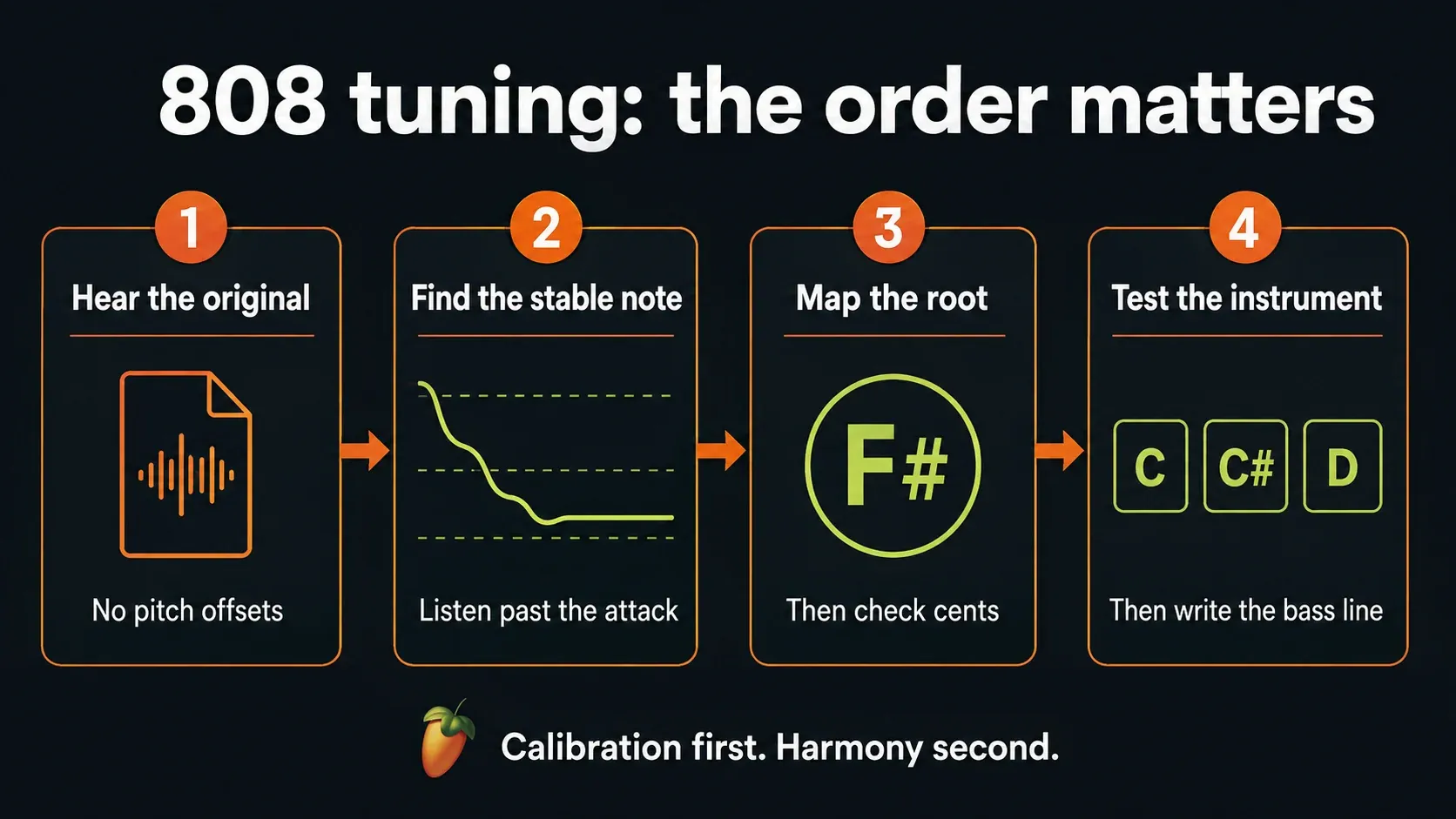
- Protect the original. Save a project copy and load the untouched one-shot into a separate test Sampler Channel.
- Establish original-pitch playback. Remove pitch-changing offsets on the test Channel and play its currently assigned root key, not an arbitrary note.
- Find the steady body. Read the settled pitch with Tuner, or inspect the original file with Edison's Detect pitch regions command if available.
- Map the detected note. Right-click the matching note class on the Sampler preview keyboard, choosing its keyboard octave deliberately.
- Check the name and register. Play a known Piano Roll note and compare the sounding note and octave with a reference instrument.
- Correct a small offset. If the intended note is consistently sharp or flat, adjust Fine slightly and listen again.
- Test neighboring notes. Play C, C-sharp and D separately, then check an octave; confirm that the steady body follows the intended pitches.
- Write and check the bass line. Choose notes that support the chords, then reintroduce processing and listen in the song.
Don't move the root, Fine and the bass notes all at once, or you won't know which change fixed the problem. In the Beatmaking & Drums library, this is the tuning step between picking a usable sound and arranging its part.
Start with the original sample, not the finished bass bus
Leave the original audio file untouched. Use a separate test Channel so changing its tuning doesn't unexpectedly change an instrument you're already using elsewhere in the project. If you're on the standard trial, remember its saved-project reopening restriction: saving a copy won't let you reopen it before purchase and the right plugin licensing.
Drag the one-shot into the Channel Rack. The Sampler documentation separates this single-sample instrument from dropping audio onto the Playlist as an Audio Clip. If you're still getting to know instrument Channels, use the Channel Rack walkthrough.
For the test, keep pitch controls neutral, with no pitch envelope or modulation and no pitch-changing Mixer effects. Make sure time stretching hasn't already changed the sound; a plain one-shot baseline uses Time set to (none) and Resample mode. Keep the monitoring level comfortable, and don't reset the whole song just to get this baseline.
Now find the Channel's current root key and play that key. With other pitch offsets neutral, that's how you hear the file's original pitch. Playing C5 only does this when C5 is the current root, and embedded sample information or earlier edits may have changed the assignment. For a controlled test you can assign C5 yourself first and then play C5, but that's a temporary reference position; it doesn't mean the sample was recorded in C.
Find the 808 note with Tuner, without Edison
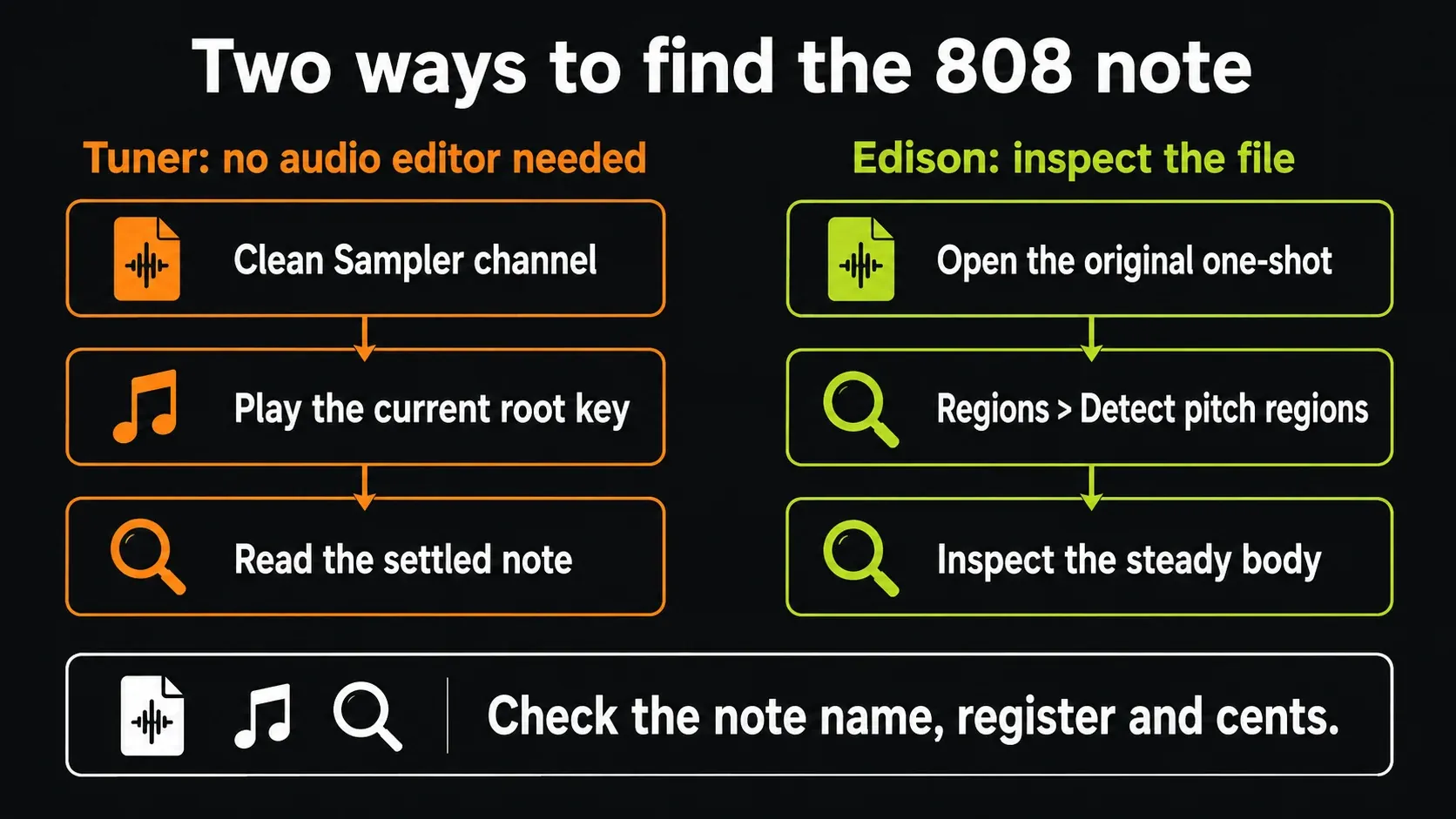
Route the test Channel to its own Mixer Track and put Tuner there, so only this 808 reaches the detector. Image-Line lists Tuner in every FL Studio edition, so you don't need a separate audio editor for this route.
In Tuner's controls, use a 440 Hz reference unless the music deliberately uses another tuning reference. Start with faster Reactivity for a short sample and adjust it if the display keeps chasing the attack. Bass extends detection below 40 Hz, but it needs roughly 100 ms at minimum, so very short low-pitched sounds may end before a useful reading appears. Tuner reports pitch; it won't retune the audio.
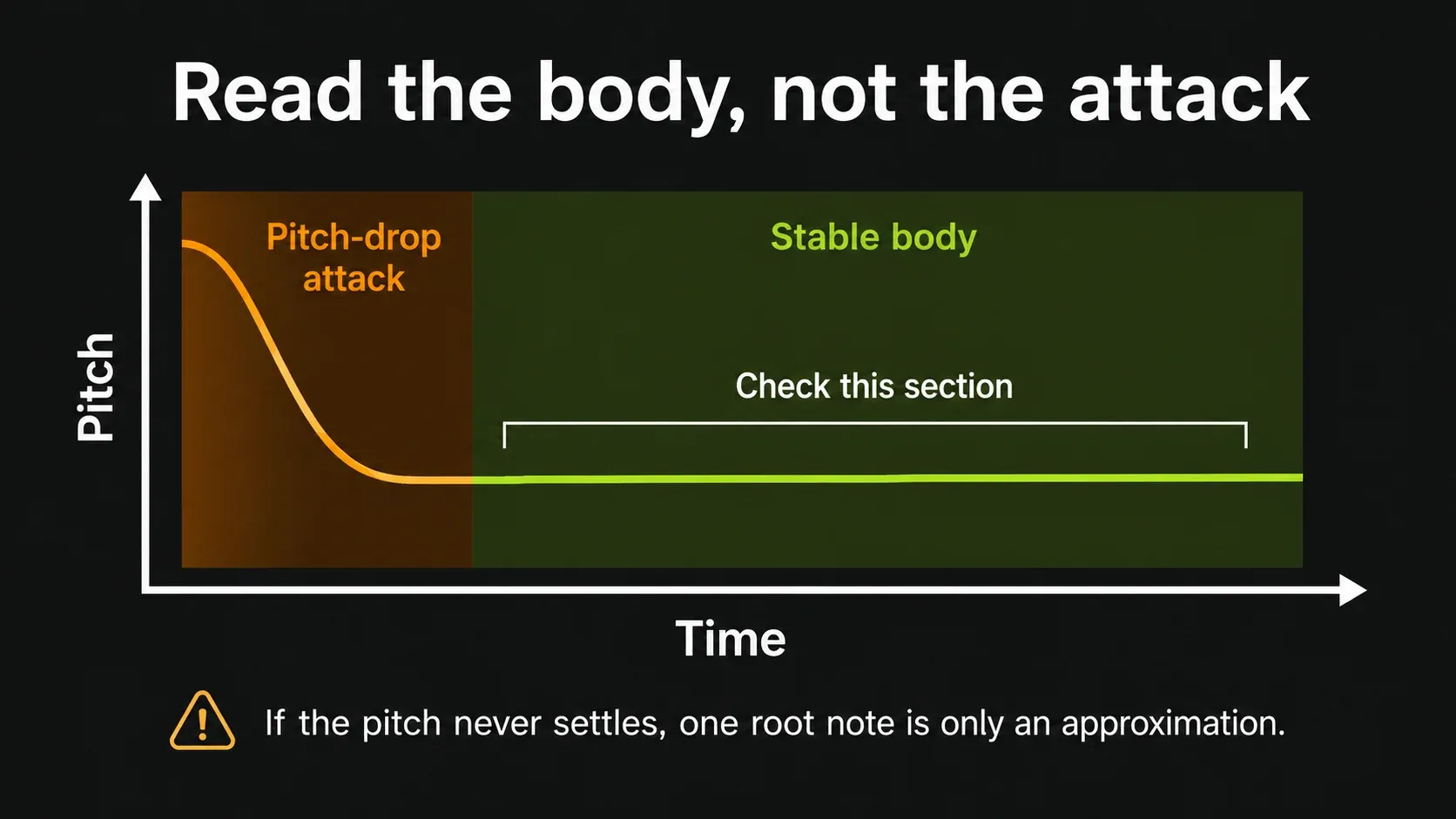
Play the original-pitch trigger you set up and watch the body after the initial drop. Note the settled name and register, not just whether the indicator sits in the center. A longer MIDI note can't invent sustain that a short audio file doesn't have. If the reading never looks believable, work through the checks below instead of accepting the first letter that flashes up.
Use Edison to inspect the original file
If Edison is available under your license, open the untouched one-shot in it and choose Regions → Detect pitch regions. The Edison menu reference describes detection of constant-pitch regions. Those markers help locate a useful section; running the command is not automatic pitch correction.
Look for a substantial steady section after the attack. Several tiny regions at the start may just describe a deliberate pitch drop, not several competing answers for the whole sound. Listen to the section you pick. The longest region is a good starting point, but it doesn't guarantee the detector found the fundamental correctly.
The Edison editing guide covers the wider editor workflow. For this job, you can stop at inspection; there's no need to overwrite the source file or export a newly “tuned” WAV just to set up Sampler.
Set the root note and choose its keyboard octave
Open the Sampler Channel's miscellaneous settings and right-click a key on the preview keyboard to assign the root. Image-Line's root-key explanation is about mapping: the assigned key plays the sample at its original pitch. The default is C5, and raising the root makes a fixed played key sound lower.
If some keys go silent after you touch that keyboard, check the playable key range. Left-clicking and dragging can set a restricted range, and that isn't the gesture for setting the root. Restore the range you need and confirm the root again before you retune the sound.
Here's a concrete example. Say the clean sample's steady body is F-sharp, with no cents error left. Assign F#5 as the root. Now F#5 plays the original bass pitch, and C5 plays a C six semitones below it. The “5” only decides where that original sound sits on the keyboard. It doesn't turn a low bass sample into the concert pitch normally tied to F#5.
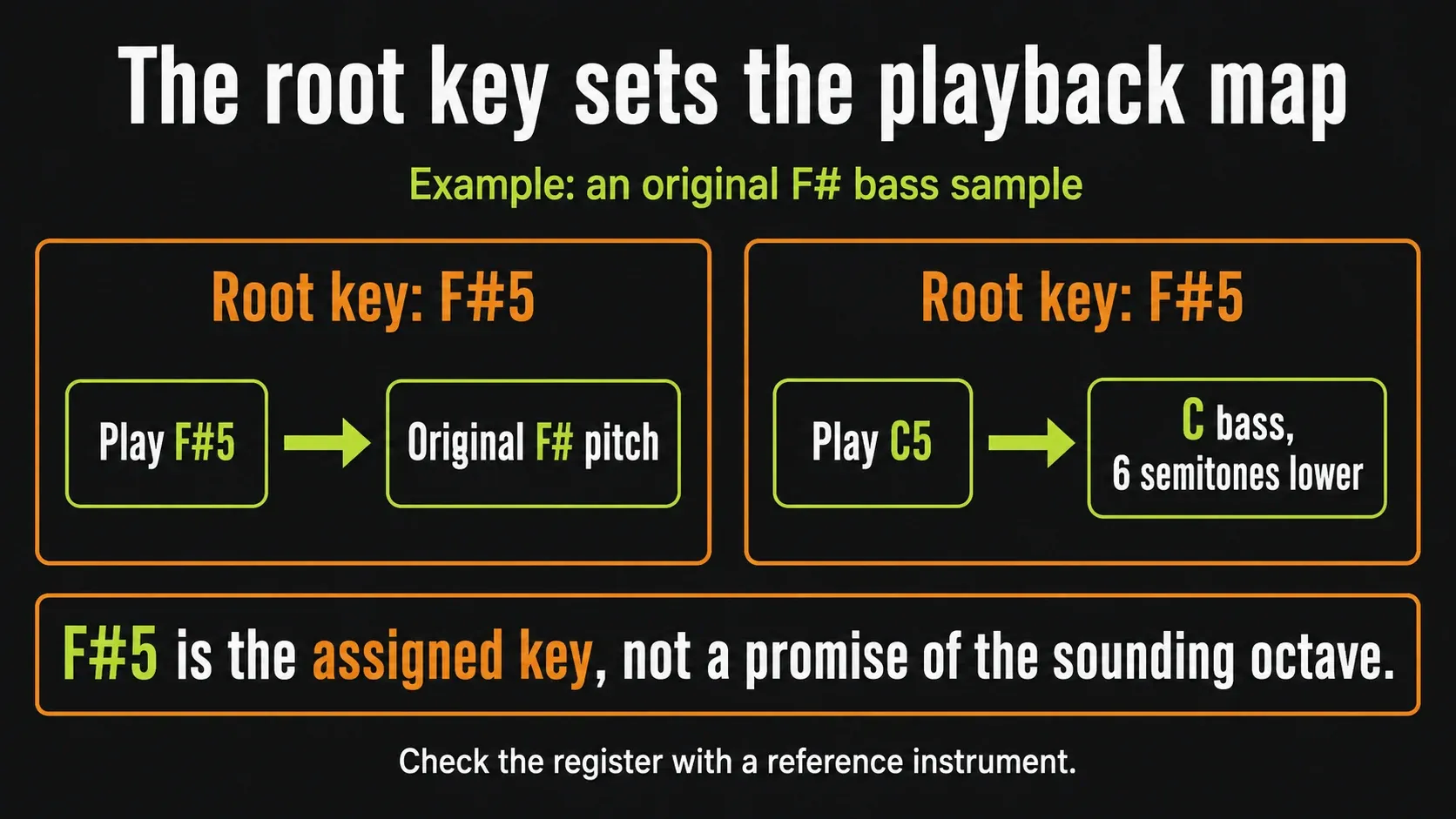
That's why copying the low octave a detector reports into the root field can shift your usual pattern in surprising ways. Decide what you want: comfortable bass playback around your existing notes, or an absolute pitch-to-key mapping that matches another instrument's register. For the second, compare the actual sounding octave or frequency with a trusted reference as well as the letter name. Move by whole octaves if you need to, then recheck the notes. A C5 label on two different instruments doesn't prove they produce the same frequency.
Check the note name before correcting cents
A chromatic tuner can sit at zero while showing D when you wanted C, and that's not a slightly sharp C. Go back to the mapping and any pitch offsets first. Only once the correct note is sounding should you use Fine for a small, consistent detuning error.
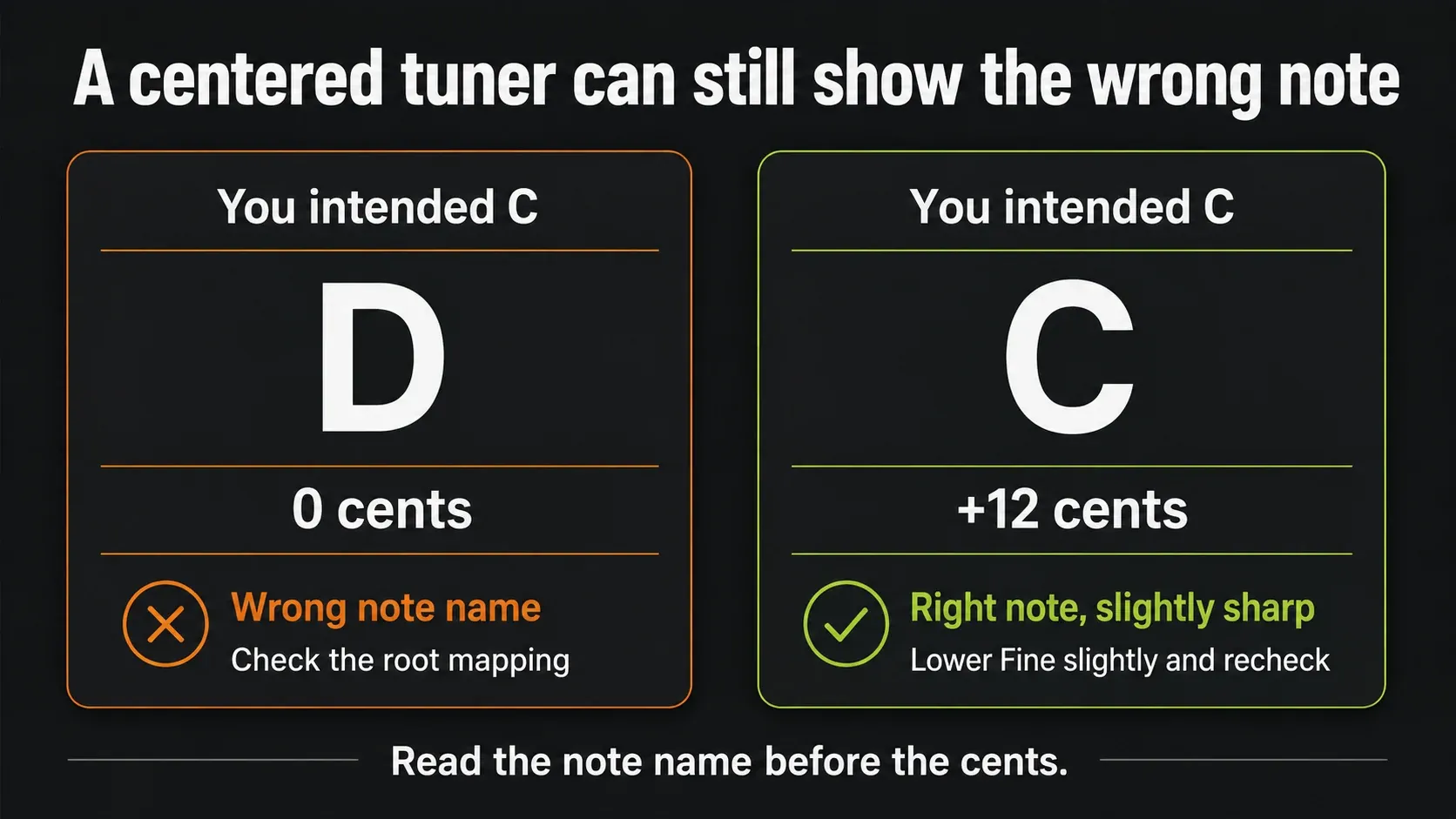
For example, an intended C that reads C +12 cents is slightly sharp: pull the fine adjustment down a little and recheck the settled body. An intended C that reads D at zero cents needs a different diagnosis. These readings are illustrations, not measurements from a tested sample.
A cent is one hundredth of a semitone. Don't answer every wobble in the attack with a new adjustment. If the body wanders above and below the target, no single fixed correction can flatten that movement.
Test a short note run before copying the bass line
In Piano Roll, enter C, C-sharp and D one after another in a usable register. Leave enough space to hear each sample on its own, then compare an octave. Check against a simple reference instrument with neutral tuning. If only the lowest note is hard to judge, move the test up an octave for a moment and return to the intended register afterward.
Listen for three things: does each note have the right name, does it sit in the octave you wanted, and does its body stay close enough to the target for this part? Don't expect the short attack to stay perfectly flat, since that movement may be exactly why you picked the sample.
Now choose notes that work with the song
Calibration asks “Does this key produce the note I intended?” Harmony asks “Do I want that note under this chord?” Those are two separate decisions.
Over an A minor chord, A, C and E are chord tones worth trying, not a required three-note pattern. A line can follow chord roots, hang on one note or use a passing tone. Listen to where it lands and what the melody is doing. When a correctly tuned note clashes, try another bass note before you undo the calibration.
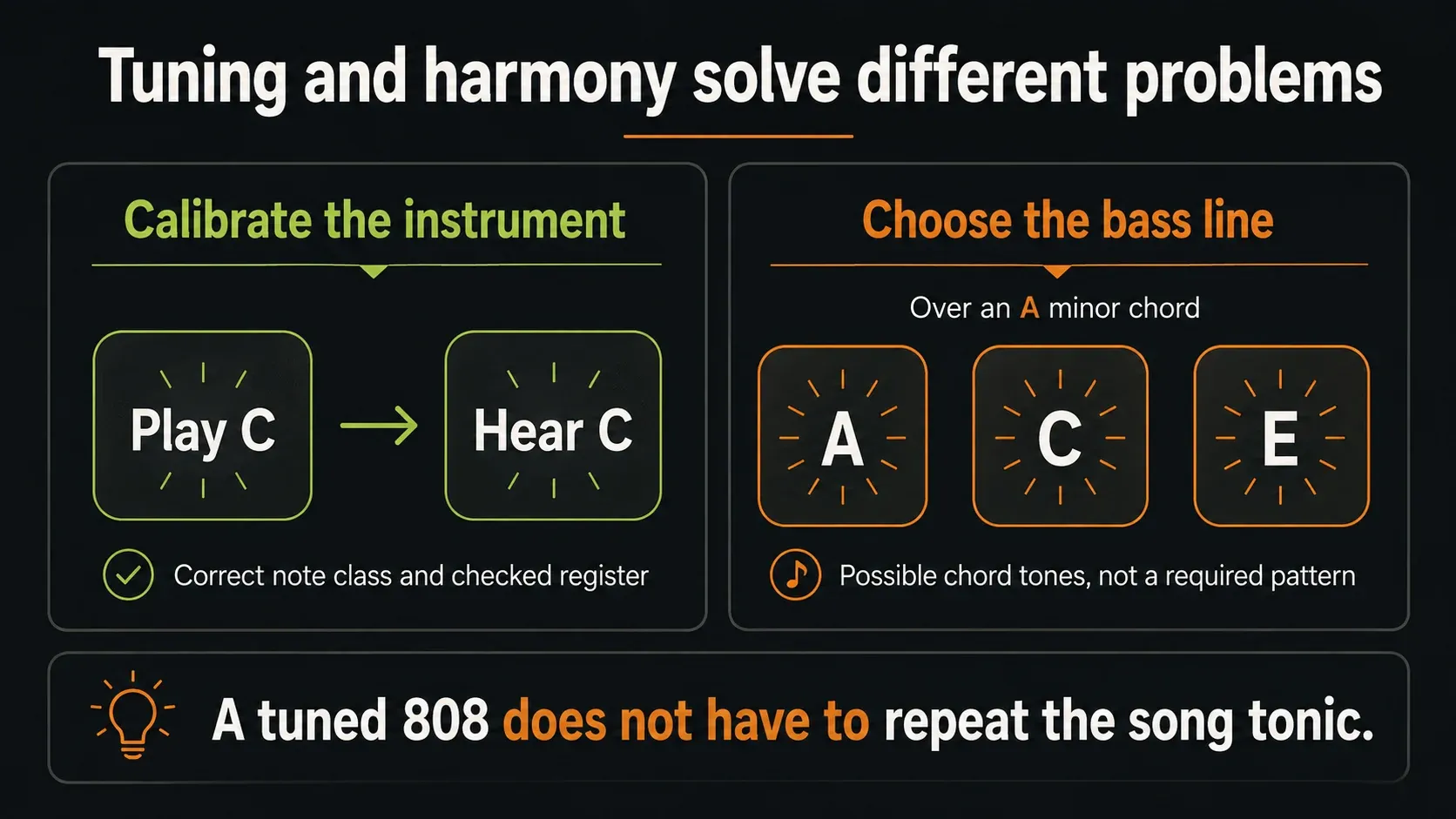
Scale highlighting can make your chosen note set easier to navigate; it does not analyze or tune the sample. Use the drum-pattern guide to work on the rhythm, and the complete beatmaking workflow to place this bass part in an arrangement.
What to check when the 808 is still out of tune
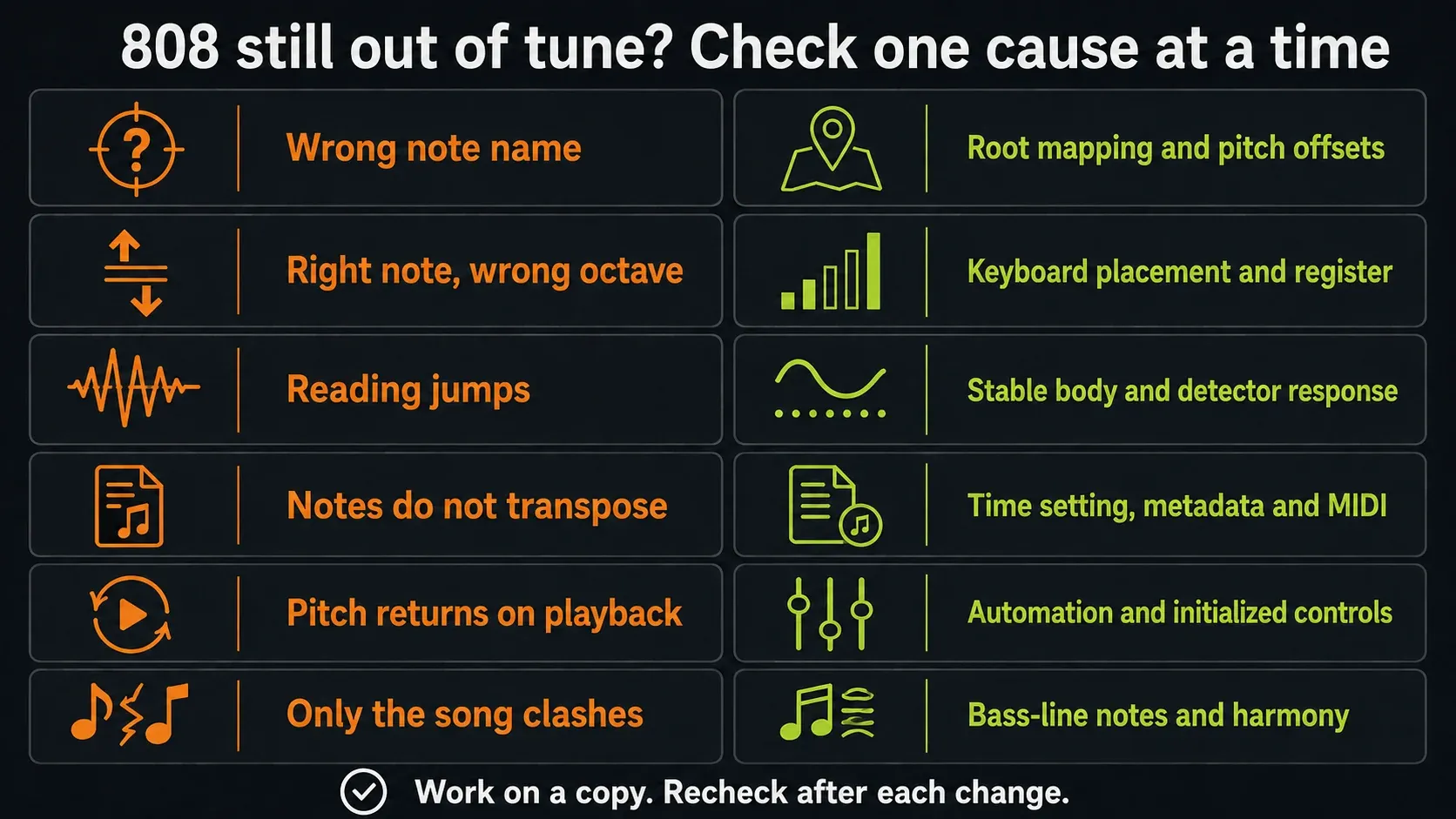
Make each check on your test copy, then replay the same notes. Image-Line's pitch-problem checklist identifies several places where pitch can change besides the root:
- Wrong name or octave throughout: check the root assignment and existing pitch offsets. Do not judge by a sample filename alone.
- The sample ignores different notes: check Time settings and whether MIDI is triggering the intended Channel. Compare direct Piano Roll playback with your controller before changing unrelated controls.
- Pitch changes when playback starts: inspect Channel pitch, per-note fine pitch, automation and initialized values. A manual adjustment can be replaced by recorded control data.
- The clean file and loaded Channel disagree: inspect embedded root/fine information and any stretching or sample processing. Edison's Sample Properties explains that metadata; changing a filename does not reliably change it.
If time stretching is the cause, follow the time-stretching guide instead of moving the root again and again. If only the processed signal sounds wrong, bring your processing back one stage at a time. Tuning and the kick-and-808 mix are separate decisions; the Mixing library covers balance and processing once the pitches make sense.
When the sample never settles on one note
Some 808s are built around a long glide, vibrato or a noisy, distorted tail. Two detectors can disagree, or agree on an upper harmonic. Treat their readings as evidence to check by ear, never as a verdict. An octave-up listening check can help, but it won't repair the original sound.
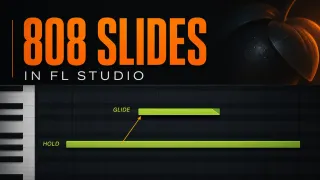
If no usable part of the body holds its pitch, you have a musical choice: accept the movement and place it carefully, edit the sound on purpose, or choose a steadier sample. Resampling the same drifting performance just keeps the drift. For a controllable synthesized source, try the 3xOSC 808 workflow. For intentional movement between notes you've already calibrated, use 808 slides and glides.
Keep the setup without overwriting the source
Save the project with the working Channel and keep the original sample available. Root-key mapping is a playback setting; it doesn't rewrite the source audio into C. If you later export a repitched one-shot for reuse, give it a distinct name and check the exported file on its own. Don't apply the old correction again just because it worked on the original.
FL Studio 808 tuning FAQ
Can I tune an 808 without Edison?
Yes. Use a clean Sampler Channel and Tuner, establish original-pitch playback, and inspect the steady body. Edison is an optional second route for examining pitch regions.
Should I set every 808 root note to C5?
No. C5 can be a temporary original-pitch reference when you explicitly assign it, but it does not prove the sample is in C. Map the detected note class and check the register.
Should the root octave match the octave shown by Tuner?
Not automatically. The root selects the key that plays the original file. Choose the keyboard placement deliberately and compare the actual sounding register with a reference instrument.
Why is the tuner centered but my bass still sounds wrong?
Check the reported note name, the octave and the harmony. Zero cents for D is still the wrong result if you intended C.
Which part of an 808 should I use to detect its pitch?
Start with a substantial steady body after the attack, then listen to confirm it. If the whole sample keeps moving in pitch, a single root is only an approximation.
Can pitching an 808 up help with tuning?
An octave-up test can make its note easier to hear. Treat it as a cross-check, restore the intended register and verify the original setup again.
Does every bass note have to be the song tonic?
No. Choose notes that support the chords and phrase. Correct sample tuning does not decide the bass line for you.
Does changing the root save a permanently tuned WAV?
No. It changes playback mapping in the Channel, not the original audio file. A separately exported, repitched sample needs its own pitch check.