FL Studio
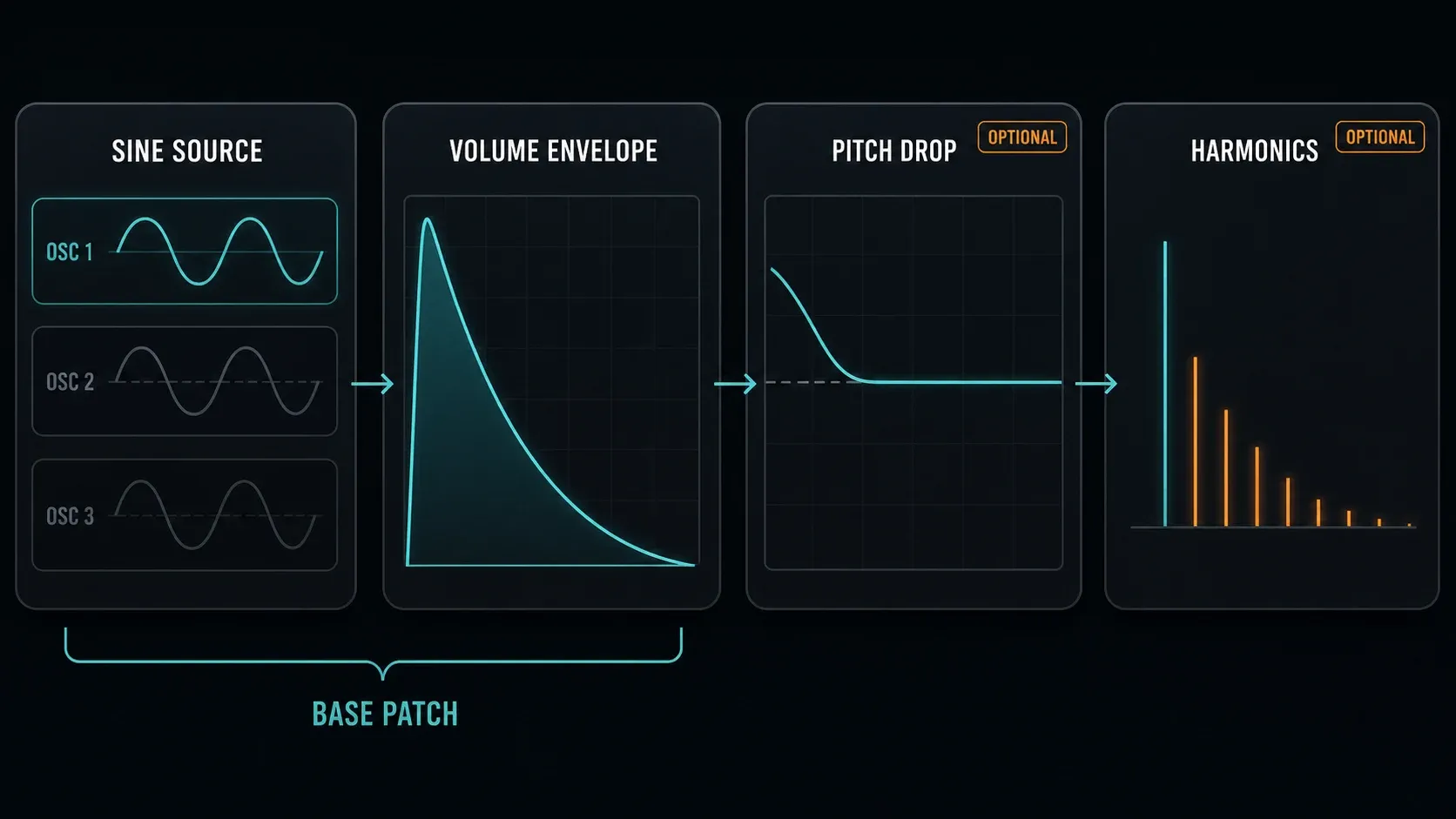
To make an 808 in FL Studio with 3xOSC, set OSC 1 to sine and turn the OSC 2 and OSC 3 Mix Level all the way down. Turn on the Channel Volume envelope and shape the tail. A short Pitch-envelope drop can add a percussive front edge, and a little harmonic content can help the bass come through on smaller speakers, but you don't need either. Finish by saving the full Channel state and checking that it reloads with its envelopes.
This guide builds a playable synth bass in desktop FL Studio; it doesn't try to emulate every part of a Roland TR-808 circuit. You won't need a downloaded 808 sample for this patch. If you already have a sample and just need to find its note, head to the 808 tuning guide instead.
Build the 3xOSC 808 in nine stages
- Load the instrument. Add 3xOSC to a new Channel and confirm that its three oscillator rows are visible.
- Isolate a sine. Select the sine shape on OSC 1; set OSC 2 and OSC 3 Mix Level to zero.
- Check pitch. Keep fine tuning neutral, choose the bass register with Piano Roll notes and use coarse tuning only for intentional transposition.
- Check the start. Compare low Phase Rand and neutral stereo offsets; use a short Volume-envelope attack if starts click.
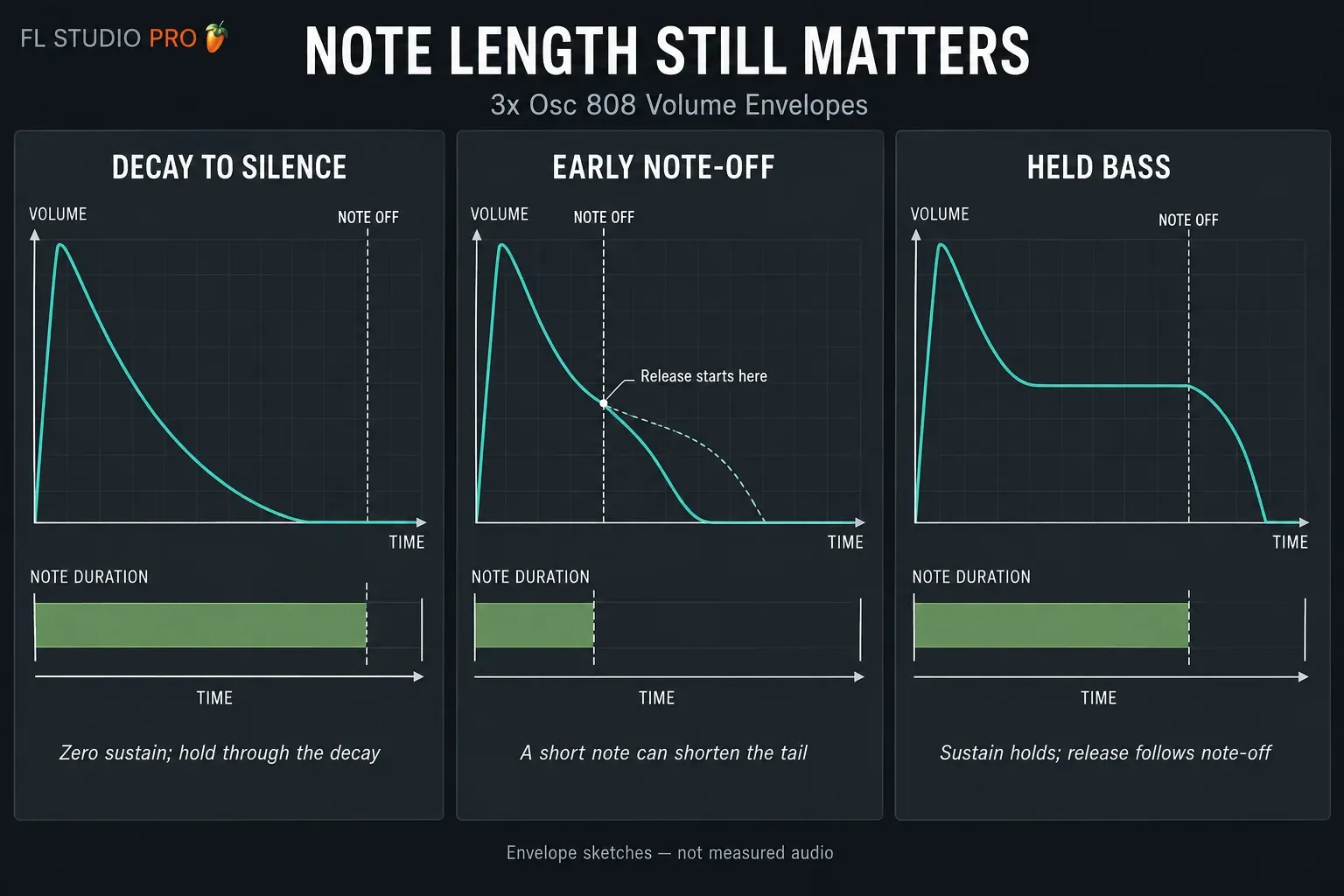
- Shape the tail. Use zero Sustain for a decaying hit or nonzero Sustain for a held bass. Test note length and Release in both cases.
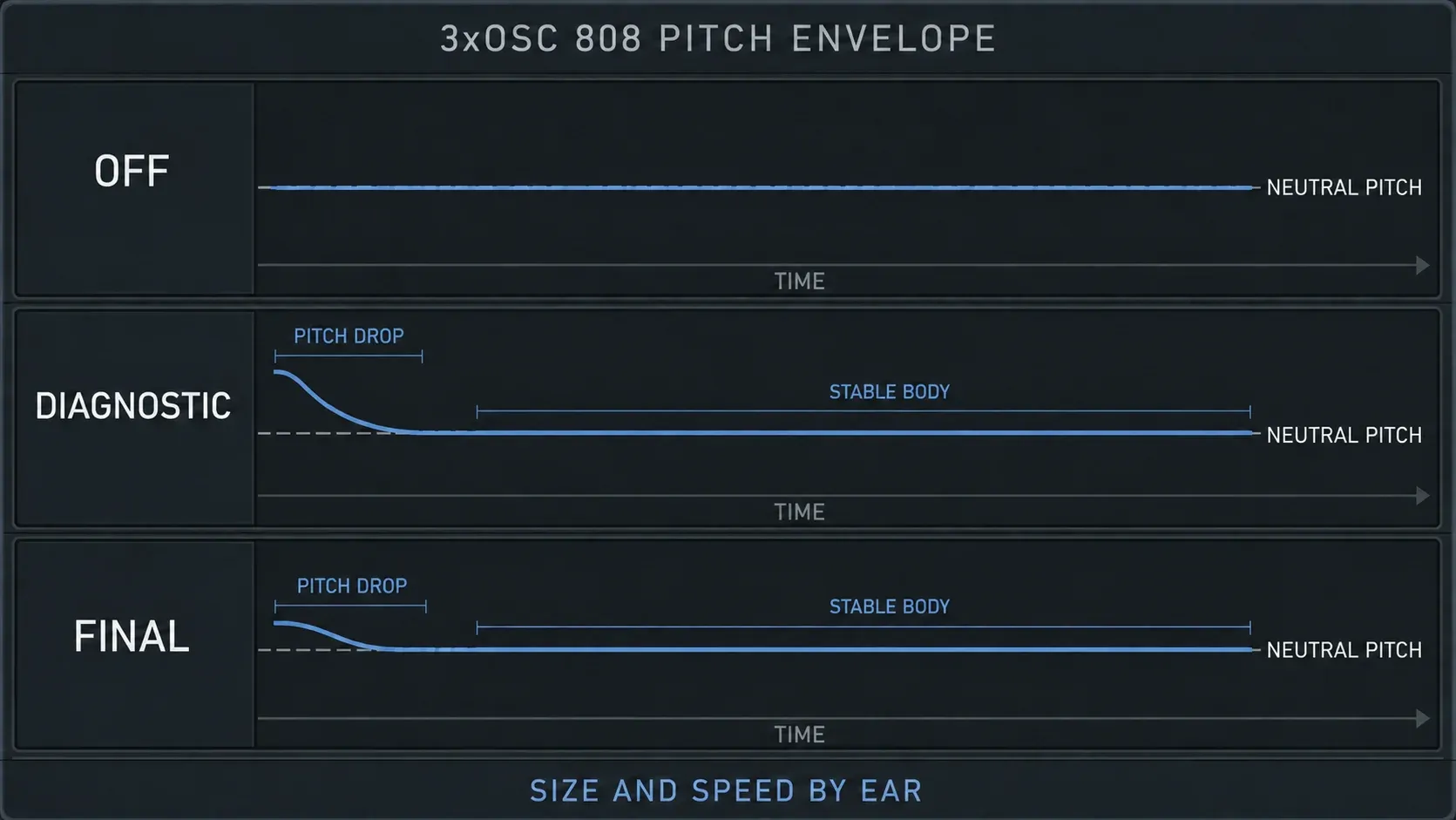
- Try a pitch drop. Enable a short downward Pitch envelope only if it improves the front edge; check that the body returns to the intended note.
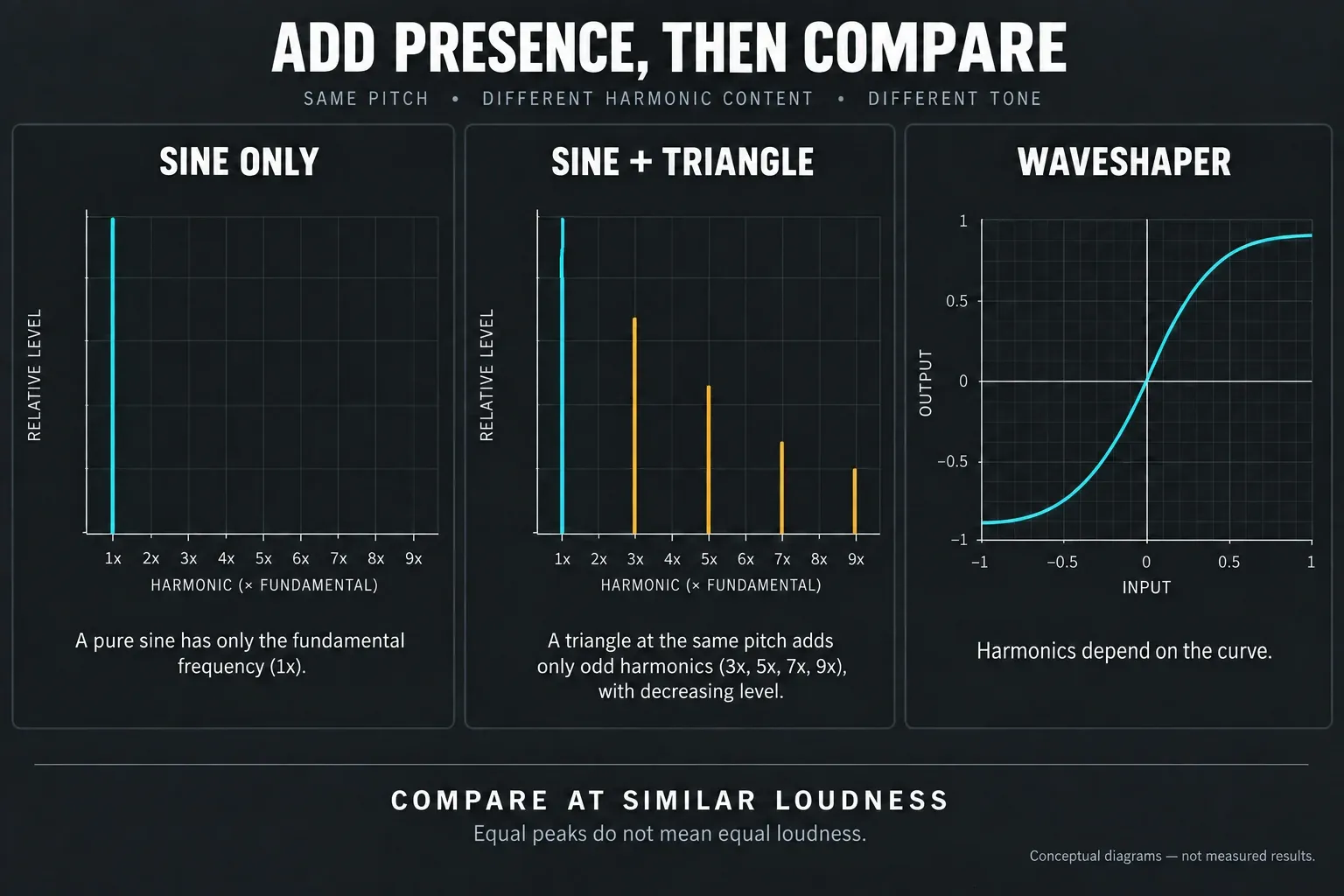
- Add presence if needed. Compare a quiet triangle layer or gentle WaveShaper processing, adjusting output so louder does not automatically win.
- Play a phrase. Test several notes, note endings and playback systems. Judge the bass with the drums, not just in solo.
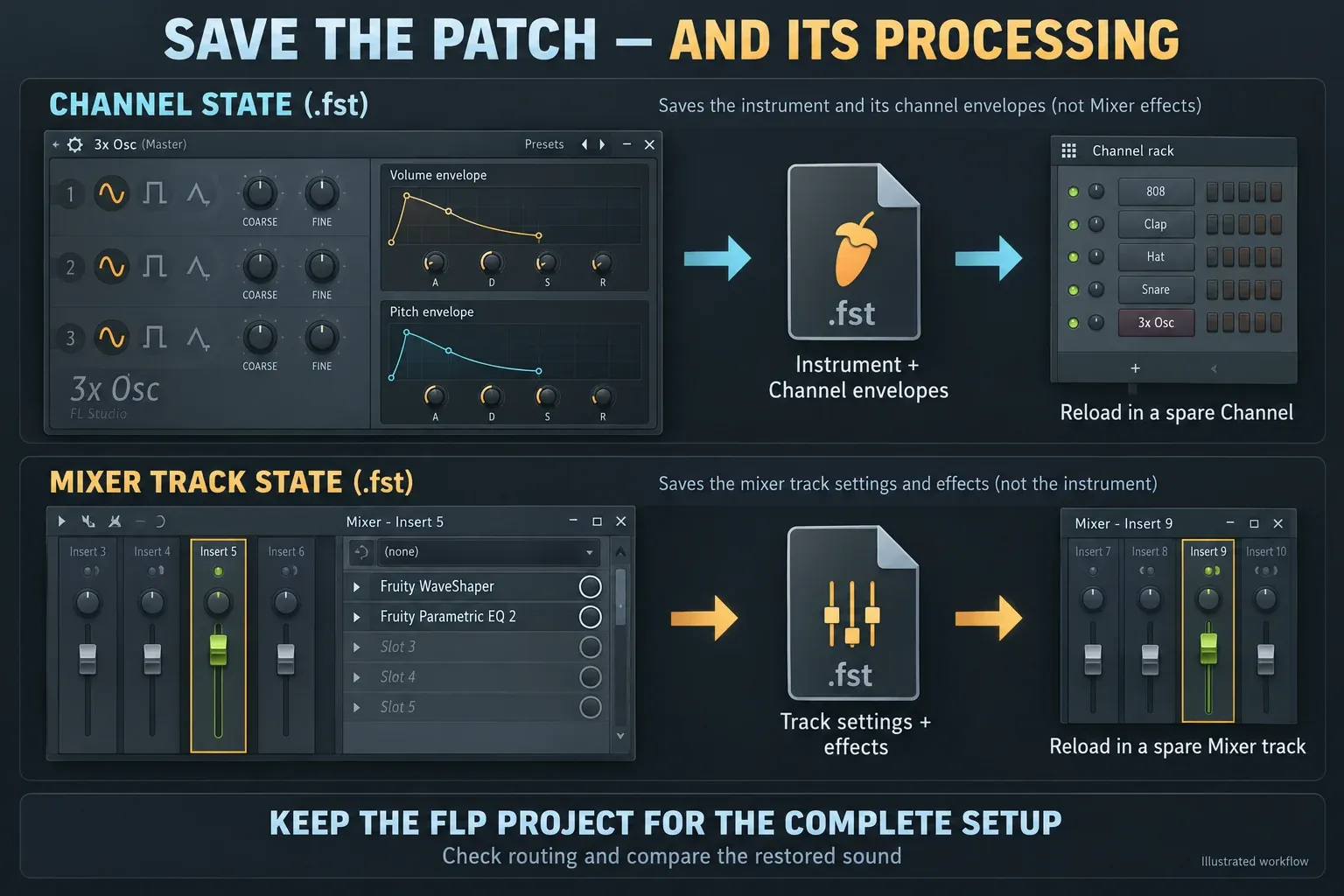
- Save and reload. Use Save channel state as, keep Mixer processing separately, and confirm the instrument and envelopes reload correctly.
Start with the sine and the Volume envelope. Save a plain version before you add grit or glide, so you have an easy way back when a later change makes the patch worse.
Give each part of the patch one job
The oscillator supplies a pitched tone, and the Volume envelope shapes its loudness over time. A Pitch envelope bends the start of the note, while a harmonic layer or distortion changes its tone. You can build a restrained sub bass or a punchier, grittier 808 by making those decisions one at a time.
These are sound-design choices, not a full mix chain. Write the phrase once the source works, using the first-beat workflow if you need help putting drums and bass together. The Beatmaking library puts source design next to rhythm, tuning and slides.
Load 3xOSC, then check the Channel
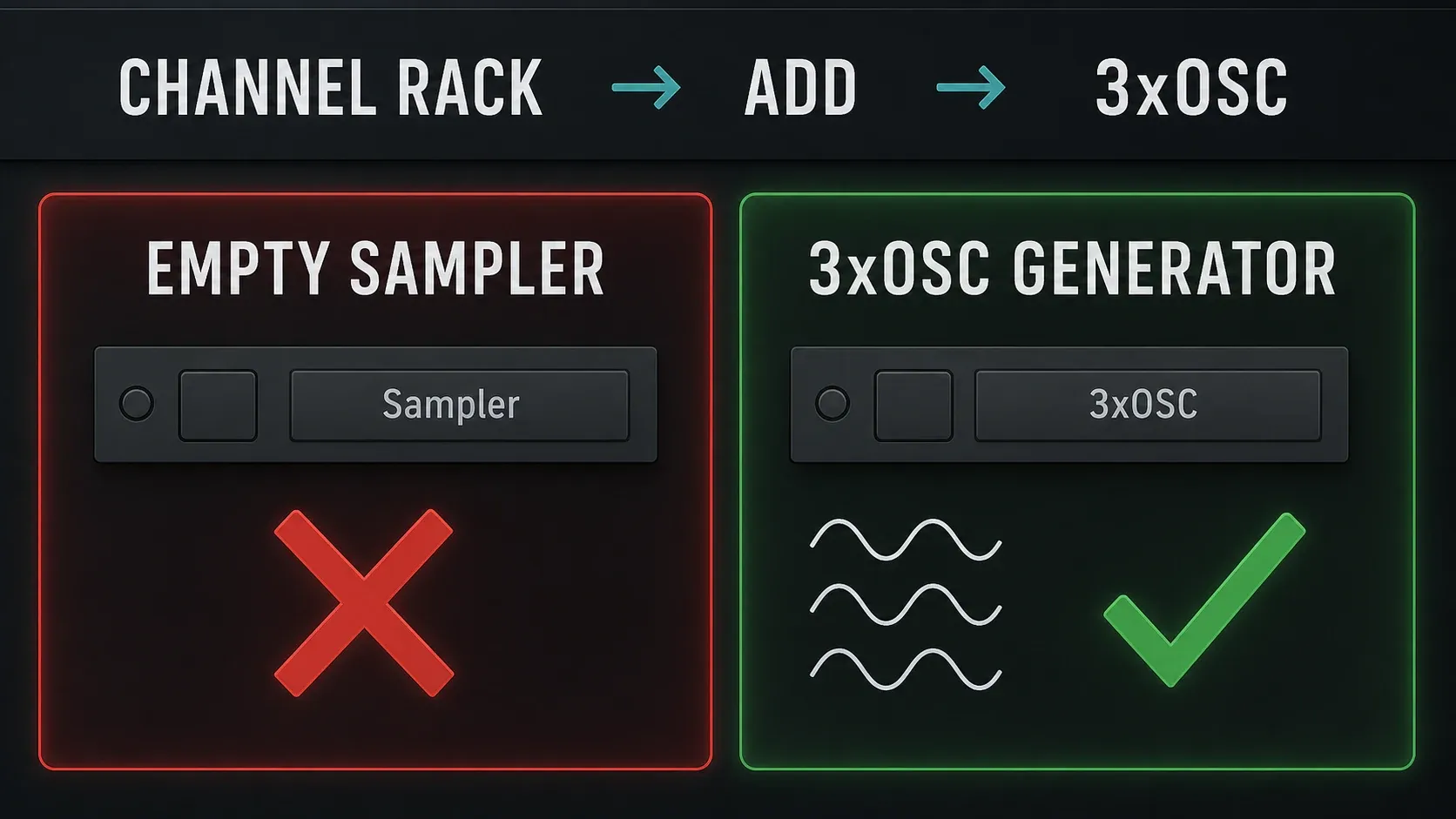
Add the 3xOSC generator from the Channel Rack's instrument list, open its Channel button and check for three oscillator rows. A Channel that still shows an empty Sampler isn't the synth setup used here. The Channel Rack guide explains adding instruments if the list is new to you.
Don't judge a preset by its filename alone. Instrument presets, Channel states and audio samples are different things, and loading one into the wrong place can give you something unexpected. For a from-scratch patch, loading the generator first removes that doubt, although a full Channel preset can still replace another Channel.
Image-Line's 3x Osc manual explains how the generator works with the built-in Sampler settings, which is why you shape its envelopes outside the small oscillator panel. Use the broader 3xOSC instrument guide for other waveforms and modulation; this tutorial sticks to the bass patch.
Start with one sine and intentional tuning
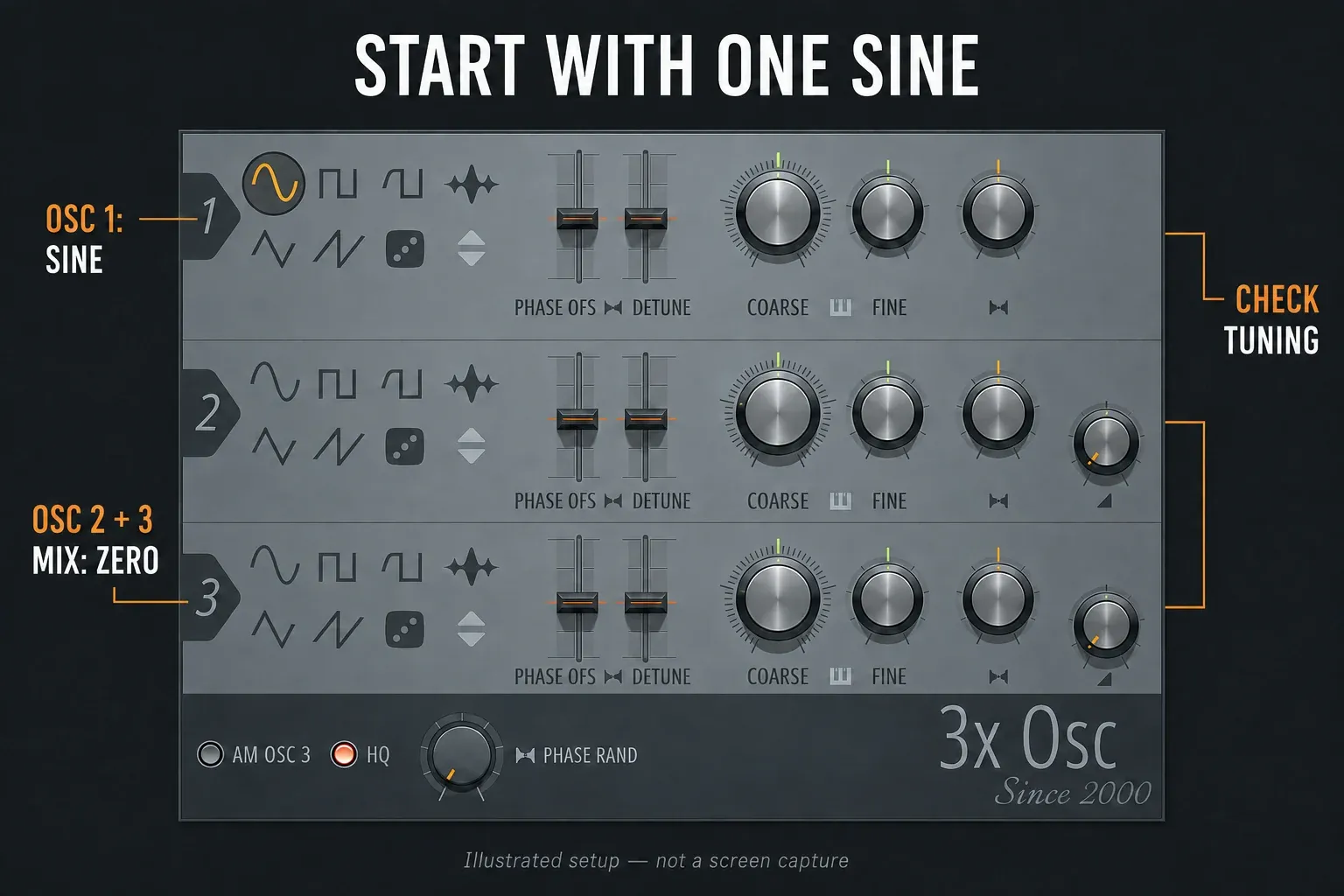
Select OSC 1's sine button and turn OSC 2 and OSC 3 Mix Level fully down. OSC 1 has no Mix Level knob of its own, so those two controls decide how much of the other oscillators blends in. They change the proportions; they don't act like independent faders that leave the sine alone.
Write a few low notes in the Piano Roll. Listen at a sensible level and pick a register your playback system can actually reproduce. If the sound seems missing, try a higher note before turning up the volume, since an extremely low note can be hard to hear without being silent.
Use coarse tuning for a deliberate octave or semitone offset, not as a universal “better sub” setting. Keep fine tuning neutral at first, and check the real pitch instead of copying a knob position from another preset. If the notes you play and the notes you hear disagree, check the Channel pitch and root-note settings too. A clean starting preset helps you avoid inherited offsets.
For this first comparison, keep pan centered, stereo Phase OFS and Detune neutral, and AM OSC 3 off. Those controls have creative uses, but a simple starting point makes every change easier to hear. A pure sine sounds sparse on purpose, so don't mistake it for a broken synth.
Remove an unwanted click without losing the attack
Repeat the same note at the same velocity. If the starts vary, compare a low or zero Phase Rand with the previous setting. Image-Line names phase offset as one possible cause of clicks and recommends a short Volume-envelope attack. That doesn't mean every click comes from phase randomness.
Open the Channel's detailed settings, go to the Envelope / Instrument section and select Volume. Turn its envelope on with the orange LED. Compare an instant start with a short Attack, and lengthen it only until the unwanted edge fades. If the bass turns slow or soft, back off and listen with the kick again.
A click at the end of a note needs a different check. Look at note-off, Release and any cut or voice-stealing behavior before you touch the start. Wave Candy's oscilloscope and metering modes can help you inspect the transition, but a pretty waveform isn't the goal.
Choose a decaying hit or a held bass
The Channel envelope controls separate timing from level: Attack, Hold, Decay and Release set lengths, while Sustain sets the level held after Decay. Confirm that the Volume envelope is on before editing it.
For a decaying hit: remove deliberate Delay, use a short clean Attack, keep Hold brief and set Sustain to zero. Adjust Decay until the tail fits the gap in the rhythm. Hold the Piano Roll note long enough to hear that decay finish.
For a held bass: keep some Sustain after Decay, then use the written note length to control the body. Release shapes the fade after the note ends. Shorten the note and listen, then lengthen it. That quick test tells you more than copying someone else's knob percentages.
Zero Sustain does not turn this into a guaranteed one-shot. A note-off before Decay finishes can push the envelope into Release and change the tail, so test short notes in the decaying patch as well. The ADSR stages explain the difference between decaying toward Sustain and releasing after the note is let go.
Add a short pitch drop, not an endlessly falling note
Select Pitch in the same Channel section and turn on its envelope. Start with no deliberate Delay, a very short Attack and Hold, a short Decay and a neutral final level. Apply a positive envelope Amount so the start sits above the resting pitch and falls back toward it. Listen to the sound after the drop, not just the first thump.
Compare three versions: no pitch envelope, an obvious drop that proves the control works, and a smaller drop that suits the beat. The exaggerated version is only a test, not a recommended final setting. If nothing changes, check the envelope LED and Amount, and make sure you're not adjusting the LFO next to it by mistake.
There's no universal pitch-drop amount or time. Too much movement can make the source sound like a separate kick or a falling laser, and too little may be inaudible, which is fine if the plain sine already fits. A glide between notes is a different job, covered in the 808 slides and portamento guide.
Add harmonics when the bass needs more presence
If the clean sine is hard to follow on small speakers, try OSC 2 as a quiet triangle. Start at the same pitch; an octave above is another sound-design option, not a fix you always need. Keep OSC 3 out while you judge the change.
A triangle adds odd harmonics above its own fundamental. Blending it in also shifts the oscillator mix ratio, so check the bottom end as well as the new edge. Turn the result down if needed before you compare, because a brighter patch can feel more present even when its meter peaks look similar.
Keep the layer only if it helps the musical line. A supporting sub under another bass doesn't necessarily need to announce itself through a phone speaker. That depends on the arrangement, not on some rule for every 808.
Try WaveShaper as an alternative, not a compulsory chain
Route the instrument to its own Mixer track and add Fruity WaveShaper if you want to compare distortion with the oscillator layer. Its input-to-output curve changes the waveform: Pre drives the input, Mix blends processed and dry sound, and Post sets the output. A straight identity map won't turn into saturation just because the plugin is loaded.
Start with a gentle nonlinear curve and compare a modest processed Mix. Adjust Post until bypass and processing sound about equally loud, keeping in mind that equal peak readings don't guarantee that. Switch the triangle layer off for this test so you hear what WaveShaper adds on its own.
Oversample can help cut down aliasing artifacts, and Center removes DC offset from the output, which helps when asymmetric shaping creates an offset. Neither one guarantees a better tone. Keep the distortion only if the bass still works both on small playback and on a system that reproduces the low end.
If a particular resonance or excessive top end remains, use a small, audible correction with Parametric EQ 2. Its filter controls allow different shapes; there is no mandatory high-pass or low-pass frequency for this patch.
Test the whole phrase before saving
Play a low, a middle and a higher note from the range you plan to use. Check whether the pitch settles, the tail leaves room and the upper notes turn harsh. Keep velocity consistent for a controlled comparison, then test the expression you actually want.
Put a short phrase against your kick-and-bass rhythm. Listen on full-range playback and in mono, and use a phone to judge whether the harmonic line you intended survives, not whether it reproduces the deepest fundamental.
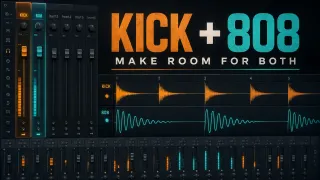
Once the source works, handle kick balance, masking and dynamics in the 808 mixing workflow. The Mixing library picks up where sound design leaves off. Don't bake aggressive kick-specific cuts into a preset you want to reuse across different songs.
Add glide after ordinary notes work
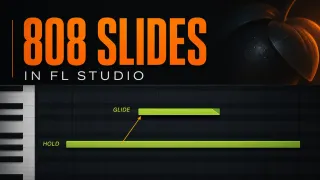
Save the stable version before you experiment with note transitions. Image-Line's Channel polyphony settings separate Mono, Porta and the SLIDE time control, and native slide notes are another option. Pick one method on purpose instead of switching on every slide-related setting.
Overlapping notes can interact with Mono behavior, and a long Release can leave an audible overlap. Check two notes first, then the whole phrase. These transitions don't replace the brief Pitch-envelope movement at the start of a note.
Save the instrument and its Mixer processing separately
Open the Channel Settings menu and choose Save channel state as. This creates an FST preset. Use a descriptive name such as 808 - clean decay; save a separate version for a held or gritty patch instead of overwriting the clean one.
A generator-only preset isn't a safe stand-in for the full Channel state here, because 3xOSC relies on the Channel envelopes around it. Reload your saved state into a spare Channel, away from anything you need to keep, and check oscillator shapes, Mix Levels, Volume and Pitch envelopes, tuning and any intentional glide settings. Check its Mixer assignment too.
Effects hosted on a Mixer track are separate from this Channel preset. If WaveShaper or EQ is part of the sound you want to reuse, save that track through its File menu's Save mixer track state command as well. Load it only into a spare or deliberately chosen track: restoring a state changes that track's settings and effects. Keep the FLP project for the complete arrangement and routing context.
Want an audio 808 you can reuse in a Sampler? Keep the editable source first, then follow the resampling workflow. Check the rendered start, tail and pitch before you treat it as a finished sample.
Find the stage that is causing the problem
- No sound: check the loaded generator, Channel mute/volume, Mixer routing and output. Try a higher note at a safe level and inspect the Volume envelope.
- Envelope has no effect: verify the selected target and its orange LED. Check envelope Amount where available, not the neighboring LFO Amount.
- Click at the start: compare phase settings and a short Volume attack. Check the unprocessed source before blaming the synth.
- Click at the end: inspect the note ending and Release, including cuts or voice changes that interrupt the sound.
- Tail is too short: hold the note longer and check Release as well as Decay. Zero Sustain alone does not make note length irrelevant.
- Pitch keeps falling: reduce the Pitch envelope's duration or amount and check its final level against the unmodulated note.
- Preset sounds different: verify the full Channel state, Mixer assignment and separately saved effects, rather than only the generator panel.
- Good solo, muddy with drums: compare note lengths and kick timing, then move to the dedicated mix diagnosis.
Before calling the patch finished
- OSC 1 sine works alone, with OSC 2 and OSC 3 Mix at zero.
- Pitch and stereo settings are intentional, not inherited surprises.
- Both note starts and note endings have been checked.
- The Volume envelope behaves correctly with long and short notes.
- Any pitch drop settles at the intended body note.
- Optional harmonics improve the phrase at comparable loudness.
- Several pitches and the intended playback conditions have been checked.
- The full Channel state reloads correctly; external Mixer effects and the project are saved separately where needed.
FL Studio 3xOSC 808 FAQ
Which waveform should I use for a 3xOSC 808?
Start with OSC 1 set to sine and OSC 2 and OSC 3 Mix Level at zero. Add a quiet triangle or distortion only if the sound needs more upper harmonics.
Do I need an 808 sample to make this patch?
No. This patch uses 3xOSC's oscillator as its source. You can render it to audio later, but keep the editable Channel state first.
What Volume envelope should an 808 use?
Use zero Sustain for a decaying hit, or nonzero Sustain for a held bass. Test note length and Release in both cases: an early note-off can change the tail even with zero Sustain.
Does a 3xOSC 808 need a Pitch envelope?
No. Add a brief downward pitch movement only when a percussive front edge helps, and check that the body returns to the intended note.
Why does my 3xOSC 808 click?
Check where the click occurs. A start click may respond to phase settings and a short Volume attack; an end click calls for checking note-off, Release and any cut or voice change. Compare the unprocessed source too.
How do I make a 3xOSC 808 audible on a phone?
Try a quiet triangle layer or gentle WaveShaper processing at comparable loudness. Keep the change only if it improves the intended bass line without spoiling full-range playback; a phone may not reproduce the deepest fundamental.
Can 3xOSC make sliding 808s?
Yes. Use a deliberate native slide or Channel Mono/Porta setup after ordinary notes work. A transition between notes is different from the Pitch envelope at the start.
Why did my saved 3xOSC preset lose its envelopes or effects?
Use Save channel state as for the instrument and its Channel envelopes, not just a generator-only preset. Mixer effects are separate: save the Mixer track state or keep the project, and verify routing when reloading.