FL Studio
This pitch detector identifies the nearest musical note, octave, frequency in hertz, and cents offset from a live microphone signal. Press Start listening, allow microphone access, then sing or play one sustained note. The clearest reading usually appears just after the initial attack, when the sound has settled.
MICROPHONE PITCH ANALYZER
Pitch detector
Play or sing one sustained note. Your audio stays in this browser.
Microphone access is requested only after you press Start listening.
Not getting a stable note?
Move closer to the microphone, hold one note after its initial attack, lower background noise, and avoid chords. Headphones prevent the backing track from entering the microphone.
How to use the pitch detector
- Choose your A4 reference. Leave it at 440 Hz unless the recording, instrument, or session uses a different tuning standard.
- Press Start listening. The browser asks for microphone permission only after this action.
- Play one note and hold it. Watch the note name, octave, frequency, and cents reading after the first transient passes.
Use a dry, isolated input when possible. If a backing track is playing through speakers, the microphone hears both the target note and the track. Headphones make the result easier to interpret. The detector is designed for one dominant pitch at a time, not chords or a full mix.
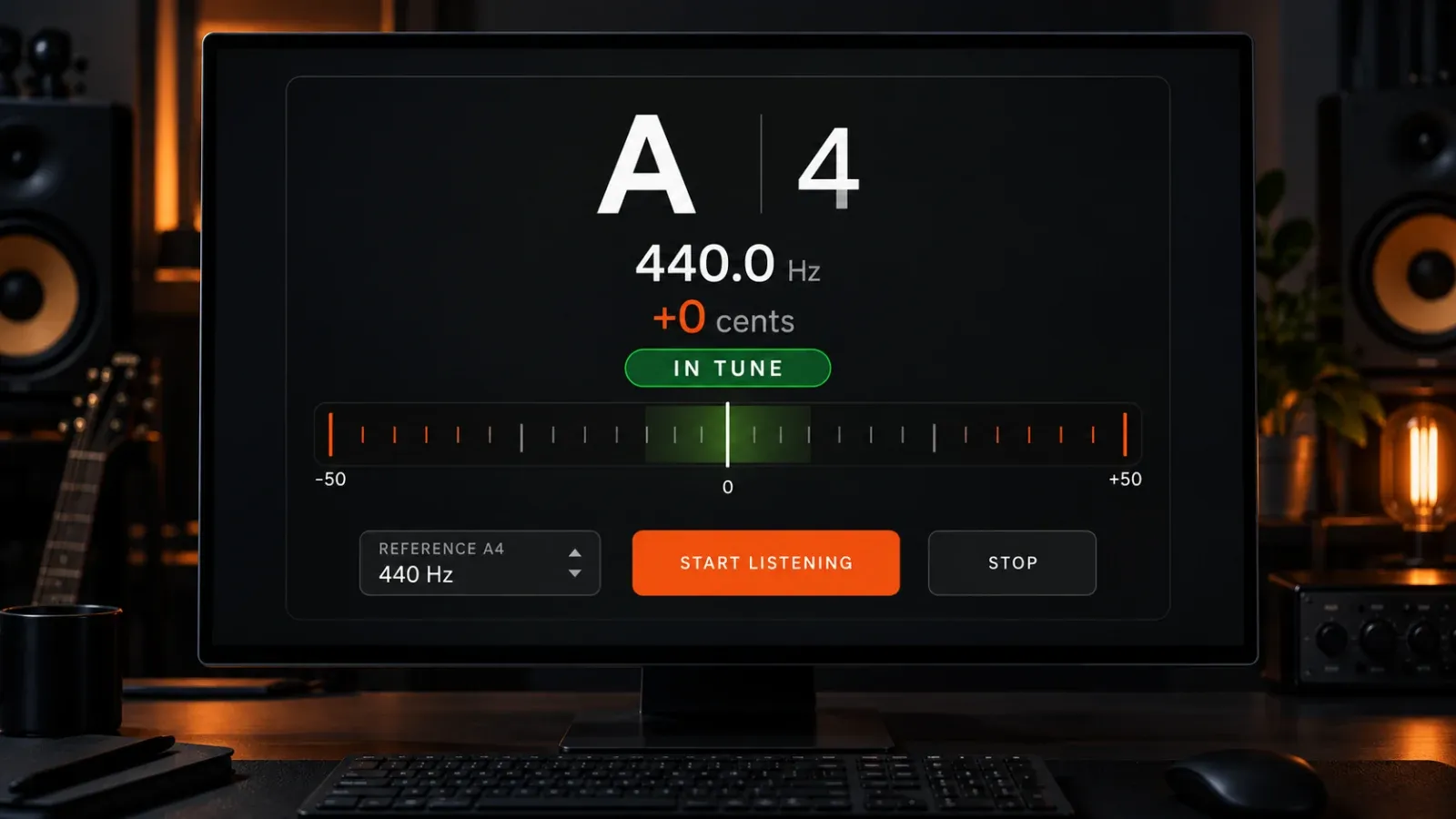
What the note, octave, Hz, and cents readings mean
The large letter is the nearest note in the chromatic scale. The smaller number is its octave, so A3 and A4 share a note name but sit an octave apart. A4 is the A above middle C; under the default reference it is 440 Hz.
Frequency in hertz counts cycles per second. Doubling a frequency raises the pitch by one octave: 220 Hz is A3, 440 Hz is A4, and 880 Hz is A5 when A4 is set to 440 Hz.
Cents show the distance from the nearest equal-tempered note. One semitone contains 100 cents. A negative value is flat, a positive value is sharp, and a reading near zero is centered. The green zone here covers ±5 cents as a practical visual cue, not a claim that every source must stay inside that range. Vibrato, instrument character, and musical context all matter.
Why the reading jumps
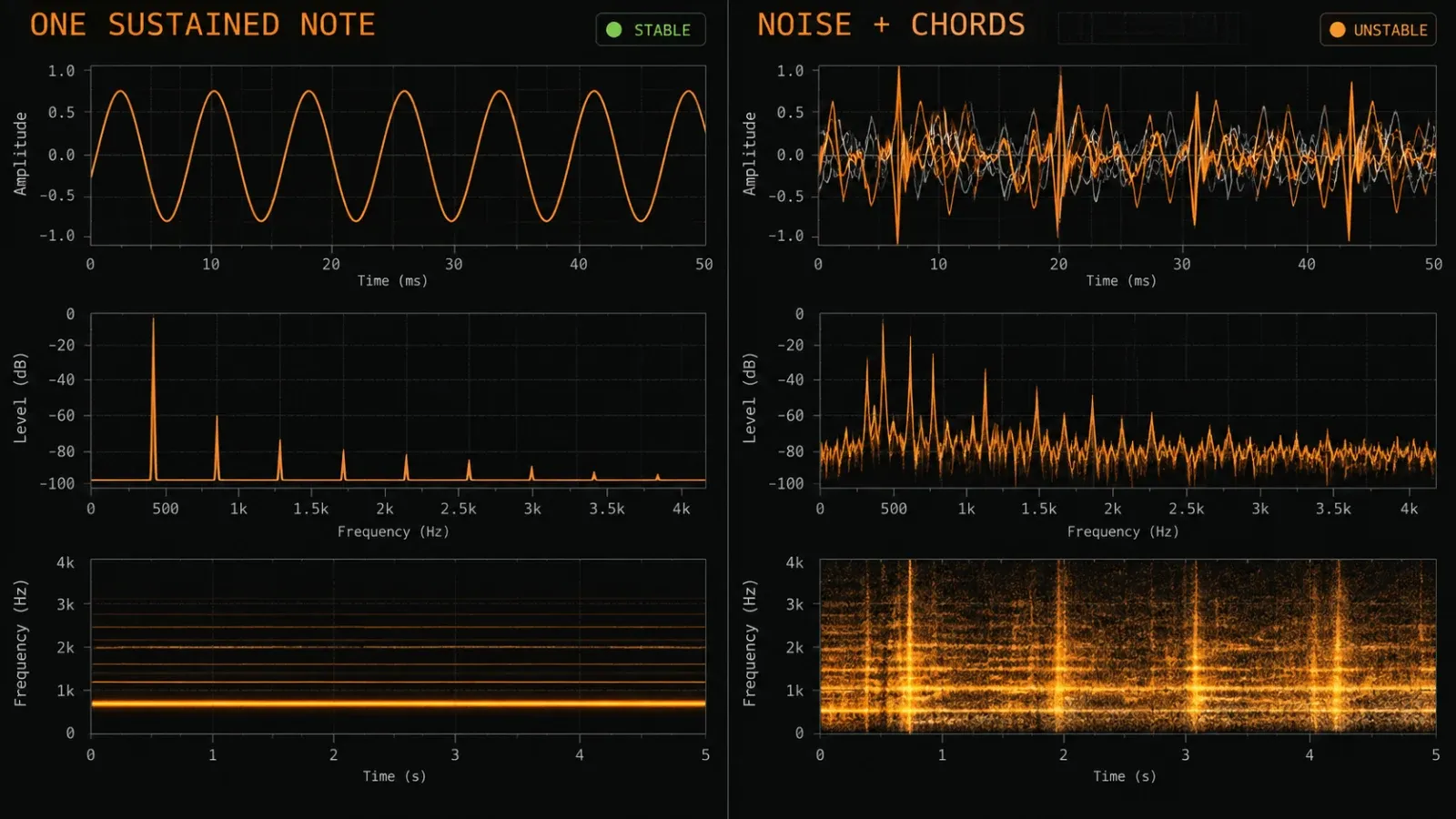
A real sound is rarely a perfect sine wave. It contains a fundamental frequency, overtones, noise, and a changing envelope. A detector must decide which repeating pattern best represents the pitch. That decision can move from frame to frame when the signal changes.
The attack is noisy
The first instant of a plucked string, piano note, or consonant-heavy vocal often contains more transient energy than stable pitch. Let the note ring for a moment before trusting the display. The same habit helps when tuning inside a DAW.
Vibrato moves by design
Vibrato deliberately moves above and below a center pitch. Do not chase every number. Watch the overall center and the symmetry of the movement. A slow scoop into a note should also be read as motion, not as a faulty detector.
Overtones can trigger an octave error
Some sources produce a strong harmonic that briefly looks more regular than the fundamental. The detector may show a note one octave too high or low. Move closer to the source, reduce distortion, play a steadier note, and compare the result with the pitch you expect from the instrument's range.
Chords do not have one answer
A chord contains several fundamentals at once. This detector is monophonic: it looks for one dominant repeating pitch. It may jump among chord tones, settle on a strong harmonic, or show no stable result. That is expected behavior, not a useful chord analysis.
How reference pitch changes the result
The A4 control defines the tuning reference used to map frequency to note names and cents. At 440 Hz, a measured 440 Hz signal is A4 at zero cents. If the reference is changed to 442 Hz, the physical signal has not changed, but the cents comparison has.
Match the reference to the session before making a tuning decision. Older recordings, orchestral sessions, imported samples, and deliberately detuned instruments may not use A4 = 440 Hz. If you do not know the reference, start at 440 and compare several sustained notes rather than forcing one sample to zero.
How the microphone analysis works
The browser requests audio through the MediaDevices microphone interface. That interface requires a secure context and permission from the user. Once access is granted, the page reads time-domain samples through a Web Audio AnalyserNode and looks for a repeating period.
The audio is analyzed locally in the page. This tool does not upload the microphone stream. Stop closes the browser audio context and stops every microphone track opened by the detector.
Using the result in FL Studio
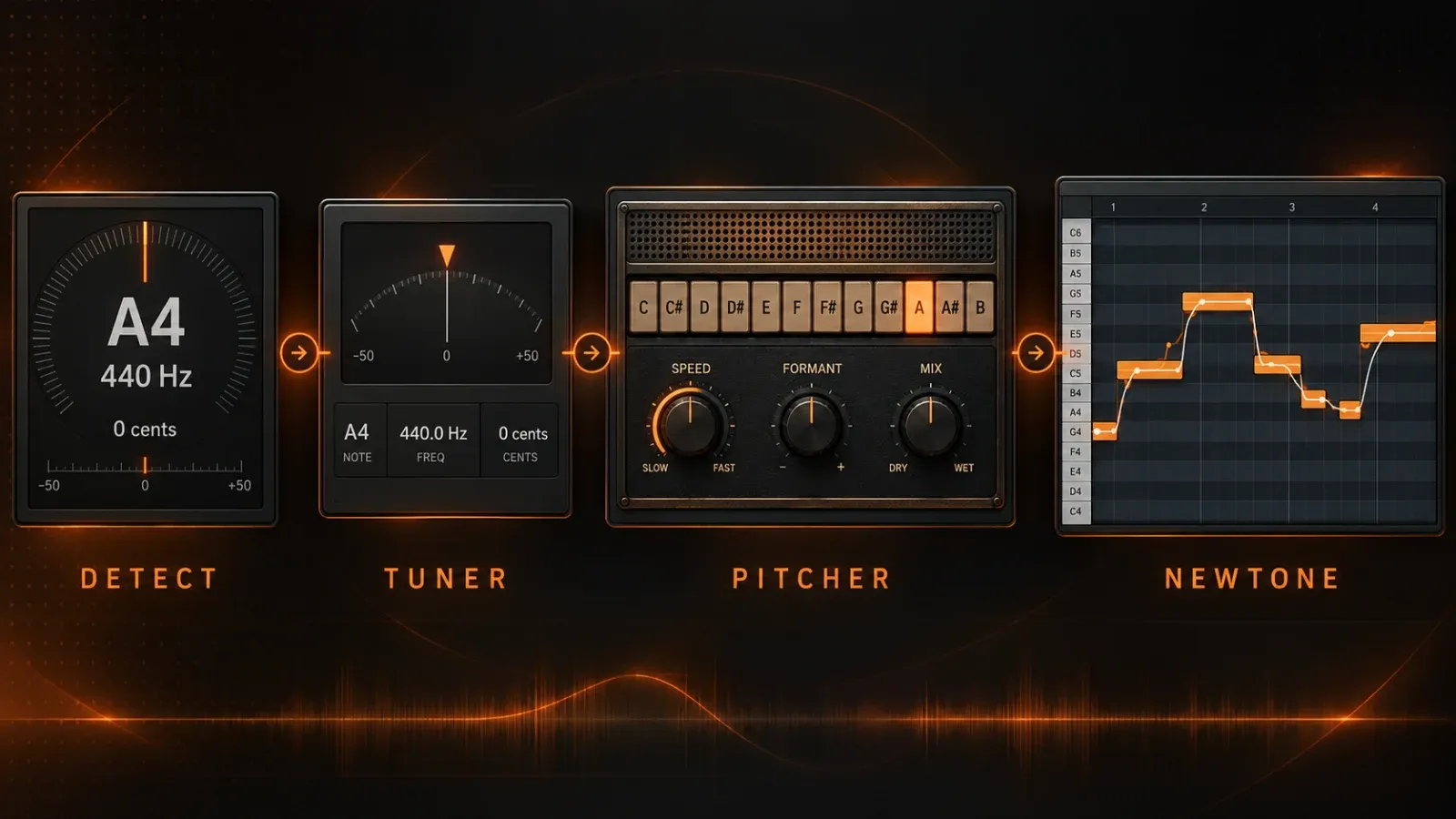
The browser detector answers a measurement question: “What pitch is this sound closest to right now?” FL Studio has different tools for checking, correcting, and editing pitch. Choose the next step from the job you need to finish.
Use Tuner to check a live Mixer signal
Load Tuner on the relevant Mixer track when you want the same kind of measurement inside the project. Image-Line describes FL Studio Tuner as a monophonic tuner that displays note name, octave, frequency, and cents offset. Put it after the processing you want to evaluate. Heavy distortion or modulation can make the displayed pitch less stable because the plug-in receives the processed signal.
The practical distinction is location: this page listens to a browser microphone, while Tuner reads the signal routed through FL Studio. If you are checking a recorded sample or instrument already in the project, Tuner avoids sending that audio out through speakers and back into a microphone.
Use Pitcher for real-time correction
A detector does not move the note. If a vocal or monophonic lead needs correction during playback, Pitcher is Image-Line's real-time pitch-correction effect. It can constrain detected input toward allowed notes and supports MIDI control. Read our FL Studio Pitcher guide before setting correction speed aggressively; a faster response is not automatically a more natural result.
Use NewTone for detailed recorded edits
For a recorded vocal or instrument take, NewTone provides pitch and time editing after audio is captured. Its note segments make it possible to inspect transitions and edit selected regions rather than applying one live correction behavior to the whole performance. The NewTone workflow guide covers the editor, while our sample pitch-correction guide helps choose a method for imported audio.
Microphone permission and no-signal fixes
If the page says access was denied, open the site's permission controls in the browser and allow the microphone. macOS and Windows can also block microphone access at the operating-system level, so check both layers. Reloading alone does not override a denied permission.
If access succeeds but no note appears, check the selected input device, input level, and physical connection. Then try these changes:
- hold one louder, cleaner note rather than speaking;
- move the microphone closer without clipping the input;
- turn off speakers or use headphones;
- bypass reverb, chorus, delay, and distortion while identifying the source pitch;
- try a mid-range note if the source is extremely low or high.
Some browsers and embedded web views restrict microphone features. A current desktop browser opened directly on the secure page is the most reliable fallback.
Limits that matter
This detector is a quick identification tool, not a laboratory frequency counter. Room noise, microphone response, sample rate, signal level, vibrato, and harmonic balance affect the estimate. It also cannot tell you whether a pitch is musically right for the key, chord, or melody. It reports the nearest note under the selected A4 reference.
For tuning an isolated instrument, use sustained notes across its range rather than judging it from one pitch. For vocals, read the movement and center instead of treating every cent change as an error. For chords, polyphonic material, and full mixes, use musical analysis and the project context rather than expecting one note name.
Pitch detector FAQ
Can it detect a note from a song?
It may identify a dominant tone in a sparse passage, but a full song contains many simultaneous notes and percussion. Isolate the source or solo the track in FL Studio for a meaningful reading.
Does it tune the sound automatically?
No. It measures pitch. Use Pitcher for real-time correction or NewTone for detailed editing of recorded audio.
Why does the same note show different cents values?
The source itself may move, especially with vibrato, string decay, breath, or unstable attack. Noise and overtones can also shift the estimate. Read the settled middle of the note and compare several attempts.
Is 440 Hz always the right reference?
It is the common default, but not every recording or ensemble uses it. Match the A4 setting to the material when that reference is known.