FL Studio
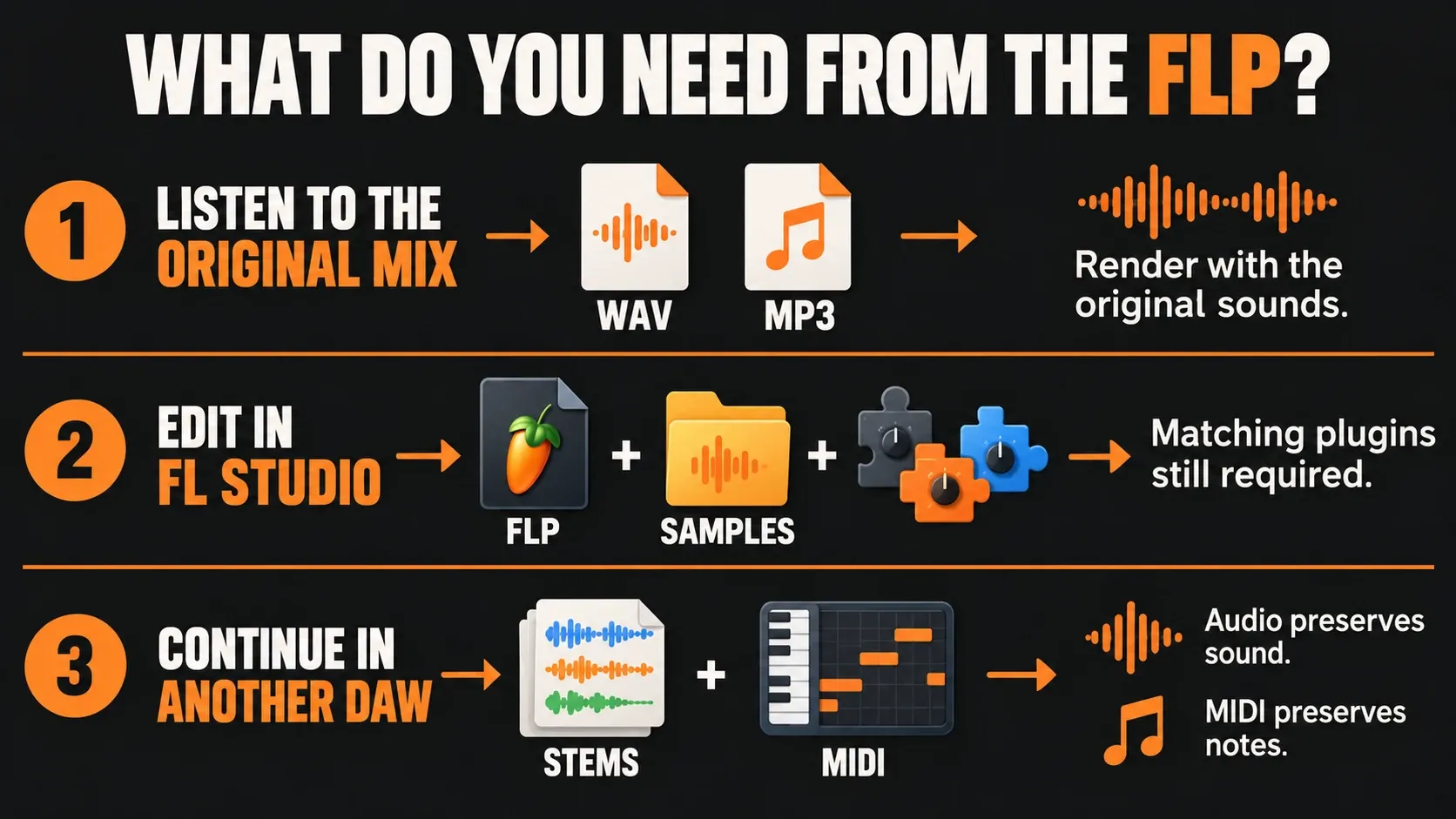
An FL Studio .flp file needs different treatment depending on what you want back. For the original mix as MP3 or WAV, open the project with its required sounds and render audio. To continue editing in another DAW, use a project converter with documented limitations, or send stems and MIDI. To keep working in FL Studio on another computer, package the project and its samples.
I would decide the deliverable before choosing a converter. A playable demo of the notes, a faithful stereo mix and an editable session can all be useful. They solve different problems, and a download that opens successfully doesn't prove you got the one you needed.
What an FLP file actually carries
The FLP is FL Studio's native project document: the arrangement and the state needed to rebuild it. Image-Line's project-format description separates that document from its external samples. Sending the FLP alone can leave the recipient without recordings or sample files used by the song.
Think of the bass part. Its notes and instrument settings can be saved while the instrument that makes the sound still has to be available. A parser may recover the notes; that does not give it the original synth, preset library, effects or routing behavior. Changing the filename from song.flp to song.mp3 changes none of those dependencies and does not render audio.
There are embedded-data exceptions: Image-Line's FLP documentation notes audio held inside Edison. The useful rule is that the FLP alone is not a complete package of every sound and plugin. Check what this particular project needs.
Choose the output you need
| Your goal | Ask for or create | What stays editable |
|---|---|---|
| Hear or share the original mix | A WAV or MP3 rendered with the original sounds available | The resulting audio; individual synth notes and plugin settings are not separate controls |
| Edit the song in FL Studio | FLP plus required media, normally collected with a zipped loop package | The project, subject to compatible versions, editions and plugins |
| Mix or arrange in another DAW | Aligned audio stems, a reference mix and MIDI where useful | Audio tracks and transferred MIDI parts; rebuild the receiving session |
| Preserve more session structure across DAWs | A supported project conversion plus a reference and essential audio | Whatever the converter supports; inspect its report and the destination project |
| Identify the writing without the original instruments | A parser or audition tool that explains its substitutions | Recovered data depends on the tool; the playback sound may be replaced |
Get the original song as MP3 or WAV
The reliable starting point is a working project whose instruments, recordings and samples are available. Image-Line documents rendering through File > Export as the route from the project to audio. A converter cannot recreate an unavailable recording merely by reading its old file path.
- Keep the original FLP. Work from a copy. Resolve missing-sample or missing-plugin messages before treating a render as the intended mix.
- Check the arrangement. Use Song mode and remove an unintended Playlist time selection; a selected range can shorten the export.
- Choose File > Export > MP3 file or Wave file. Give the output a clear name and a destination you can find.
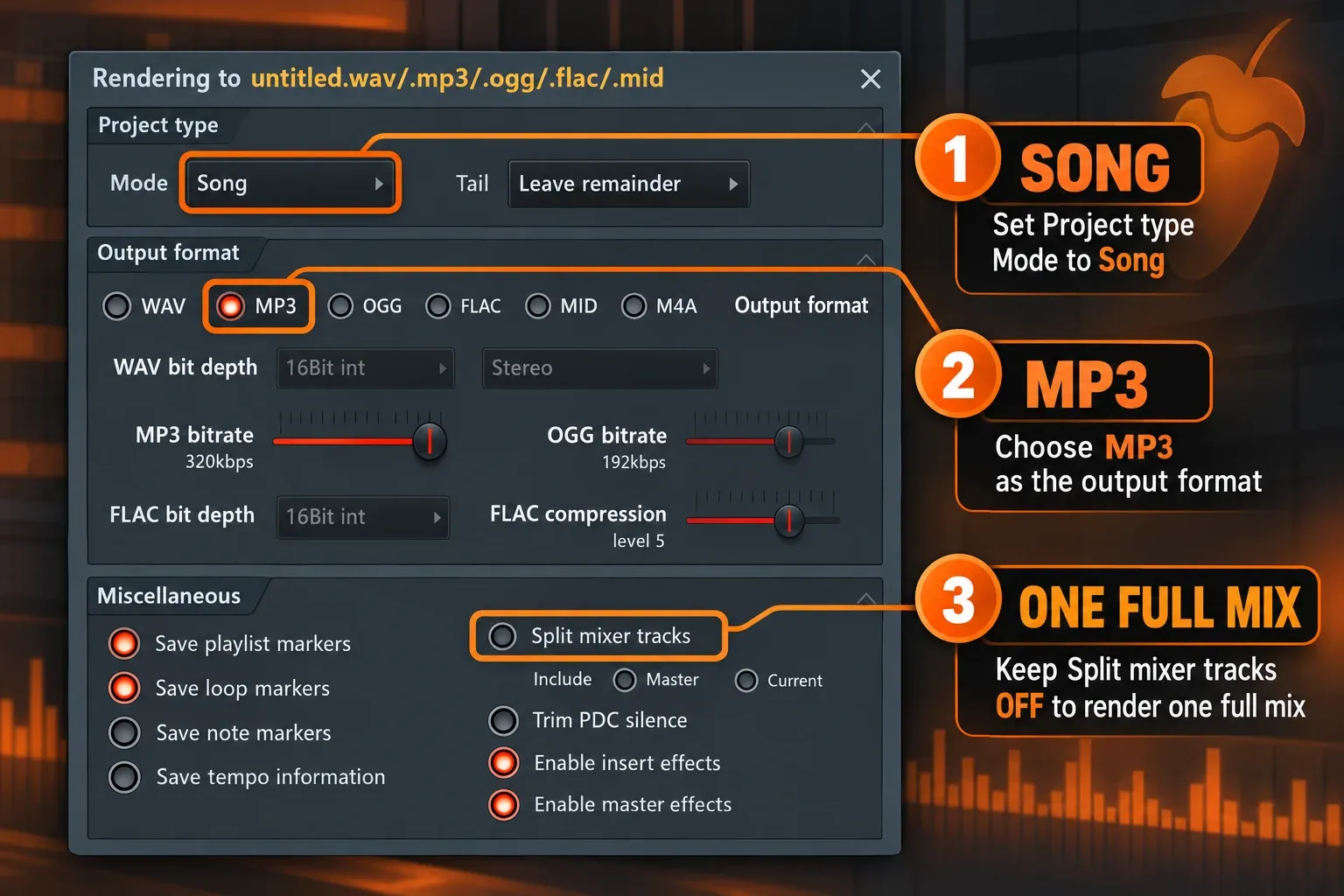
- Render the full mix. In the export dialog choose Mode: Song and leave Split mixer tracks off. Keep insert and master effects enabled when you want the processed mix, and start with Leave remainder for an ending that should decay.
- Listen to the actual file. Check a busy section, the beginning and the ending in a media player. Confirm the format and that the important parts are present before sending it.
Those are the essential decisions. The full-song export guide covers exact ranges, routing and format choices. Use that workflow when the project already works and you just need the right audio delivery.
If you only have the standard Trial
Image-Line's current Trial limitations allow saving and exporting, but saved projects cannot be reopened until you purchase and unlock FL Studio. Installing the Trial is therefore not a dependable way to open an FLP somebody sent you. If useful work is still open in your Trial session, make the required exports before closing it.
If you have no usable FL Studio installation, ask the sender for an audio bounce. If they no longer have the required instruments or recordings either, identify those missing dependencies first. A different file extension will not supply them.
Can an online FLP converter play it without FL Studio?
Some tools can read project data and give it a new playback engine. Read what they mean by “play.” For example, Doseedo's FLP-to-MP3 explanation says it uses replacement instruments to perform the recovered notes rather than loading the project's original plugins. That can help you recognize a melody; it should not be mistaken for the finished record.
Separate three promises when comparing services: reading notes, translating an editable project, and rendering the original sound. A list of MP3/WAV output extensions alone establishes none of the missing-plugin handling. Before paying or handing over unreleased work, check the supported source version, what gets substituted or omitted, and whether the chosen route uploads files or processes them locally.
I would use an audition for identifying the writing, and a bounce from the working source project for checking the mix. Keep that distinction in the filename or message you send with the audio so a collaborator knows what they are hearing.
Keep the project editable in FL Studio
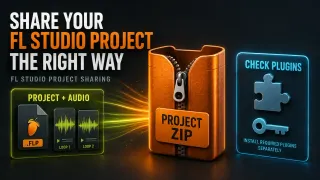
For another FL Studio user, start with File > Export > Zipped loop package. The File menu describes it as a project-and-sample package. It is an editable handoff, not a stereo audio conversion.
The collection has a boundary: Image-Line specifies samples from Sampler Channels and Audio Clips. Arbitrary libraries inside third-party samplers are excluded unless their saved format embeds the sample data. The ZIP does not install plugins or grant their licenses. Include the required project data folder when that is the workflow being used, and follow each instrument's own authorized library-transfer process.
Windows and macOS FL Studio projects use the same native format. The developer's cross-platform guidance still requires matching plugin formats: an AU plugin will not load on Windows, and its VST equivalent is not substituted automatically. A Mac-to-Windows move is a dependency check rather than a special FLP file conversion.
When the project was saved in a newer version
Image-Line supports opening an older project's format in a newer FL Studio version; the reverse direction is unsupported. Its project-sharing instructions recommend matching current release versions and checking Help > About. They also warn that a project saved in a newer beta may not open in the current release.
Keep a copy before trying any third-party downgrader. Rewriting a version field does not provide an older installation with a newly added feature. If the recipient must stay on an older version, send rendered audio and the useful MIDI parts, or recover an earlier compatible copy through the backup workflow. Do not overwrite the only working project to investigate compatibility.
Move an FLP into Ableton or another DAW
A project converter tries to translate the session into a format the other application understands. That can keep more editing structure than a stereo bounce. Its support list matters more than the word “convert.” These are documented options, not results from our own conversion tests:
| Option | What its current documentation offers | Condition to check |
|---|---|---|
| Jukeblocks | FLP/ALS project conversion with explicit target versions | Its notes list Ableton 9.7/10.1 and FL Studio 12.5 output formats, and no instrument/effect racks or Patcher support. Check the relevant direction and version notes. |
| Doseedo | An FL Studio-to-Ableton session rebuild with documented mappings | It says automation beyond volume, pan and tempo does not carry yet, including plugin parameters and sends. Review its report for unmapped items. |
| DawVert | A project-converter README listing FLP input and Ableton/MIDI outputs | Developer-oriented setup and format support are not a promise that every device, parameter or source-version feature transfers unchanged. |
For a song whose sound must survive, render the fragile parts before the move and keep a reference mix. After opening the destination session, compare timing, the hook, important transitions, sidechains, effects and the ending against that reference. Opening successfully does not establish that the destination sounds the same; the musical comparison is still necessary.
If you want a straightforward mix handoff, follow the stems export workflow for common start points and routing. Add MIDI for parts that need note editing, knowing that MIDI carries note/control data rather than the synth sound or mix processing. Keep an untouched original before any whole-project MIDI preparation.
Ask the sender for the right handoff
A precise request saves the next round of “the file opens but sounds wrong.” Ask for what your next task actually needs:
- For listening: a stereo WAV or MP3 rendered from the working project.
- For FL Studio editing: the project package, required media, FL Studio version and a list of plugins with their formats and versions.
- For another DAW: a reference mix, aligned audio parts, the needed MIDI, tempo information and notes on sounds or automation that need rebuilding.
When the files arrive, keep their original package, open a separate working copy and compare it with the reference before deleting anything. If the bass becomes a different instrument or the final reverb disappears, trace that specific dependency or mapping. Another generic “FLP converter” upload is unlikely to answer what went missing.