 FL Studio
Deliver files another person can open and trust
Choose the correct render scope, keep effects and tails intentional, label every output, and verify the files outside the project before sending them.
Decide what the recipient needs before rendering
A listener needs one finished master. A mix engineer may need aligned stems without master processing. Another FL Studio user may need the project plus every external sample. Those are different deliveries, and one export checkbox cannot satisfy all three.
The current Image-Line export manual distinguishes the Master render, split Mixer tracks and Playlist-track export. Read the request first, then choose the render path. Otherwise a technically successful export can still be unusable.
Use the handoff order that prevents surprises
Consolidate only when a project needs committed audio, then choose the final format and render settings. Export stems after routing and naming are stable. Package the project only after checking that every external file is included.
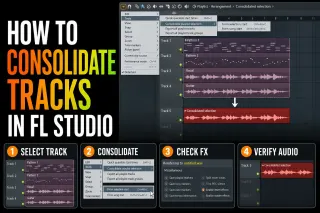 Commit selected work inside the project
How to Consolidate Tracks in FL Studio Without Surprises
Consolidate tracks when editable project material needs a dependable audio version.
Consolidate tracks
Commit selected work inside the project
How to Consolidate Tracks in FL Studio Without Surprises
Consolidate tracks when editable project material needs a dependable audio version.
Consolidate tracks
 Render the finished song
Export a Song from FL Studio: WAV, MP3 and More
Choose Full song, a useful tail mode and the format required by the next destination.
Export the song
Render the finished song
Export a Song from FL Studio: WAV, MP3 and More
Choose Full song, a useful tail mode and the format required by the next destination.
Export the song
 Set format and quality deliberately
FL Studio Export Settings: Bit Depth, Sinc and Dither
Match bit depth, sample rate, resampling and dither to the actual delivery.
Choose export settings
Set format and quality deliberately
FL Studio Export Settings: Bit Depth, Sinc and Dither
Match bit depth, sample rate, resampling and dither to the actual delivery.
Choose export settings
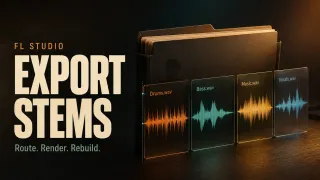 Prepare aligned stems
Export Stems from FL Studio: Routes, Effects and Alignment
Name routes, decide how buses and master effects are handled, then verify alignment.
Export stems
Prepare aligned stems
Export Stems from FL Studio: Routes, Effects and Alignment
Name routes, decide how buses and master effects are handled, then verify alignment.
Export stems
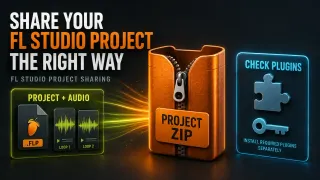 Package an FL Studio project
FL Studio Zipped Loop Package: Share Projects Safely
Collect the project and its external audio so another machine does not open a session full of missing files.
Create a zipped package
Package an FL Studio project
FL Studio Zipped Loop Package: Share Projects Safely
Collect the project and its external audio so another machine does not open a session full of missing files.
Create a zipped package
Before sending the folder
- The requested range and tail are present.
- Every stem begins from the agreed common start point.
- Master and bus processing choices are documented.
- Files have useful names rather than default Insert numbers.
- The master or stems have been opened outside the original project and played through.
Return to Mixing if levels or processing are unfinished, or to Workflow if project ownership and clip organization are still unclear.
Open the guide for the task in front of you
This list includes every live guide assigned to this route. Scheduled and draft pages stay out until readers can open them.
How to Consolidate Tracks in FL Studio Without Surprises
Turn Playlist clips into dependable audio without baking the master twice, losing tails or shifting alignment. Choose the right start point and verify the render.
Open the guide
Export a Song from FL Studio: WAV, MP3 and More
Export the finished mix, not an accidental excerpt: check the Master route, effects, range, tail and delivery format, then listen to the actual file.
Open the guide
Export Stems from FL Studio: Routes, Effects and Alignment
Choose the files that belong together, preserve the right effects and common start, then check the actual WAV delivery without risking an open Trial project.
Open the guide
FL Studio Export Settings: Bit Depth, Sinc and Dither
Choose the format and depth for the next person, understand what sinc and HQ actually affect, then check the exported file without risking needed Trial work.
Open the guide
FL Studio Zipped Loop Package: Share Projects Safely
Create an FL Studio Zipped Loop Package, check external libraries and plugin compatibility, then verify and preserve the recipient’s working copy.
Open the guide
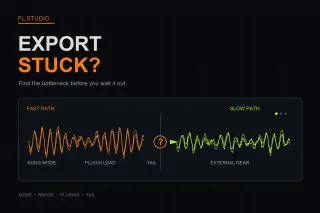 FL Studio Export Is Slow or Stuck: Find the Bottleneck
A slow or frozen FL Studio export usually has a specific bottleneck. Check render mode, range, effect tails, plugin quality and external gear in the right order.
Open the guide
FL Studio Export Is Slow or Stuck: Find the Bottleneck
A slow or frozen FL Studio export usually has a specific bottleneck. Check render mode, range, effect tails, plugin quality and external gear in the right order.
Open the guide
 FL Studio FLP Files: Convert to Audio or Move the Project
Choose the right FLP route: render the original mix, package an editable FL Studio project, or transfer it with stems, MIDI or a documented project converter.
Open the guide
FL Studio FLP Files: Convert to Audio or Move the Project
Choose the right FLP route: render the original mix, package an editable FL Studio project, or transfer it with stems, MIDI or a documented project converter.
Open the guide
FL Studio export questions
Why does my export contain only one pattern?
Because the export ran in Pattern mode, which renders only the currently selected pattern. I’d check Mode before touching anything else: set it to Song in the export window and render again. The same window saves WAV, MP3, OGG, FLAC or M4A audio; MIDI export is note data, not audio.
Should I export stems with master effects?
Ask the recipient. Mix handoffs commonly omit master processing, while a creative reference should include it. Bus effects and parallel returns also need an explicit decision rather than an automatic default.
Are split Mixer tracks the same as Playlist tracks?
No. Mixer stems follow routing, while Playlist-track export follows the arrangement lanes. Choose according to the structure the recipient needs.
How do I know a project package is complete?
Open a copied package from a different folder or machine and check for missing media and plugins. A ZIP existing on disk does not prove that every dependency was collected.