 FL Studio
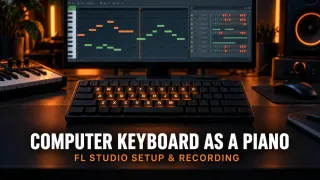 How to Use Your Computer Keyboard as a Piano in FL Studio7 min read
Use your computer keyboard as a piano in FL Studio: enable the mode, learn the QWERTY note map, control velocity, record notes and fix latency.
How to Use Your Computer Keyboard as a Piano in FL Studio7 min read
Use your computer keyboard as a piano in FL Studio: enable the mode, learn the QWERTY note map, control velocity, record notes and fix latency.
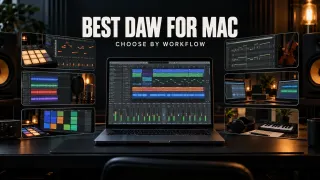 Best DAW for Mac: 7 Options Compared by Workflow12 min read
Logic Pro is the best all-round choice for most current Macs, while FL Studio, Ableton, REAPER, Pro Tools, Cubase and GarageBand fit different workflows.
Best DAW for Mac: 7 Options Compared by Workflow12 min read
Logic Pro is the best all-round choice for most current Macs, while FL Studio, Ableton, REAPER, Pro Tools, Cubase and GarageBand fit different workflows.
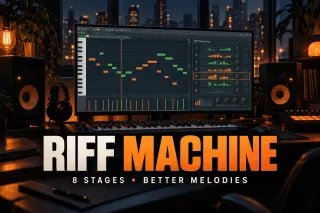 FL Studio Riff Machine: A Controlled Melody Workflow10 min read
Use FL Studio Riff Machine without random overload: set Snap, control all eight stages, process existing notes and fix timing, range and density problems.
FL Studio Riff Machine: A Controlled Melody Workflow10 min read
Use FL Studio Riff Machine without random overload: set Snap, control all eight stages, process existing notes and fix timing, range and density problems.
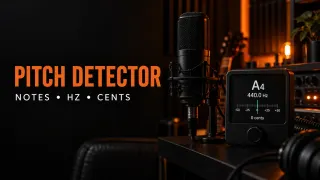 Pitch Detector: Find Notes, Hz and Cents Online6 min read
Identify a note, octave, frequency and cents offset from your microphone, then understand unstable readings and choose the right FL Studio pitch tool.
Pitch Detector: Find Notes, Hz and Cents Online6 min read
Identify a note, octave, frequency and cents offset from your microphone, then understand unstable readings and choose the right FL Studio pitch tool.
 How to Import MP3 or Audio into FL Studio9 min read
Import MP3 or WAV files into the FL Studio Playlist or Channel Rack, add permanent Browser folders and fix drag-and-drop, format and tempo problems.
How to Import MP3 or Audio into FL Studio9 min read
Import MP3 or WAV files into the FL Studio Playlist or Channel Rack, add permanent Browser folders and fix drag-and-drop, format and tempo problems.
 FL Studio vs Pro Tools: Which DAW Fits Your Workflow?12 min read
FL Studio is faster for patterns, Piano Roll work and beatmaking; Pro Tools is stronger for multitrack recording, comping, detailed editing and studio exchange. Here is how to choose—and how to use both safely.
FL Studio vs Pro Tools: Which DAW Fits Your Workflow?12 min read
FL Studio is faster for patterns, Piano Roll work and beatmaking; Pro Tools is stronger for multitrack recording, comping, detailed editing and studio exchange. Here is how to choose—and how to use both safely.
 Soundgoodizer in FL Studio: What It Does and How to Use It8 min read
Learn what Soundgoodizer actually controls, how to compare A–D fairly, where it fits in a Mixer chain, and when Maximus gives you the control you need.
Soundgoodizer in FL Studio: What It Does and How to Use It8 min read
Learn what Soundgoodizer actually controls, how to compare A–D fairly, where it fits in a Mixer chain, and when Maximus gives you the control you need.
 FL Studio Song Length Calculator: Bars, BPM and Time3 min read
Convert BPM and bars to minutes with FL Studio's time-signature math, then check what can change the exported runtime.
FL Studio Song Length Calculator: Bars, BPM and Time3 min read
Convert BPM and bars to minutes with FL Studio's time-signature math, then check what can change the exported runtime.
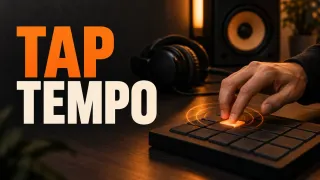 How to Use Tap Tempo in FL Studio6 min read
Use FL Studio's Tempo Tapper to follow a beat, correct half or double-time readings, nudge a live source, and decide when Detect tempo is the better tool.
How to Use Tap Tempo in FL Studio6 min read
Use FL Studio's Tempo Tapper to follow a beat, correct half or double-time readings, nudge a live source, and decide when Detect tempo is the better tool.
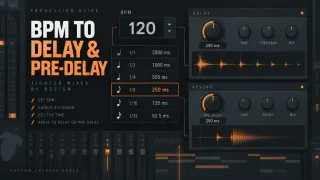 FL Studio Delay and Reverb Calculator: BPM to Milliseconds5 min read
Convert your FL Studio project BPM into delay divisions in milliseconds, then place them in Fruity Delay 3 or use the short ones as Fruity Reeverb 2 pre-delay.
FL Studio Delay and Reverb Calculator: BPM to Milliseconds5 min read
Convert your FL Studio project BPM into delay divisions in milliseconds, then place them in Fruity Delay 3 or use the short ones as Fruity Reeverb 2 pre-delay.
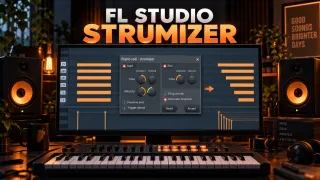 FL Studio Strumizer: Hotkey, Controls and Natural Chords9 min read
Use the FL Studio Strumizer with Alt/Option+S, set strum direction and tension, shape velocity, control note endings, chop overlaps and alternate successive chords.
FL Studio Strumizer: Hotkey, Controls and Natural Chords9 min read
Use the FL Studio Strumizer with Alt/Option+S, set strum direction and tension, shape velocity, control note endings, chop overlaps and alternate successive chords.
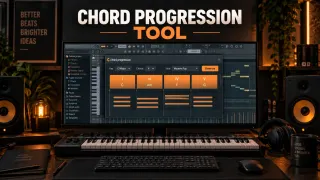 FL Studio Chord Progression Tool: Build Chords That Fit Your Track10 min read
Use the FL Studio Chord Progression Tool to generate or analyze chords, lock good choices, fix voicing and bass, protect existing notes, add performance and Accept a clean Pattern.
FL Studio Chord Progression Tool: Build Chords That Fit Your Track10 min read
Use the FL Studio Chord Progression Tool to generate or analyze chords, lock good choices, fix voicing and bass, protect existing notes, add performance and Accept a clean Pattern.