FL Studio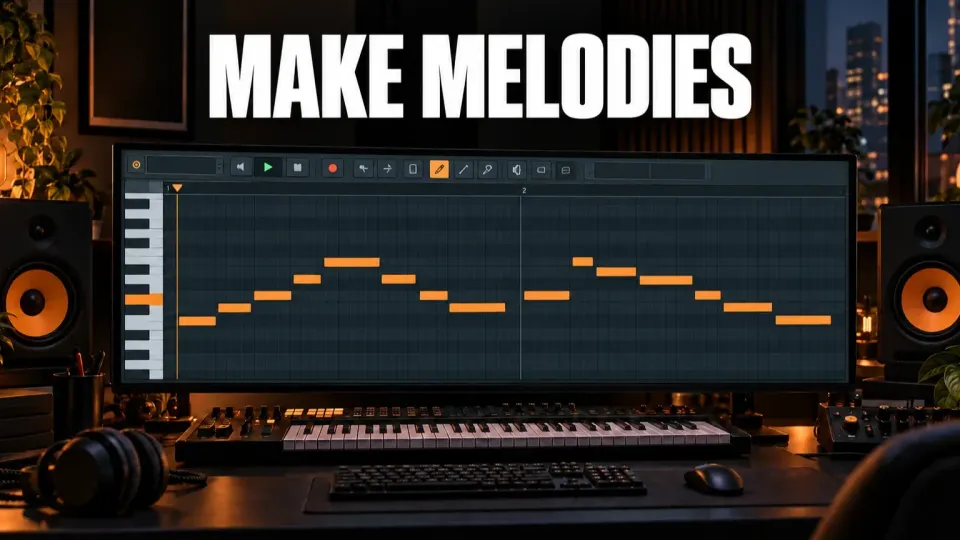
To make a melody in FL Studio without guessing, write the rhythm first on one note. Turn that rhythm into a short four-note motif, keep it within a compact range, repeat the opening and change the ending. Then check the line against the chords with Ghost Notes. This gives every note a job before you start adding detail.
The common mistake is to solve pitch, rhythm, sound design and harmony at the same time. That turns the Piano Roll into a field of possibilities with no clear decision to make. A smaller process works better: rhythm creates the phrase, pitch creates the contour, repetition makes it memorable, and variation stops it from feeling mechanical.
Start with one clear sound and an empty Pattern
Choose a simple instrument with a quick attack and a tone you can hear clearly. A plain pluck, piano or basic synth works better for writing than a wide preset with a long delay and reverb tail. You can replace the sound later. Right now, you need to hear where each note starts, ends and leaves space.
Open a new Pattern and its Piano Roll. Image-Line's Piano Roll manual describes the vertical axis as pitch and the horizontal axis as time. That simple map is enough for this method: move right to shape rhythm, and move up or down to shape contour.
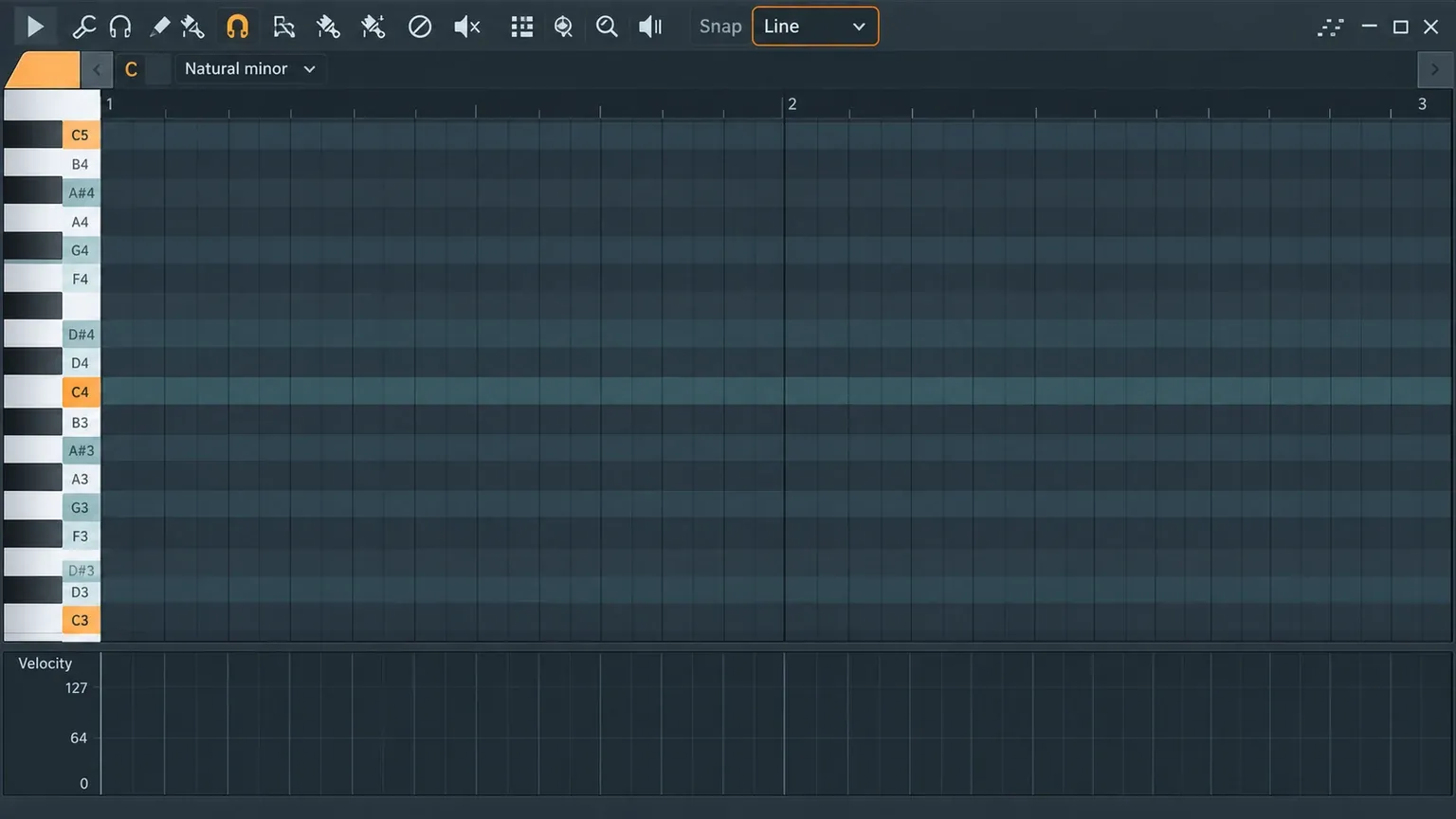
Set Snap to a useful musical grid before drawing. If every note lands at a slightly different position by accident, you cannot tell whether the rhythm is weak or merely untidy. A quarter-beat or half-beat grid is a sensible starting point for a simple phrase. Change the grid later only when you have a specific reason to add syncopation or shorter notes.
Choose a key and use scale highlighting as a guardrail
Pick one key and scale for the sketch. If the chords already exist, use their key. If you are starting from silence, choose a familiar major or minor scale and stay with it long enough to judge the phrase.
FL Studio can shade the Piano Roll for a selected root and scale through its scale-highlighting controls. The current Piano Roll menu documentation lists root and scale choices under Helpers. Our scale highlighting guide shows where to find those settings.
The shaded rows reduce avoidable wrong-note clicks, but they do not write the melody for you. Every note inside a scale is not equally strong over every chord. Use the guide to narrow the pitch set, then listen to how each note behaves against the harmony.
Write the rhythm on one note first
Draw six to eight notes on the same pitch across two bars. Ignore melody for a moment. Use different note lengths and leave at least two obvious gaps. Play the phrase against the drums or metronome.
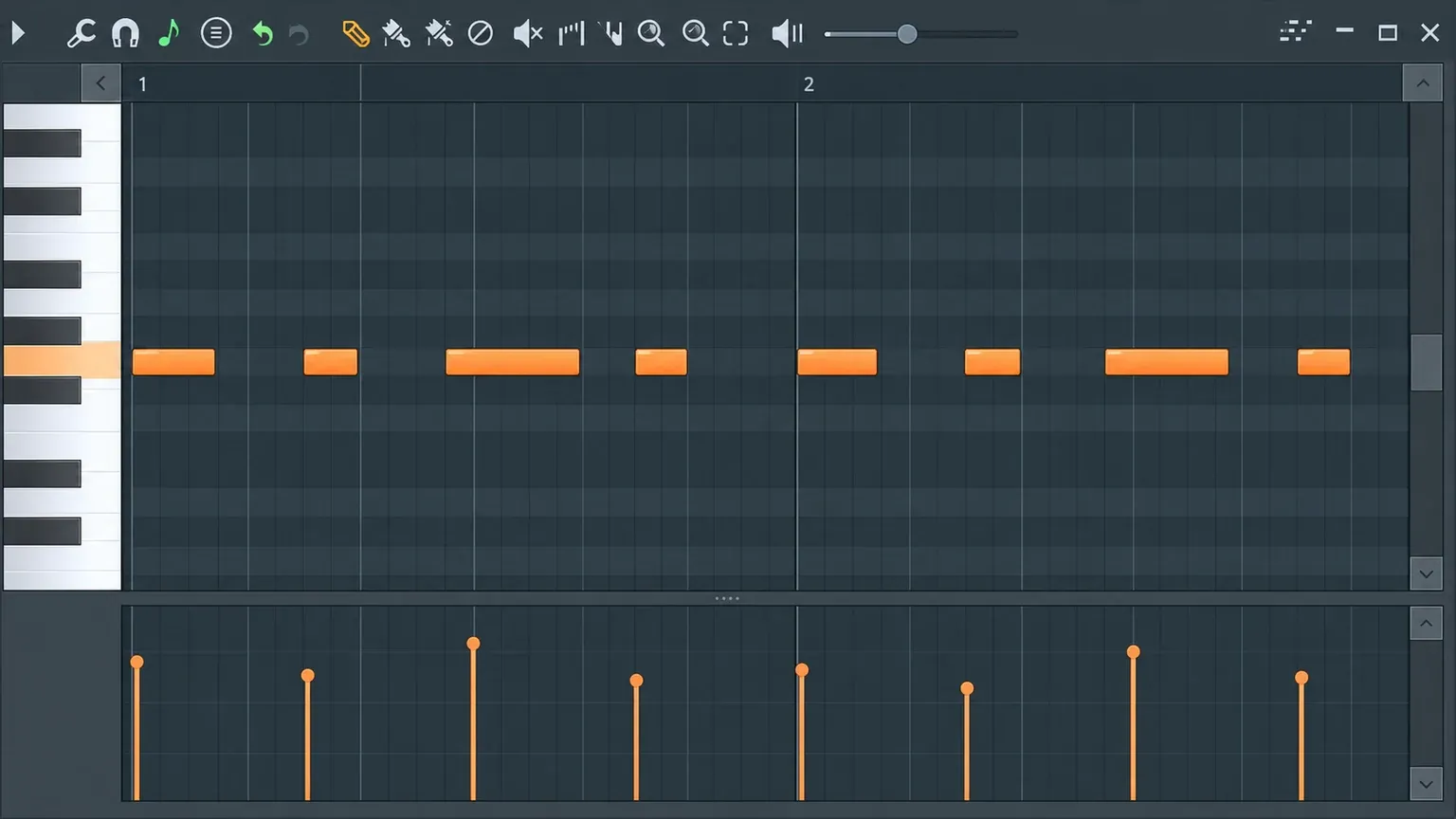
If the rhythm feels like a continuous stream, remove a note. If every note starts on a strong beat, move one start later. If the phrase has no clear ending, make the last gap longer. The goal is not complexity. You want a rhythm that you could clap back after hearing it twice.
This step prevents random-note syndrome because pitch cannot distract you from weak timing. When the one-note version already has a recognizable pulse, changing pitch adds meaning instead of hiding a rhythm that never worked.
Turn the rhythm into a four-note motif
Now assign pitches to the first four note events. Keep the first note near the middle of the instrument's useful range. Move the next two by one or two scale steps, then let one note make a larger move. That gives the motif a home, direction and a point of emphasis.
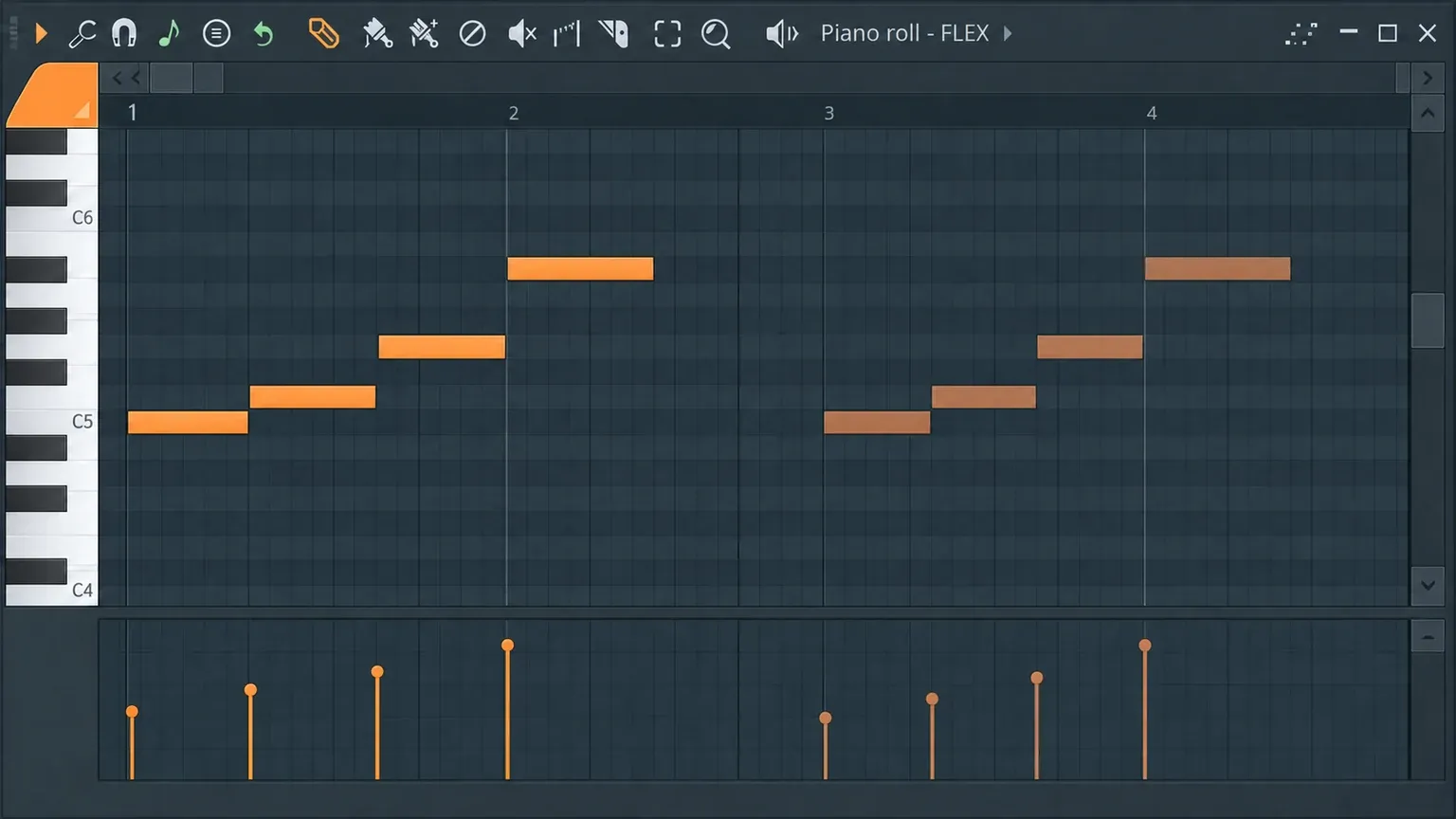
Do not force every event to use a new pitch. Repeating the same pitch with a different rhythm can be more memorable than climbing through the scale. A four-note motif might use only three pitches. The identity comes from the combination of rhythm and contour, not from the number of different notes.
Play the motif several times. If you cannot anticipate its rhythm by the third repeat, simplify it. A motif is the part the listener recognizes when it returns. It needs a clear shape before you decorate it.
Keep the range compact and make one leap matter
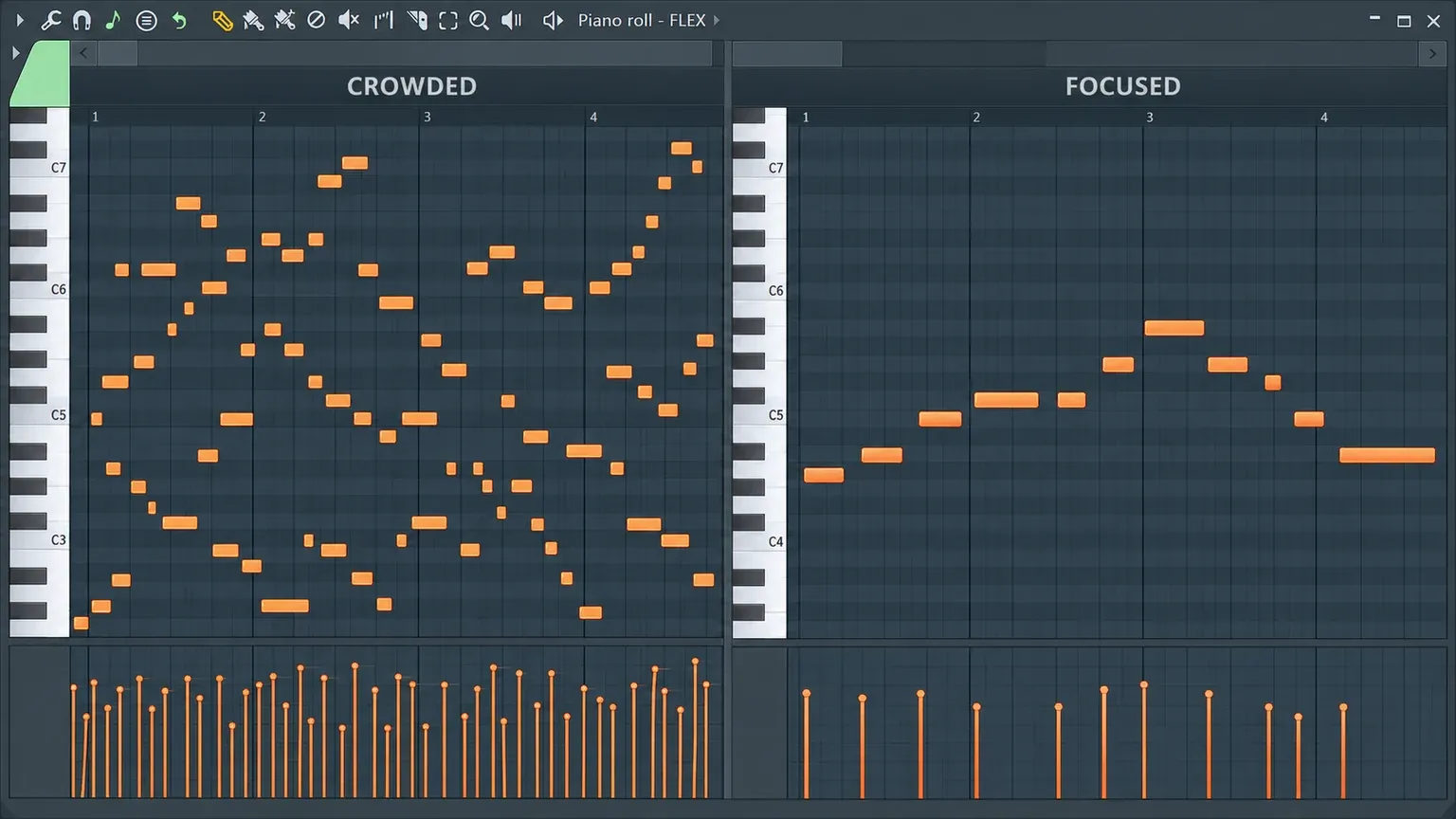
Beginners often spread notes across two or three octaves because the Piano Roll makes that easy. The result can sound like several disconnected ideas. Keep the first version within roughly one octave. A smaller range helps the phrase feel singable and makes the high or low point meaningful.
Use stepwise motion for most transitions. A larger interval should lead somewhere: into the longest note, the strongest beat, the start of a new chord or the phrase peak. If every transition is a leap, none of them sounds important.
When a leap feels abrupt, try one of three fixes: shorten the note before it, place the leap after a rest, or approach the destination from the opposite direction. These changes reshape expectation without adding more notes.
Repeat the opening and change the ending
Copy the first bar into the second. Keep the first half recognizable, then change the final two or three notes. This creates a question-and-answer relationship without making the second phrase sound unrelated.
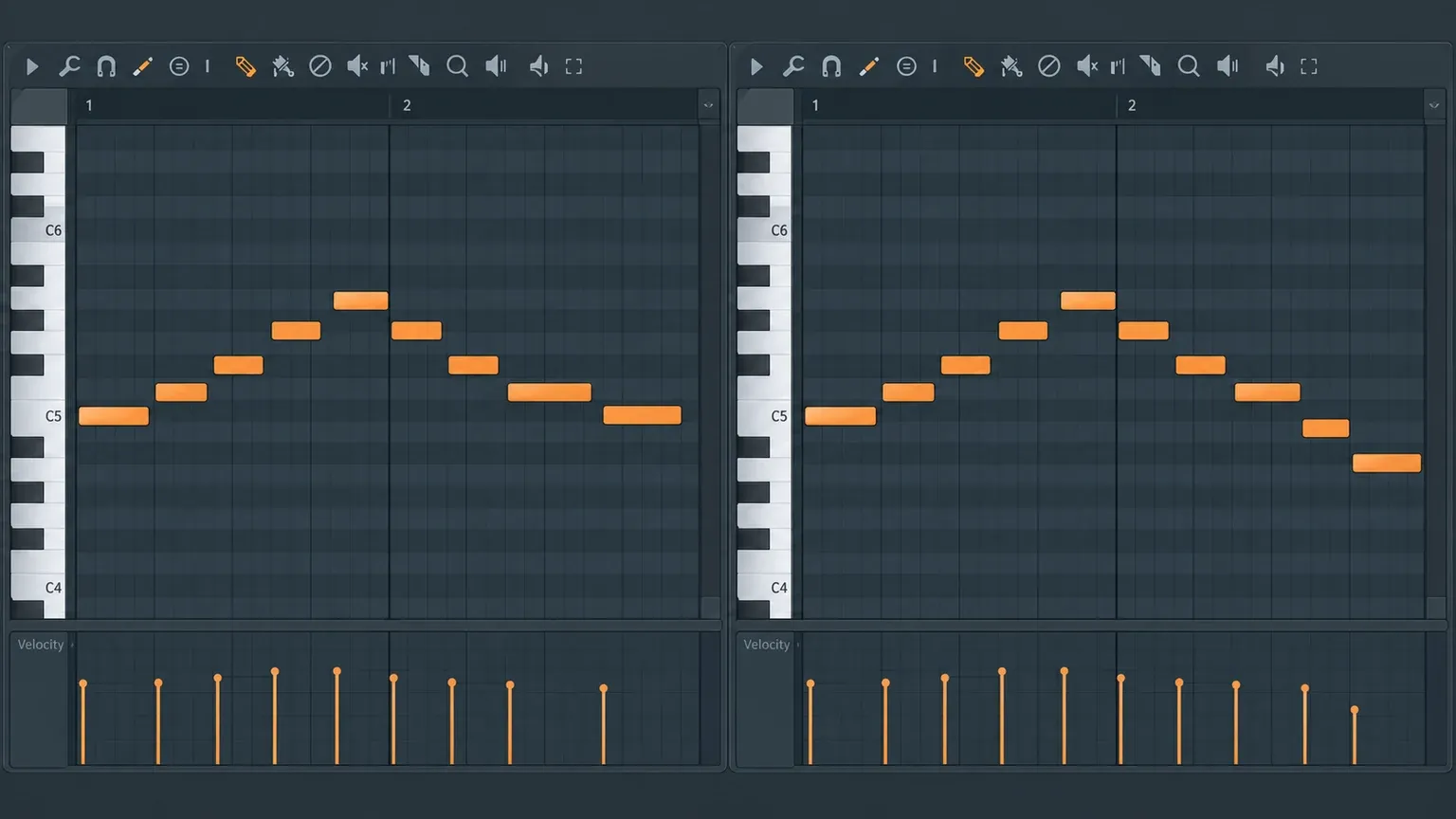
Good variation changes one main dimension at a time. You can alter the ending pitches while keeping the rhythm, or keep the pitch contour and change one rest. Changing rhythm, register, note count and direction at once usually erases the connection to the motif.
A useful test is to mute the second bar and remember how you expect it to end. Bring it back. If the real ending feels surprising but still connected, the variation works. If it sounds like a new melody, restore more of the original shape.
Check the melody against the chords with Ghost Notes
If the chords are in another channel of the same Pattern, turn on Ghost channels. Image-Line documents Ghost Notes as notes from other channels shown in the current Piano Roll, and our Ghost Notes guide covers the setup and channel switching.
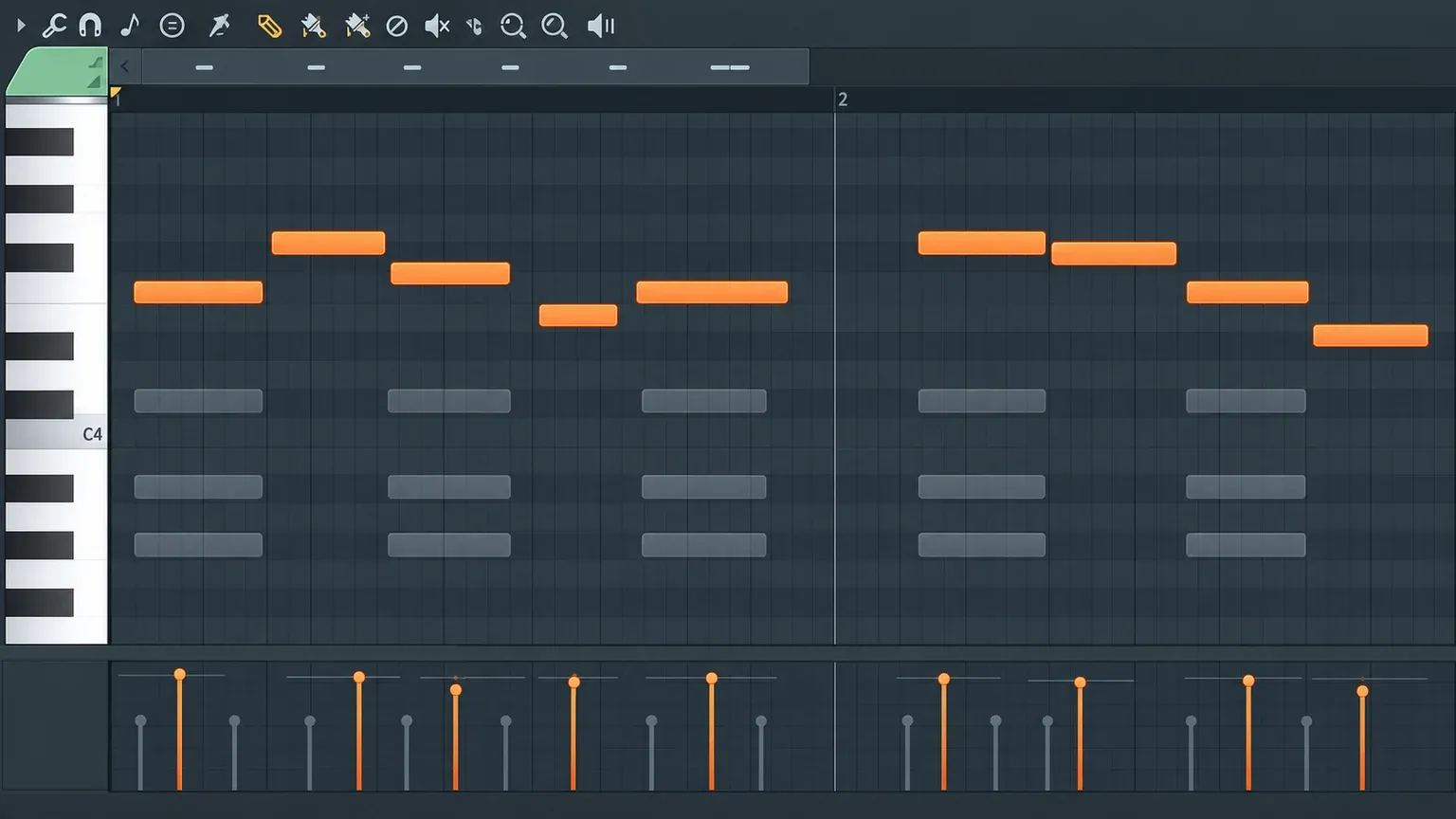
Do not snap every melody note onto a chord note. That can make the line safe and dull. Instead, inspect the notes that last longest or land on the strongest beats. Those positions carry more harmonic weight. Short passing notes can create motion, but a long note that rubs against the chord will dominate the phrase.
If you do not have chords yet, build a simple foundation first with the Chord Progression Tool or write a few triads manually. The melody method stays the same. Harmony gives you context; it should not replace the rhythm and contour decisions that make the line recognizable.
Use note length and velocity to finish the phrase
Once the pitches work, shape the notes. Shorten notes before rests so the silence feels intentional. Extend the phrase peak if it deserves emphasis. Avoid making every note fill the full distance to the next start unless you want a connected legato line.
Then adjust velocity with restraint. A small lift on the phrase peak or first note can clarify the accent. Random velocity changes do not create human phrasing by themselves; they can make a clear motif harder to read. The lower Piano Roll event area provides note-property editing described in Image-Line's note editing reference.
If the instrument is a pluck or piano, note length and velocity may change the result clearly. A sustained synth patch can react differently. Shape the musical phrase first, then choose the articulation that suits the sound.
Fix a melody by its symptom
| Symptom | Likely cause | First repair |
|---|---|---|
| It sounds random | Too many pitches and too little repetition | Keep the rhythm, reduce the motif to three or four pitches, and repeat the opening |
| It sounds flat | No clear contour or peak | Choose one high point and make the notes before it move toward it |
| It sounds crowded | Every grid space contains a note | Delete one event from each bar and lengthen the most useful rest |
| It sounds disconnected from the chords | Long notes land on unstable tones | Check strong beats with Ghost Notes and move the longest note first |
| It sounds like an exercise | The scale rises and falls evenly | Repeat a pitch, interrupt the climb and change the rhythm before changing more notes |
| It works only with one preset | Effects are carrying the phrase | Switch to a dry simple sound and repair the note lengths or rhythm |
Make one repair, listen, and decide whether the symptom changed. Editing five dimensions at once prevents you from learning which decision helped.
Move from a loop to an arrangement
A two-bar melody is a useful unit, not a complete song. Copy it into the Playlist context and decide where it should disappear. The first arrangement change should often be subtraction: remove the melody from the opening, shorten it before a transition, or let only the motif answer another part.
For a later section, change the register or ending while preserving the rhythm that identifies the motif. If you need a second line, write it around the gaps rather than over the busiest notes. Countermelody works when it answers available space, not when it competes for every beat.
FL Studio also offers fast idea generators such as Riff Machine and Loop Starter. They solve a different problem. Use them when you want raw material. Use this manual method when you want to understand why a phrase works and retain control over every note.
A repeatable melody checklist
- Choose a simple sound, one Pattern and a useful Snap grid.
- Set a key and enable scale highlighting.
- Write a two-bar rhythm on one pitch with clear rests.
- Turn the first four events into a small motif.
- Keep the range compact and reserve one meaningful leap.
- Repeat the opening and change the second ending.
- Check long notes and strong beats against the chords with Ghost Notes.
- Shape note length and velocity after the phrase works.
- Repair one symptom at a time.
- Arrange the motif by removing, delaying and varying it across sections.
The strongest habit is to stop asking whether each note is “good” in isolation. Ask what it does for the phrase. Does it establish the rhythm, continue the contour, create the peak, resolve the ending or leave space? When every note has a reason, the melody stops feeling guessed.