 FL Studio
All guides
FL Studio guides, organized by the job in front of you
Choose from thirteen routes, from your first setup to MIDI, recording, mixing and export. Each route helps you find the right next step; the complete article library is below.
Choose a practical route
FL Studio is easier to learn when each question belongs to a real session. Start with setup if the program is new, use Workflow when the idea needs structure, or go straight to Troubleshooting when audio, MIDI or a project has stopped behaving.
Where should you begin?
If FL Studio is not yet installed, follow Start here in order. If you already have a working session, pick the route that matches the current bottleneck rather than reading from the oldest article forward. A silent output belongs in Troubleshooting; a clean recording that needs timing edits belongs in Workflow; a balanced arrangement that needs tone and level work belongs in Mixing.
All published FL Studio tutorials
These guides are ordered by publication date. Use the route cards above when you want a guided sequence, or browse below for one exact task.
 13 min read
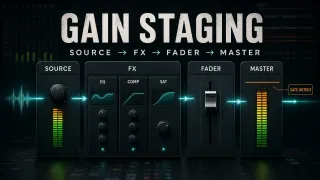
FL Studio Gain Staging: Source, Effects and Master
Set the level where the first unwanted change happens: trim the source before an effect that gets too much, and use the post-effect Mixer fader for balance. Insert tracks practically never clip in FL Studio; the Master and tracks sent to a device output can.
Read guide
 13 min read
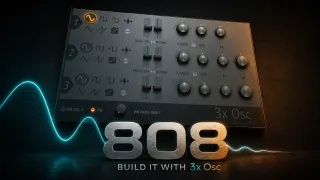
Make an 808 in FL Studio with 3xOSC
Select the sine on OSC 1, set the OSC 2 and OSC 3 Mix Level to zero and shape the tail with the Channel Volume envelope. Add a short pitch drop or a quiet triangle only where the line needs it, then save the full Channel state so the envelopes reload.
Read guide
 15 min read
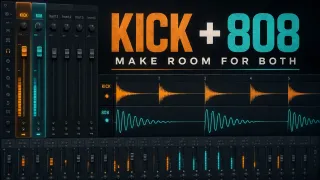
How to Mix 808s in FL Studio and Make Them Hit Harder
Route the kick and 808 to their own inserts, set the level in the full beat, stop ringing tails with MAX polyphony or Mono, then add harmonics, Soft Clipper or ducking only where they help. Includes the hit-harder order, sub checks on small speakers and mono.
Read guide
 16 min read
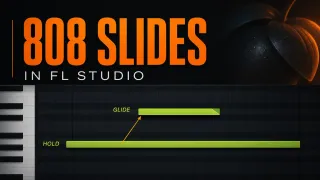
How to Add Slide Notes in FL Studio and Make 808 Slides
Press S in the Piano roll and draw: each note becomes a silent Slide note that bends an overlapping same-color note to its pitch. Convert drawn notes in Note Properties, slide chords by color, and build an 808 glide in Sampler or a VST.
Read guide
 12 min read
How to Tune an 808 in FL Studio: Root Note and Cents
Read the 808's steady body with Tuner, which every FL Studio edition includes, then right-click that note on the Sampler keyboard to make it the root. Fix leftover cents with the FINE knob, and compare frequency in Hz, because FL Studio names MIDI note 60 C5.
Read guide
 13 min read
FL Studio Swing: Add Groove Without Losing the Beat
Raise Global Swing in the Channel Rack and keep each instrument's Swing Mix above 0%. Test on a 16-step hat, set kick and bass to 0% if they should stay straight, and use the Alt+Q Quantizer for a groove on selected notes.
Read guide
 18 min read
FL Studio Drum Patterns: Rap, Trap, House & UK Garage
Rap and boom bap: about 90 BPM, kick on steps 1, 7 and 11, snare on 5 and 13. UK garage: about 130 BPM, kick on 1 and 11, swung 16th hats. Grids for trap and house too, plus FL Studio swing settings, hat accents, fills and Piano Roll scripts.
Read guide
 13 min read
FL Studio Step Sequencer: Steps, Length & Velocity
Open the Channel Rack with F6, pick an empty Pattern and click steps; 16 make one 4/4 bar. Then set Pattern length, soften hats in the Graph Editor, use fills and fix ghost steps, silent rows and missing buttons.
Read guide
 14 min read
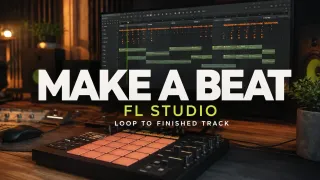
How to Make a Beat in FL Studio: Start to Finish
Program a one-bar drum Pattern in the Channel Rack, write bass and melody as separate Patterns, press L for Song mode and arrange 32 bars in the Playlist. Then turn parts down before pushing others up and export a 24-bit WAV to judge by ear.
Read guide
 15 min read
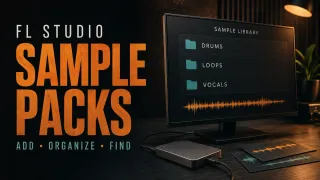
How to Add Drum Kits and Sample Packs to FL Studio
To add drum kits and sound packs to FL Studio, extract them into a folder outside the installation, then drag it onto the Browser or add it in File settings. Where to get legal kits, how to audition and load them into the Channel Rack and FPC, and fixes for packs that don't show up.
Read guide
 15 min read
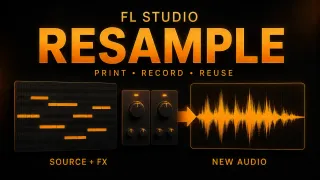
Resample Audio in FL Studio: Render, Consolidate or Record
Right-click a Pattern in the Picker Panel and choose Render as audio clip, or select arranged clips and press Ctrl+Alt/Opt+C to consolidate them with their automation. Record one-off passes into Edison with Shift+E, then check the print before you mute or disable its source.
Read guide
 15 min read
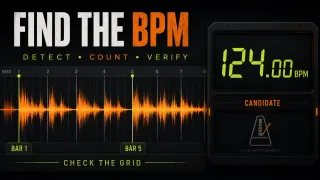
How to Detect BPM in FL Studio and Check Sample Tempo
Drag the sample into the Playlist, open the Audio Clip menu, choose Detect tempo and pick a range. Then check later downbeats against a grid at that BPM with the clip at its original speed. Edison's beat count, Tap Tempo and the Limit button sort out disputed and half-time readings.
Read guide