 FL Studio
All guides
FL Studio guides, organized by the job in front of you
Choose from thirteen routes, from your first setup to MIDI, recording, mixing and export. Each route helps you find the right next step; the complete article library is below.
Choose a practical route
FL Studio is easier to learn when each question belongs to a real session. Start with setup if the program is new, use Workflow when the idea needs structure, or go straight to Troubleshooting when audio, MIDI or a project has stopped behaving.
Where should you begin?
If FL Studio is not yet installed, follow Start here in order. If you already have a working session, pick the route that matches the current bottleneck rather than reading from the oldest article forward. A silent output belongs in Troubleshooting; a clean recording that needs timing edits belongs in Workflow; a balanced arrangement that needs tone and level work belongs in Mixing.
All published FL Studio tutorials
These guides are ordered by publication date. Use the route cards above when you want a guided sequence, or browse below for one exact task.
 16 min read
How to Record Vocals in FL Studio: Clean Takes
Give the microphone its own Mixer insert and Playlist Audio Track, record on EXT from the mono input, set gain at the interface on the loudest phrase and pick one monitoring path. Test a short take, record a full pass first, then comp from the raw takes.
Read guide
 12 min read
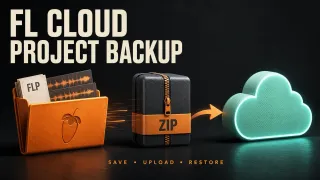
FL Cloud Project Backup in FL Studio: Setup and Restore
Back up an FL Studio project with File > Save and back up to FL Cloud or the per-save Project option. Each upload is a ZIP with Sampler Channel and Audio Clip samples, a same-name upload replaces the old copy, and a backup counts once its download opens on the restore computer.
Read guide
 14 min read
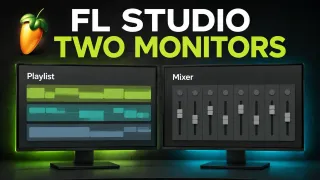
FL Studio Dual Monitor Setup: Mixer on a Second Screen
Run FL Studio on two or more monitors: detach the Mixer and fill the second screen, move the main window to an external Mac display, stretch FL Studio across every monitor, fix audio focus and bring lost windows back.
Read guide
 13 min read
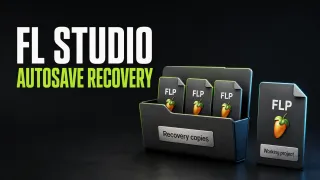
FL Studio Autosave: Recover a Lost Project From Backup
Open Browser > Backup, copy the promising FLPs to a separate folder and open the copies from newest to oldest. File > Revert to last backup loads only the newest copy. Choose a mode by its playback rule, keep User data on a local drive and raise Maximum when several songs share the folder.
Read guide
 14 min read
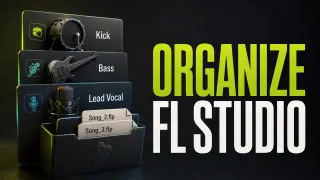
How to Organize and Rename an FL Studio Project
Name Channels, Patterns, Playlist lanes and Mixer tracks by role, give each role one color family, save numbered versions, keep one project data folder, rename the project with Save as and review every Arrangement before removing anything.
Read guide
 14 min read
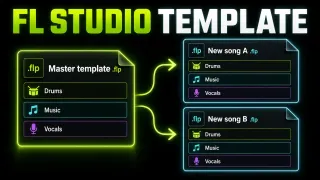
FL Studio Project Template: Build One or Start Empty
To make an FL Studio project template, save your starter with File > Save as template and pick it from File > New from template. For a blank song choose Minimal > Empty, and set Startup project to Empty project if FL Studio should launch blank.
Read guide
 14 min read
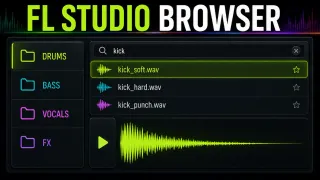
FL Studio Browser: Open It, Add Folders and Find Sounds
Open the FL Studio Browser with Alt/Option+F8 or View > Browser, bring back a hidden, detached or off-screen panel, add sample folders, search by type and tag, preview full samples and load each file where it belongs.
Read guide
 18 min read
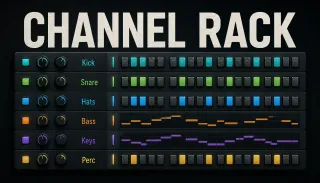
FL Studio Channel Rack: Channels, Patterns and the Playlist
Press F6 to open the Channel Rack. Channels are shared sources, and the selected Pattern holds their steps and notes. Place Patterns in the Playlist from the Picker Panel, route each Channel to the Mixer, and fix red buttons, hidden rows and wrong live targets.
Read guide
 16 min read
FL Studio Playlist: Arrange a Song and Cut Audio Clips
Press F5, switch to Song mode and place Pattern, Audio and Automation Clips; mark sections, pick free lanes or Track Mode, duplicate with Make unique, cut audio with the Slice tool and Zero-cross, trim edges, chop clips, cut a sample in Edison and compare Arrangements.
Read guide
 13 min read
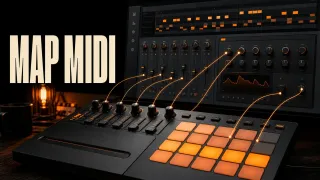
How to Map a MIDI Controller in FL Studio: Knobs & Pads
Right-click a control, choose Link to Controller and move the knob; then batch targets with Multilink, pick project, global or volatile scope, stack links, map pads by their messages, stop jumps with Pickup and remove a bad link without wiping the map.
Read guide
 12 min read
How to Record MIDI in FL Studio From Any Keyboard
Enable the keyboard in MIDI settings, pick an empty Pattern and Channel, tick Notes on Record's right-click menu and turn Step Editing off; then fix missing, short or early notes, cancel a bad take and pull lost ideas from the Score Logger.
Read guide
 12 min read
How to Export a Pattern or Full Song as MIDI in FL Studio
For one part, use Piano Roll export (Shift+Ctrl+M). For a whole Pattern or song, prepare a saved copy in licensed FL Studio. In Trial, export needed parts and a reference WAV before the macro; check notes, sustain and tempo in the destination.
Read guide