 FL Studio
Prepare the source before the Playlist carries the damage
Find the tempo, choose the right editor, trim only what should disappear, and keep an untouched source available before slicing, stretching or resampling.
Identify the job before opening another editor
A sample can need several different kinds of work. A noisy recording needs a clean noise profile. A loop that drifts needs a trustworthy tempo and stretch mode. A drum break may need slice markers, while a finished sound may only need a short trim and fade. Treating all four as “editing” is how producers make destructive changes and then forget which file was the original.
Use the current Edison manual for exact controls, but decide the destination first. Edison suits focused waveform work; Slicex turns marked regions into playable slices; Audio Clip controls are often enough for arrangement-level timing.
Use the lightest tool that finishes the edit
Begin with Edison when you need to see and prepare the waveform. Move to noise repair only when the noise is actually isolated, then use Slicex for performance-oriented slicing. Tempo and time-stretch decisions come before resampling because resampling commits the result.
 Learn Edison
Edison in FL Studio: Record, Edit and Export Audio
Record, select, trim, fade and move audio while keeping the source and destination clear.
Open Edison
Learn Edison
Edison in FL Studio: Record, Edit and Export Audio
Record, select, trim, fade and move audio while keeping the source and destination clear.
Open Edison
 Clean the sample edges
Edit Samples in FL Studio Edison: Trim, Fade & Fix Clicks
Trim unwanted space, apply short fades and check the edit for clicks before saving.
Edit the sample
Clean the sample edges
Edit Samples in FL Studio Edison: Trim, Fade & Fix Clicks
Trim unwanted space, apply short fades and check the edit for clicks before saving.
Edit the sample
 Reduce steady background noise
Remove Background Noise in FL Studio with Edison
Build a useful noise profile and stop before the wanted signal turns metallic.
Reduce noise
Reduce steady background noise
Remove Background Noise in FL Studio with Edison
Build a useful noise profile and stop before the wanted signal turns metallic.
Reduce noise
 Turn regions into playable slices
Slicex in FL Studio: Chop Samples, Map Pads & Fix Clicks
Place markers deliberately, map slices and test the rhythm from the Piano Roll.
Use Slicex
Turn regions into playable slices
Slicex in FL Studio: Chop Samples, Map Pads & Fix Clicks
Place markers deliberately, map slices and test the rhythm from the Piano Roll.
Use Slicex
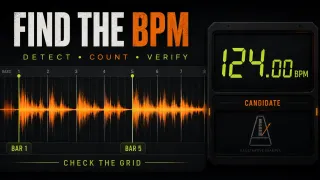 Confirm the sample tempo
How to Detect BPM in FL Studio and Check Sample Tempo
Use a plausible range and verify the detected BPM against several bars.
Detect BPM
Confirm the sample tempo
How to Detect BPM in FL Studio and Check Sample Tempo
Use a plausible range and verify the detected BPM against several bars.
Detect BPM
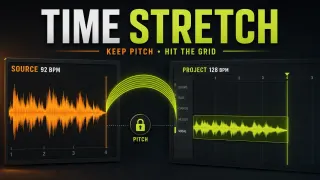 Fit duration without guessing
FL Studio Time Stretch: Fit Audio Without Changing Pitch
Choose a stretch mode that matches the material and compare transients, pitch and length.
Time-stretch audio
Fit duration without guessing
FL Studio Time Stretch: Fit Audio Without Changing Pitch
Choose a stretch mode that matches the material and compare transients, pitch and length.
Time-stretch audio
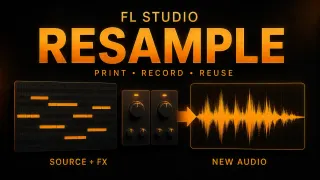 Commit the result as audio
Resample Audio in FL Studio: Render, Consolidate or Record
Render a deliberate transformation while keeping the earlier source recoverable.
Resample audio
Commit the result as audio
Resample Audio in FL Studio: Render, Consolidate or Record
Render a deliberate transformation while keeping the earlier source recoverable.
Resample audio
Before replacing the source
- The untouched recording or sample is still available.
- The edit starts and ends without clicks or accidental silence.
- Detected tempo has been checked across more than one bar.
- Stretching preserves the part that matters: transient shape, pitch or duration.
- The saved file name and project data folder make the new version identifiable.
Use Recording when the source needs to be captured again, Beatmaking & Drums when slices become a new pattern, and Export & Collaboration when the edit is ready to leave the project.
Open the guide for the task in front of you
This list includes every live guide assigned to this route. Scheduled and draft pages stay out until readers can open them.
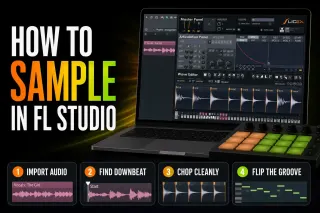 How to Sample in FL Studio: Chop and Flip Audio Cleanly
Import a sample into the right FL Studio tool, find the real downbeat, match tempo without accidental pitch changes, make clean chops and save a reusable result.
Open the guide
Edison in FL Studio: Record, Edit and Export Audio
Edison is FL Studio's recorder and wave editor, included from Producer Edition: where to load it, Mac shortcuts, AI repair tools and safe exports.
Open the guide
Remove Background Noise in FL Studio with Edison
Reduce steady hiss or hum without losing the performance: profile selection, Windows and Mac controls, removed-audio checks and a separate saved result.
Open the guide
Edit Samples in FL Studio Edison: Trim, Fade & Fix Clicks
Keep the raw file, trim the exact keeper, repair the right kind of click and save a checked sample from Edison. Includes fade scope, declipping and source-copy safeguards.
Open the guide
Slicex in FL Studio: Chop Samples, Map Pads & Fix Clicks
Make a playable instrument from a loop: choose regions, fix boundaries, map notes or pads, and check articulation, routing and source dependencies.
Open the guide
FL Studio Time Stretch: Fit Audio Without Changing Pitch
Fit an Audio Clip to the grid, distinguish source BPM from project locking, choose a suitable stretch method, and protect the original when saving processed audio.
Open the guide
How to Detect BPM in FL Studio and Check Sample Tempo
Find a sample’s source tempo without mistaking stretched playback for a correct result. Includes manual beat counting, Tap Tempo and local timing checks.
Open the guide
Resample Audio in FL Studio: Render, Consolidate or Record
Print a Pattern, consolidate arranged clips or capture a performance in Edison. Check effects, tails and source safety, and distinguish printing from playback resampling.
Open the guide
How to Sample in FL Studio: Chop and Flip Audio Cleanly
Import a sample into the right FL Studio tool, find the real downbeat, match tempo without accidental pitch changes, make clean chops and save a reusable result.
Open the guide
Edison in FL Studio: Record, Edit and Export Audio
Edison is FL Studio's recorder and wave editor, included from Producer Edition: where to load it, Mac shortcuts, AI repair tools and safe exports.
Open the guide
Remove Background Noise in FL Studio with Edison
Reduce steady hiss or hum without losing the performance: profile selection, Windows and Mac controls, removed-audio checks and a separate saved result.
Open the guide
Edit Samples in FL Studio Edison: Trim, Fade & Fix Clicks
Keep the raw file, trim the exact keeper, repair the right kind of click and save a checked sample from Edison. Includes fade scope, declipping and source-copy safeguards.
Open the guide
Slicex in FL Studio: Chop Samples, Map Pads & Fix Clicks
Make a playable instrument from a loop: choose regions, fix boundaries, map notes or pads, and check articulation, routing and source dependencies.
Open the guide
FL Studio Time Stretch: Fit Audio Without Changing Pitch
Fit an Audio Clip to the grid, distinguish source BPM from project locking, choose a suitable stretch method, and protect the original when saving processed audio.
Open the guide
How to Detect BPM in FL Studio and Check Sample Tempo
Find a sample’s source tempo without mistaking stretched playback for a correct result. Includes manual beat counting, Tap Tempo and local timing checks.
Open the guide
Resample Audio in FL Studio: Render, Consolidate or Record
Print a Pattern, consolidate arranged clips or capture a performance in Edison. Check effects, tails and source safety, and distinguish printing from playback resampling.
Open the guide
 Add Sample Packs to FL Studio: Folders, ZIPs and Fixes
Extract a downloaded sample pack, add its folder to the Browser and verify the audio without breaking existing paths. Separate library organization, cloud copies and project sample collection.
Open the guide
Add Sample Packs to FL Studio: Folders, ZIPs and Fixes
Extract a downloaded sample pack, add its folder to the Browser and verify the audio without breaking existing paths. Separate library organization, cloud copies and project sample collection.
Open the guide
 How to Use NewTone in FL Studio: Tune Vocals by Hand
Use NewTone to correct vocal pitch, drift, vibrato and timing note by note, then return clean audio or detected MIDI to FL Studio.
Open the guide
How to Use NewTone in FL Studio: Tune Vocals by Hand
Use NewTone to correct vocal pitch, drift, vibrato and timing note by note, then return clean audio or detected MIDI to FL Studio.
Open the guide
 FL Studio Missing Samples: Find and Restore Lost Audio
Find out whether FL Studio lost an audio file, sample-library path, plugin or project folder, then restore it without overwriting the original project.
Open the guide
FL Studio Missing Samples: Find and Restore Lost Audio
Find out whether FL Studio lost an audio file, sample-library path, plugin or project folder, then restore it without overwriting the original project.
Open the guide
 FL Studio Export Has No Sound: Fix a Silent Render
Fix a silent FL Studio export by checking the render range, Master routing, mute states, plugin render behavior and external hardware before changing quality settings.
Open the guide
FL Studio Export Has No Sound: Fix a Silent Render
Fix a silent FL Studio export by checking the render range, Master routing, mute states, plugin render behavior and external hardware before changing quality settings.
Open the guide
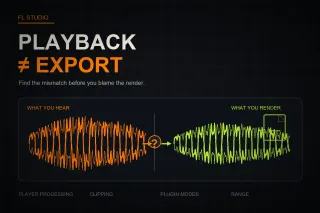 Why Your FL Studio Export Sounds Different From Playback
Find why an FL Studio export sounds different by separating player processing from clipping, interpolation, plugin render modes, routing and range problems.
Open the guide
Why Your FL Studio Export Sounds Different From Playback
Find why an FL Studio export sounds different by separating player processing from clipping, interpolation, plugin render modes, routing and range problems.
Open the guide
 NewTime in FL Studio: Warp Audio Without Losing the Groove
Use NewTime to correct audio timing in FL Studio: source BPM, downbeats, Warp Markers, quantization, groove, slaved playback, Playlist transfer and troubleshooting.
Open the guide
NewTime in FL Studio: Warp Audio Without Losing the Groove
Use NewTime to correct audio timing in FL Studio: source BPM, downbeats, Warp Markers, quantization, groove, slaved playback, Playlist transfer and troubleshooting.
Open the guide
 How to Use Tap Tempo in FL Studio
Use FL Studio's Tempo Tapper to follow a beat, correct half or double-time readings, nudge a live source, and decide when Detect tempo is the better tool.
Open the guide
How to Use Tap Tempo in FL Studio
Use FL Studio's Tempo Tapper to follow a beat, correct half or double-time readings, nudge a live source, and decide when Detect tempo is the better tool.
Open the guide
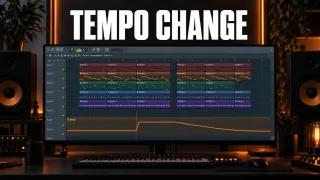 How to Change Tempo Mid-Song in FL Studio
Change BPM partway through an FL Studio song with a Tempo automation clip, set exact values, pick a switch or a ramp and keep audio clips in time.
Open the guide
How to Change Tempo Mid-Song in FL Studio
Change BPM partway through an FL Studio song with a Tempo automation clip, set exact values, pick a switch or a ramp and keep audio clips in time.
Open the guide
 FL Studio Text to Speech: How to Open the Speech Synthesizer
Can't find text to speech in FL Studio? It isn't a plugin. Open the Speech folder in the Browser, drag a preset onto an empty channel, shape the voice, work with the word slices, and see what to do on a Mac.
Open the guide
FL Studio Text to Speech: How to Open the Speech Synthesizer
Can't find text to speech in FL Studio? It isn't a plugin. Open the Speech folder in the Browser, drag a preset onto an empty channel, shape the voice, work with the word slices, and see what to do on a Mac.
Open the guide
 How to Make a Male Voice Sound Female in FL Studio
Pitch alone won't do it. Move pitch and formant together with the stock tool your edition has, prepare the source, finish with EQ and de-essing, and fix the chipmunk and robot problems.
Open the guide
How to Make a Male Voice Sound Female in FL Studio
Pitch alone won't do it. Move pitch and formant together with the stock tool your edition has, prepare the source, finish with EQ and de-essing, and fix the chipmunk and robot problems.
Open the guide
 How to Sync Vocals in FL Studio: Match BPM and Fix Drift
Sync vocals to an FL Studio project with the right BPM, a clean first phrase, pitch-safe stretching and NewTime fixes for timing drift.
Open the guide
How to Sync Vocals in FL Studio: Match BPM and Fix Drift
Sync vocals to an FL Studio project with the right BPM, a clean first phrase, pitch-safe stretching and NewTime fixes for timing drift.
Open the guide
FL Studio audio editing questions
Should I edit a sample in Edison or the Playlist?
Use Playlist and Audio Clip controls for arrangement-level placement and simple fades. Open Edison when you need close waveform selection, recording, repair or a new edited file.
Does time stretching change pitch in FL Studio?
It depends on the selected mode and control. Resampling links speed and pitch, while stretch modes can change duration while trying to preserve pitch. Audition the result because different material exposes different artifacts.
When should I use Slicex?
Use Slicex when regions need to become playable slices controlled from the Piano Roll. A single fixed edit or arrangement clip usually does not need the extra instrument layer.