 FL Studio
All guides
FL Studio guides, organized by the job in front of you
Choose from thirteen routes, from your first setup to MIDI, recording, mixing and export. Each route helps you find the right next step; the complete article library is below.
Choose a practical route
FL Studio is easier to learn when each question belongs to a real session. Start with setup if the program is new, use Workflow when the idea needs structure, or go straight to Troubleshooting when audio, MIDI or a project has stopped behaving.
Where should you begin?
If FL Studio is not yet installed, follow Start here in order. If you already have a working session, pick the route that matches the current bottleneck rather than reading from the oldest article forward. A silent output belongs in Troubleshooting; a clean recording that needs timing edits belongs in Workflow; a balanced arrangement that needs tone and level work belongs in Mixing.
All published FL Studio tutorials
These guides are ordered by publication date. Use the route cards above when you want a guided sequence, or browse below for one exact task.
 17 min read
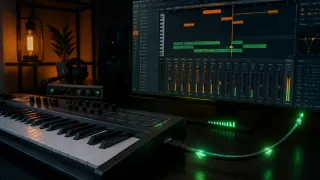
Connect a MIDI Keyboard to FL Studio (Fix No Input)
Plug in, press F10, select the keyboard under Input and click Enable. Then prove the signal, fix silent keys, pads and recording, and choose between a generic keyboard and an FL-specific one such as FLkey.
Read guide
 15 min read
FL Studio Keeps Crashing or Won’t Open: Fix It
Separate an FL Studio startup failure from one broken project, recover the safest copy and isolate the plugin, path or permission that caused it.
Read guide
 20 min read
FL Studio High CPU: Lower the Load and Fix a Laggy Project
FL Studio can already use every core. Find the heavy plugin in the performance monitor, keep threading on, route heavy plugins to independent Mixer tracks and set a 10 to 20 ms buffer, or 128 samples on Apple Silicon.
Read guide
 12 min read
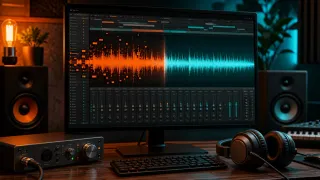
FL Studio Audio Crackling: Fix Clicks and Pops
Crackle usually means an underrun: fix the driver and buffer first, then check laptop power and heat, one heavy plugin, the recording input or the exported file.
Read guide
 17 min read
FL Studio Automation Clips: How to Make, Draw and Fix Them
Right-click a native control and choose Create automation clip; for a VST or AU plugin, move the control and use Tools > Last tweaked. Then shape the curve, set Min/Max and fix jumps from initial values.
Read guide
 14 min read
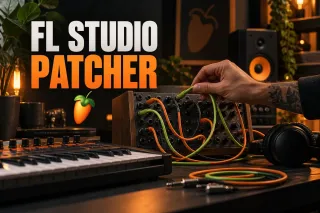
How to Use Patcher in FL Studio: 3 Practical Builds
To use Patcher in FL Studio, load it in the Channel Rack as an instrument or in a Mixer slot as an effect, cable plugins between From FL Studio and To FL Studio, then save the chain with Save preset as.
Read guide
 14 min read
How to Make a Reese Bass in FL Studio: Sytrus and 3xOSC
To make a Reese bass in FL Studio, detune two saw voices, run them through one low-pass filter and play the channel mono. Build it in Sytrus with OP 1, OP 2 and Filter 1, or in 3xOSC on Fruity Edition, then save it as a preset.
Read guide
 16 min read
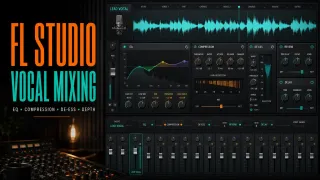
How to Mix Vocals in FL Studio: A Repeatable Stock Chain
To mix vocals in FL Studio, give the lead its own Mixer track, clean and level the take, then tune, EQ, compress with Fruity Limiter and de-ess with Maximus. Put Fruity Reeverb 2 and Fruity Delay 3 on sends, level-match each stage against bypass and save the chain as a Mixer track state.
Read guide
 14 min read
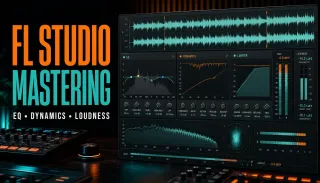
How to Master in FL Studio: Stock Plugins or FL Cloud
To master in FL Studio, start from an unclipped mix and a level-matched reference, make only broad EQ or dynamics moves, set the final level with Fruity Limiter or Emphasis and read Wave Candy before exporting a WAV. File > Export > Master adds FL Cloud's AI mastering as a second opinion.
Read guide
 14 min read
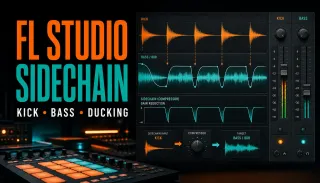
How to Do Sidechain Compression in FL Studio
Route the kick to a sidechain input on the bass insert. Put Fruity Limiter on the bass, switch to COMP, select that input and adjust Threshold, Ratio, Attack and Release for the ducking you want.
Read guide
 13 min read
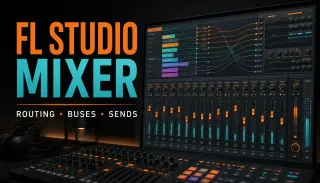
How to Use the FL Studio Mixer: Effects, Routing and Sends
Press F9 to open the Mixer, route each sound to its own insert and add effects from an empty slot or the Plugin Picker. Then select and move several tracks, build buses and sends, save track states and trace silent or doubled routes.
Read guide
 13 min read
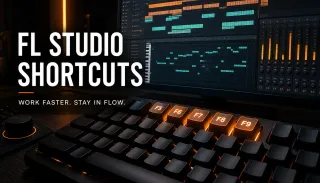
FL Studio Shortcuts: Keyboard Commands Worth Learning
Start with Space, Ctrl/Cmd+S, F5 to F9 and Ctrl/Cmd+B, then use the window-by-window Windows and Mac tables. Includes seven errors popular cheat sheets repeat, Cmd+Q among them.
Read guide