 FL Studio
All guides
FL Studio guides, organized by the job in front of you
Choose from thirteen routes, from your first setup to MIDI, recording, mixing and export. Each route helps you find the right next step; the complete article library is below.
Choose a practical route
FL Studio is easier to learn when each question belongs to a real session. Start with setup if the program is new, use Workflow when the idea needs structure, or go straight to Troubleshooting when audio, MIDI or a project has stopped behaving.
Where should you begin?
If FL Studio is not yet installed, follow Start here in order. If you already have a working session, pick the route that matches the current bottleneck rather than reading from the oldest article forward. A silent output belongs in Troubleshooting; a clean recording that needs timing edits belongs in Workflow; a balanced arrangement that needs tone and level work belongs in Mixing.
All published FL Studio tutorials
These guides are ordered by publication date. Use the route cards above when you want a guided sequence, or browse below for one exact task.
 12 min read
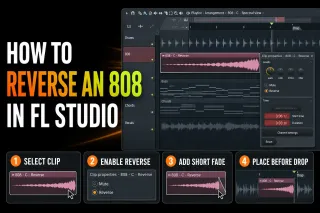
How to Reverse an 808 in FL Studio and Keep It Clean
To reverse an 808 in FL Studio, open its Playlist Audio Clip in Clip Properties and enable Reverse, then line the Clip's end up with the drop and fade that edge by a few milliseconds.
Read guide
 8 min read
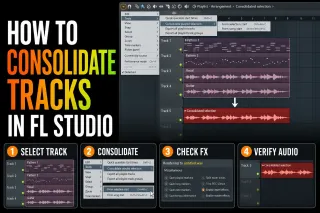
How to Consolidate Tracks in FL Studio Without Surprises
Save a copy, then right-click a Playlist track header > Consolidate this track. Use From song start for aligned files or From track start for a compact print, and check Insert/Master effects before rendering.
Read guide
 12 min read
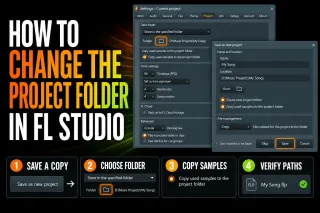
How to Change an FL Studio Project Folder Safely
To change the project folder in FL Studio, set Data folder location to Store relative to the project file, copy used samples, then save the FLP with File > Save as in the new location.
Read guide
 13 min read
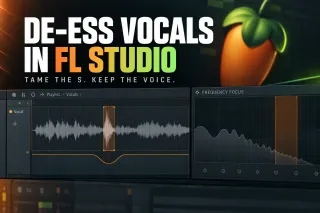
How to De-Ess Vocals in FL Studio Without Dulling Them
Maximus De-esser Split Band on the vocal insert, tuned on its MID band, handles most sibilance; Fruity Multiband Compressor covers every edition, clip gain fixes a few stray S sounds, and 2-4 dB of reduction keeps the S intact.
Read guide
 12 min read
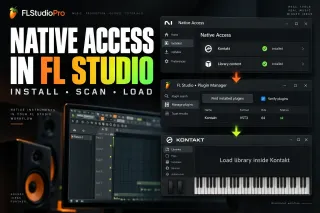
Connect Native Access to FL Studio: Plugins & Kontakt
Native Access installs Native Instruments products; FL Studio finds the VST3 with a verified Plugin Manager scan, and Kontakt libraries open inside Kontakt rather than as separate plug-ins.
Read guide
 12 min read
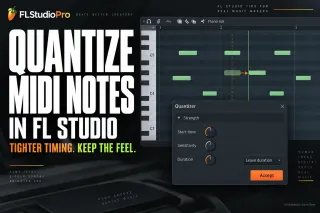
How to Quantize in FL Studio: MIDI Notes and Audio
Tighten MIDI with Shift+Q, Quick Quantize or the full Quantizer, snap stray notes back to the grid, and pick the right audio route: chopped clips, Slicex, NewTime or a latency fix.
Read guide
 10 min read
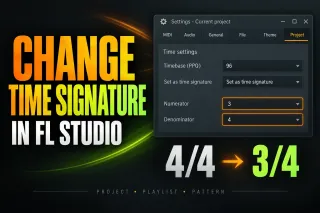
How to Change Time Signature in FL Studio
To change time signature in FL Studio, open Options > Project general settings, choose Set as time signature and set Numerator and Denominator. For a change mid-song, add a Playlist marker with Shift+Alt+T.
Read guide
 15 min read
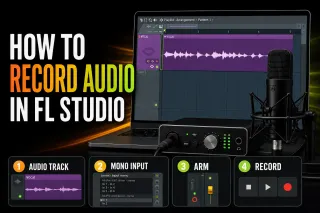
How to Record Audio in FL Studio, Even Without an Interface
To record audio in FL Studio, set the audio device and Mixer input, arm the insert and Record, then press Play. No interface? Pair a laptop or USB mic with headphones through FL Studio ASIO or the Mac Input and Output menus. Plus the metronome, count-in, monitoring and timing fixes.
Read guide
 15 min read
FL Studio Stem Separation: Split Vocals, Drums & Bass
Extract stems from an Audio Clip or Tools > Remix a song, see how FL Studio scores against other separators, and fix a model that will not download.
Read guide
 17 min read
Ableton vs FL Studio: Which DAW Fits You in 2026?
FL Studio for patterns and buy-once updates, Ableton Live for audio and performance: list prices and current offers, edition limits, stem-separation test results and a one-hour trial test.
Read guide
 21 min read
18 FL Studio Stock Plugins Worth Learning First
Start with FLEX, Parametric EQ 2, Fruity Limiter and Reeverb 2, all in every edition. Choose the rest by the job and your license, then build a small starter rack.
Read guide
 19 min read
13 Free Plugins for FL Studio (2026): Synths and Effects
Free FL Studio plugins for synths, vocals, drums and metering, with free-tier limits, official downloads and a starter rack that avoids duplicate tools.
Read guide