 FL Studio
Build the sound, then make it move
Shape a synth patch, adapt a preset or reshape recorded audio. Choose the route that fits the part, then add automation or a reusable effects chain where it helps the music.
A preset becomes useful when you can predict the next change
Sound design is not the number of knobs you move. It is the connection between a musical goal and a small set of changes you can hear: oscillator balance sets the raw material, filters and envelopes shape it over time, modulation adds motion, and effects place the result in a track. When those stages stay separate, a patch is easier to repair and easier to reuse.
The synthesis route starts with a Sytrus bass patch, then shows how to automate it and combine tools in Patcher. That is a learning sequence, not a rule that every sound needs movement or a complex chain. A preset may already fit the part. If you are choosing an instrument rather than learning its controls, the Plugins route can help you narrow the choice.
Build a patch, add movement, then save a reusable chain
Each guide produces something the next guide can use. Finish the bass, animate it in context, then decide whether a Patcher structure actually saves work.
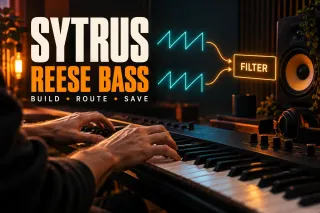 Create the source
Sytrus Tutorial: Make a Reese Bass and Save the Preset
Build a Reese bass in Sytrus from oscillator choices through movement and level, so every change has an audible reason.
Build the Sytrus patch
Create the source
Sytrus Tutorial: Make a Reese Bass and Save the Preset
Build a Reese bass in Sytrus from oscillator choices through movement and level, so every change has an audible reason.
Build the Sytrus patch
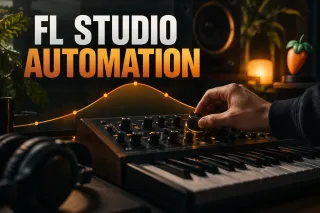 Give the sound motion
FL Studio Automation: Clips, Curves and Plugin Controls
Create and edit automation clips, control their range and keep movement attached to a musical phrase instead of drawing random curves.
Automate the sound
Give the sound motion
FL Studio Automation: Clips, Curves and Plugin Controls
Create and edit automation clips, control their range and keep movement attached to a musical phrase instead of drawing random curves.
Automate the sound
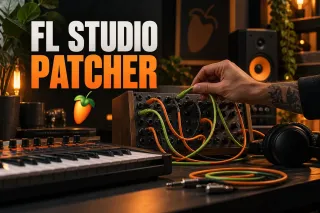 Combine a repeatable chain
How to Use Patcher in FL Studio: 3 Practical Builds
Route generators, effects and controls inside Patcher without turning the map into an unreadable collection of cables.
Build a Patcher chain
Combine a repeatable chain
How to Use Patcher in FL Studio: 3 Practical Builds
Route generators, effects and controls inside Patcher without turning the map into an unreadable collection of cables.
Build a Patcher chain
Not every part needs a patch from scratch
A preset is a sensible starting point when the arrangement needs a piano, pad or bass and you want to keep writing. FLEX lets you adapt sounds with preset-specific macros and shared controls; it does not expose every part of its synthesis engine. Check the FLEX control reference when a macro or envelope behaves differently between presets. The stock-plugin guide helps you choose between the available instruments.
Open the guide for the task in front of you
This list includes every live guide assigned to this route. Scheduled and draft pages stay out until readers can open them.
Sytrus Tutorial: Make a Reese Bass and Save the Preset
Build a two-operator Reese bass from Default, use the correct Sytrus matrix cells, choose ratio or Hz detuning, and preserve the sound as a reusable preset.
Open the guide
How to Use Patcher in FL Studio: 3 Practical Builds
Build serial effects, parallel processing and instrument layers in Patcher, then connect a bounded macro and preserve the patch with its required plugins.
Open the guide
FL Studio Automation: Clips, Curves and Plugin Controls
Select a Playlist range, right-click a native control and create an Automation Clip. Edit its points, check the target and play the arrangement in Song mode.
Open the guide
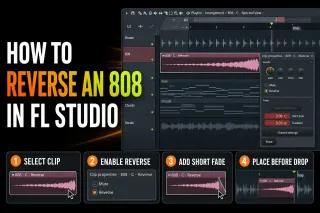 How to Reverse an 808 in FL Studio and Keep It Clean
Reverse one 808 Audio Clip, place its audible arrival before the drop, clean up boundary clicks and preserve the forward source and project dependencies.
Open the guide
How to Reverse an 808 in FL Studio and Keep It Clean
Reverse one 808 Audio Clip, place its audible arrival before the drop, clean up boundary clicks and preserve the forward source and project dependencies.
Open the guide
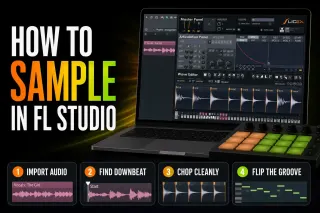 How to Sample in FL Studio: Chop and Flip Audio Cleanly
Import a sample into the right FL Studio tool, find the real downbeat, match tempo without accidental pitch changes, make clean chops and save a reusable result.
Open the guide
How to Sample in FL Studio: Chop and Flip Audio Cleanly
Import a sample into the right FL Studio tool, find the real downbeat, match tempo without accidental pitch changes, make clean chops and save a reusable result.
Open the guide
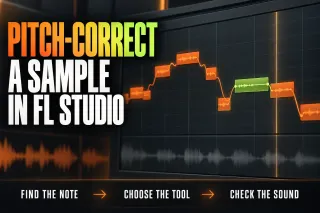 How to Pitch-Correct a Sample in FL Studio Cleanly
Find the sample’s real pitch, choose Audio Clip, Sampler or NewTone, move it by a deliberate interval and keep timing, transients and formants under control.
Open the guide
How to Pitch-Correct a Sample in FL Studio Cleanly
Find the sample’s real pitch, choose Audio Clip, Sampler or NewTone, move it by a deliberate interval and keep timing, transients and formants under control.
Open the guide
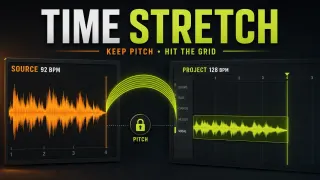 FL Studio Time Stretch: Fit Audio Without Changing Pitch
Fit an Audio Clip to the grid, distinguish source BPM from project locking, choose a suitable stretch method, and protect the original when saving processed audio.
Open the guide
FL Studio Time Stretch: Fit Audio Without Changing Pitch
Fit an Audio Clip to the grid, distinguish source BPM from project locking, choose a suitable stretch method, and protect the original when saving processed audio.
Open the guide
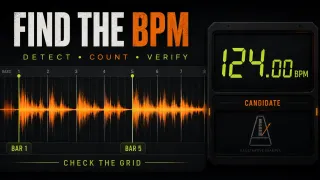 How to Detect BPM in FL Studio and Check Sample Tempo
Find a sample’s source tempo without mistaking stretched playback for a correct result. Includes manual beat counting, Tap Tempo and local timing checks.
Open the guide
How to Detect BPM in FL Studio and Check Sample Tempo
Find a sample’s source tempo without mistaking stretched playback for a correct result. Includes manual beat counting, Tap Tempo and local timing checks.
Open the guide
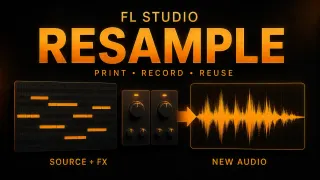 Resample Audio in FL Studio: Render, Consolidate or Record
Print a Pattern, consolidate arranged clips or capture a performance in Edison. Check effects, tails and source safety, and distinguish printing from playback resampling.
Open the guide
Resample Audio in FL Studio: Render, Consolidate or Record
Print a Pattern, consolidate arranged clips or capture a performance in Edison. Check effects, tails and source safety, and distinguish printing from playback resampling.
Open the guide
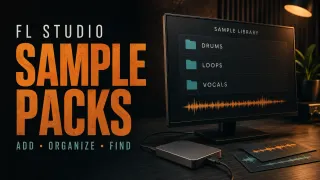 Add Sample Packs to FL Studio: Folders, ZIPs and Fixes
Extract a downloaded sample pack, add its folder to the Browser and verify the audio without breaking existing paths. Separate library organization, cloud copies and project sample collection.
Open the guide
Add Sample Packs to FL Studio: Folders, ZIPs and Fixes
Extract a downloaded sample pack, add its folder to the Browser and verify the audio without breaking existing paths. Separate library organization, cloud copies and project sample collection.
Open the guide
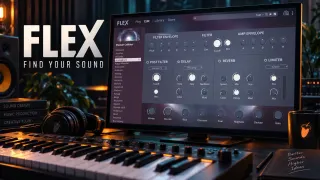 FLEX in FL Studio 2026: Presets, Packs and Macros
Find a FLEX sound that fits the part, shape its actual controls, and understand which packs you own. Includes the 2026 browser, subscription expiry, safe pack repair and project recall.
Open the guide
FLEX in FL Studio 2026: Presets, Packs and Macros
Find a FLEX sound that fits the part, shape its actual controls, and understand which packs you own. Includes the 2026 browser, subscription expiry, safe pack repair and project recall.
Open the guide
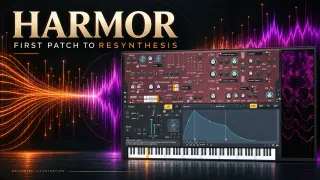 Harmor in FL Studio: First Patch and Resynthesis
Build a controlled Part A patch, learn Harmor's real envelope controls, and turn audio into a stereo resynthesized instrument without losing its source or trial-plugin settings.
Open the guide
Harmor in FL Studio: First Patch and Resynthesis
Build a controlled Part A patch, learn Harmor's real envelope controls, and turn audio into a stereo resynthesized instrument without losing its source or trial-plugin settings.
Open the guide
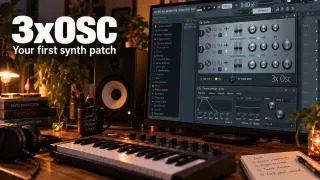 3xOSC in FL Studio: Build Your First Synth Patch
Build one playable 3xOSC sound, understand its mix ratios, and find the Channel envelope and filter that complete the patch. Includes phase checks and reliable preset-saving steps.
Open the guide
3xOSC in FL Studio: Build Your First Synth Patch
Build one playable 3xOSC sound, understand its mix ratios, and find the Channel envelope and filter that complete the patch. Includes phase checks and reliable preset-saving steps.
Open the guide
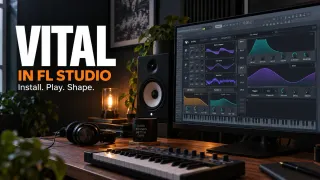 Vital in FL Studio: Install, Shape and Save a Patch
Get Vital into the Channel Rack, build a controllable first patch and keep its presets separate from FL Studio favorites. Includes format, scan and project-recall checks.
Open the guide
Vital in FL Studio: Install, Shape and Save a Patch
Get Vital into the Channel Rack, build a controllable first patch and keep its presets separate from FL Studio favorites. Includes format, scan and project-recall checks.
Open the guide
 Gross Beat in FL Studio: Time, Gating and Glitch Without Guesswork
Gross Beat makes sense once you separate Time mapping from Volume gating. Learn the buffer, slots, sync modes, automation and click-free workflow.
Open the guide
Gross Beat in FL Studio: Time, Gating and Glitch Without Guesswork
Gross Beat makes sense once you separate Time mapping from Volume gating. Learn the buffer, slots, sync modes, automation and click-free workflow.
Open the guide
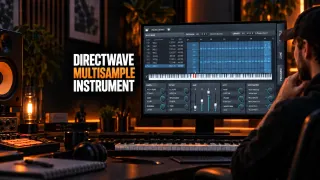 DirectWave in FL Studio: Build a Multisample Instrument
Build a playable DirectWave instrument from your own samples: root keys, key ranges, velocity layers, sustain loops, envelopes, DWP and DWB saving, and troubleshooting.
Open the guide
DirectWave in FL Studio: Build a Multisample Instrument
Build a playable DirectWave instrument from your own samples: root keys, key ranges, velocity layers, sustain loops, envelopes, DWP and DWB saving, and troubleshooting.
Open the guide
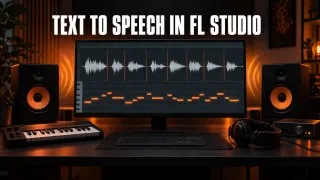 FL Studio Text to Speech: How to Open the Speech Synthesizer
Can't find text to speech in FL Studio? It isn't a plugin. Open the Speech folder in the Browser, drag a preset onto an empty channel, shape the voice, work with the word slices, and see what to do on a Mac.
Open the guide
FL Studio Text to Speech: How to Open the Speech Synthesizer
Can't find text to speech in FL Studio? It isn't a plugin. Open the Speech folder in the Browser, drag a preset onto an empty channel, shape the voice, work with the word slices, and see what to do on a Mac.
Open the guide
 How to Make a Male Voice Sound Female in FL Studio
Pitch alone won't do it. Move pitch and formant together with the stock tool your edition has, prepare the source, finish with EQ and de-essing, and fix the chipmunk and robot problems.
Open the guide
How to Make a Male Voice Sound Female in FL Studio
Pitch alone won't do it. Move pitch and formant together with the stock tool your edition has, prepare the source, finish with EQ and de-essing, and fix the chipmunk and robot problems.
Open the guide
 How to Make Vocal Harmonies in FL Studio
Choose harmony notes against the chords, then use Pitcher with MIDI Out, edit a separate vocal in NewTone or record a new part. Clear routing keeps the harmony and lead independently controllable.
Open the guide
How to Make Vocal Harmonies in FL Studio
Choose harmony notes against the chords, then use Pitcher with MIDI Out, edit a separate vocal in NewTone or record a new part. Clear routing keeps the harmony and lead independently controllable.
Open the guide
 How to Make Vocal Chops in FL Studio
Build a vocal hook from useful syllables, then choose Playlist cuts, Slicex triggering or a Sampler melody. Keep pitch, clip properties and clean cut edges under control.
Open the guide
How to Make Vocal Chops in FL Studio
Build a vocal hook from useful syllables, then choose Playlist cuts, Slicex triggering or a Sampler melody. Keep pitch, clip properties and clean cut edges under control.
Open the guide
 FL Studio Sampler: Tune a Sample and Control Its Notes
Turn one sound into a playable part: load the Channel Sampler, map its root note, shape note-offs and choose whether pitch should change playback length.
Open the guide
FL Studio Sampler: Tune a Sample and Control Its Notes
Turn one sound into a playable part: load the Channel Sampler, map its root note, shape note-offs and choose whether pitch should change playback length.
Open the guide
 Adlibs in FL Studio: Record, Pan and Add Delay Throws
Record adlibs on their own Mixer route, balance them around the lead and automate Delay 3's input for word throws that keep their tails.
Open the guide
Adlibs in FL Studio: Record, Pan and Add Delay Throws
Record adlibs on their own Mixer route, balance them around the lead and automate Delay 3's input for word throws that keep their tails.
Open the guide
 Telephone Effect in FL Studio: EQ, Grit and Filter Sweeps
Use high-pass and low-pass filters in EQ 2 for a telephone voice, add optional Fast Dist texture and automate the cutoffs to open the sound into the next section.
Open the guide
Telephone Effect in FL Studio: EQ, Grit and Filter Sweeps
Use high-pass and low-pass filters in EQ 2 for a telephone voice, add optional Fast Dist texture and automate the cutoffs to open the sound into the next section.
Open the guide
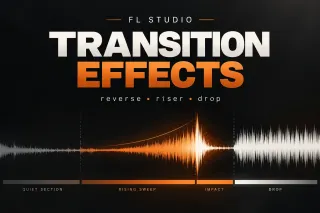 How to Make FL Studio Transition Effects That Actually Work
Build FL Studio transition effects with reverse hits, risers, filter and pitch movement, fills, delay tails and clean drops that land on time.
Open the guide
How to Make FL Studio Transition Effects That Actually Work
Build FL Studio transition effects with reverse hits, risers, filter and pitch movement, fills, delay tails and clean drops that land on time.
Open the guide
 How to Change Key in FL Studio: Transpose a Whole Project
Transpose melodic Patterns by one semitone interval, apply the same shift to Audio Clips, and keep unpitched drums unchanged. Check shared sources before repeating edits.
Open the guide
How to Change Key in FL Studio: Transpose a Whole Project
Transpose melodic Patterns by one semitone interval, apply the same shift to Audio Clips, and keep unpitched drums unchanged. Check shared sources before repeating edits.
Open the guide
A sound is ready for the arrangement when…
- Its level is controlled before a long effects chain makes it seem better only because it is louder.
- You can identify which oscillator, filter, envelope or effect creates the defining character.
- Automation changes the phrase without producing accidental jumps at clip boundaries.
- Patcher routing has named roles and no connection exists merely because the map allows it.
- The patch still works against drums, vocals and other instruments rather than only in solo.
When the sound works but competes with the rest of the song, move to Mixing. When a third-party instrument disappears or spikes the processor, take the technical problem to Troubleshooting.
FL Studio sound-design questions
Should a beginner start sound design with Sytrus or Patcher?
Start with one Sytrus patch. Patcher combines tools and routes controls, so it is easier to understand after you can already explain what the individual generator and effects are doing.
Is automation the same as modulation?
Both change a parameter over time, but they live at different levels. Plugin modulation is usually part of the patch; an FL Studio automation clip places an editable control shape in the project and arrangement.
Should I use FLEX or Sytrus to shape a sound?
Use FLEX when you want to adapt a preset with macros, envelopes, filters and effects. Choose Sytrus when you want to build the synthesis structure through operators, routing and modulation. Neither approach is automatically better; choose according to how much control the part needs.