 FL Studio

Start FL Studio in the right order
Choose the edition, install it cleanly, make audio reliable, then finish one small song. This route keeps shortcuts and plugins from becoming distractions before the basic workflow makes sense.
Learn by finishing one small project
The Channel Rack, Piano Roll, Playlist and Mixer handle different parts of the same project. Connect them by making one short track: pick sounds in the Channel Rack, write notes in the Piano Roll, place patterns in the Playlist and route the result through the Mixer. You do not need to learn every control before you start.
The six guides below follow that dependency order. You can also use Image-Line’s official Learn FL Studio lessons when you want a video demonstration of the workspace. Our route handles the decisions around those lessons: which edition removes the limits you care about, what to check before installing, and where to go when audio or MIDI stops the session.
Still deciding whether this is the right DAW? The FL Studio and Ableton workflow comparison can help you test the same idea in each program before choosing. For other buying questions, use Compare & Buy.
Follow the setup from license to first export
Do not read these as a course you must complete. Open the first unfinished job, make the change in FL Studio, and return for the next step.
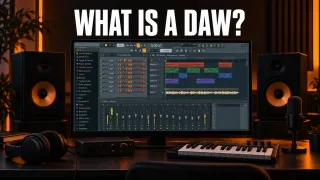 Know what you are choosing
What Is a DAW? Digital Audio Workstations Explained
See what a DAW does, how its main parts look in FL Studio and what you need to run one before picking an edition.
Learn what a DAW is
 Choose before downloading
How Much Is FL Studio? 2026 Prices and Best Edition
Compare the four editions by the work they unlock, including audio clips, recording and the plugin bundles.
Choose an edition
 Install or update cleanly
How to Download and Install FL Studio on Windows or Mac
Protect projects and user files, use the official installer, then verify the build that actually opened.
Install FL Studio
 Make audio dependable
FL Studio Audio Settings: ASIO, Latency and Delay Fixes
Select the right device, sample rate and buffer for recording without mistaking one buffer number for total latency.
Set up audio
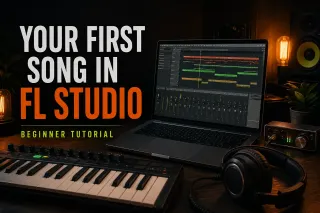 Finish a small song
FL Studio Tutorial for Beginners: How to Use FL Studio
Build drums and melody, arrange the loop, route the channels and export a first complete result.
Make the first track
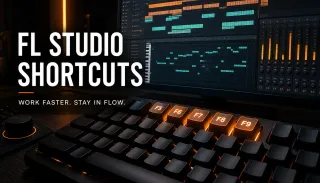 Remove repeated friction
FL Studio Shortcuts: Keyboard Commands Worth Learning
Learn shortcuts by task only after you know which Channel Rack, Piano Roll, Playlist and Mixer actions you repeat.
Learn useful shortcuts
If the MIDI keyboard appears but plays nothing
You can still build the first project by drawing notes with the mouse; a MIDI keyboard is optional. If you want to play the part from your controller, first check that FL Studio detects and enables its input, then check the selected instrument and audio output. The MIDI input checklist separates those problems before you try reinstalling anything.
Open the guide for the task in front of you
This list includes every live guide assigned to this route. Scheduled and draft pages stay out until readers can open them.
FL Studio Audio Settings: ASIO, Latency and Delay Fixes
Open Options > Audio settings (F10), choose your interface's ASIO driver or Core Audio, and lower the buffer to about 10 ms. Then fix ASIO4ALL and Focusrite errors, set a negative track delay for slow sounds and line up late recordings.
Open the guide
How Much Is FL Studio? 2026 Prices and Best Edition
FL Studio costs $99 to $449 at US list price, paid once, with lifetime free updates: Fruity $99, Producer $179, Signature $269, All Plugins $449. I’d buy Producer first, because Fruity leaves out audio recording. One license covers Windows and macOS.
Open the guide
FL Studio Tutorial for Beginners: How to Use FL Studio
To use FL Studio, build patterns in the Channel Rack and Piano Roll, arrange them in the Playlist, balance them in the Mixer and export from Song mode. A first-song walkthrough with the shortcuts, Snap to scale and trial limits a beginner needs.
Open the guide
How to Download and Install FL Studio on Windows or Mac
One official installer covers the trial and every FL Studio edition: run the .exe on Windows or open the .dmg and drag FL Studio into Applications on a Mac, sign in through the Help menu, then sort out .pkg, Gatekeeper, offline-computer and update problems.
Open the guide
FL Studio Shortcuts: Keyboard Commands Worth Learning
Start with Space, Ctrl/Cmd+S, F5 to F9 and Ctrl/Cmd+B, then use the window-by-window Windows and Mac tables. Includes seven errors popular cheat sheets repeat, Cmd+Q among them.
Open the guide
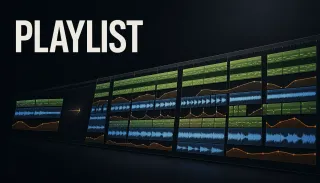 FL Studio Playlist: Arrange a Song and Cut Audio Clips
Press F5, switch to Song mode and place Pattern, Audio and Automation Clips; mark sections, pick free lanes or Track Mode, duplicate with Make unique, cut audio with the Slice tool and Zero-cross, trim edges, chop clips, cut a sample in Edison and compare Arrangements.
Open the guide
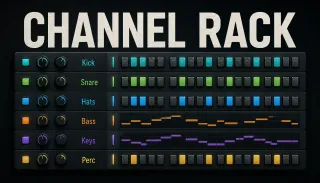 FL Studio Channel Rack: Channels, Patterns and the Playlist
Press F6 to open the Channel Rack. Channels are shared sources, and the selected Pattern holds their steps and notes. Place Patterns in the Playlist from the Picker Panel, route each Channel to the Mixer, and fix red buttons, hidden rows and wrong live targets.
Open the guide
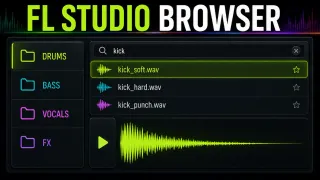 FL Studio Browser: Open It, Add Folders and Find Sounds
Open the FL Studio Browser with Alt/Option+F8 or View > Browser, bring back a hidden, detached or off-screen panel, add sample folders, search by type and tag, preview full samples and load each file where it belongs.
Open the guide
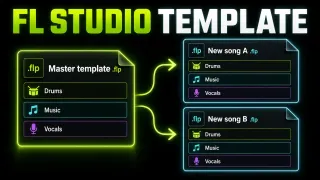 FL Studio Project Template: Build One or Start Empty
To make an FL Studio project template, save your starter with File > Save as template and pick it from File > New from template. For a blank song choose Minimal > Empty, and set Startup project to Empty project if FL Studio should launch blank.
Open the guide
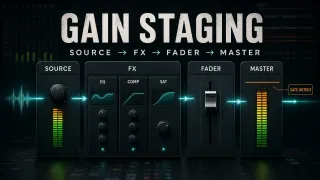 FL Studio Gain Staging: Source, Effects and Master
Set the level where the first unwanted change happens: trim the source before an effect that gets too much, and use the post-effect Mixer fader for balance. Insert tracks practically never clip in FL Studio; the Master and tracks sent to a device output can.
Open the guide
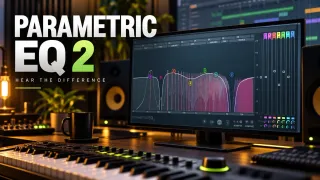 Fruity Parametric EQ 2: Bands, Solo, HQ and LIN
Set up FL Studio's stock seven-band EQ: pick between EQ2, the legacy EQ, EQUO and Edison, choose filter types and Steep or Gentle orders, find problem tones with Band Solo, compare against a true bypass at matched loudness, and choose between HQ+ and Linear Phase.
Open the guide
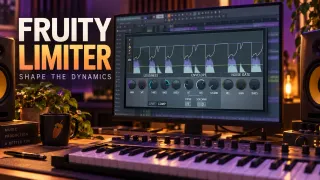 Fruity Limiter: How to Limit, Compress and Gate in FL Studio
Compress on COMP, catch peaks on LIMIT with CEIL, GAIN and look-ahead, gate noisy tails, set SAT by ear and choose between Fruity Limiter, Maximus and Soft Clipper. Every step is judged at matched loudness, so a louder bounce can't fool you.
Open the guide
 Reverb and Delay Sends in FL Studio: Clean Routing
Put each effect on its own Mixer track, set the plugin fully wet and feed it with the send switch under that return. In Reeverb 2 set DRY 0% and WET 100%; in Delay 3 set output Dry to 0. The source keeps its dry route to the Master, and the return fader sets the whole shared effect.
Open the guide
 FL Studio Discounts: Sales, Promo Codes & Student Prices
Image-Line's Black Friday Sale ends December 3: Producer Edition $139, Signature Bundle $199, All Plugins Edition $224. Sale prices back to 2020, where genuine promo codes come from, academic prices from $199, and the upgrade, reseller and Focusrite routes.
Open the guide
 FL Studio vs Logic Pro: Beats, Recording and Real Cost
Pick FL Studio for pattern-first beats, Windows or an Intel Mac; pick Logic Pro for recorded takes and comping on an Apple silicon Mac. Producer lists at $179, Logic at $199.99 or $12.99 a month, Logic leads two listening comparisons; MVSEP results vary by version and submission.
Open the guide
 FL Studio vs REAPER: Beats, Recording, Price and Linux
Pick FL Studio for pattern-first beats and a bigger sound library, REAPER for recorded takes, routing and Linux. Here are the license prices, evaluation rules, plugin formats and the clean way to use both.
Open the guide
 FL Studio 2026 vs 2025: What's New and How to Update
Back up projects and move personal files out of the Mac app bundle, then run the latest installer without uninstalling. Stable 2026.1.7b, changes since 2025, parallel installs and the separate 2026.2 beta explained.
Open the guide
 How to Change the FL Studio Background and Theme
Set a wallpaper or plain color behind FL Studio's windows, give the Playlist its own picture, and change, save and share themes with the Theme editor.
Open the guide
What Is a DAW? Digital Audio Workstations Explained
DAW stands for digital audio workstation: the software you record, arrange and mix music in. Here are its parts shown in FL Studio, what you need to run one and what it costs.
Open the guide
 FL Studio Web: What It Is, Cost, Browsers and Desktop Transfer
FL Studio Web runs in your browser with no desktop download. Check its free starting route, browser requirements and the separate licence needed for desktop editing.
Open the guide
 What Is a VST Plugin? VST, VST3, AU and CLAP Explained
VST stands for Virtual Studio Technology: Steinberg's plugin standard for instruments and effects that run inside a DAW. Here is how it works, VST2 vs VST3, AU, AAX and CLAP, and how FL Studio handles them.
Open the guide
 Free FL Studio Alternatives: Which Free DAW Should You Use?
FL Studio's trial never expires but won't reopen saved projects. Here is what free FL Studio can do, and which free DAW fits pattern beats, vocals, a Mac or a browser, with each app's documented limits.
Open the guide
 Does FL Studio Come With Sounds? What You Get Free
Yes. Every edition, Fruity included, installs royalty-free drums, instrument samples, loops and vocals under Browser > Packs. Here’s what your edition changes, what FLEX and FL Cloud Free add without paying, and which stock content you can’t put in a release.
Open the guide
 Is FL Studio Free? What the Trial Really Lets You Do
The free FL Studio trial never expires and exports at full quality. It cannot reopen its own saved projects, and Make unique is disabled; Web and Mobile work differently.
Open the guide
 FL Studio License: Computers, Refunds and Unlocking
One FL Studio license covers every computer you own, for you alone. How to move it, unlock it online or offline, when a refund is still possible, and what the ID and email checks ask for.
Open the guide
 FL Studio vs Audacity: Choose the Right Tool for Your Task
Audacity for audio edits; FL Studio for instruments and song production. Make the choice by task, check the recording edition, and move audio through WAV.
Open the guide
You are ready to leave the beginner path when…
- You know which edition or trial you are using and which restrictions apply.
- A small test pattern plays cleanly through the audio device you intend to use.
- You can turn a pattern into a short Playlist arrangement instead of leaving it as an eight-bar loop.
- Important channels reach named Mixer inserts and the Master without mystery routes.
- You can save the project and export a playable audio file. In an unlocked installation, also check that the project reopens with its audio and plugins intact.
The standard FL Studio trial cannot reopen saved projects until purchase. Export your sketch before closing it; that restriction is not a sign that you saved it incorrectly. Full recall after purchase also depends on having the required plugin licenses.
If one of those checks fails, return to the matching guide rather than buying more plugins. When they all pass, the next useful route is usually Mixing for balance and routing, or Sound Design when the notes work but the sounds still feel generic.
FL Studio beginner questions
Which FL Studio guide should a complete beginner open first?
If the word DAW is still new, start with what a DAW does. If you have not bought FL Studio, open the edition comparison. If it is installed already, set up audio and then make the small project in the beginner tutorial. Shortcuts become useful after that workflow is familiar.
Do I need third-party plugins for my first track?
No. A first project is more useful when stock instruments and effects keep the setup simple. Add a third-party plugin only when you can name the specific job your current tools cannot do.
Should I learn the Channel Rack or Playlist first?
Use them together. Build a short drum or instrument pattern in the Channel Rack, then place it in the Playlist. This connects the notes you wrote with the arrangement you hear in Song mode.
Do I need a MIDI keyboard to learn FL Studio?
No. You can add drum steps and draw notes with the mouse. A MIDI keyboard is useful for playing parts, but a controller problem does not have to stop you learning the basic workflow.